Hitamo ifaranga


Hitamo ururimi





 Roymall C.o.

Kwishyura neza bihamye

 Impano y'ubuntu
 Politiki yo kohereza
 Politiki yo kugarura
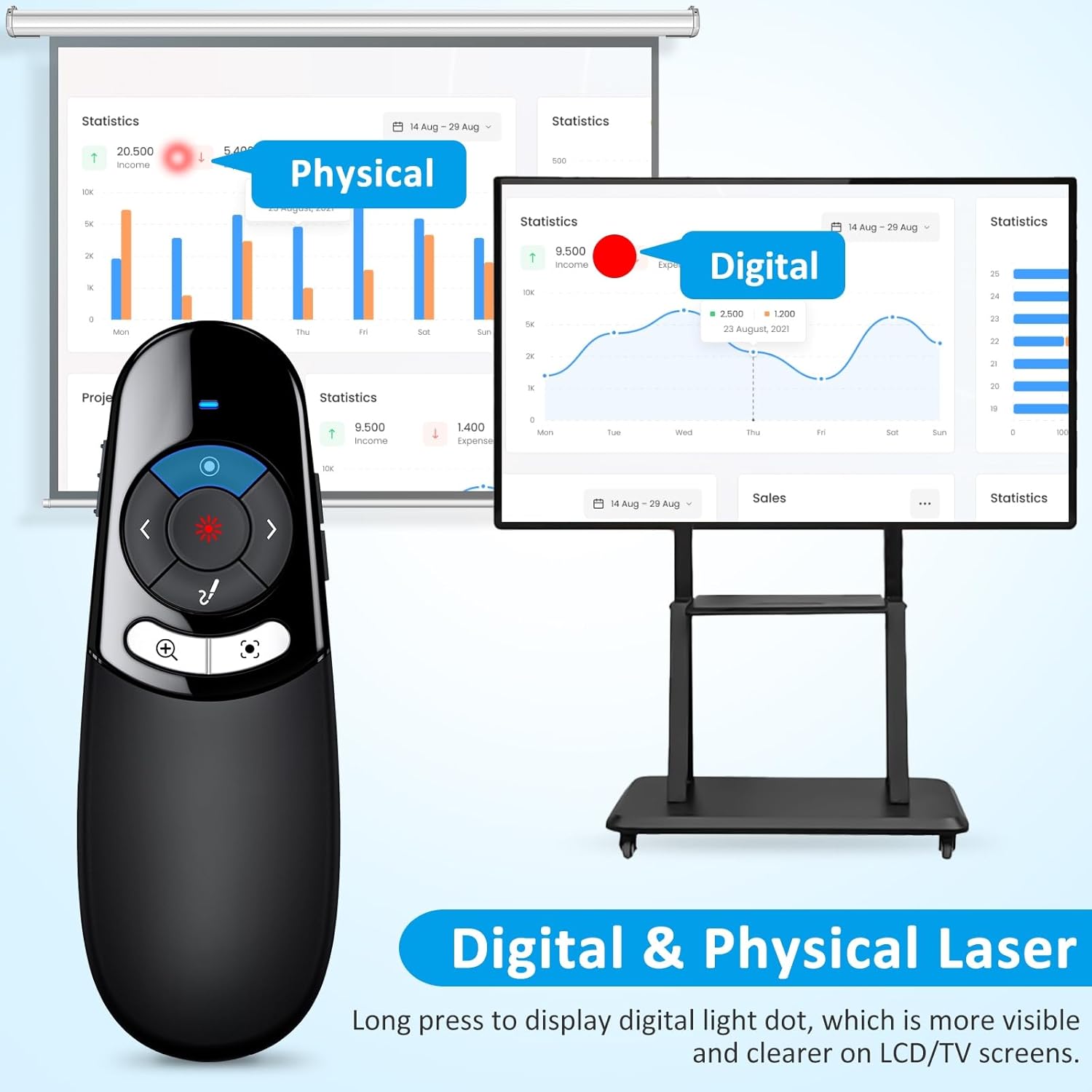
【Physical and Digital Laser Pointer with Dual Connectors】Combine physical and digital laser pointer in one clicker, clearly present on the traditional projection screen or LCD/TV screen. This wireless presentation clicker features both USB-A and USB-C connections, which is convenient to use on more devices such as Macs, laptops and pc. (Powered by 2pcs AAA Battery but not included)
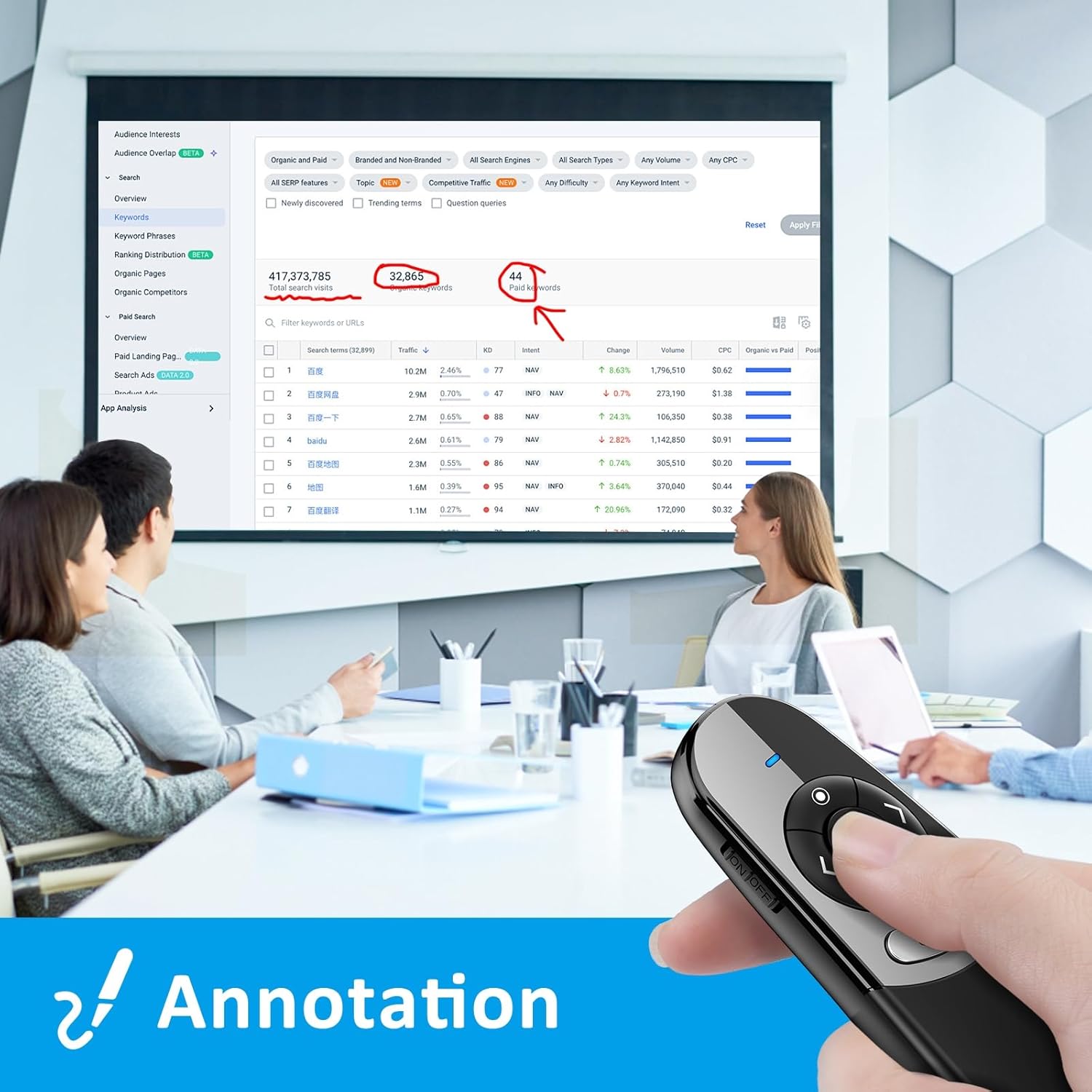
【Multifunctional Presentation Pointer】This slide advancer has intuitive touch keys for easy control slide shows: Highlighting, Magnify, E-Mark, Eraser, Switch/Close Window, Full/ Black Screen, Page Up/ Down, Volume Control, etc. Designed with ergonomics, paired with chocolate keys, this clicker offers a comfortable grip.
【Bright Red Light & Long Control Distance】Wireless Control range: 164ft, Red Light Range: 656ft. The bright red light is easily visible in most backgrounds indicating the key points you want to emphasize. With such a long control distance, you can move freely around the room without being constrained by your device.
【Wide Compatibility】The slide pointer for presentation is compatible with various operating systems including Windows 2003/XP/Vista/7/8/10 or above, Mac OS, Linux, and Android. It also supports popular software such as PowerPoint, Excel, Prezi, Google Slides, iWork (Keynote & Numbers & Pages), and websites.
【Easy to Use】Lightweight and small in size, easy to carry. This wireless clicker for PowerPoint presentations is plug-and-play without software installation. The USB receiver is cleverly stored in the clicker's battery compartment to avoid loss when not in use. This red laser comes with 1X wireless presenter, 1X 2-in-1 Receiver, 1X user manual.
【Mac Connection Method】①Plug USB flash drive into Macbook, Installation file "DigitalPresenter_Mac.dmg" shows up, double-click it to run it. ②Drag and hold "Digital Page Turner" to the Application directory. Open "Finder", Choose the "Applications" option, and Find the "Digital Presenter" icon. ③Press the "control" key and click the "Digital Presenter" icon to open it. click "OK". Unlock it, and enter your Mack's password. Choose "Digital Presenter" and lock this setting. ④Press the "control" key and click the "Digital Presenter" icon, its icon will show up in the toolbar. Close the window, Unplug the USB flash drive. ⑤Plug into the USB receiver, Turn on the presenter, now you can use it.
【Physical and Digital Laser Pointer with Dual Connectors】Combine physical and digital laser pointer in one clicker, clearly present on the traditional projection screen or LCD/TV screen. This wireless presentation clicker features both USB-A and USB-C connections, which is convenient to use on more devices such as Macs, laptops and pc. (Powered by 2pcs AAA Battery but not included)
【Multifunctional Presentation Pointer】This slide advancer has intuitive touch keys for easy control slide shows: Highlighting, Magnify, E-Mark, Eraser, Switch/Close Window, Full/ Black Screen, Page Up/ Down, Volume Control, etc. Designed with ergonomics, paired with chocolate keys, this clicker offers a comfortable grip.
【Bright Red Light & Long Control Distance】Wireless Control range: 164ft, Red Light Range: 656ft. The bright red light is easily visible in most backgrounds indicating the key points you want to emphasize. With such a long control distance, you can move freely around the room without being constrained by your device.
【Wide Compatibility】The slide pointer for presentation is compatible with various operating systems including Windows 2003/XP/Vista/7/8/10 or above, Mac OS, Linux, and Android. It also supports popular software such as PowerPoint, Excel, Prezi, Google Slides, iWork (Keynote & Numbers & Pages), and websites.
【Easy to Use】Lightweight and small in size, easy to carry. This wireless clicker for PowerPoint presentations is plug-and-play without software installation. The USB receiver is cleverly stored in the clicker's battery compartment to avoid loss when not in use. This red laser comes with 1X wireless presenter, 1X 2-in-1 Receiver, 1X user manual.
【Mac Connection Method】①Plug USB flash drive into Macbook, Installation file "DigitalPresenter_Mac.dmg" shows up, double-click it to run it. ②Drag and hold "Digital Page Turner" to the Application directory. Open "Finder", Choose the "Applications" option, and Find the "Digital Presenter" icon. ③Press the "control" key and click the "Digital Presenter" icon to open it. click "OK". Unlock it, and enter your Mack's password. Choose "Digital Presenter" and lock this setting. ④Press the "control" key and click the "Digital Presenter" icon, its icon will show up in the toolbar. Close the window, Unplug the USB flash drive. ⑤Plug into the USB receiver, Turn on the presenter, now you can use it.



Kugira ubone amakuru mashya no kugabanuka kwa 15% ku gutangura.

Hi ?
How can we help?


 Direct purchase from the factory
 Office Products
 Office Electronics
 Presentation Products
 Presentation Pointers


