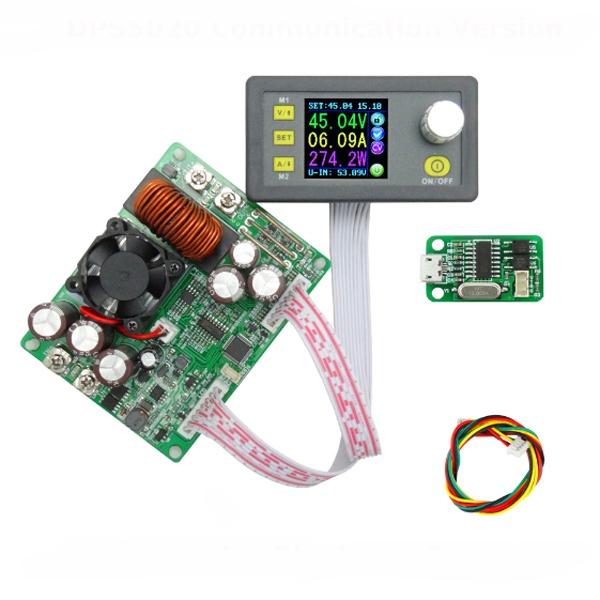
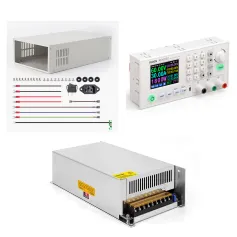
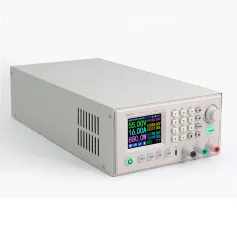
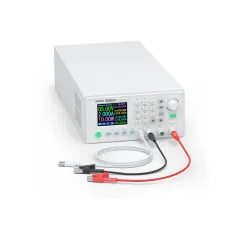
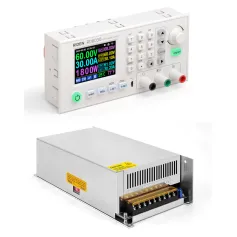
Modulo di alimentazione a tensione costante e corrente step-down RIDEN® DPS5020 con comunicazione USB, convertitore di tensione Buck, voltmetro LCD 50 V 20 A
Spedizione standard gratuita per ordini superiori a $9.9
Politica di reso
Gli articoli resi saranno accettati entro 40 giorni dalla data di ricezione della merce. Gli articoli personalizzati non possono essere restituiti o scambiati. Gli articoli acquistati con una carta regalo elettronica sono solo scambiabili; i rimborsi non sono applicabili.
Regalo gratuito
Benvenuto su Roymall, il tuo sito professionale per l'acquisto di regali premium da grandi magazzini. Apprezziamo molto il tuo supporto e vogliamo esprimere la nostra gratitudine aggiungendo un tocco extra di eccitazione ai tuoi acquisti. Quando fai acquisti con noi, non solo godi di prodotti di alta qualità che migliorano il tuo stile di vita, ma riceverai anche un regalo esclusivo con ogni ordine che effettui. Pronto a esplorare la nostra collezione e trovare i tuoi regali perfetti? Sfoglia la nostra selezione di articoli premium da grandi magazzini, effettua il tuo ordine e attendi con impazienza l'arrivo del tuo regalo gratuito insieme al tuo acquisto.
Politica di spedizione
Ci impegneremo a consegnarti gli articoli dopo aver ricevuto i tuoi ordini e assicurarci che arrivino in sicurezza. I dettagli di consegna saranno forniti nella tua email di conferma.Nella maggior parte dei casi, gli ordini vengono elaborati entro 2 giorni. In circostanze speciali, potrebbe essere ritardato come segue: Quando effettui un ordine il sabato, la domenica o nei giorni festivi, sarà ritardato di 2 giorni.Normalmente, sono necessari 5-7 giorni lavorativi (da lunedì a venerdì) senza essere influenzati da ritardi nei voli o altri fattori ambientali.Poiché il nostro servizio di spedizione è globale, i tempi di consegna dipenderanno dalla tua posizione, quindi potrebbe richiedere alcuni giorni e ti chiediamo pazienza se ti trovi in distretti o paesi remoti.
1. Politica di reso e scambio
Accettiamo solo articoli acquistati su roymall.com. Se acquisti dai nostri distributori locali o altri rivenditori, non puoi restituirli a noi.Gli articoli in vendita finale o i regali gratuiti non sono accettati per il reso.Per essere idoneo al reso, il tuo articolo deve essere inutilizzato e nelle stesse condizioni in cui lo hai ricevuto. Deve anche essere nella confezione originale.Dopo aver ricevuto le istruzioni di reso da parte nostra, per favore impacchetta gli articoli resi e consegna il pacco all'ufficio postale locale o a un altro corriere. Elaboreremo il tuo reso o scambio dell'articolo entro 3-5 giorni lavorativi dopo averlo ricevuto. Il rimborso verrà elaborato e accreditato automaticamente sul tuo metodo di pagamento originale.Non sono accettati resi o scambi se il prodotto è stato prodotto su misura, inclusa la dimensione personalizzata, il colore personalizzato o la stampa personalizzata.Hai bisogno di ulteriore aiuto? Contattaci. service@roymall.com o Whatsapp: +447549870296
2. Politica di rimborso
Riceverai un rimborso completo o un credito del 100% dopo che avremo ricevuto e verificato il pacco restituito. Il rimborso verrà elaborato e accreditato automaticamente sul tuo metodo di pagamento originale.Si prega di notare che i costi di spedizione e qualsiasi dazio o tassa non sono rimborsabili. I costi di spedizione aggiuntivi non sono rimborsabili una volta che il pacco è stato spedito. Sei responsabile del pagamento di queste tasse e non possiamo esentarle o rimborsarle, anche se l'ordine ci viene restituito.Dopo aver ricevuto e confermato il tuo articolo restituito, ti invieremo un'email per informarti che abbiamo ricevuto il tuo articolo restituito. Ti informeremo anche sull'approvazione o il rifiuto del tuo rimborso.Se hai problemi con il processo di rimborso, contattaci. service@roymall.com o Whatsapp: +447549870296
Videos for similar product
Loading product videos...
❮
❯
Products related to this item
Loading related products...
❮
❯
General Information:
The constant voltage and constant current programmable control power supply module put the collection of analog integration and digital control functions in one. Its adjustable output voltage range is 0-50.00V, step by 0.01V. Its adjustable output current range is 0-20.00A, step by 0.01A. This module has power-down stored function and can store 10 groups preset value. And it also has the function of extracting quickly two groups stored value. Compared with the traditional analog power supply, it is more convenient to quickly extract the voltage or current required. LCD display on the module has the function digital voltmeter and ammeter. You can view the preset voltage, input voltage, output voltage, the preset current, output current, output power, etc. on the output state remind area, you can see that output opens or not, the state of constant voltage and constant current, output is normal or not, the key is locked or not, and the current data groups that is being used. On the setting data interface, you can adjust overvoltage value, overcurrent value, over-power value, data set and LCD brightness. This module has many advantages, small size, advanced function, good visual effect, high operability, high-precision, being used independently, being inset into the device and been widely applied.
Type:
DPS5020 Communication + USB version
Very important:
1. Before buying this product, please download the upper computer software and test, if it fits your computer , you can buy 2. The upper computer only support For Win7 and above. 3. This is file for upper computer installation and software, you can download: https://www.mediafire.com/folder/3iogirsx1s0vp/DPS_communication_upper_computer
Technical parameters:
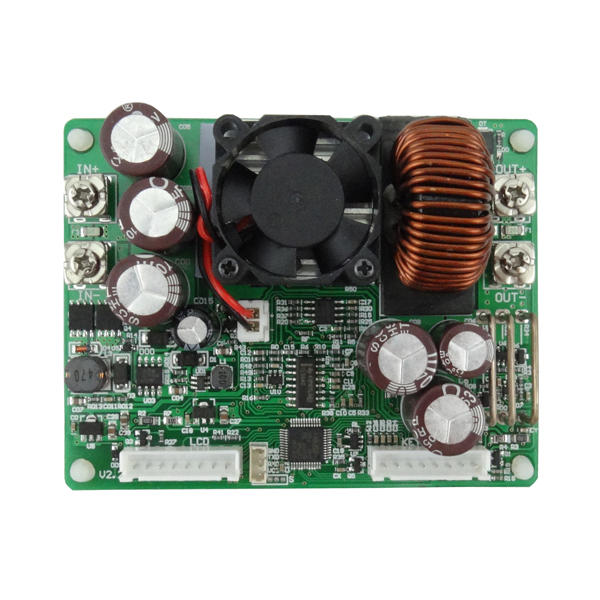
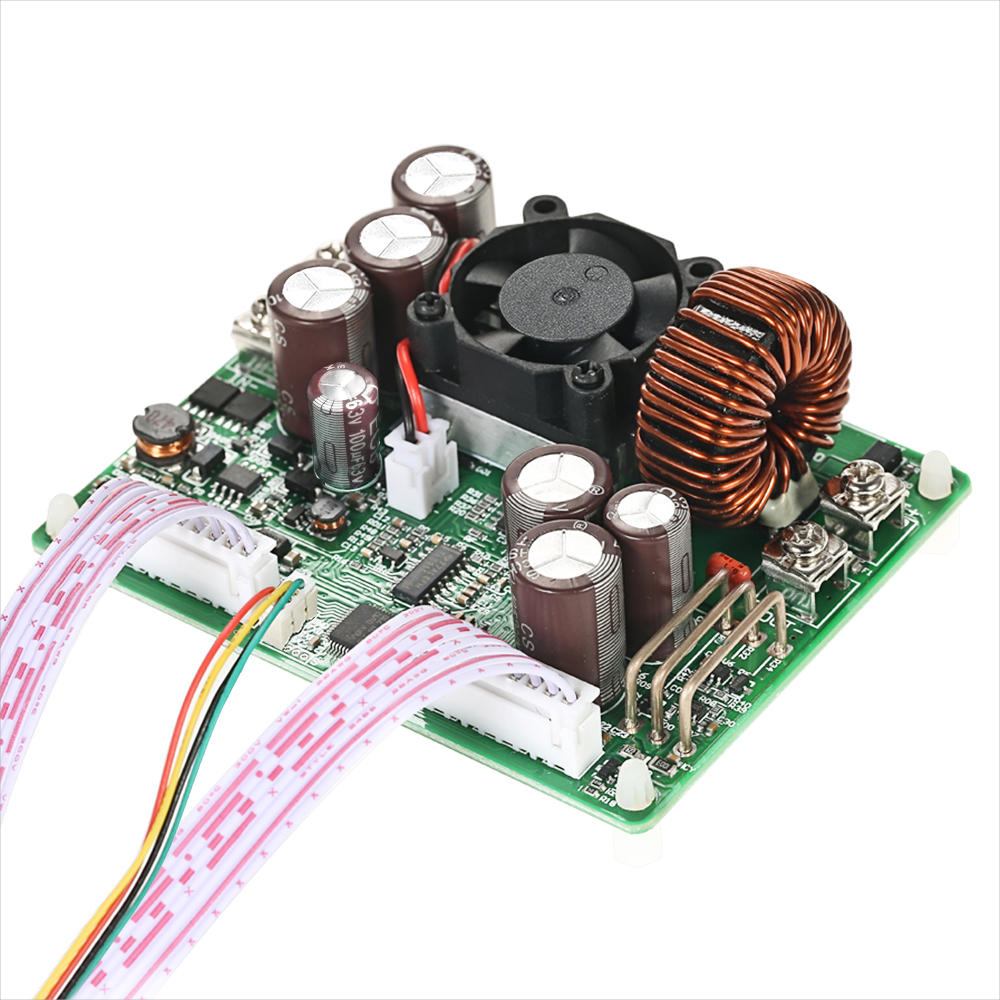
Input voltage range: 6.00-60.00V Output voltage range: 0V-50.00V Output current: 0-20.00A Output power range: 0-1000W Product Weight: about 222g Display module size: 79*43*41(mm) (L*W*H) Open size: 71mm*39mm Power module size: 93*71*41(mm) (L*W*H) Length of connecting line: 200mm Fixed hole center distance: 86mm, 64mm Output voltage resolution: 0.01V Output current resolution: 0.01A Output Voltage accuracy: ± (0.5% + 1 digit) Output Current accuracy: ± (0.5% + 2 digits) NOTE: 1.You must make sure that the input voltage is 1.1 times higher than output voltage. Under large current circumstances, pay attention to heat elimination. 2. Connection between display part and power part should be according to the corresponding words. Otherwise it will not work by wrong connection
Connection description:
IN+: Input positive IN-: Input negative: OUT+: Output positive: OUT-: Output negative Note: Input voltage range is DC 6-60V and 60v is the limit voltage; please leave a room to use. Or else it will be burnt. The input must be DC power supply, not AC 220V, or else it will be burnt too. Though this module has reverse connection protection and output short circuit protection, you can muse be in strict accordance with connection description to connect. If you connect the supply power with output, the module will be burnt.
Panel description:
1-Voltage setting/Page up to choose/Shortcut extract M1 data group 2-Data setting/ Extract value of the specified data group/Store value into the specified data group 3-Current setting/Page Down to choose/Shortcut extract M2 data group 4-1.44 inch color LCD screen 5-Coding potentiometer/Data adjustment/Lock all buttons 6-Open or close output
Display interface description:
7-The preset value of output voltage 8- The actual value of output voltage 9-The actual value of output current 10-The actual value of output power 11-The actual value of input voltage 12-The preset value of output current 13-Key lock or unlock prompt 14-Output normal or not prompt 15-Constant voltage and constant current status prompt 16-Data set prompt 17-Open or close output prompt
18-Preset output voltage 19-Preset output current 20-Preset over- voltage 21-Preset over-current 22-Preset over-power 23-Preset screen brightness 24-Preset data set 25-The actual value of output voltage and output current
Operating instructions:
When connect the power supply, the screen shows welcome window firstly and then comes into main interface. On the main interface, the output set voltage value and the output set current value is on the top of the screen. The big font value on the left are the current real output voltage, the current real output current and the current real output power. Input voltage is on the bottom of the screen. There are some running status icons on the right of the screen, key lock icon, abnormal output status icon, constant voltage and constant current icon, data set tip icon and opening or closing output icon.
Set the output voltage and output current on the main interface. Press V/↑key shortly, you can enter into voltage setting status. Then press the coding potentiometer, and then enter to adjust the numerical value. Press coding potentiometer to enter into the status of adjusting the numerical value you want to adjust. Turn coding potentiometer to adjust the numerical value. Turn by clockwise rotation to increase the numerical value; Turn by counterclockwise to decrease the numerical value. If you want to exit adjusting the numerical value, press shortly V/↑. In the same time the preset value will be stored. Or you can do nothing in one minute, the status will be automatically existed and the preset will be stored too. You can press A/↓to set the output current by the same way.
Set the data on the data setting interface On the main interface, you can press SET key shortly to enter into data setting interface. On the data setting interface, press shortly V/↑or A/↓ to page up or page down to U-SET or I-SET, and then set the output voltage and output current by same way used in the main interface . Set the protection value. Page up or page down to S-OVP, S-OCP or S-OPP place to set over-voltage value, over-current value and over-power value correspondingly; when the value is up to the setting value, output will be closed. And then press shortly the coding potentiometer to enter into the status of adjusting the numerical value you want to adjust. Turn coding potentiometer to adjust the numerical value. If you want to exit adjusting the numerical value, press shortly SET key.
Adjust the brightness of screen. Page up or page down to B-LED, and then press shortly the coding potentiometer to enter into the status of adjusting the brightness of screen. Turn coding potentiometer to adjust the numerical value you need. If you want to exit adjusting the numerical value, press shortly SET key. There are six brightness levels of LCD screen, 0-5 level. Rank 0 is the darkest; rank 5 is the brightest. You can choose what you like.
Data setting and store the specified data group. Page up or page down to M-PRE, and then press shortly the coding potentiometer to enter into the status of choosing the data groups. Turn coding potentiometer to choose the data group you need to view. Then the data group you need will be displayed. And then press the coding potentiometer to enter into status of changing output state. Turn coding potentiometer to choose ON or OFF. When choose ON, the data group is extracted and the output status remain the same. When choose OFF, the data group is extracted and the output is closed. If you want to exit choosing data set, press shortly SET key. Then press shortly V/↑or A/↓ to page up or page down to other place to adjust the data you need. After data setting done, keep pressing SET key more than 2s, all the data you set are automatically stored into the specified data group. In the same time, you can see the group number on the right of screen. At last you can press shortly SET key back to the main interface.
Set default boot open or close output Page up or page down to S-INI, and then press shortly the coding potentiometer to enter into the setting status. Set ON, default boot open; set off, default boot close.
Function description:
Open or close the output. You can press ON/OFF key to open or close the output on any interface.
Lock the button to avoid wrong operation. On the any interface, you can keep pressing coding potentiometer more than 2s, all buttons are locked. You can see the key lock icon on the right of screen. If you want to unlock all buttons, keep pressing coding potentiometer more than 2s, all buttons are unlocked. The key unlock icon will be displayed on the right of screen.
M0-M9 ten groups data group. M0 group is the boot default data group. When you extract the data group you need, this data group will cover M0 data group and be automatically stored on M0 data group.
Extract Shortcut storage data group M1 or M2. On the main interface, keep pressing V/↑or A/↓ more than 2s, you can extract Shortcut storage data group M1 or M2 quickly. In the same time, the corresponding data group number will displayed on the right of the screen.
Extract the specified data group. On the main interface, keep pressing SET key more than 2s, the sequence number of data group will be displayed on the right of the screen, you can turn coding potentiometer to choose data group you need. And then press shortly SET key, you can extract the specified data group you need.