İade edilen ürünler, malın alındığı tarihten itibaren 40 gün içinde kabul edilecektir. Özel üretilen ürünler iade veya değiştirilemez. E-hediye kartı ile satın alınan ürünler yalnızca değiştirilebilir; iade edilemez.
Ücretsiz Hediye
Roymall'a hoş geldiniz, premium mağaza hediyeleri satın almak için profesyonel web siteniz. Desteğinizi takdir ediyoruz ve alışverişlerinize ekstra bir heyecan katmak için minnettarlığımızı göstermek istiyoruz. Bizden alışveriş yaparken, yalnızca yaşam tarzınızı geliştiren yüksek kaliteli ürünlerin keyfini çıkarmakla kalmayacak, aynı zamanda her siparişinizle birlikte özel bir ücretsiz hediye alacaksınız. Koleksiyonumuzu keşfetmeye ve mükemmel hediyelerinizi bulmaya hazır mısınız? Premium mağaza ürünlerimizin seçimine göz atın, sipariş verin ve alışverişinizle birlikte ücretsiz hediyenizin gelişini dört gözle bekleyin.
Nakliye Politikası
Siparişlerinizi aldıktan sonra ürünleri size teslim etmek için çok çalışacağız ve güvenle ulaşmalarını sağlayacağız. Teslimat detayları onay e-postanızda sağlanacaktır.Çoğu durumda, siparişler 2 gün içinde işlenir.Özel durumlarda, aşağıdaki gibi gecikmeler olabilir: Cumartesi, Pazar veya resmi tatillerde sipariş verirseniz, 2 gün gecikebilir.Normalde, uçuş gecikmeleri veya diğer çevresel faktörlerden etkilenmediği sürece 5-7 iş günü (Pazartesi'den Cuma'ya) gereklidir.Nakliye hizmetimiz dünya çapında olduğu için teslimat süresi konumunuza bağlı olacaktır, bu nedenle uzak bölgelerde veya ülkelerdeyseniz birkaç gün sürebilir.
1. İade & Değişim Politikası
Yalnızca roymall.com üzerinden satın alınan ürünleri kabul ediyoruz. Yerel distribütörlerimizden veya diğer perakendecilerden satın alırsanız, bunları bizden iade edemezsiniz.Final satış ürünleri veya ücretsiz hediyeler iade için kabul edilemez.İade için uygun olmak üzere, ürününüzün kullanılmamış ve aldığınız durumda olması gerekir. Ayrıca orijinal ambalajında olmalıdır.Bizden iade talimatlarını aldıktan sonra, lütfen iade ettiğiniz ürünleri paketleyin ve paketinizi yerel postaneye veya başka bir kuryeye bırakın.İade veya değişim ürününüzü aldıktan sonra 3-5 iş günü içinde işleyeceğiz. İade, orijinal ödeme yönteminize otomatik olarak yansıtılacaktır.Özel üretilen ürünler, özel boyut, özel renk veya özel baskı dahil olmak üzere iade veya değiştirilemez.Daha fazla yardıma ihtiyacınız varsa, lütfen bizimle iletişime geçin. service@roymall.com veya Whatsapp: +447549870296
2.İade Politikası
İade paketini aldıktan ve kontrol ettikten sonra tam iade veya %100 mağaza kredisi alacaksınız. İade, orijinal ödeme yönteminize otomatik olarak yansıtılacaktır.Lütfen nakliye ücretleri ve herhangi bir gümrük ücreti veya ücretinin iade edilemeyeceğini unutmayın. Ek nakliye ücretleri, paket gönderildikten sonra iade edilemez. Bu ücretleri ödemekten siz sorumlusunuz ve bunları feragat edemeyiz veya iade edemeyiz, sipariş bize iade edilse bile.İade süreciyle ilgili herhangi bir sorunuz varsa, lütfen bizimle iletişime geçin. service@roymall.com veya Whatsapp: +447549870296
Videos for similar product
Loading product videos...
❮
❯
Products related to this item
Loading related products...
❮
❯
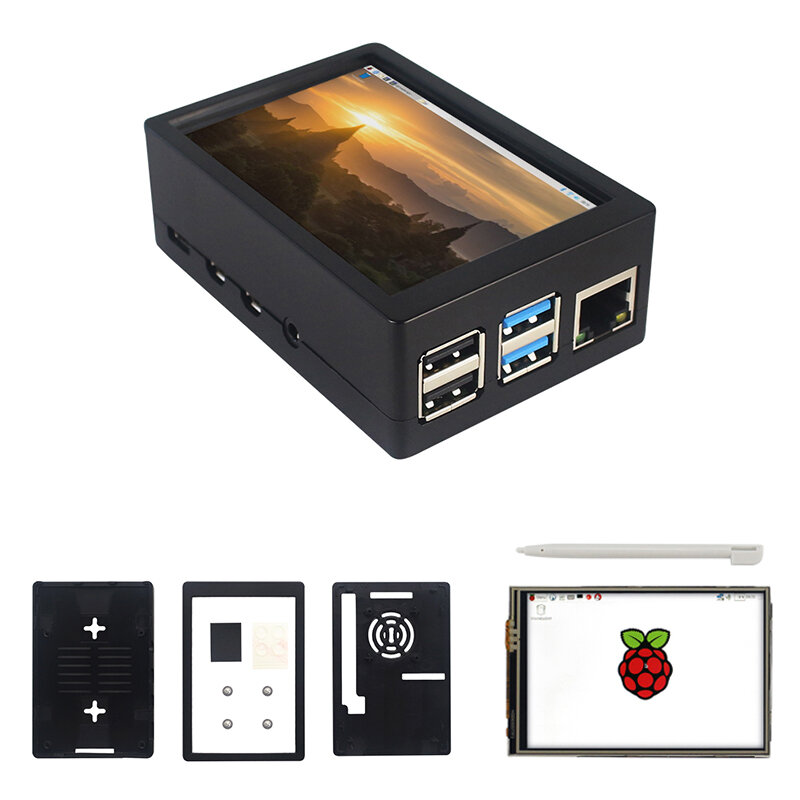
Note: Raspberrry Pi is not included. Introduction:
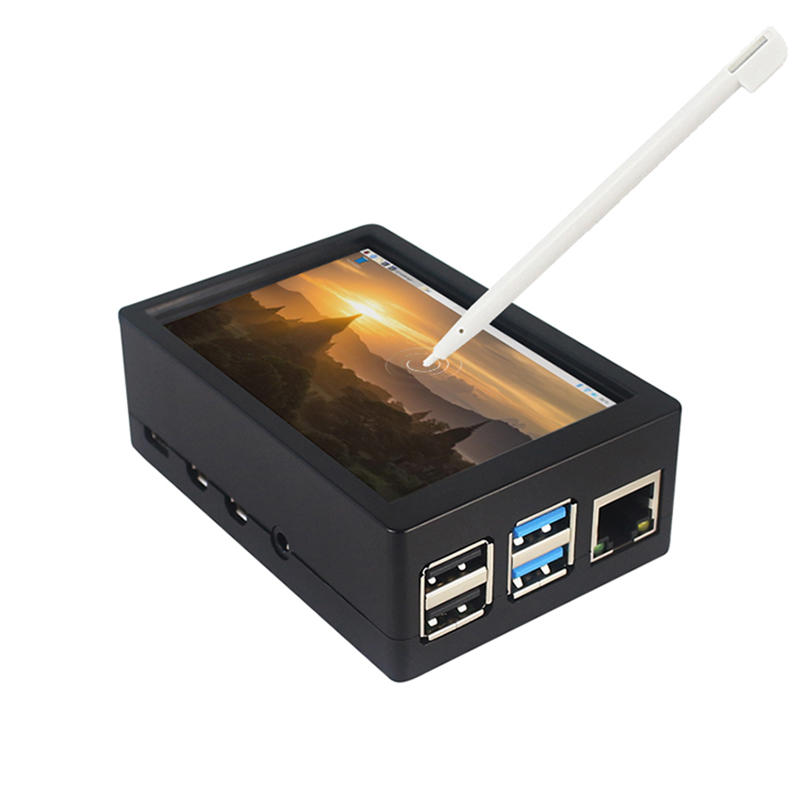
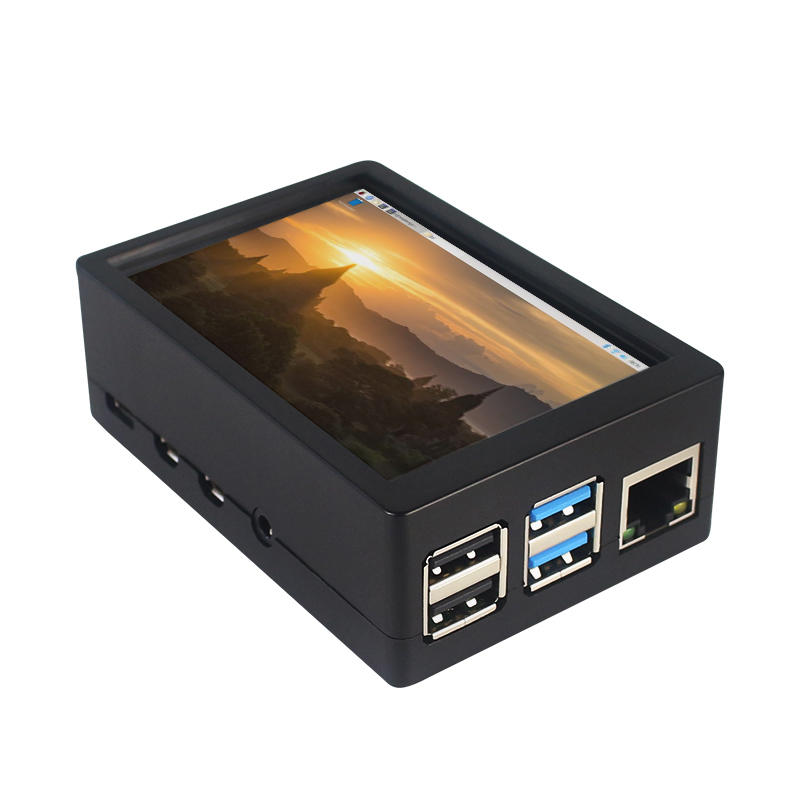
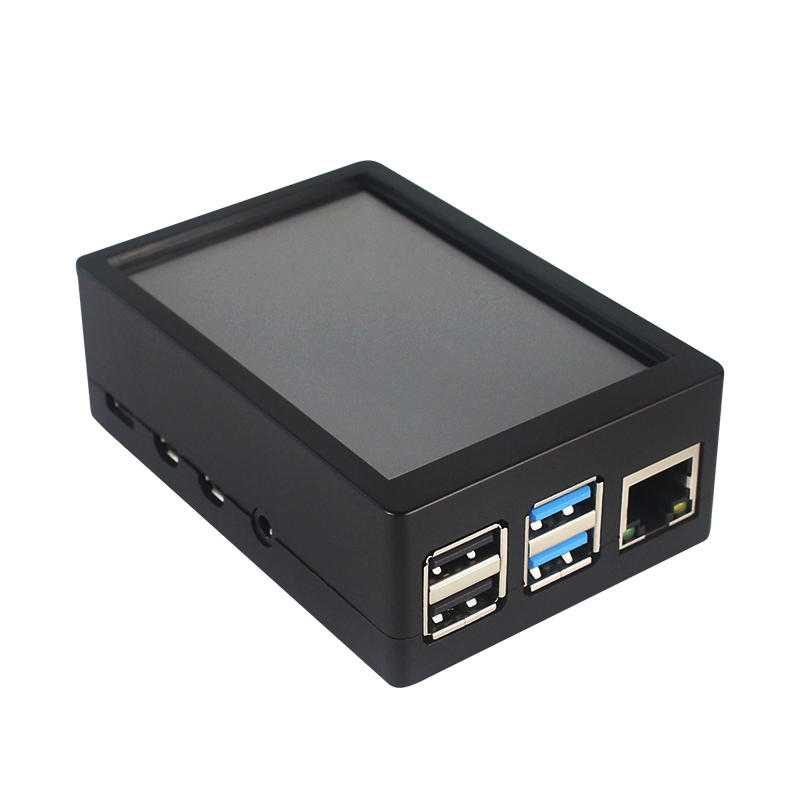
This is the dual use ABS case for 3.5 inch screen kit, suitable for Raspberry Pi 4 Model B.It is esay to install the case with screen and Raspberry Pi.When you use the Raspberry Pi with 3.5inch screen,please remove the cover of case;When you use Raspberry Pi with cooling fan,you needn"t remover the cover of case.
Note:The 3.5inch screen and cooling fan can"t be used at the same time. If Raspberry Pi is equipped with GPIO display drivers,the HDMI port will have no signal output
Specifications:
Colour: Black
Material: ABS plastic
Size: 90*61*35
Applicable to: Raspberry Pi 4B
3.5-inch touch screen or fan that can install Raspberry Pi
Knowing that: 3.5-inch display and fan cannot be installed at the same time due to the PIN pin
3.5inch Touch Screen Features:
1. Physical resolution 320 x 480, with resistive touch control
2. With the refresh rate of raspberry pi around 50Hz, play video to play the game without pressure.
3. With the refresh rate of raspberry pie around 50Hz, play video to play the game without pressure
4. Support FBCP software drive, support double screen display, can adjust the resolution of the software to zoom
5. Raspberry Pi ZeroW, A, A+, B, B+, 2B, 3B, 3B+ , 4B)
6. Support Raspbian/Ubuntu/Kali system, provide driver and image
7. WIKI for reference: raspberrypiwiki.com/index.php/3.5_inch_LCD_B
Note:
Please plug the screen on Raspberry Pi"s GPIO pins correctly( as the picture) , otherwise the touch function will be damaged.
If Raspberry Pi is equipped with GPIO display drivers such as MPI2411, MPI2418, MPI2801, MPI3201, MPI3501, etc., the HDMI port will have no signal output
If you need to switch back to the HDMI display mode, execute:
This LCD can be calibrated using a program called xinput_calibrator
Install it with the commands:
cd LCD-show/sudo dpkg -i -B xinput-calibrator_0.7.5-1_armhf.deb
Click the Men button on the task bar, choose Preference -> Calibrate Touchscreen.
Finish the touch calibration following the prompts. Maybe rebooting is required to make calibration active.
You can create a 99-calibration.conf file to save the touch parameters (not necessary if file exists).
/ect/X11/xorg.conf.d/99-calibration.conf
Save the touch parameters
About Dual Use ABS Case:
1. The Case made of ABS material,support to install 3.5 inch touch screen,and need to remove the cover of case. When you don"t use the 3.5 inch touchscreen , it is a general case with cooling fan.The 3.5inch screen and cooling fan can"t be used at the same time.
2. The case is design for Raspberry Pi 4 Model B , remain almost all interface such as USB , Ethernet , A/V , micro HDMI , SD card slot , display , camera( CSI). (Note: A1 case remain GPIO and POE hole , but A2 case does not remian)
3. Make 2 hole on the bottom so that you can hange the case on the wall or something else . This design is very convenient when using the 3.5 inch touchscreen.
Package Included: 1 x ABS box case 1 x touch screen 1 x touch screen pen



 Roymall C.o.


 Ücretsiz Hediye
 Nakliye Politikası
 İade Politikası





 Coupon Code
 Direct purchase from the factory
 Electronic Components & Supplies
 Module Board
 Raspberry Pi & Orange Pi