Vrátenie tovaru bude akceptované do 40 dní od prijatia tovaru. Prispôsobené položky nie je možné vrátiť ani vymeniť. Položky zakúpené s elektronickým darčekovým poukazom je možné len vymeniť; vrátenie peňazí nie je možné.
Darček zdarma
Vitajte v Roymall, vašej profesionálnej webovej stránke na nákup prémiových darčekov. Veľmi si vážime a oceňujeme vašu podporu a chceme vám poďakovať tým, že pridáme extra nádej do vašich nákupov. Keď u nás nakupujete, nielenže získate vysokokvalitné produkty, ktoré zlepšia váš životný štýl, ale s každou objednávkou dostanete aj exkluzívny darček zdarma.Ste pripravení preskúmať našu kolekciu a nájsť svoje dokonalé darčeky? Prezrite si náš výber prémiových darčekov, zadajte svoju objednávku a tešte sa na radosť z vášho darčeka, ktorý príde spolu s vašou objednávkou.
Prepravná politika
Po prijatí vašej objednávky budeme pracovať na tom, aby sme vám tovar doručili a zabezpečili, aby dorazil bezpečne. Podrobnosti o doručení budú uvedené v potvrdzovacom e-maile.Vo väčšine prípadov sú objednávky spracované do 2 dní. Za mimoriadnych okolností bude oneskorenie nasledovné: Ak zadáte objednávku v sobotu, nedeľu alebo počas sviatkov, bude oneskorená o 2 dni.Normálne to trvá 5-7 pracovných dní (pondelok až piatok), ak nie sú ovplyvnené meškaním letu alebo inými environmentálnymi faktormi.Pretože naša prepravná služba je celosvetová, dodacie lehoty závisia od vašej polohy, takže môže trvať niekoľko dní, a ak sa nachádzate v odľahlých oblastiach alebo krajinách, buďte prosím trpezliví.
1. Politika vrátenia a výmeny
Akceptujeme iba položky zakúpené na roymall.com. Ak ste nakúpili od našich miestnych distribútorov alebo iných predajcov, nemôžete ich vrátiť na našej strane.Položky v konečnom predaji alebo darčeky zdarma nie je možné vrátiť.Aby ste mohli vrátiť tovar, musí byť nepoužitý a v rovnakom stave, v akom ste ho dostali. Musí byť tiež v pôvodnom balení.Po prijatí pokynov na vrátenie od nás zabalte vrátené položky a zanechajte balík na miestnej pošte alebo u iného prepravcu.Vašu vrátenú alebo vymenenú položku spracujeme do 3-5 pracovných dní po jej prijatí. Vrátenie peňazí bude spracované a pripísané automaticky na pôvodnú platobnú metódu.Nie je možné prijať vrátenie ani výmenu, ak bol produkt vyrobený na mieru, vrátane vlastnej veľkosti, farby alebo potlače.Potrebujete ďalšiu pomoc? Kontaktujte nás. service@roymall.com alebo Whatsapp: +447549870296
2. Politika vrátenia peňazí
Po prijatí vráteného balíka a jeho kontrole dostanete úplné vrátenie peňazí alebo 100% kredit v obchode. Vrátenie peňazí bude spracované a pripísané automaticky na pôvodnú platobnú metódu.Upozorňujeme, že náklady na dopravu a akékoľvek clá alebo poplatky nie sú vratné. Dodatočné náklady na dopravu nie sú vratné po odoslaní balíka. Zodpovedáte za zaplatenie týchto poplatkov a my ich nemôžeme odpustiť ani vrátiť, aj keď sa objednávka vráti späť k nám.Ak máte akékoľvek problémy s procesom vrátenia peňazí, kontaktujte nás. service@roymall.com alebo Whatsapp: +447549870296
Videos for similar product
Loading product videos...
❮
❯
Products related to this item
Loading related products...
❮
❯
Note: Raspberrry Pi is not included. Introduction:
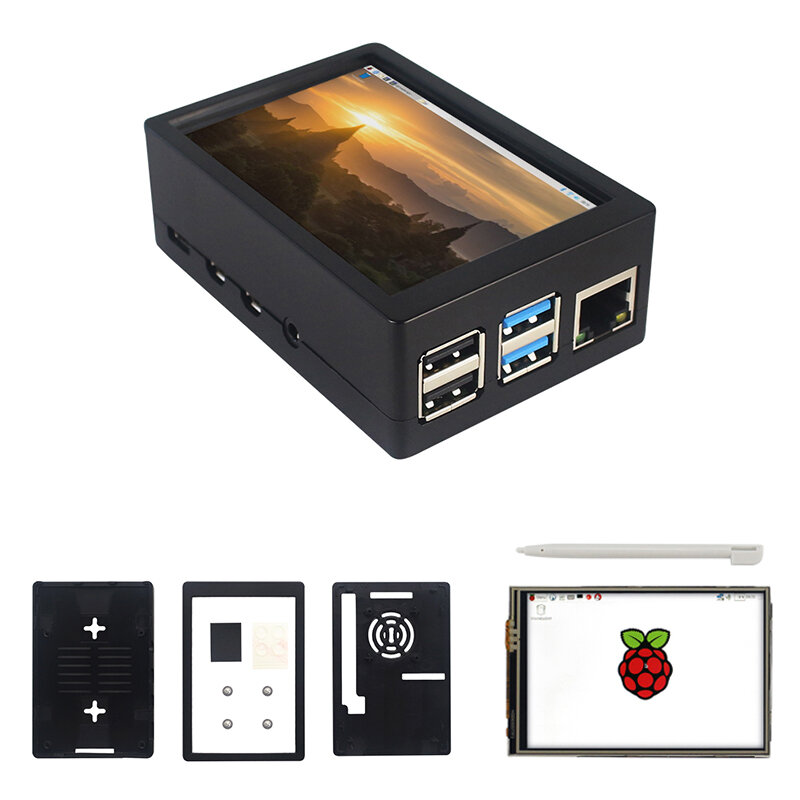
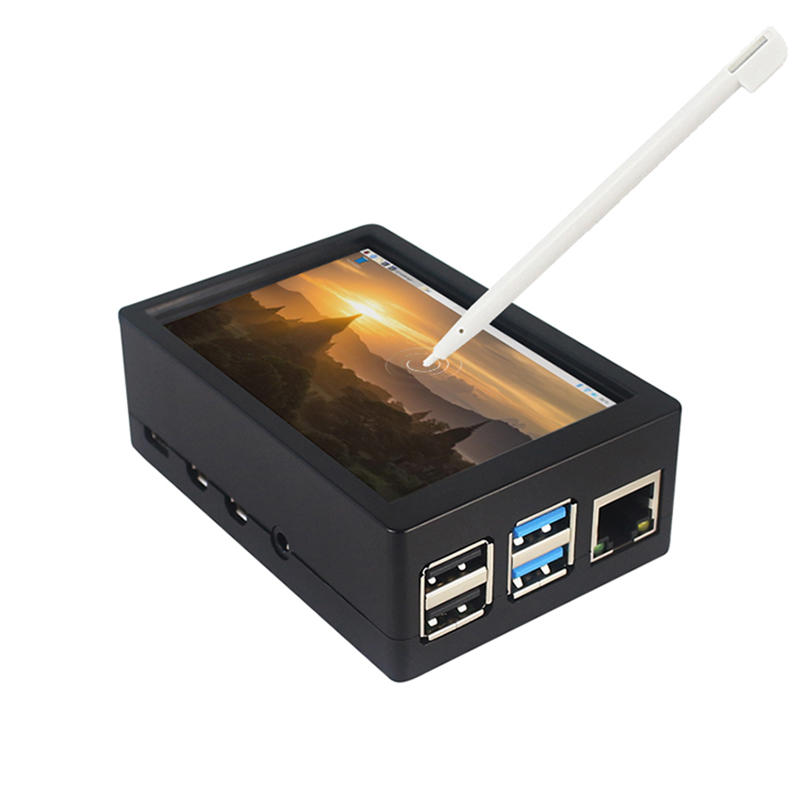
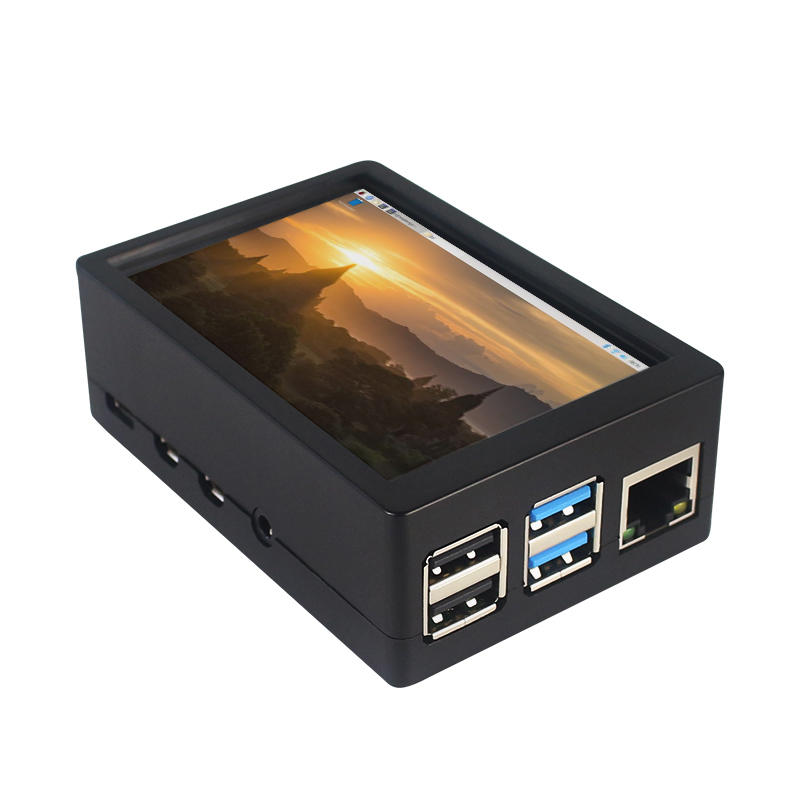
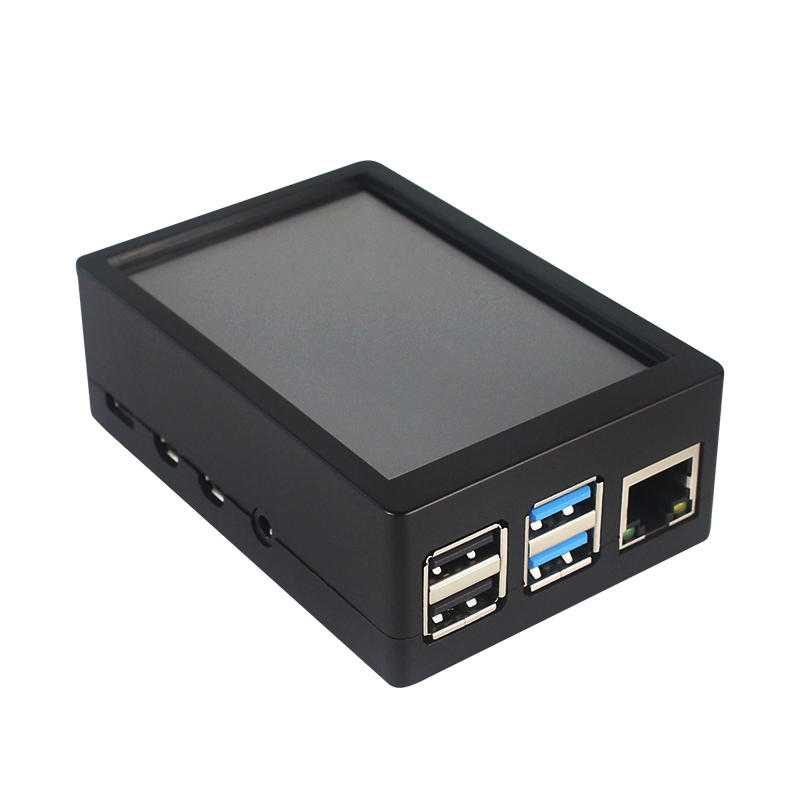
This is the dual use ABS case for 3.5 inch screen kit, suitable for Raspberry Pi 4 Model B.It is esay to install the case with screen and Raspberry Pi.When you use the Raspberry Pi with 3.5inch screen,please remove the cover of case;When you use Raspberry Pi with cooling fan,you needn"t remover the cover of case.
Note:The 3.5inch screen and cooling fan can"t be used at the same time. If Raspberry Pi is equipped with GPIO display drivers,the HDMI port will have no signal output
Specifications:
Colour: Black
Material: ABS plastic
Size: 90*61*35
Applicable to: Raspberry Pi 4B
3.5-inch touch screen or fan that can install Raspberry Pi
Knowing that: 3.5-inch display and fan cannot be installed at the same time due to the PIN pin
3.5inch Touch Screen Features:
1. Physical resolution 320 x 480, with resistive touch control
2. With the refresh rate of raspberry pi around 50Hz, play video to play the game without pressure.
3. With the refresh rate of raspberry pie around 50Hz, play video to play the game without pressure
4. Support FBCP software drive, support double screen display, can adjust the resolution of the software to zoom
5. Raspberry Pi ZeroW, A, A+, B, B+, 2B, 3B, 3B+ , 4B)
6. Support Raspbian/Ubuntu/Kali system, provide driver and image
7. WIKI for reference: raspberrypiwiki.com/index.php/3.5_inch_LCD_B
Note:
Please plug the screen on Raspberry Pi"s GPIO pins correctly( as the picture) , otherwise the touch function will be damaged.
If Raspberry Pi is equipped with GPIO display drivers such as MPI2411, MPI2418, MPI2801, MPI3201, MPI3501, etc., the HDMI port will have no signal output
If you need to switch back to the HDMI display mode, execute:
This LCD can be calibrated using a program called xinput_calibrator
Install it with the commands:
cd LCD-show/sudo dpkg -i -B xinput-calibrator_0.7.5-1_armhf.deb
Click the Men button on the task bar, choose Preference -> Calibrate Touchscreen.
Finish the touch calibration following the prompts. Maybe rebooting is required to make calibration active.
You can create a 99-calibration.conf file to save the touch parameters (not necessary if file exists).
/ect/X11/xorg.conf.d/99-calibration.conf
Save the touch parameters
About Dual Use ABS Case:
1. The Case made of ABS material,support to install 3.5 inch touch screen,and need to remove the cover of case. When you don"t use the 3.5 inch touchscreen , it is a general case with cooling fan.The 3.5inch screen and cooling fan can"t be used at the same time.
2. The case is design for Raspberry Pi 4 Model B , remain almost all interface such as USB , Ethernet , A/V , micro HDMI , SD card slot , display , camera( CSI). (Note: A1 case remain GPIO and POE hole , but A2 case does not remian)
3. Make 2 hole on the bottom so that you can hange the case on the wall or something else . This design is very convenient when using the 3.5 inch touchscreen.
Package Included: 1 x ABS box case 1 x touch screen 1 x touch screen pen



 Roymall C.o.


 Darček zdarma
 Prepravná politika
 Reklamačný poriadok







 Coupon Code
 Direct purchase from the factory
 Electronic Components & Supplies
 Module Board
 Raspberry Pi & Orange Pi