واپسي جا شيون 40 ڏينهن اندر قبول ڪيا ويندا جڏهن مال وصول ڪرڻ جي تاريخ هجي. ڪسٽمائيز شيون واپس يا تبديل نه ڪيون وينديون. اي-گفٽ ڪارڊ سان خريد ڪيل شيون صرف تبديل ڪيون وينديون؛ رقم واپس نه ڪئي ويندي.
مفت تحفو
Roymall تي ڀليڪار، پريميم ڊيپارٽمينٽ اسٽور تحفا خريد ڪرڻ لاءِ توهان جي پيشه وراڻي ويب سائيٽ. اسان توهان جي مدد جي قدرداني ڪريون ٿا ۽ توهان جي خريداري کي وڌيڪ دلچسپ بڻائڻ لاءِ اسان توهان جي مهرباني ظاهر ڪريون ٿا. جڏهن توهان اسان سان خريداري ڪريو ٿا، توهان نه رڳو اعليٰ معيار جا شيون حاصل ڪريو ٿا جيڪي توهان جي زندگي کي بهتر بڻائين ٿا، پر توهان هر آرڊر سان هڪ خاص مفت تحفو به حاصل ڪريو ٿا. اسان جي ڪالڪشن کي ڳولڻ ۽ توهان جي بهترين تحفا ڳولڻ لاءِ تيار آهيو؟ اسان جي پريميم ڊيپارٽمينٽ اسٽور شين جي چونڊ ڏسو، آرڊر ڪريو ۽ پوءِ توهان جي خريداري سان گڏ توهان جي مفت تحفي جي انتظار ۾ رهو.
شپنگ پاليسي
اسان توهان جي آرڊر وصول ڪرڻ کانپوءِ شيون توهان تي پهچائڻ لاءِ محنت ڪنداسين ۽ انهن کي محفوظ رکنداسين. پهچائڻ جي تفصيل توهان جي تصديقي اي ميل ۾ ڏني ويندي.اڪثر صورتن ۾، آرڊر 2 ڏينهن ۾ پروسيس ڪيا ويندا.خاص حالتن ۾، هيٺين طور تي ڊيلي ٿيندي: جڏهن توهان سانچر، آچر يا عام عيدن تي آرڊر ڪريو ٿا، 2 ڏينهن جي ڊيلي ٿيندي.عام طور تي، 5-7 ڪم ڪندڙ ڏينهن (سومر کي جمعو تائين) جي ضرورت هوندي جيڪڏهن فلائيٽ ڊيلي يا ٻين ماحولي عوامل کان متاثر نه ٿيندي.ڇاڪاڻ ته اسان جو شپنگ سروس سڄي دنيا ۾ آهي، تنهنڪري پهچائڻ جو وقت توهان جي جڳهه تي منحصر هوندو، تنهنڪري جيڪڏهن توهان ڪنهن پري جي ضلعي يا ملڪ ۾ آهيو ته ڪجهه وقت جي ضرورت پوندي.
1. واپسي ۽ تبديلي جي پاليسي
اسان صرف roymall.com تان خريد ڪيل شيون قبول ڪريون ٿا. جيڪڏهن توهان اسان جي مقامي وڪيلن يا ٻين رٽيلرن کان خريد ڪيو آهي، توهان اسان وٽ انهن کي واپس نه ڪري سگهو ٿا.فائنل سيل شيون يا مفت تحفا واپس لاءِ قابل قبول نه آهن.واپسي لاءِ اهل هجڻ لاءِ، توهان جو شيون استعمال نه ڪيل هجڻ گهرجي ۽ جيئن توهان ان کي وصول ڪيو هجي تيئن ئي حالت ۾ هجڻ گهرجي. انهي جي اصل پيڪنگ ۾ به هجڻ گهرجي.اسان کان واپسي جي هدايتون وصول ڪرڻ کانپوءِ، مهرباني ڪري توهان جي واپس ڪيل شيون پيڪ ڪريو ۽ توهان جو پيڪيج مقامي پوسٽ آفيس يا ٻي ڪورير تي ڇڏيو.اسان توهان جي واپسي يا تبديل ڪيل شيون 3-5 ڪم ڪندڙ ڏينهن ۾ پروسيس ڪنداسين جڏهن اسان ان کي وصول ڪنداسين. رقم واپسي توهان جي اصل ادائيگي جي طريقي تي خودڪار طور تي ڪري ويندي.ڪنهن به ڪسٽمائيز ڪيل شين کي واپس يا تبديل نه ڪيو ويندو، جن ۾ ڪسٽم سائيز، ڪسٽم رنگ، يا ڪسٽم پرنٽ شامل آهن.وڌيڪ مدد جي ضرورت آهي، مهرباني ڪري اسان سان رابطو ڪريو. service@roymall.com يا Whatsapp: +447549870296
2.رقم واپسي جي پاليسي
توهان کي مڪمل رقم واپس يا 100% اسٽور ڪريڊٽ ملندو جڏهن اسان واپس ڪيل پيڪيج وصول ڪريون ٿا ۽ انهي کي چيڪ ڪريون ٿا. رقم واپسي توهان جي اصل ادائيگي جي طريقي تي خودڪار طور تي ڪري ويندي.مهرباني ڪري ياد رکجو ته شپنگ جي قيمتون ۽ ڪابه ڊيٽي يا فيس واپس نه ڪئي ويندي. اضافي شپنگ جي قيمتون واپس نه ڪيون وينديون جڏهن پيڪيج شپ ڪيو ويو آهي. توهان انهن فيس کي ادا ڪرڻ لاءِ ذميوار آهيو ۽ اسان انهن کي معاف يا واپس نه ڪري سگهون ٿا، جيتوڻيڪ آرڊر اسان ڏانهن واپس موٽجي وڃي.جيڪڏهن توهان وٽ رقم واپسي جي عمل سان ڪابه مسئلو آهي، مهرباني ڪري اسان سان رابطو ڪريو. service@roymall.com يا Whatsapp: +447549870296
Videos for similar product
Loading product videos...
❮
❯
Products related to this item
Loading related products...
❮
❯
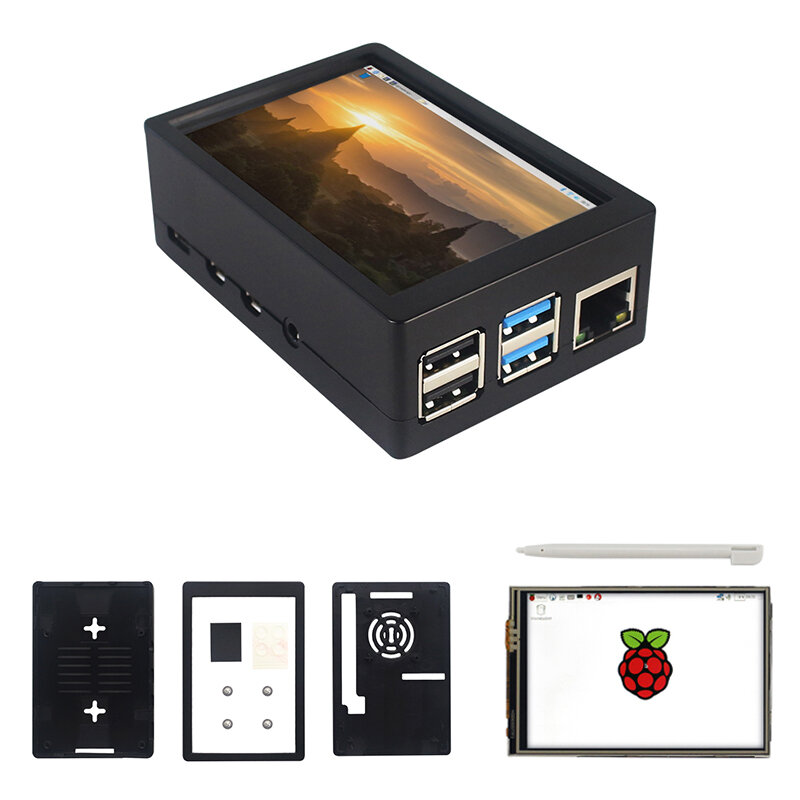
Note: Raspberrry Pi is not included. Introduction:
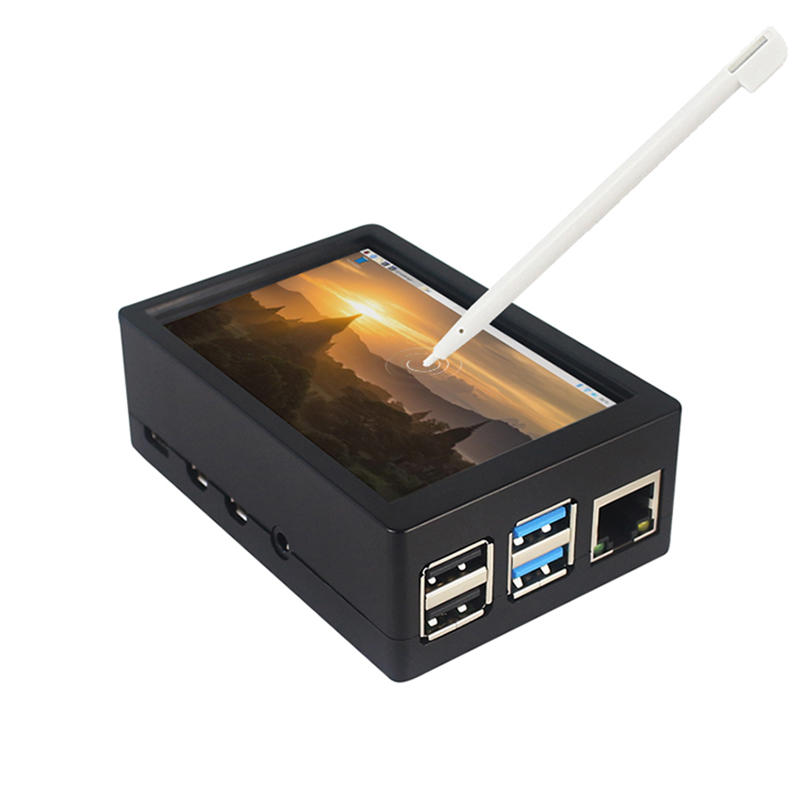
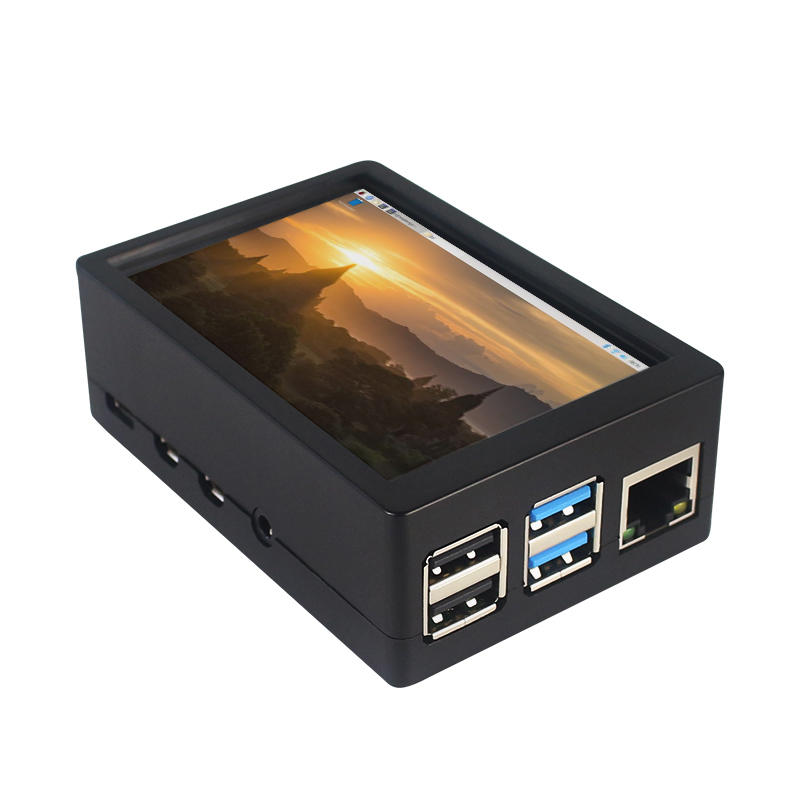
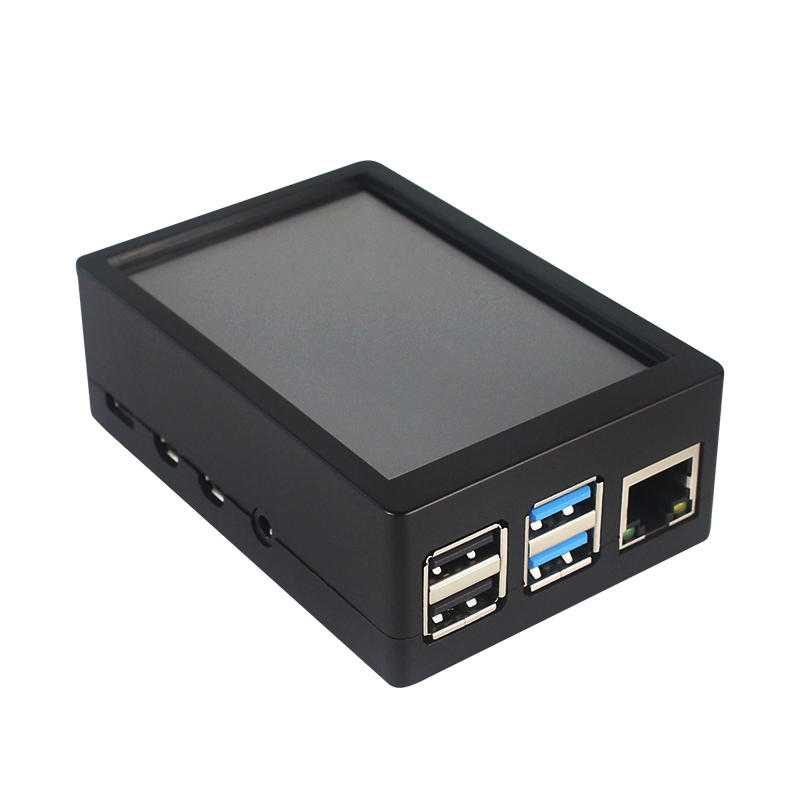
This is the dual use ABS case for 3.5 inch screen kit, suitable for Raspberry Pi 4 Model B.It is esay to install the case with screen and Raspberry Pi.When you use the Raspberry Pi with 3.5inch screen,please remove the cover of case;When you use Raspberry Pi with cooling fan,you needn"t remover the cover of case.
Note:The 3.5inch screen and cooling fan can"t be used at the same time. If Raspberry Pi is equipped with GPIO display drivers,the HDMI port will have no signal output
Specifications:
Colour: Black
Material: ABS plastic
Size: 90*61*35
Applicable to: Raspberry Pi 4B
3.5-inch touch screen or fan that can install Raspberry Pi
Knowing that: 3.5-inch display and fan cannot be installed at the same time due to the PIN pin
3.5inch Touch Screen Features:
1. Physical resolution 320 x 480, with resistive touch control
2. With the refresh rate of raspberry pi around 50Hz, play video to play the game without pressure.
3. With the refresh rate of raspberry pie around 50Hz, play video to play the game without pressure
4. Support FBCP software drive, support double screen display, can adjust the resolution of the software to zoom
5. Raspberry Pi ZeroW, A, A+, B, B+, 2B, 3B, 3B+ , 4B)
6. Support Raspbian/Ubuntu/Kali system, provide driver and image
7. WIKI for reference: raspberrypiwiki.com/index.php/3.5_inch_LCD_B
Note:
Please plug the screen on Raspberry Pi"s GPIO pins correctly( as the picture) , otherwise the touch function will be damaged.
If Raspberry Pi is equipped with GPIO display drivers such as MPI2411, MPI2418, MPI2801, MPI3201, MPI3501, etc., the HDMI port will have no signal output
If you need to switch back to the HDMI display mode, execute:
This LCD can be calibrated using a program called xinput_calibrator
Install it with the commands:
cd LCD-show/sudo dpkg -i -B xinput-calibrator_0.7.5-1_armhf.deb
Click the Men button on the task bar, choose Preference -> Calibrate Touchscreen.
Finish the touch calibration following the prompts. Maybe rebooting is required to make calibration active.
You can create a 99-calibration.conf file to save the touch parameters (not necessary if file exists).
/ect/X11/xorg.conf.d/99-calibration.conf
Save the touch parameters
About Dual Use ABS Case:
1. The Case made of ABS material,support to install 3.5 inch touch screen,and need to remove the cover of case. When you don"t use the 3.5 inch touchscreen , it is a general case with cooling fan.The 3.5inch screen and cooling fan can"t be used at the same time.
2. The case is design for Raspberry Pi 4 Model B , remain almost all interface such as USB , Ethernet , A/V , micro HDMI , SD card slot , display , camera( CSI). (Note: A1 case remain GPIO and POE hole , but A2 case does not remian)
3. Make 2 hole on the bottom so that you can hange the case on the wall or something else . This design is very convenient when using the 3.5 inch touchscreen.
Package Included: 1 x ABS box case 1 x touch screen 1 x touch screen pen



 Roymall C.o.


 مفت تحفو
 شپنگ پاليسي
 واپسي پاليسي





 Coupon Code
 Direct purchase from the factory
 Electronic Components & Supplies
 Module Board
 Raspberry Pi & Orange Pi