Back Share

RIDEN® DPS5020 Versão de comunicação USB Módulo redutor de corrente de tensão constante Fonte de alimentação Conversor de tensão Buck Voltímetro LCD 50 V 20 A

  • gift Roymall C.o.
  • amazon
  • $49.99 /$60.99
    4.71377
    Shipping to: United States
    Express: 7-12 business days
    Standard: 15-25 business days
    $49.99 /$60.99
    • *Name:

    • *Email:

    • *Phone:

    • *Quantity:

    • *Content:

    • Attachment:

      Supports JPG, JPEG, PNG, PDF, EXCEL, WORD, RAR, ZIP, 7z formats

    Pagamento Seguro Garantido

    Presente Grátis
    Presente grátis com qualquer compra
    Política de Envio
    Envio padrão grátis para pedidos acima de $9.9
    Política de Devolução
    Devoluções serão aceitas dentro de 40 dias a partir da data de recebimento da mercadoria. Itens personalizados não podem ser devolvidos ou trocados. Itens comprados com um cartão-presente eletrônico são apenas trocáveis; reembolsos não são aplicáveis.

    Presente Grátis

    Bem-vindo ao Roymall, seu site profissional para comprar presentes de lojas de departamento premium. Valorizamos muito o seu apoio e queremos expressar nossa gratidão adicionando um toque extra de emoção às suas compras. Quando você faz compras conosco, você não apenas desfruta de produtos de alta qualidade que melhoram seu estilo de vida, mas também recebe um presente grátis exclusivo com cada pedido que você faz. Pronto para explorar nossa coleção e encontrar seus presentes perfeitos? Navegue pela nossa seleção de itens de lojas de departamento premium, faça seu pedido e aguarde a chegada do seu presente grátis junto com sua compra.

    Política de Envio

    Vamos nos esforçar para entregar os itens para você após receber seus pedidos e garantir que eles cheguem com segurança. Os detalhes de entrega serão fornecidos no seu e-mail de confirmação.Na maioria dos casos, os pedidos são processados em 2 dias. Em circunstâncias especiais, pode ser atrasado da seguinte forma: Quando você faz um pedido no sábado, domingo ou feriados, ele será atrasado em 2 dias.Normalmente, leva de 5 a 7 dias úteis (de segunda a sexta-feira) sem ser afetado por atrasos de voos ou outros fatores ambientais.Como nosso serviço de envio é global, os tempos de entrega dependerão da sua localização, então pode levar alguns dias e pedimos paciência se você estiver em distritos ou países remotos.

    1. Política de Devolução e Troca

    Aceitamos apenas itens comprados em roymall.com. Se você comprar de nossos distribuidores locais ou outros varejistas, não poderá devolvê-los a nós. Itens de venda final ou presentes grátis não são aceitos para devolução.Para ser elegível para devolução, seu item deve estar sem uso e na mesma condição em que você o recebeu. Ele também deve estar na embalagem original.Após receber as instruções de devolução de nós, por favor, embale seus itens devolvidos e deixe seu pacote no correio local ou em outro serviço de entrega.
    Processaremos sua devolução ou troca de item dentro de 3-5 dias úteis após o recebimento. O reembolso será processado e creditado automaticamente no seu método de pagamento original.Não são aceitas devoluções ou trocas se o produto foi produzido sob medida, incluindo tamanho personalizado, cor personalizada ou impressão personalizada.Precisa de mais ajuda? Entre em contato conosco. service@roymall.com ou Whatsapp: +447549870296

    2. Política de Reembolso

    Você receberá um reembolso total ou 100% de crédito na loja após recebermos e verificarmos o pacote devolvido. O reembolso será processado e creditado automaticamente no seu método de pagamento original. Por favor, note que os custos de envio e quaisquer taxas ou impostos não são reembolsáveis. Os custos de envio adicionais não são reembolsáveis assim que o pacote for enviado. Você é responsável pelo pagamento dessas taxas e não podemos isentá-las ou reembolsá-las, mesmo que o pedido seja devolvido a nós.Após recebermos e confirmarmos seu item devolvido, enviaremos um e-mail para notificá-lo de que recebemos seu item devolvido. Também notificaremos você sobre a aprovação ou rejeição do seu reembolso.Se você tiver problemas com o processo de reembolso, entre em contato conosco. service@roymall.com ou Whatsapp: +447549870296
    General Information:

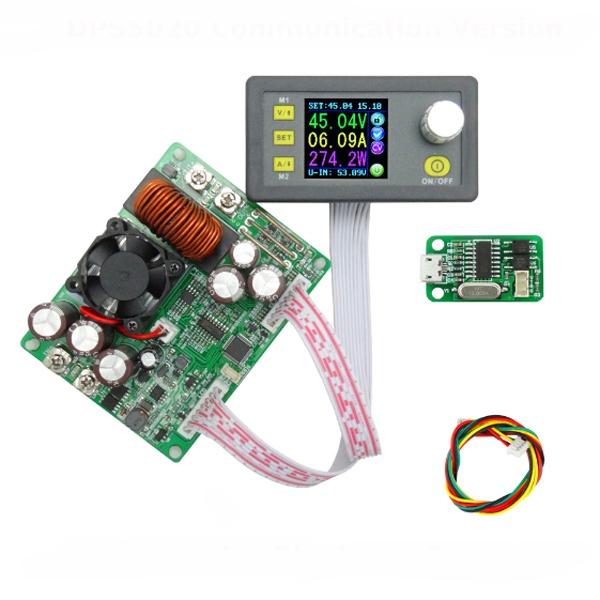
    The constant voltage and constant current programmable control power supply module put the collection of analog integration and digital control functions in one. Its adjustable output voltage range is 0-50.00V, step by 0.01V. Its adjustable output current range is 0-20.00A, step by 0.01A. This module has power-down stored function and can store 10 groups preset value. And it also has the function of extracting quickly two groups stored value. Compared with the traditional analog power supply, it is more convenient to quickly extract the voltage or current required. LCD display on the module has the function digital voltmeter and ammeter. You can view the preset voltage, input voltage, output voltage, the preset current, output current, output power, etc. on the output state remind area, you can see that output opens or not, the state of constant voltage and constant current, output is normal or not, the key is locked or not, and the current data groups that is being used. On the setting data interface, you can adjust overvoltage value, overcurrent value, over-power value, data set and LCD brightness. This module has many advantages, small size, advanced function, good visual effect, high operability, high-precision, being used independently, being inset into the device and been widely applied.

    Type:


    DPS5020 Communication + USB version

    Very important:

    1. Before buying this product, please download the upper computer software and test, if it fits your computer , you can buy
    2. The upper computer only support For Win7 and above.
    3. This is file for upper computer installation and software, you can download:
    https://www.mediafire.com/folder/3iogirsx1s0vp/DPS_communication_upper_computer


    Technical parameters:

    Input voltage range: 6.00-60.00V Output voltage range: 0V-50.00V
    Output current: 0-20.00A Output power range: 0-1000W
    Product Weight: about 222g Display module size: 79*43*41(mm) (L*W*H)
    Open size: 71mm*39mm Power module size: 93*71*41(mm) (L*W*H)
    Length of connecting line: 200mm Fixed hole center distance: 86mm, 64mm
    Output voltage resolution: 0.01V Output current resolution: 0.01A
    Output Voltage accuracy: ± (0.5% + 1 digit) Output Current accuracy: ± (0.5% + 2 digits)
    NOTE: 1.You must make sure that the input voltage is 1.1 times higher than output voltage. Under large current circumstances, pay attention to heat elimination.
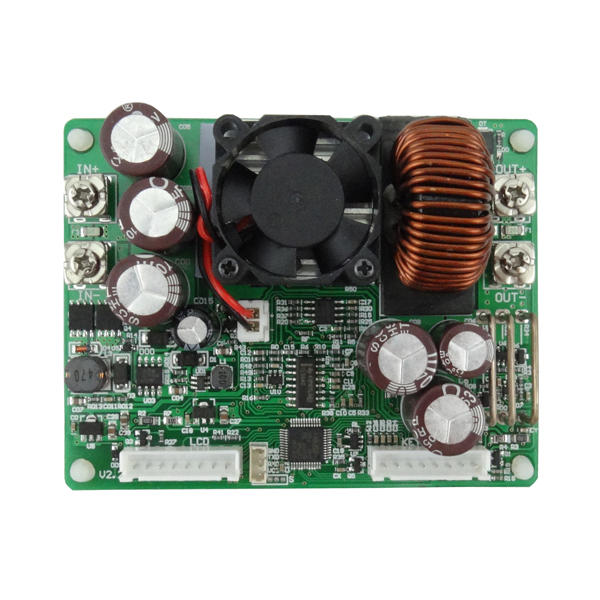
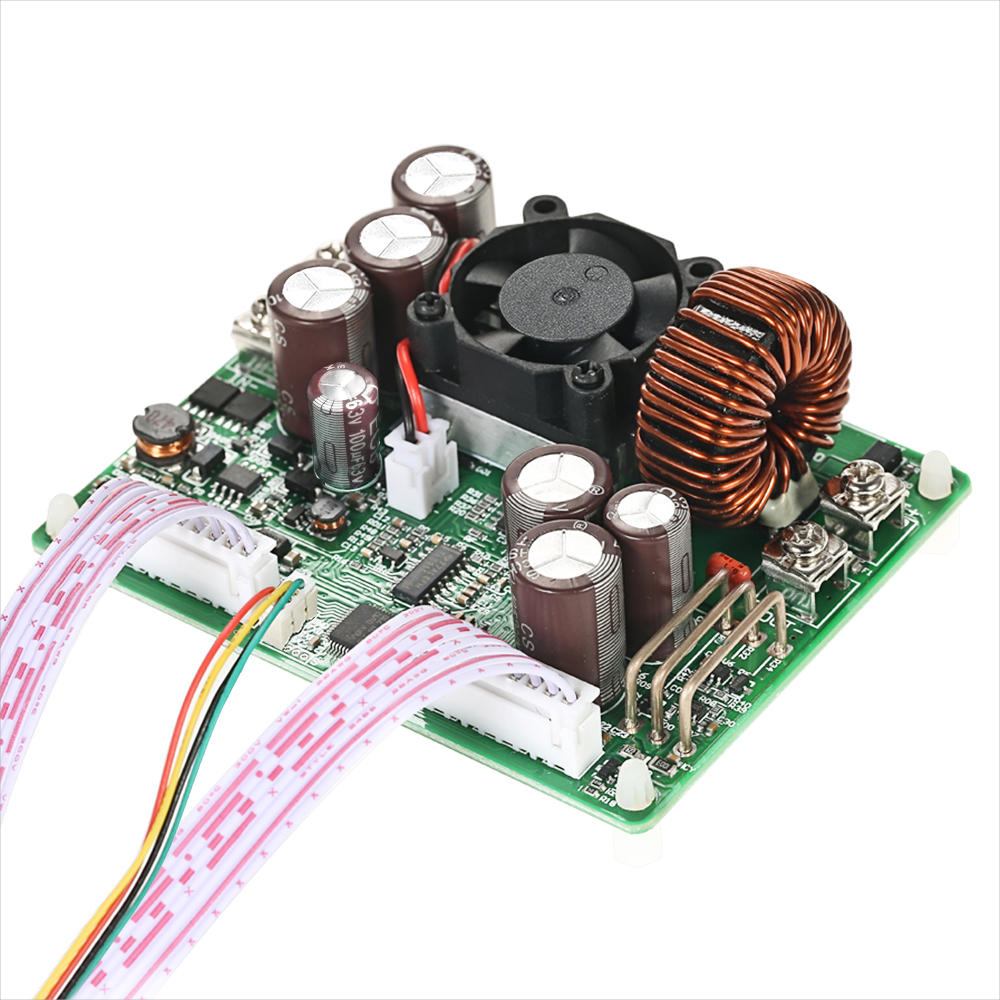
    2. Connection between display part and power part should be according to the corresponding words. Otherwise it will not work by wrong connection

    Connection description:


    IN+: Input positive IN-: Input negative:
    OUT+: Output positive: OUT-: Output negative
    Note: Input voltage range is DC 6-60V and 60v is the limit voltage; please leave a room to use. Or else it will be burnt. The input must be DC power supply, not AC 220V, or else it will be burnt too. Though this module has reverse connection protection and output short circuit protection, you can muse be in strict accordance with connection description to connect. If you connect the supply power with output, the module will be burnt.

    Panel description:

    1-Voltage setting/Page up to choose/Shortcut extract M1 data group
    2-Data setting/ Extract value of the specified data group/Store value into the specified data group
    3-Current setting/Page Down to choose/Shortcut extract M2 data group
    4-1.44 inch color LCD screen
    5-Coding potentiometer/Data adjustment/Lock all buttons
    6-Open or close output

    Display interface description:

    7-The preset value of output voltage
    8- The actual value of output voltage
    9-The actual value of output current
    10-The actual value of output power
    11-The actual value of input voltage
    12-The preset value of output current
    13-Key lock or unlock prompt
    14-Output normal or not prompt
    15-Constant voltage and constant current status prompt
    16-Data set prompt
    17-Open or close output prompt

    18-Preset output voltage
    19-Preset output current
    20-Preset over- voltage
    21-Preset over-current
    22-Preset over-power
    23-Preset screen brightness
    24-Preset data set
    25-The actual value of output voltage and output current

    Operating instructions:

    When connect the power supply, the screen shows welcome window firstly and then comes into main interface. On the main interface, the output set voltage value and the output set current value is on the top of the screen. The big font value on the left are the current real output voltage, the current real output current and the current real output power. Input voltage is on the bottom of the screen. There are some running status icons on the right of the screen, key lock icon, abnormal output status icon, constant voltage and constant current icon, data set tip icon and opening or closing output icon.

    Set the output voltage and output current on the main interface.
    Press V/↑key shortly, you can enter into voltage setting status. Then press the coding potentiometer, and then enter to adjust the numerical value. Press coding potentiometer to enter into the status of adjusting the numerical value you want to adjust. Turn coding potentiometer to adjust the numerical value. Turn by clockwise rotation to increase the numerical value; Turn by counterclockwise to decrease the numerical value. If you want to exit adjusting the numerical value, press shortly V/↑. In the same time the preset value will be stored. Or you can do nothing in one minute, the status will be automatically existed and the preset will be stored too. You can press A/↓to set the output current by the same way.

    Set the data on the data setting interface
    On the main interface, you can press SET key shortly to enter into data setting interface. On the data setting interface, press shortly V/↑or A/↓ to page up or page down to U-SET or I-SET, and then set the output voltage and output current by same way used in the main interface .
    Set the protection value.
    Page up or page down to S-OVP, S-OCP or S-OPP place to set over-voltage value, over-current value and over-power value correspondingly; when the value is up to the setting value, output will be closed. And then press shortly the coding potentiometer to enter into the status of adjusting the numerical value you want to adjust. Turn coding potentiometer to adjust the numerical value. If you want to exit adjusting the numerical value, press shortly SET key.

    Adjust the brightness of screen.
    Page up or page down to B-LED, and then press shortly the coding potentiometer to enter into the status of adjusting the brightness of screen. Turn coding potentiometer to adjust the numerical value you need. If you want to exit adjusting the numerical value, press shortly SET key. There are six brightness levels of LCD screen, 0-5 level. Rank 0 is the darkest; rank 5 is the brightest. You can choose what you like.

    Data setting and store the specified data group.
    Page up or page down to M-PRE, and then press shortly the coding potentiometer to enter into the status of choosing the data groups. Turn coding potentiometer to choose the data group you need to view. Then the data group you need will be displayed. And then press the coding potentiometer to enter into status of changing output state. Turn coding potentiometer to choose ON or OFF. When choose ON, the data group is extracted and the output status remain the same. When choose OFF, the data group is extracted and the output is closed. If you want to exit choosing data set, press shortly SET key. Then press shortly V/↑or A/↓ to page up or page down to other place to adjust the data you need. After data setting done, keep pressing SET key more than 2s, all the data you set are automatically stored into the specified data group. In the same time, you can see the group number on the right of screen. At last you can press shortly SET key back to the main interface.

    Set default boot open or close output
    Page up or page down to S-INI, and then press shortly the coding potentiometer to enter into the setting status. Set ON, default boot open; set off, default boot close.

    Function description:

    Open or close the output.
    You can press ON/OFF key to open or close the output on any interface.

    Lock the button to avoid wrong operation.
    On the any interface, you can keep pressing coding potentiometer more than 2s, all buttons are locked. You can see the key lock icon on the right of screen. If you want to unlock all buttons, keep pressing coding potentiometer more than 2s, all buttons are unlocked. The key unlock icon will be displayed on the right of screen.

    M0-M9 ten groups data group.
    M0 group is the boot default data group. When you extract the data group you need, this data group will cover M0 data group and be automatically stored on M0 data group.

    Extract Shortcut storage data group M1 or M2.
    On the main interface, keep pressing V/↑or A/↓ more than 2s, you can extract Shortcut storage data group M1 or M2 quickly. In the same time, the corresponding data group number will displayed on the right of the screen.

    Extract the specified data group.
    On the main interface, keep pressing SET key more than 2s, the sequence number of data group will be displayed on the right of the screen, you can turn coding potentiometer to choose data group you need. And then press shortly SET key, you can extract the specified data group you need.

    Package included:

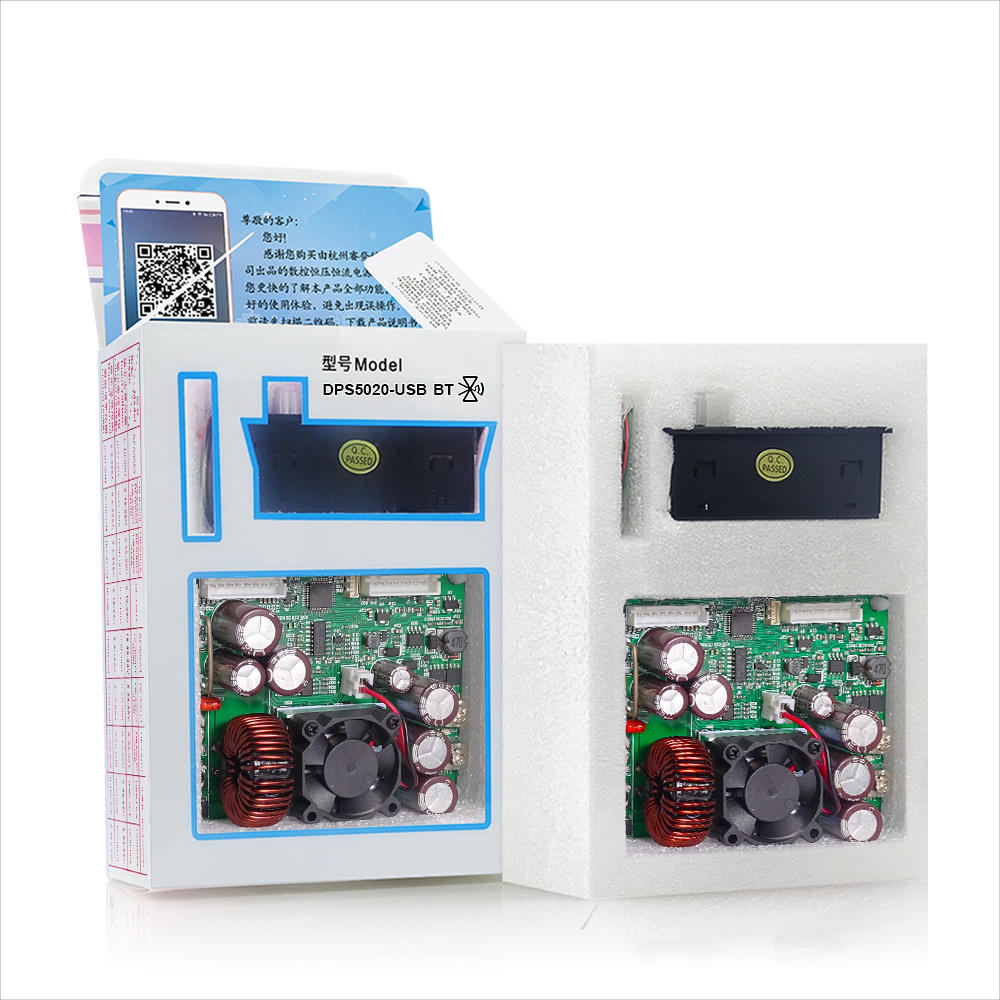
    1 x DPS5020 USB LCD Voltmeter


    Reviews(6)
    5.00
    • maytinhsontung
      5.0
      Rất đẹp tôi sẽ làm 1 clip review trên YouTube hãy chờ nhé. Hoàn thiện chất lượng cao. Vận chuyển rất nhanh chỉ mất 11 ngày.
    • tr453
      5.0
      it nice.!!!!!!!!!!!!!!!!!!!!!!!!!!!!
      cool
      I happy++++++++++++++++++++++++++++++++++++++++++++++++++++
    See All Reviews
    Description
    RIDEN® DPS5020 Versão de comunicação USB Módulo redutor de corrente de tensão constante Fonte de alimentação Conversor de tensão Buck Voltímetro LCD 50 V 20 A

    RIDEN® DPS5020 Versão de comunicação USB Módulo redutor de corrente de tensão constante Fonte de alimentação Conversor de tensão Buck Voltímetro LCD 50 V 20 A

    RIDEN® DPS5020 Versão de comunicação USB Módulo redutor de corrente de tensão constante Fonte de alimentação Conversor de tensão Buck Voltímetro LCD 50 V 20 A

    RIDEN® DPS5020 Versão de comunicação USB Módulo redutor de corrente de tensão constante Fonte de alimentação Conversor de tensão Buck Voltímetro LCD 50 V 20 A

    RIDEN® DPS5020 Versão de comunicação USB Módulo redutor de corrente de tensão constante Fonte de alimentação Conversor de tensão Buck Voltímetro LCD 50 V 20 A

    RIDEN® DPS5020 Versão de comunicação USB Módulo redutor de corrente de tensão constante Fonte de alimentação Conversor de tensão Buck Voltímetro LCD 50 V 20 A
    RIDEN® DPS5020 Versão de comunicação USB Módulo redutor de corrente de tensão constante Fonte de alimentação Conversor de tensão Buck Voltímetro LCD 50 V 20 A

    You also Interesting

    Receba as últimas notícias da marca e 15% de desconto no seu primeiro pedido.

    QQ好友QQ空间新浪微博微信朋友圈百度贴吧复制链接
    取消