Ka whakaaetia ngā taonga hoki i roto i te 40 rā mai i te rā i whiwhi ai i ngā taonga. Kāore e taea te hoki mai i ngā taonga whaiaro. Kāore e taea te hoki mai i ngā taonga i hokona me te kāri koha e; kāore e taea te moni hoki.
Koha Kore Utu
Nau mai ki Roymall, tō paetukutuku ngaio mō te hoko koha toa matua. Ka whakahōnoretia, ka mihi ki tō tautoko, ā, ka hiahia mātou ki te whakaatu i tō mātou mihi mā te tāpiri i tētahi wāhanga hiamo ki āu hoko. I a koe e hoko ana i a mātou, kāore koe e whai wāhi ki te ngahau i ngā hua kounga teitei e whakapai ake i tō oranga, engari ka whiwhi hoki koe i tētahi koha kore utu muna me ia tono ka tukuna e koe. Kua rite ki te tirotiro i tō mātou kohinga, ki te kimi i ō koha tino pai? Tirohia tā mātou kohinga o ngā taonga toa matua, tuku mai i tō ota, ā, ka tūmanako ki te hiamo o tō koha kore utu e tae mai ana i te taha o tō hoko.
Kaupapa Tukunga
Ka mahi uaua mātou ki te tuku taonga ki a koe i muri i te whiwhinga o āu ota, ā, ka whakarite kia tae haumaru mai. Ka whakaratohia ngā taipitopito tukunga i roto i tō īmēra whakau.I te nuinga o ngā wā, ka tukatukahia ngā ota i roto i te 2 rā.I raro i ngā āhuatanga motuhake, ka rētihi pēnei: Ka tonoa e koe he ota i te Rāhoroi, i te Rātapu, i ngā rā hararei rānei, ka rētihi mō te 2 rā..He tikanga, e 5-7 rā mahi (Mane ki te Paraire) me kore e pāngia e te rētihi rererangi, e ētahi atu āhuatanga taiao rānei..Nā te mea kei te ao whānui tā mātou ratonga tuku, ka whakawhirinaki ngā wā tuku ki tō wāhi, nō reira me tatari mō ētahi wā mēnā kei ngā takiwahi tawhiti, kei ngā whenua tawhiti rānei koe.
1. Kaupapa Hoki & Whakawhiti
Ka whakaaetia e mātou anake ngā taonga i hokona mai i roymall.com. Mēnā ka hoko koe i ō mātou kaiwhakarato ā-rohe, i ētahi atu kaihoko rānei, kāore e taea te hoki mai i a mātou.Kāore e whakaaetia ngā taonga hokohoko mutunga, ngā koha kore utu rānei hei hoki.Kia uru ki te hoki, me kore e whakamahia tō taonga, ā, me noho ki te āhuatanga i whiwhi ai koe. Me noho hoki ki te kōpaki taketake.I muri i te whiwhinga o ngā tohutohu hoki mai i a mātou, tēnā koa kōpaki i ō taonga kua hoki mai, ka tuku i tō kōpaki ki te poutāpeta ā-rohe, ki tētahi kaihere rānei. Ka tukatukahia tō hoki, tō whakawhiti taonga i roto i te 3-5 rā mahi i muri i te whiwhinga. Ka tukatukahia te moni hoki, ka hoki aunoa ki tō huarahi utu taketake.Kāore e taea te whakaaetia he hoki, he whakawhiti rānei mēnā i hangaia motuhake te hua, tae atu ki te rahi whaiaro, te tae whaiaro, te tā whaiaro rānei.Mehemea kei te hiahia āwhina anō, whakapā mai. service@roymall.com Whatsapp rānei: +447549870296
2.Kaupapa Moni Hoki
Ka whiwhi koe i te moni hoki katoa, i te 100% moni hoki toa i muri i te whiwhinga o te kōpaki kua hoki mai, me te tirotiro. Ka tukatukahia te moni hoki, ka hoki aunoa ki tō huarahi utu taketake.Kia mōhio, kāore e taea te utu hoki i ngā utu tuku, i ngā utu, i ngā utu rānei. Kāore e taea te utu hoki i ngā utu tuku taapiri ina kua tukuna te kōpaki. Kei a koe te kawenga ki te utu i ēnei utu, ā, kāore e taea e mātou te whakakore, te utu hoki rānei, ahakoa ka hoki mai te ota ki a mātou. I muri i te whiwhinga me te whakau i tō taonga kua hoki mai, ka tuku īmēra mātou ki a koe hei whakamōhio kua whiwhi mātou i tō taonga kua hoki mai. Ka whakamōhio hoki mātou ki a koe mō te whakaaetanga, te whakakore rānei o tō moni hoki.Mēnā he raruraru ōu e pā ana ki te tukatuka moni hoki, whakapā mai. service@roymall.com Whatsapp rānei: +447549870296
Videos for similar product
Loading product videos...
❮
❯
Products related to this item
Loading related products...
❮
❯
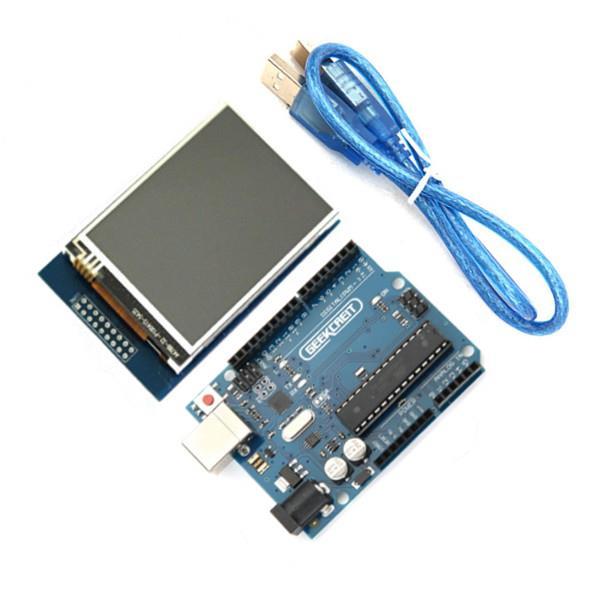
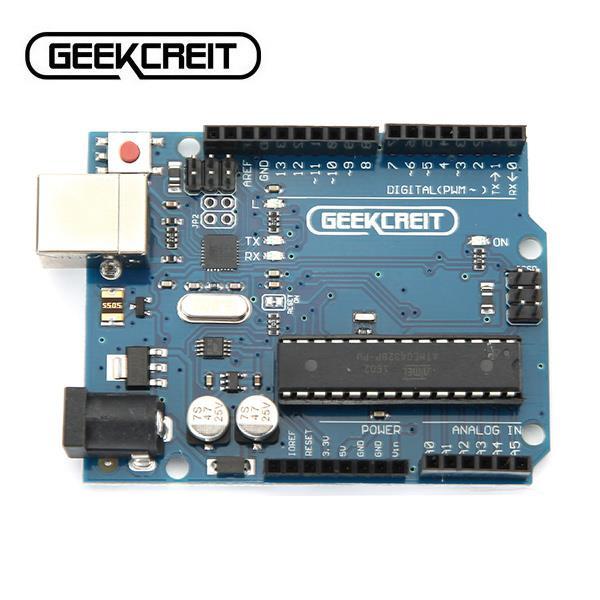
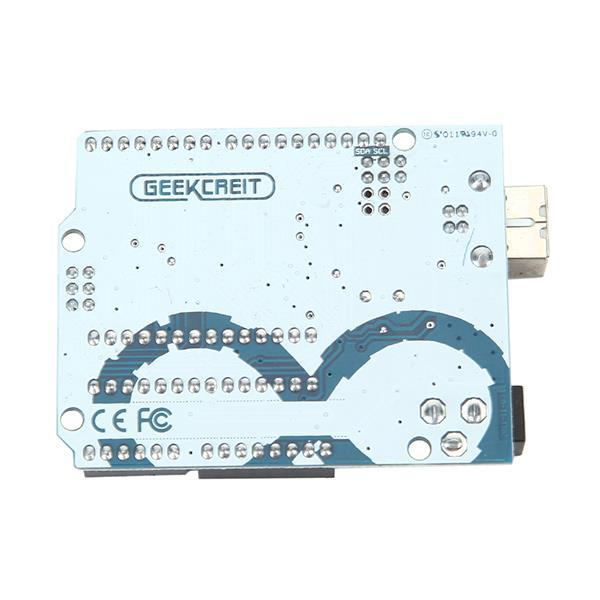
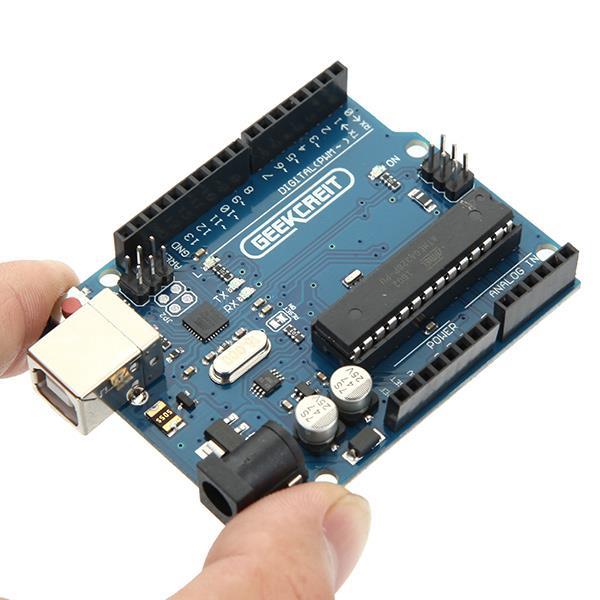
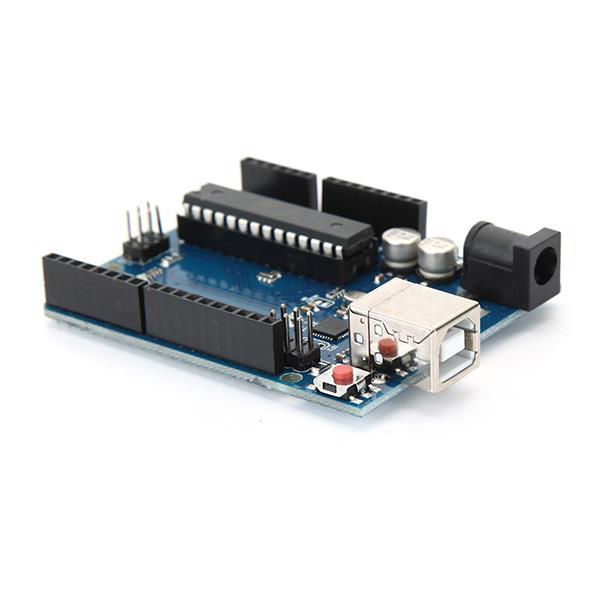
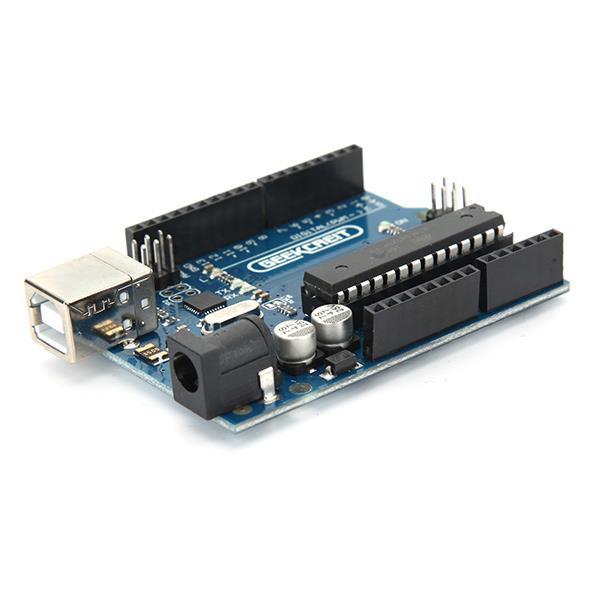
UNO R3 ATmega328P Board: Description:
UNO R3 board is 100% compatible with original , now it has perfect quality and performance . is an open-source physical computing platform based on a simple i/o board and a development environment that implements theProcessing/Wiring language. can be used to develop stand-alone interactive objects or can be connected to software on your computer (e.g. Flash, Processing, MaxMSP). The open-source IDE can be downloaded for free (currently for Mac OS X, Windows, and Linux). This is the new Tosduino Uno R3. In addition to all the features of the previous board, the Uno R3 now uses an ATmega16U2 instead of the ATmega8U2 chip. This allows for faster transfer rates, no drivers needed for Linux or Mac (inf file for Windows is needed), and the ability to have the Uno show up as a keyboard, mouse, joystick, etc.
Note:
The TOSduino Uno R3 requires the 1.0 drivers folder in order to install properly on some computers. We have tested and confirmed that the R3 can be programmed in older versions of the IDE. However, the first time using the R3 on a new computer, you will need to have 1.0 installed on that machine. The small chip is ATmega16U2, the 28 pin DIP socket chip is ATmega328-pu.
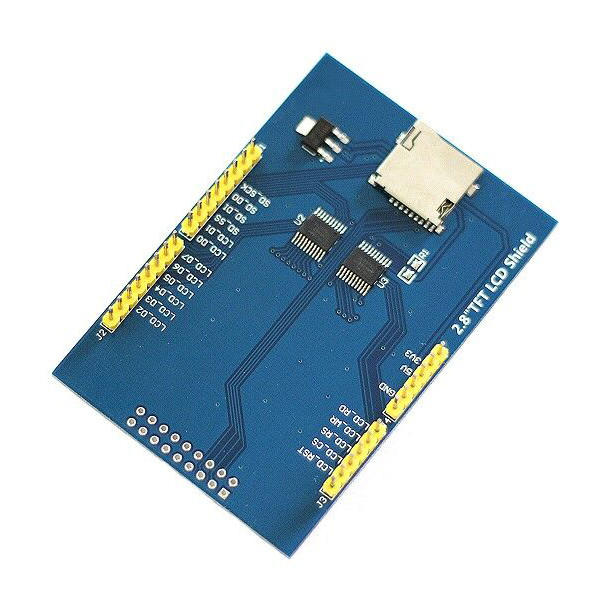
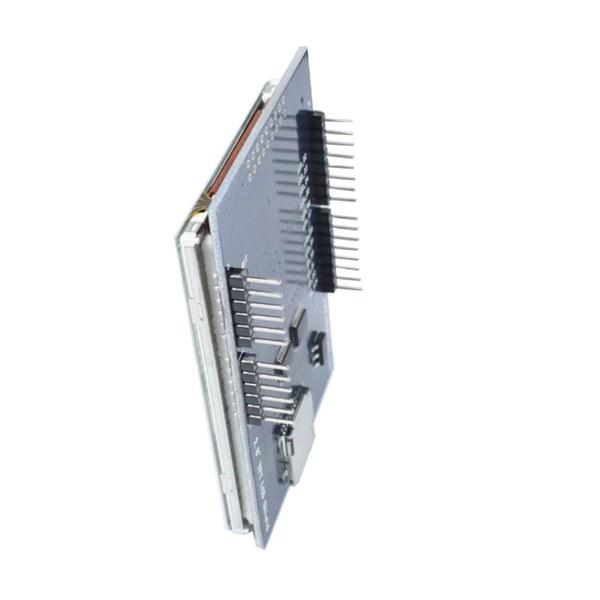
2.8 Inch LCD Display Feature: Description:
2.8 inch LCD TFT display Bright, 4 white-LED backlight Colorful, 18-bit 262,000 different shades 4-wire resistive touchscreen 240 x 320 pixels with individual pixel control No wiring, no soldering. Simply plug it in and load library On-board 3.3V 300mA LDO regulator 5V compatible, use with 3.3V or 5V logic Support 2GB micro SD TF card Size: 7.8 x 5.3cm
Package included:
1 x 2.8 Inch TFT LCD Shield Touch Display Module 1 x UNO R3 ATmega328P Board with USB cable
Both board and display are quite nice. What I really like is that this board have replaceable chip, so you can use ti to program ATmega 328 chips: https://goo.gl/n3VbEX
After 4 weeks i finally had my hands on this product. But it was not easy to let it work.
So found the good driver!!
When you know the driver you can easily let it work. For me i found it after 2 days. So this have i done. At the back on my module stand with black marker 68090 it seem to stand for the diver RM68090 but under that name you can not found it. So after hard google. i found on another site that the RM68090 is similar on the ILI9325 so when you get the unkown driver error try this one. And change the code to:
if(identifier == 0x9325) {
Serial.println(F("Found ILI9325 LCD driver"));
} else if(identifier == 0x9328) {
Serial.println(F("Found ILI9328 LCD driver"));
} else if(identifier == 0x7575) {
Serial.println(F("Found HX8347G LCD driver"));
} else if(identifier == 0x9341) {
Serial.println(F("Found ILI9341 LCD driver"));
} else if(identifier == 0x8357) {
Serial.println(F("Found HX8357D LCD driver"));
} else {
Serial.print(F("Unknown LCD driver chip: "));
Serial.println(identifier, HEX);
identifier = 0x9325;
}
And download the normal library from adafruit
link:
https://github.com/adafruit/TFTLCD-Library
And maybe you must rotate the lcd for the correct touch. And mirror it.
Rotate can be with comment:
tft.setRotation(1)
And mirror i had do with the follow:
p.x = map(p.x, TS_MINX, TS_MAXX, 240, 0);//default is (240, 0) [default puts touch cord. 0=x/y upper right.
p.y = map(p.y, TS_MINY, TS_MAXY, 0, 320);//default is (320, 0) [I change these cause i like 0=xy bottom left.




 Roymall C.o.


 Koha kore utu
 Kaupapa tuku
 Kaupapa hoki


 ,
, ,
, ,
,







 Coupon Code
 Direct purchase from the factory
 Electronic Components & Supplies
 Module Board
 Display Screen