Ka whakaaetia ngā taonga hoki i roto i te 40 rā mai i te rā i whiwhi ai i ngā taonga. Kāore e taea te hoki mai i ngā taonga whaiaro. Kāore e taea te hoki mai i ngā taonga i hokona me te kāri koha e; kāore e taea te moni hoki.
Koha Kore Utu
Nau mai ki Roymall, tō paetukutuku ngaio mō te hoko koha toa matua. Ka whakahōnoretia, ka mihi ki tō tautoko, ā, ka hiahia mātou ki te whakaatu i tō mātou mihi mā te tāpiri i tētahi wāhanga hiamo ki āu hoko. I a koe e hoko ana i a mātou, kāore koe e whai wāhi ki te ngahau i ngā hua kounga teitei e whakapai ake i tō oranga, engari ka whiwhi hoki koe i tētahi koha kore utu muna me ia tono ka tukuna e koe. Kua rite ki te tirotiro i tō mātou kohinga, ki te kimi i ō koha tino pai? Tirohia tā mātou kohinga o ngā taonga toa matua, tuku mai i tō ota, ā, ka tūmanako ki te hiamo o tō koha kore utu e tae mai ana i te taha o tō hoko.
Kaupapa Tukunga
Ka mahi uaua mātou ki te tuku taonga ki a koe i muri i te whiwhinga o āu ota, ā, ka whakarite kia tae haumaru mai. Ka whakaratohia ngā taipitopito tukunga i roto i tō īmēra whakau.I te nuinga o ngā wā, ka tukatukahia ngā ota i roto i te 2 rā.I raro i ngā āhuatanga motuhake, ka rētihi pēnei: Ka tonoa e koe he ota i te Rāhoroi, i te Rātapu, i ngā rā hararei rānei, ka rētihi mō te 2 rā..He tikanga, e 5-7 rā mahi (Mane ki te Paraire) me kore e pāngia e te rētihi rererangi, e ētahi atu āhuatanga taiao rānei..Nā te mea kei te ao whānui tā mātou ratonga tuku, ka whakawhirinaki ngā wā tuku ki tō wāhi, nō reira me tatari mō ētahi wā mēnā kei ngā takiwahi tawhiti, kei ngā whenua tawhiti rānei koe.
1. Kaupapa Hoki & Whakawhiti
Ka whakaaetia e mātou anake ngā taonga i hokona mai i roymall.com. Mēnā ka hoko koe i ō mātou kaiwhakarato ā-rohe, i ētahi atu kaihoko rānei, kāore e taea te hoki mai i a mātou.Kāore e whakaaetia ngā taonga hokohoko mutunga, ngā koha kore utu rānei hei hoki.Kia uru ki te hoki, me kore e whakamahia tō taonga, ā, me noho ki te āhuatanga i whiwhi ai koe. Me noho hoki ki te kōpaki taketake.I muri i te whiwhinga o ngā tohutohu hoki mai i a mātou, tēnā koa kōpaki i ō taonga kua hoki mai, ka tuku i tō kōpaki ki te poutāpeta ā-rohe, ki tētahi kaihere rānei. Ka tukatukahia tō hoki, tō whakawhiti taonga i roto i te 3-5 rā mahi i muri i te whiwhinga. Ka tukatukahia te moni hoki, ka hoki aunoa ki tō huarahi utu taketake.Kāore e taea te whakaaetia he hoki, he whakawhiti rānei mēnā i hangaia motuhake te hua, tae atu ki te rahi whaiaro, te tae whaiaro, te tā whaiaro rānei.Mehemea kei te hiahia āwhina anō, whakapā mai. service@roymall.com Whatsapp rānei: +447549870296
2.Kaupapa Moni Hoki
Ka whiwhi koe i te moni hoki katoa, i te 100% moni hoki toa i muri i te whiwhinga o te kōpaki kua hoki mai, me te tirotiro. Ka tukatukahia te moni hoki, ka hoki aunoa ki tō huarahi utu taketake.Kia mōhio, kāore e taea te utu hoki i ngā utu tuku, i ngā utu, i ngā utu rānei. Kāore e taea te utu hoki i ngā utu tuku taapiri ina kua tukuna te kōpaki. Kei a koe te kawenga ki te utu i ēnei utu, ā, kāore e taea e mātou te whakakore, te utu hoki rānei, ahakoa ka hoki mai te ota ki a mātou. I muri i te whiwhinga me te whakau i tō taonga kua hoki mai, ka tuku īmēra mātou ki a koe hei whakamōhio kua whiwhi mātou i tō taonga kua hoki mai. Ka whakamōhio hoki mātou ki a koe mō te whakaaetanga, te whakakore rānei o tō moni hoki.Mēnā he raruraru ōu e pā ana ki te tukatuka moni hoki, whakapā mai. service@roymall.com Whatsapp rānei: +447549870296
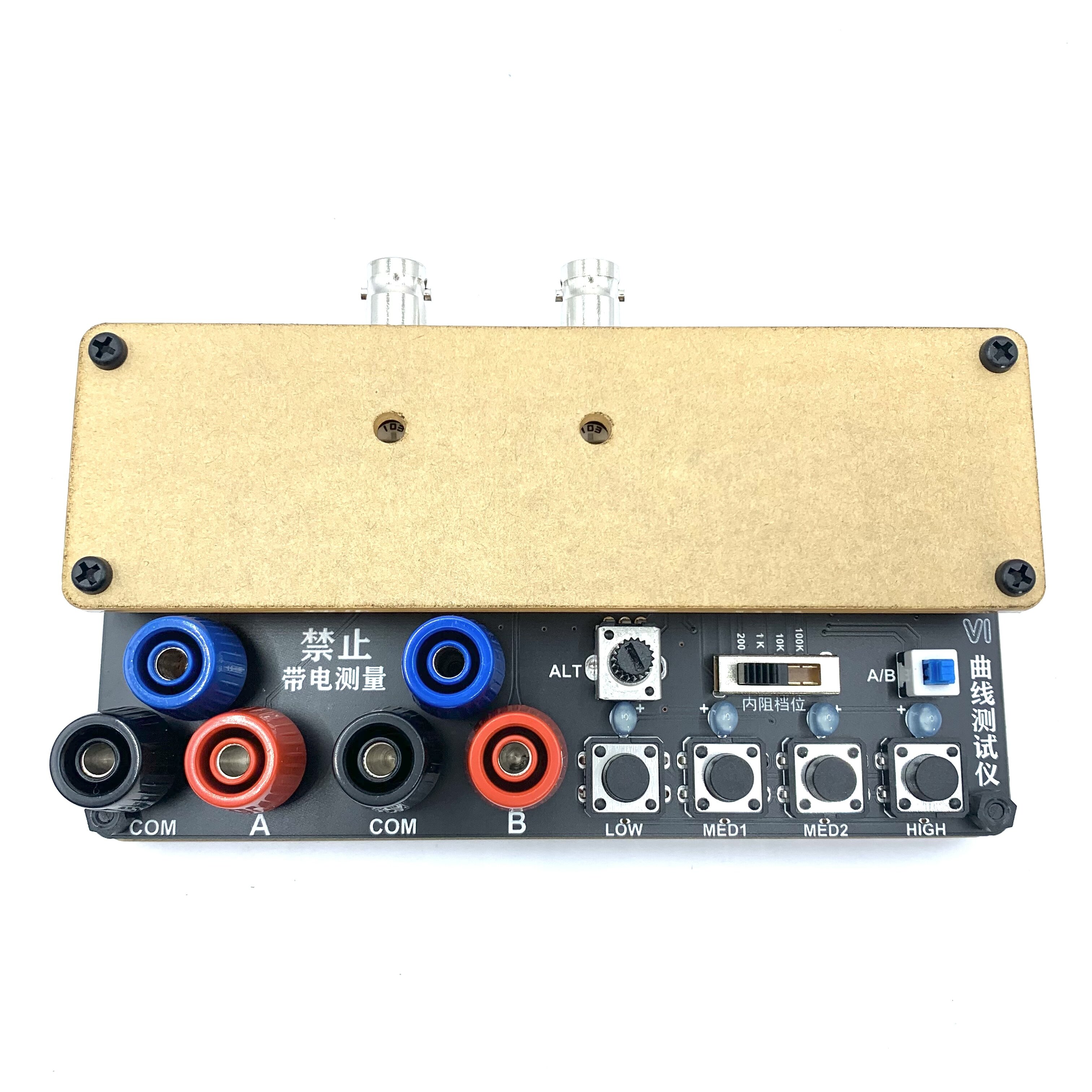
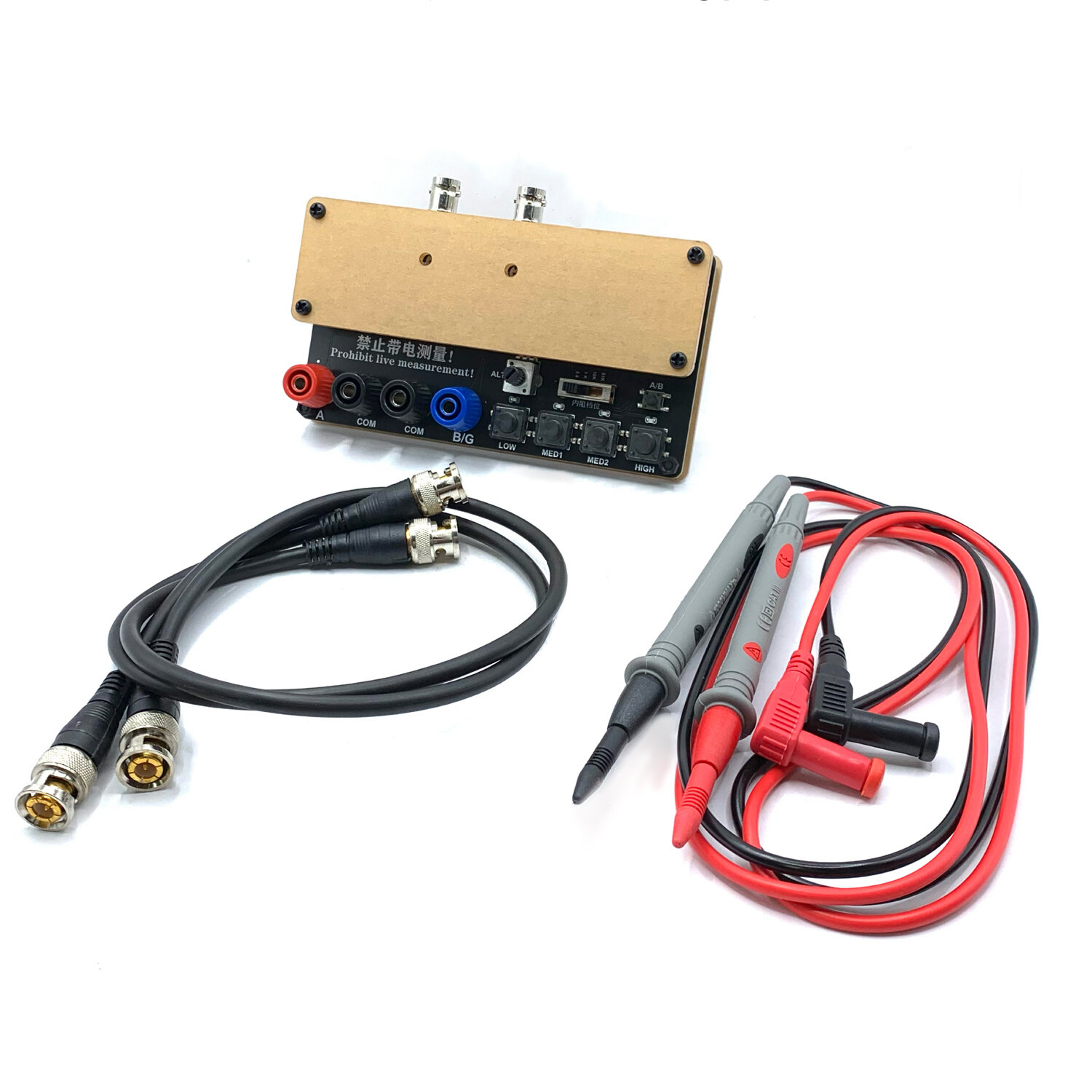
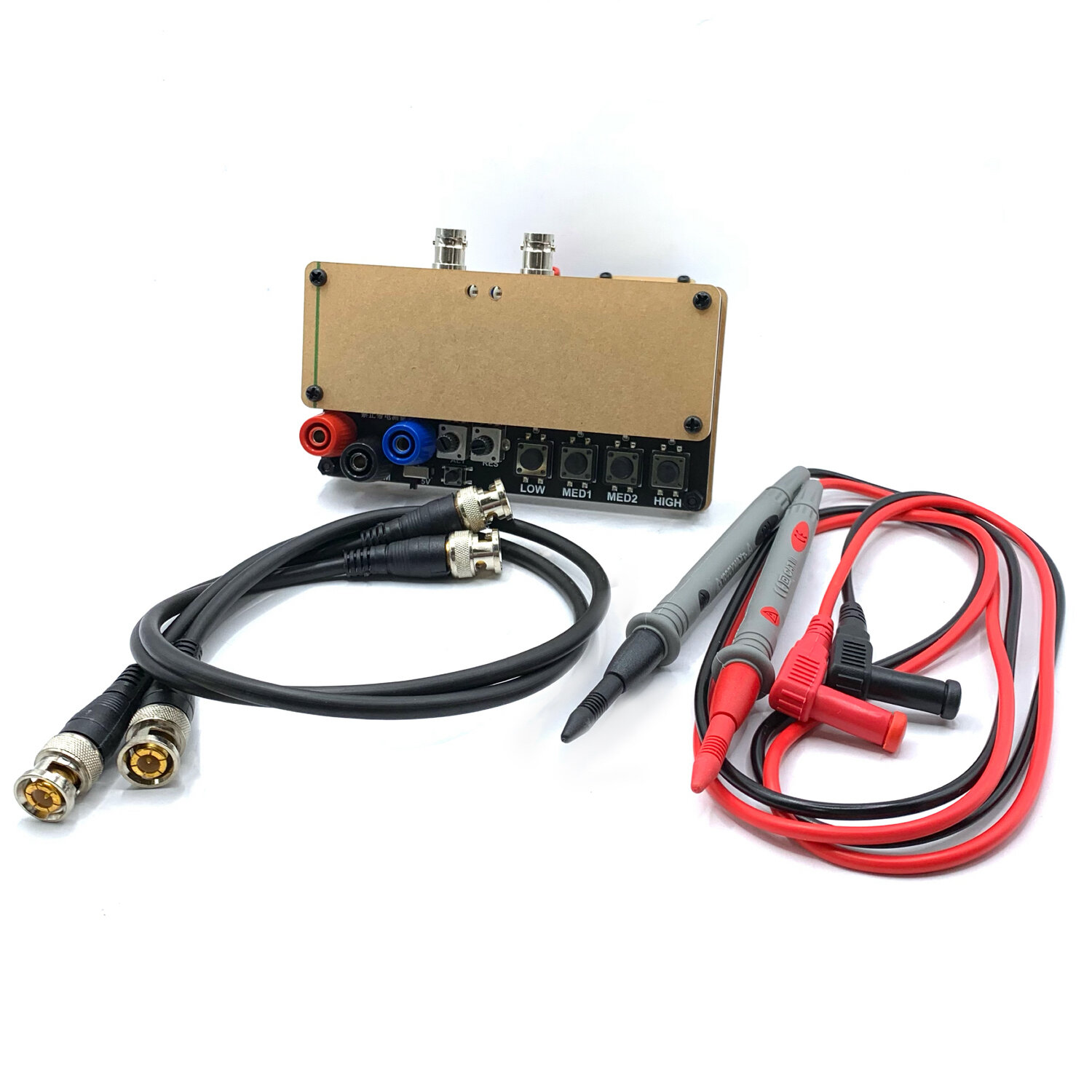
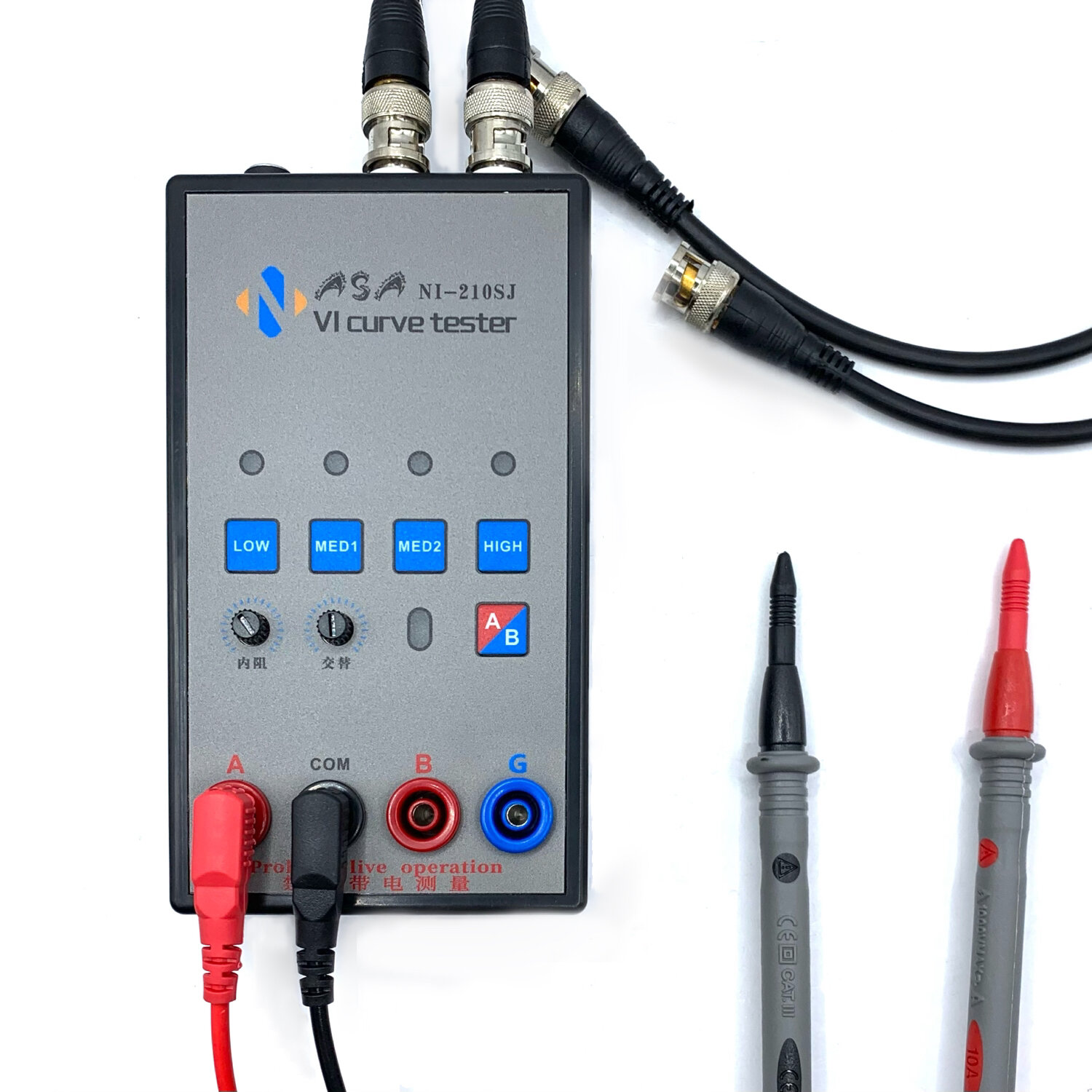
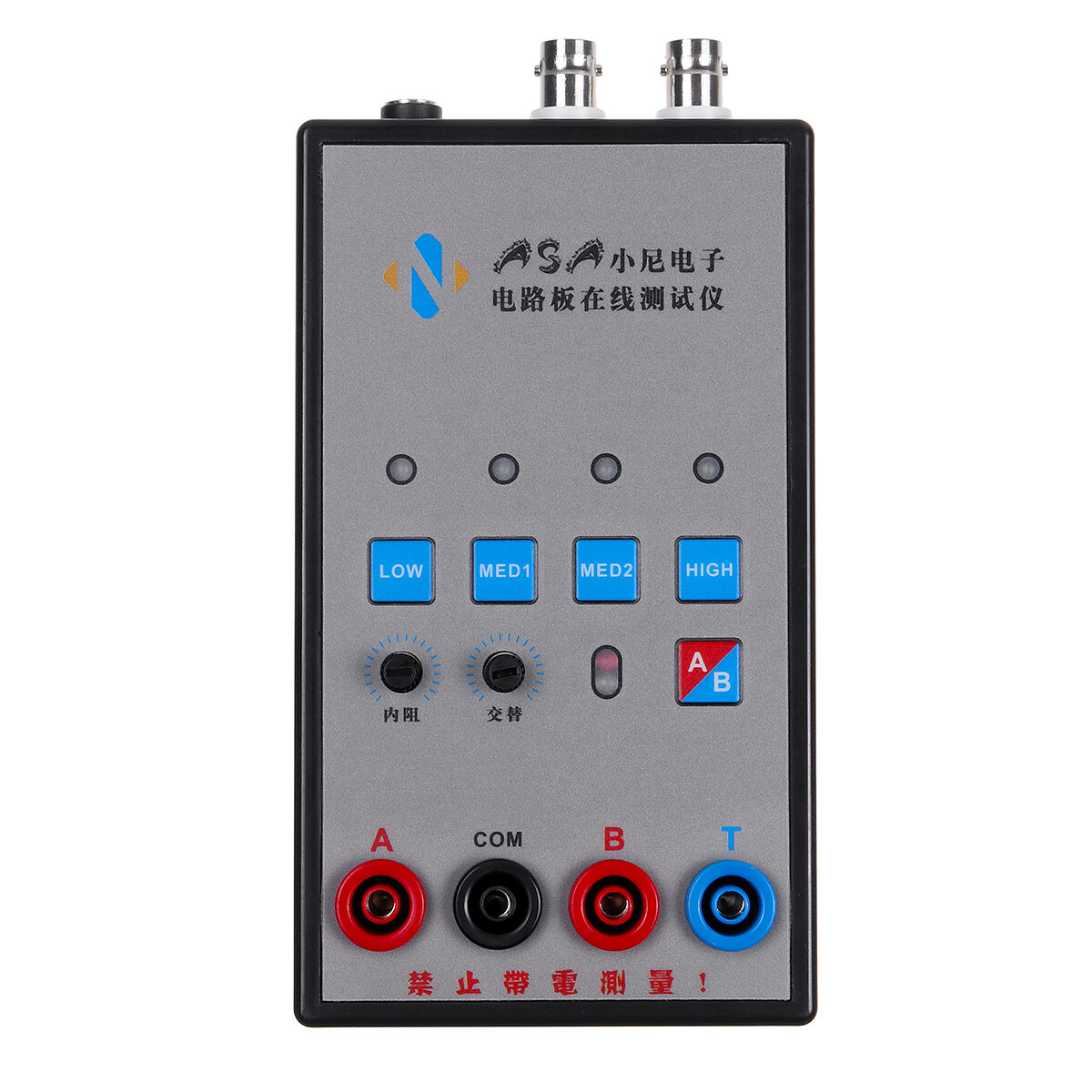
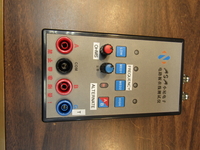
Two-way VI curve tester, which can display two-way waveforms at the same time, which is convenient for comparison.
4 levels of internal resistance adjustable, 4 test frequencies, can be used when connected to an oscilloscope, both analog oscilloscopes and digital oscilloscopes can be used
Oscilloscope parameter setting:
*. Adjust the oscilloscope to X-Y mode(different oscilloscopes have different adjustment methods, please explore by yourself)
* Adjust the vertical parameters of the 2 channels of X Y to 1V/div, and only one of the single-track oscilloscopes needs to be adjusted. ,
*The analog oscilloscope does not need to adjust the time base, the digital oscilloscope time base is adjusted between 1-5ms
*After the connection is correct, the oscilloscope will display a horizontal line. If a vertical line is displayed, the xY plug will be reversed.
*Adjust the vertical and horizontal parameters, the horizontal and vertical lines are in the display box.
Method of connecting analog oscilloscope:
The analog oscilloscope connection is relatively simple, and different oscilloscopes are slightly different.
Adjust the oscilloscope to xY mode. Some oscilloscopes can be selected by pressing the buttons, while others are selected by the knob to xY mode. Please study by yourself.
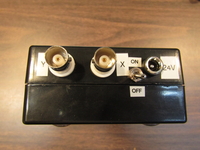
Connect the BNC cable to the oscilloscope and power on. Normally, a horizontal line will be displayed. Adjust the xY vertical channel parameters, about 1V/div, and then adjust the x Y attenuation so that the horizontal line is in the display frame. It can also pass the VI test version. The x attenuation potentiometer on the upper side can assist in adjusting the length of the horizontal line. If the test pen iis short-circuited, a vertical line will be displayed under normal circumstances. If the vertical line is too long or too short, you need to adjust the Y channel parameters to make the vertical line in the display frame. Half grid or 1 grid to the edge is better. If the horizontal and vertical lines are normal, you can enter the normal measurement.
How to connect a digital oscilloscope:
For digital oscilloscopes, enter the xY mode through the menu or keys. The two channels of xY are adjusted to 1V/div,and the single-track oscilloscope only needs to adjust the Y channel. Adjust the time base to 1-5 milliseconds. The xY channel selects DC coupling, and the
attenuation is 1x.
When the oscilloscope is not connected, the screen should be a bright spot. Adjust the horizontal and vertical to center the bright spot. Connect the VI tester. Normally, it should be a horizontal line. Adjust the 103 potentiometer at the top of the VI board to make the horizontal line in the display frame. , Half a grid or 1 grid to the edge is
better. Short-circuit the test leads, and the display should be a vertical line at this time. Adjust the Y channel parameters so that the vertical line is in the display frame. So far, debugging is basically over.
When testing the circuit board online, do not charge the circuit board. If there is a large capacitor on the circuit board, discharge the capacitor first, otherwise it is easy to burn out the VI test board.
Funciona perfectamente y llegó el envío en perfectas condiciones. Es el complemento ideal de todos los que tenemos un osciloscopio, para comprobar los componentes de una placa de circuitos y sus componentes electrónicos defectuosos.
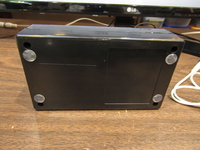
I was a bit unhappy at first as I was not able to download the manual and my unit arrived with a cracked case. I began to investigate it and repair it. The instructions available on the sales page provided enough information to set the unit up and running some tests. The unit works better than I had expected. I was able to determine the frequencies used. Low = 62 Hz Med = 234 Hz Med 2 = 2 kHz and High = 14.5 kHz. The red knob selects one of 4 different internal resistances. The A/B push button turns on and off the dual channel mode so that you can easily compare one circuit board position to another. The Blue knob adjusts the position of the "B" Channel image on the scope screen. I added a power switch to the unit so that it could be left plugged in when I wanted to. I also added some English Labels and non-slip feet for the back so that it doesn't slide around on the bench. The only item I have not been able to identify is a Blue Jack on the front that is labeled "G" on the front and "T" on the internal board. If anyone has figured what the "G" Jack is please let me know. I wrote a complaint to Banggood about the inability to down load the Manual and about a week later they sent me the pdf file. Unfortunately it did not identify the "G" jack. Over All I am very pleased with the unit and the way it functions. I would recommend it to anyone who has a curiosity about curve tracers and a scope capable of X-Y operation.





 Roymall C.o.


 Koha kore utu
 Kaupapa tuku
 Kaupapa hoki








 Coupon Code
 Direct purchase from the factory
 Tools
Tools Measurement & Analysis Instruments
 Logic Analyzers & Programmers