Ka whakaaetia ngā taonga hoki i roto i te 40 rā mai i te rā i whiwhi ai i ngā taonga. Kāore e taea te hoki mai i ngā taonga whaiaro. Kāore e taea te hoki mai i ngā taonga i hokona me te kāri koha e; kāore e taea te moni hoki.
Koha Kore Utu
Nau mai ki Roymall, tō paetukutuku ngaio mō te hoko koha toa matua. Ka whakahōnoretia, ka mihi ki tō tautoko, ā, ka hiahia mātou ki te whakaatu i tō mātou mihi mā te tāpiri i tētahi wāhanga hiamo ki āu hoko. I a koe e hoko ana i a mātou, kāore koe e whai wāhi ki te ngahau i ngā hua kounga teitei e whakapai ake i tō oranga, engari ka whiwhi hoki koe i tētahi koha kore utu muna me ia tono ka tukuna e koe. Kua rite ki te tirotiro i tō mātou kohinga, ki te kimi i ō koha tino pai? Tirohia tā mātou kohinga o ngā taonga toa matua, tuku mai i tō ota, ā, ka tūmanako ki te hiamo o tō koha kore utu e tae mai ana i te taha o tō hoko.
Kaupapa Tukunga
Ka mahi uaua mātou ki te tuku taonga ki a koe i muri i te whiwhinga o āu ota, ā, ka whakarite kia tae haumaru mai. Ka whakaratohia ngā taipitopito tukunga i roto i tō īmēra whakau.I te nuinga o ngā wā, ka tukatukahia ngā ota i roto i te 2 rā.I raro i ngā āhuatanga motuhake, ka rētihi pēnei: Ka tonoa e koe he ota i te Rāhoroi, i te Rātapu, i ngā rā hararei rānei, ka rētihi mō te 2 rā..He tikanga, e 5-7 rā mahi (Mane ki te Paraire) me kore e pāngia e te rētihi rererangi, e ētahi atu āhuatanga taiao rānei..Nā te mea kei te ao whānui tā mātou ratonga tuku, ka whakawhirinaki ngā wā tuku ki tō wāhi, nō reira me tatari mō ētahi wā mēnā kei ngā takiwahi tawhiti, kei ngā whenua tawhiti rānei koe.
1. Kaupapa Hoki & Whakawhiti
Ka whakaaetia e mātou anake ngā taonga i hokona mai i roymall.com. Mēnā ka hoko koe i ō mātou kaiwhakarato ā-rohe, i ētahi atu kaihoko rānei, kāore e taea te hoki mai i a mātou.Kāore e whakaaetia ngā taonga hokohoko mutunga, ngā koha kore utu rānei hei hoki.Kia uru ki te hoki, me kore e whakamahia tō taonga, ā, me noho ki te āhuatanga i whiwhi ai koe. Me noho hoki ki te kōpaki taketake.I muri i te whiwhinga o ngā tohutohu hoki mai i a mātou, tēnā koa kōpaki i ō taonga kua hoki mai, ka tuku i tō kōpaki ki te poutāpeta ā-rohe, ki tētahi kaihere rānei. Ka tukatukahia tō hoki, tō whakawhiti taonga i roto i te 3-5 rā mahi i muri i te whiwhinga. Ka tukatukahia te moni hoki, ka hoki aunoa ki tō huarahi utu taketake.Kāore e taea te whakaaetia he hoki, he whakawhiti rānei mēnā i hangaia motuhake te hua, tae atu ki te rahi whaiaro, te tae whaiaro, te tā whaiaro rānei.Mehemea kei te hiahia āwhina anō, whakapā mai. service@roymall.com Whatsapp rānei: +447549870296
2.Kaupapa Moni Hoki
Ka whiwhi koe i te moni hoki katoa, i te 100% moni hoki toa i muri i te whiwhinga o te kōpaki kua hoki mai, me te tirotiro. Ka tukatukahia te moni hoki, ka hoki aunoa ki tō huarahi utu taketake.Kia mōhio, kāore e taea te utu hoki i ngā utu tuku, i ngā utu, i ngā utu rānei. Kāore e taea te utu hoki i ngā utu tuku taapiri ina kua tukuna te kōpaki. Kei a koe te kawenga ki te utu i ēnei utu, ā, kāore e taea e mātou te whakakore, te utu hoki rānei, ahakoa ka hoki mai te ota ki a mātou. I muri i te whiwhinga me te whakau i tō taonga kua hoki mai, ka tuku īmēra mātou ki a koe hei whakamōhio kua whiwhi mātou i tō taonga kua hoki mai. Ka whakamōhio hoki mātou ki a koe mō te whakaaetanga, te whakakore rānei o tō moni hoki.Mēnā he raruraru ōu e pā ana ki te tukatuka moni hoki, whakapā mai. service@roymall.com Whatsapp rānei: +447549870296
Videos for similar product
Loading product videos...
❮
❯
Products related to this item
Loading related products...
❮
❯
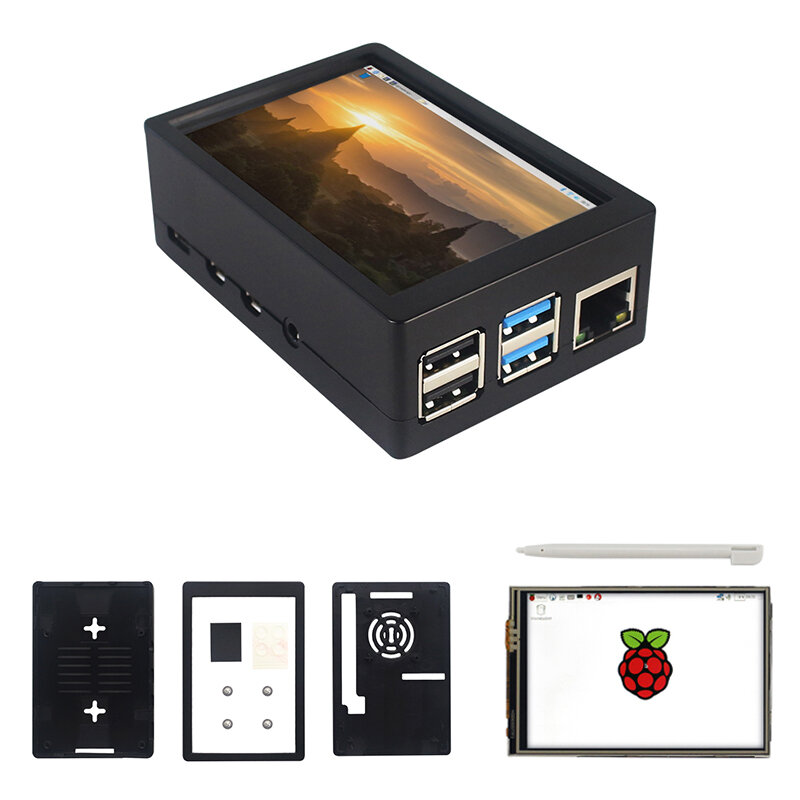
Note: Raspberrry Pi is not included. Introduction:
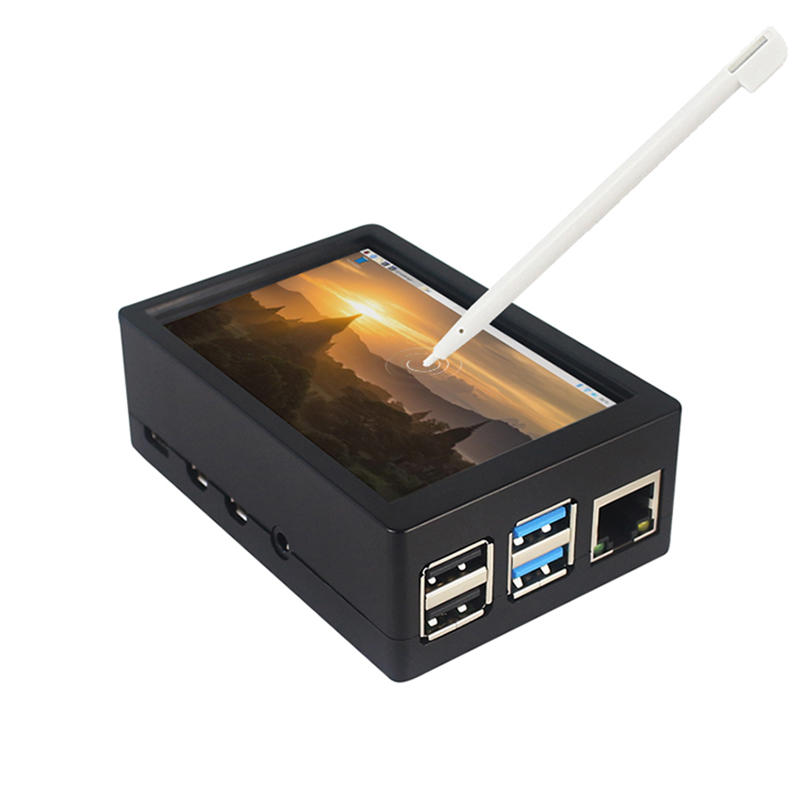
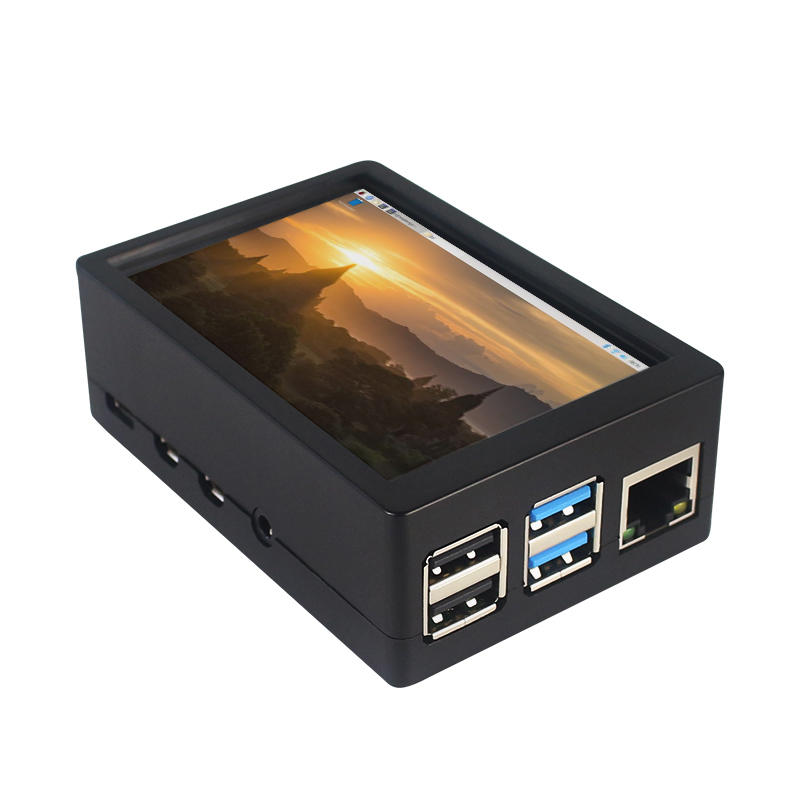
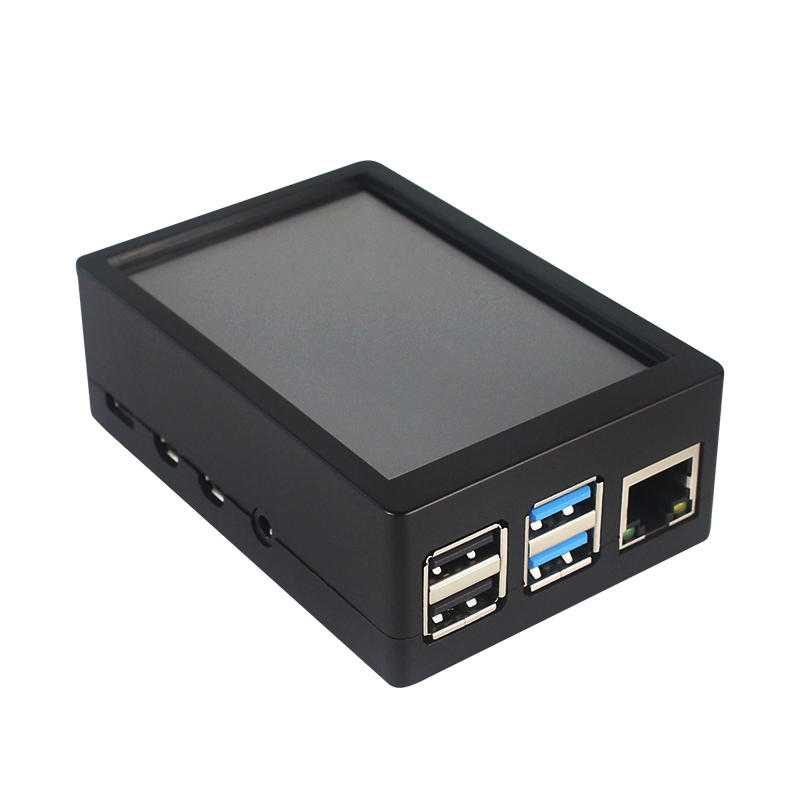
This is the dual use ABS case for 3.5 inch screen kit, suitable for Raspberry Pi 4 Model B.It is esay to install the case with screen and Raspberry Pi.When you use the Raspberry Pi with 3.5inch screen,please remove the cover of case;When you use Raspberry Pi with cooling fan,you needn"t remover the cover of case.
Note:The 3.5inch screen and cooling fan can"t be used at the same time. If Raspberry Pi is equipped with GPIO display drivers,the HDMI port will have no signal output
Specifications:
Colour: Black
Material: ABS plastic
Size: 90*61*35
Applicable to: Raspberry Pi 4B
3.5-inch touch screen or fan that can install Raspberry Pi
Knowing that: 3.5-inch display and fan cannot be installed at the same time due to the PIN pin
3.5inch Touch Screen Features:
1. Physical resolution 320 x 480, with resistive touch control
2. With the refresh rate of raspberry pi around 50Hz, play video to play the game without pressure.
3. With the refresh rate of raspberry pie around 50Hz, play video to play the game without pressure
4. Support FBCP software drive, support double screen display, can adjust the resolution of the software to zoom
5. Raspberry Pi ZeroW, A, A+, B, B+, 2B, 3B, 3B+ , 4B)
6. Support Raspbian/Ubuntu/Kali system, provide driver and image
7. WIKI for reference: raspberrypiwiki.com/index.php/3.5_inch_LCD_B
Note:
Please plug the screen on Raspberry Pi"s GPIO pins correctly( as the picture) , otherwise the touch function will be damaged.
If Raspberry Pi is equipped with GPIO display drivers such as MPI2411, MPI2418, MPI2801, MPI3201, MPI3501, etc., the HDMI port will have no signal output
If you need to switch back to the HDMI display mode, execute:
This LCD can be calibrated using a program called xinput_calibrator
Install it with the commands:
cd LCD-show/sudo dpkg -i -B xinput-calibrator_0.7.5-1_armhf.deb
Click the Men button on the task bar, choose Preference -> Calibrate Touchscreen.
Finish the touch calibration following the prompts. Maybe rebooting is required to make calibration active.
You can create a 99-calibration.conf file to save the touch parameters (not necessary if file exists).
/ect/X11/xorg.conf.d/99-calibration.conf
Save the touch parameters
About Dual Use ABS Case:
1. The Case made of ABS material,support to install 3.5 inch touch screen,and need to remove the cover of case. When you don"t use the 3.5 inch touchscreen , it is a general case with cooling fan.The 3.5inch screen and cooling fan can"t be used at the same time.
2. The case is design for Raspberry Pi 4 Model B , remain almost all interface such as USB , Ethernet , A/V , micro HDMI , SD card slot , display , camera( CSI). (Note: A1 case remain GPIO and POE hole , but A2 case does not remian)
3. Make 2 hole on the bottom so that you can hange the case on the wall or something else . This design is very convenient when using the 3.5 inch touchscreen.
Package Included: 1 x ABS box case 1 x touch screen 1 x touch screen pen



 Roymall C.o.


 Koha kore utu
 Kaupapa tuku
 Kaupapa hoki





 Coupon Code
 Direct purchase from the factory
 Electronic Components & Supplies
 Module Board
 Raspberry Pi & Orange Pi