Ka whakaaetia ngā taonga hoki i roto i te 40 rā mai i te rā i whiwhi ai i ngā taonga. Kāore e taea te hoki mai i ngā taonga whaiaro. Kāore e taea te hoki mai i ngā taonga i hokona me te kāri koha e; kāore e taea te moni hoki.
Koha Kore Utu
Nau mai ki Roymall, tō paetukutuku ngaio mō te hoko koha toa matua. Ka whakahōnoretia, ka mihi ki tō tautoko, ā, ka hiahia mātou ki te whakaatu i tō mātou mihi mā te tāpiri i tētahi wāhanga hiamo ki āu hoko. I a koe e hoko ana i a mātou, kāore koe e whai wāhi ki te ngahau i ngā hua kounga teitei e whakapai ake i tō oranga, engari ka whiwhi hoki koe i tētahi koha kore utu muna me ia tono ka tukuna e koe. Kua rite ki te tirotiro i tō mātou kohinga, ki te kimi i ō koha tino pai? Tirohia tā mātou kohinga o ngā taonga toa matua, tuku mai i tō ota, ā, ka tūmanako ki te hiamo o tō koha kore utu e tae mai ana i te taha o tō hoko.
Kaupapa Tukunga
Ka mahi uaua mātou ki te tuku taonga ki a koe i muri i te whiwhinga o āu ota, ā, ka whakarite kia tae haumaru mai. Ka whakaratohia ngā taipitopito tukunga i roto i tō īmēra whakau.I te nuinga o ngā wā, ka tukatukahia ngā ota i roto i te 2 rā.I raro i ngā āhuatanga motuhake, ka rētihi pēnei: Ka tonoa e koe he ota i te Rāhoroi, i te Rātapu, i ngā rā hararei rānei, ka rētihi mō te 2 rā..He tikanga, e 5-7 rā mahi (Mane ki te Paraire) me kore e pāngia e te rētihi rererangi, e ētahi atu āhuatanga taiao rānei..Nā te mea kei te ao whānui tā mātou ratonga tuku, ka whakawhirinaki ngā wā tuku ki tō wāhi, nō reira me tatari mō ētahi wā mēnā kei ngā takiwahi tawhiti, kei ngā whenua tawhiti rānei koe.
1. Kaupapa Hoki & Whakawhiti
Ka whakaaetia e mātou anake ngā taonga i hokona mai i roymall.com. Mēnā ka hoko koe i ō mātou kaiwhakarato ā-rohe, i ētahi atu kaihoko rānei, kāore e taea te hoki mai i a mātou.Kāore e whakaaetia ngā taonga hokohoko mutunga, ngā koha kore utu rānei hei hoki.Kia uru ki te hoki, me kore e whakamahia tō taonga, ā, me noho ki te āhuatanga i whiwhi ai koe. Me noho hoki ki te kōpaki taketake.I muri i te whiwhinga o ngā tohutohu hoki mai i a mātou, tēnā koa kōpaki i ō taonga kua hoki mai, ka tuku i tō kōpaki ki te poutāpeta ā-rohe, ki tētahi kaihere rānei. Ka tukatukahia tō hoki, tō whakawhiti taonga i roto i te 3-5 rā mahi i muri i te whiwhinga. Ka tukatukahia te moni hoki, ka hoki aunoa ki tō huarahi utu taketake.Kāore e taea te whakaaetia he hoki, he whakawhiti rānei mēnā i hangaia motuhake te hua, tae atu ki te rahi whaiaro, te tae whaiaro, te tā whaiaro rānei.Mehemea kei te hiahia āwhina anō, whakapā mai. service@roymall.com Whatsapp rānei: +447549870296
2.Kaupapa Moni Hoki
Ka whiwhi koe i te moni hoki katoa, i te 100% moni hoki toa i muri i te whiwhinga o te kōpaki kua hoki mai, me te tirotiro. Ka tukatukahia te moni hoki, ka hoki aunoa ki tō huarahi utu taketake.Kia mōhio, kāore e taea te utu hoki i ngā utu tuku, i ngā utu, i ngā utu rānei. Kāore e taea te utu hoki i ngā utu tuku taapiri ina kua tukuna te kōpaki. Kei a koe te kawenga ki te utu i ēnei utu, ā, kāore e taea e mātou te whakakore, te utu hoki rānei, ahakoa ka hoki mai te ota ki a mātou. I muri i te whiwhinga me te whakau i tō taonga kua hoki mai, ka tuku īmēra mātou ki a koe hei whakamōhio kua whiwhi mātou i tō taonga kua hoki mai. Ka whakamōhio hoki mātou ki a koe mō te whakaaetanga, te whakakore rānei o tō moni hoki.Mēnā he raruraru ōu e pā ana ki te tukatuka moni hoki, whakapā mai. service@roymall.com Whatsapp rānei: +447549870296
Videos for similar product
Loading product videos...
❮
❯
Products related to this item
Loading related products...
❮
❯
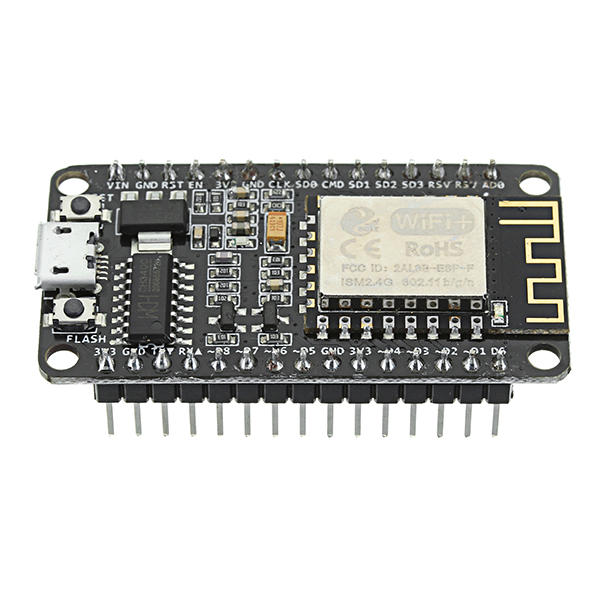
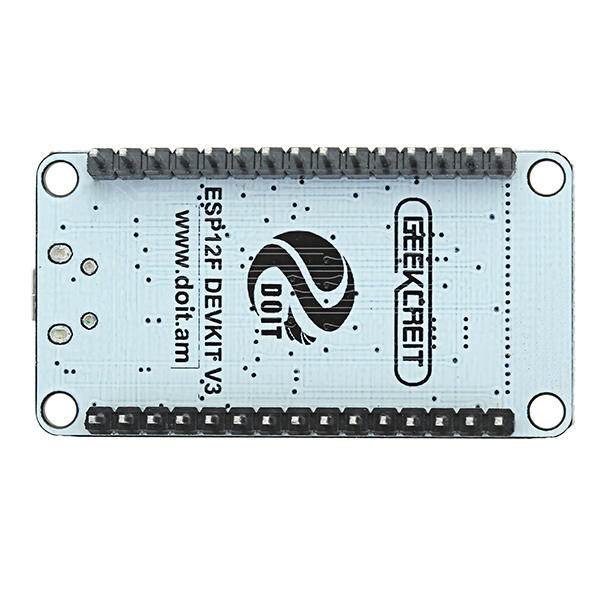
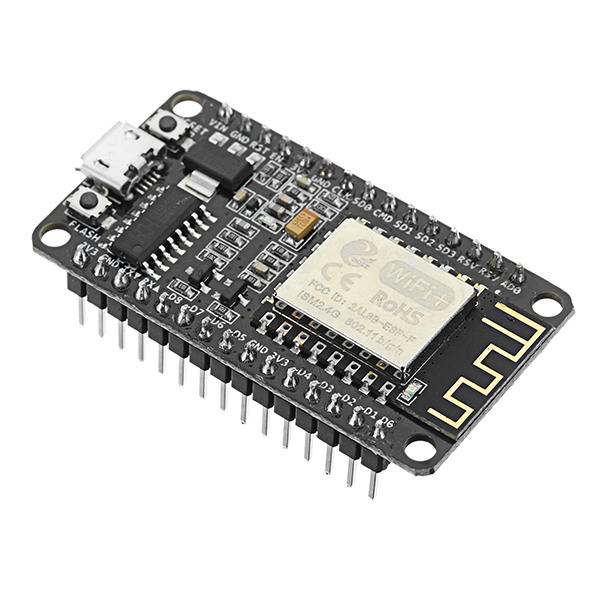
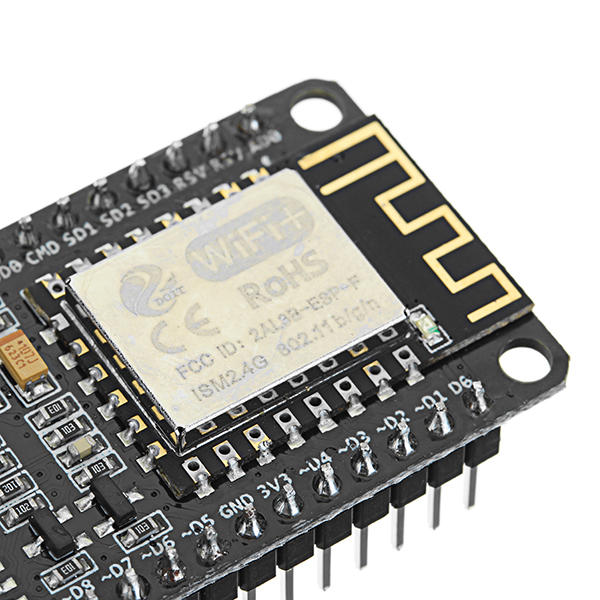
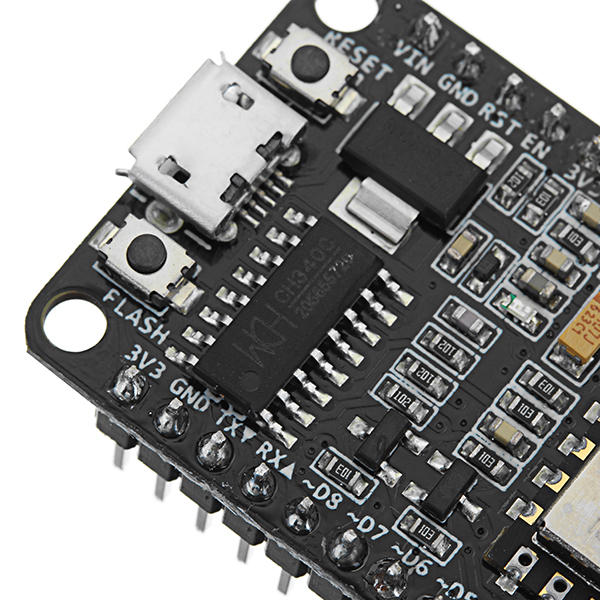
CH340 chip-driven official description:
WINDOWS driver USB to serial CH341 / CH340 installation package Support For WINDOWS 98 / ME / 2000 / XP / Server 2003 / VISTA / Server 2008 / Win7 / Win8 / Win8.1 32 Bit / 64 and for MAC Through Micro0soft"s digital signature authentication In the computer end of the USB device emulation as a standard serial devices Serial COM It contains the serial number and identification CH34X monitoring CH34X equipment swap library. Driver: http://en.doit.am/CH341SER.zip
Feature:
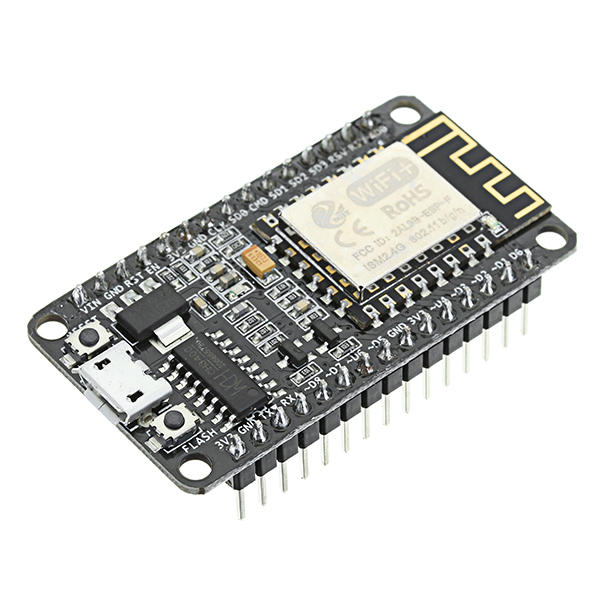
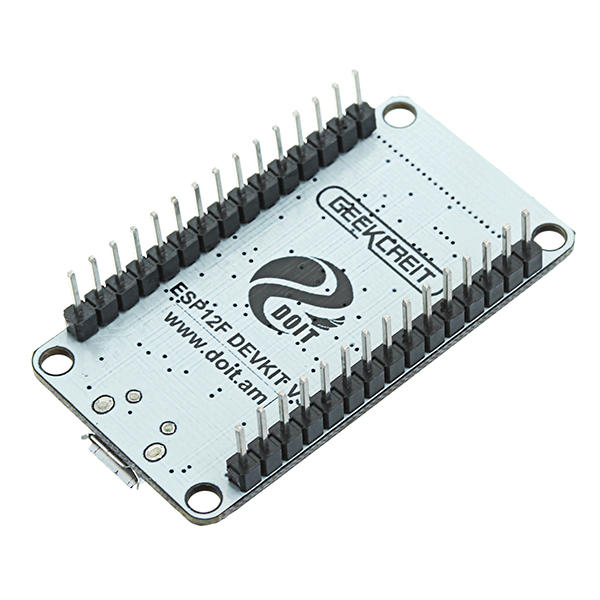
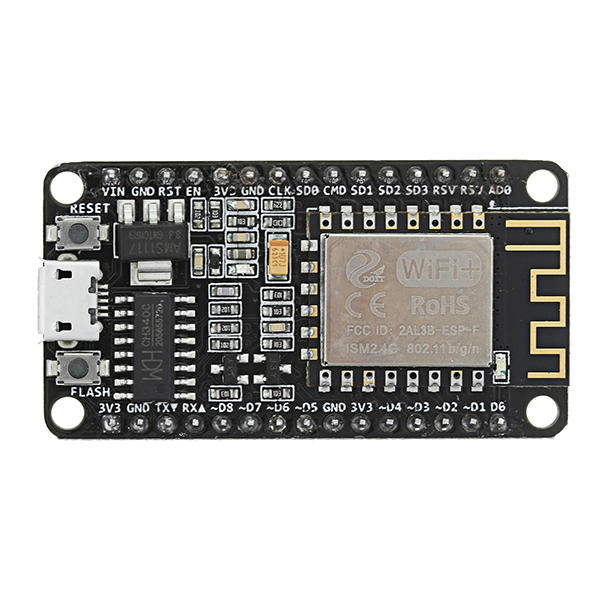
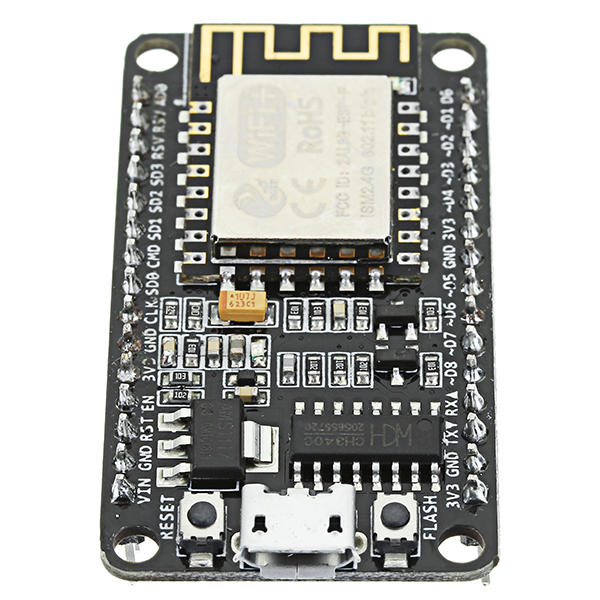
Wireless 802.11 b / g / n standard Support STA / AP / STA + AP three operating modes Built-in TCP / IP protocol stack to support multiple TCP Client connections (5 MAX) D0 ~ D8, SD1 ~ SD3: used as GPIO, PWM, IIC, etc., port driver capability 15mA AD0: 1 channel ADC Power input: 4.5V ~ 9V (10VMAX), USB-powered Current: continuous transmission: u224870mA (200mA MAX), Standby: <200uA Transfer rate: 110-460800bps Support UART / GPIO data communication interface Remote firmware upgrade (OTA) Support Smart Link Smart Networking Working temperature: -40 ℃ ~ + 125 ℃ Drive Type: Dual high-power H-bridge driver
Note:
We don"t offer any supports ,sorry for the inconvenience.
Although these modules are shipped with the NodeMcu firmware installed, it's very easy to load your own firmware using the Arduino IDE. There are loads of websites detailing installing the ESP8266 Boards Manager (Google) and, once installed, you write code in the normal Arduino IDE and upload it directly into the ESP8266 module without using the Arduino (Uno, mega, whatever) at all. The ESP8266 *replaces* the Arduino hardware.
Sketches are written exactly as for the Arduino, the only point to note is that, in common with most ESP8266 development boards, the pin numbers written on the silk screen are NOT the numbers to use in your sketches. You need to use the actual "GPIO" pin numbers of the ESP8266 chip itself - Google ESP82266-12E pinout.
The attached photo shows the ESP8266 module being put through its paces. Measuring temperature with a DS18b20, measuring pressure and temperature with a BMP180 module and lighting two LEDS.
At the same time, the ESP8266 module is connected by WiFi to my router and I'm able to display the sensor measurements and control the two LEDS via a simple webpage created by the onboard Arduino-style sketch.
In meiner kleinen Wetterstation habe ich einen ESP8266 verbaut. Das Arduino-kompatible Modul führt die Verbindung zu meinem WLAN durch. Bisher funktioniert das ausgezeichnet. Ich werde einie weiter Experiment mit diesem preiswerten Modul machen. Mein Video mit der Arbeitsweise der Wetterstation habe ich hier: https://youtu.be/DSEfxub_-f4
--------------------------------------------------------
In my small weather station I have an ESP8266 installed. The Arduino-compatible module connects to my WLAN. So far, this works very well. I'm going to make a next experiment with this cheap module. My video with the operation of the weather station I have here: https://youtu.be/DSEfxub_-f4



 Roymall C.o.


 Koha kore utu
 Kaupapa tuku
 Kaupapa hoki




 ,
, ,
, ,
, ,
, ,
, ,
, ,
, ,
,




 Coupon Code
 Direct purchase from the factory
 Electronic Components & Supplies
 Module Board
 Smart Module