Ka whakaaetia ngā taonga hoki i roto i te 40 rā mai i te rā i whiwhi ai i ngā taonga. Kāore e taea te hoki mai i ngā taonga whaiaro. Kāore e taea te hoki mai i ngā taonga i hokona me te kāri koha e; kāore e taea te moni hoki.
Koha Kore Utu
Nau mai ki Roymall, tō paetukutuku ngaio mō te hoko koha toa matua. Ka whakahōnoretia, ka mihi ki tō tautoko, ā, ka hiahia mātou ki te whakaatu i tō mātou mihi mā te tāpiri i tētahi wāhanga hiamo ki āu hoko. I a koe e hoko ana i a mātou, kāore koe e whai wāhi ki te ngahau i ngā hua kounga teitei e whakapai ake i tō oranga, engari ka whiwhi hoki koe i tētahi koha kore utu muna me ia tono ka tukuna e koe. Kua rite ki te tirotiro i tō mātou kohinga, ki te kimi i ō koha tino pai? Tirohia tā mātou kohinga o ngā taonga toa matua, tuku mai i tō ota, ā, ka tūmanako ki te hiamo o tō koha kore utu e tae mai ana i te taha o tō hoko.
Kaupapa Tukunga
Ka mahi uaua mātou ki te tuku taonga ki a koe i muri i te whiwhinga o āu ota, ā, ka whakarite kia tae haumaru mai. Ka whakaratohia ngā taipitopito tukunga i roto i tō īmēra whakau.I te nuinga o ngā wā, ka tukatukahia ngā ota i roto i te 2 rā.I raro i ngā āhuatanga motuhake, ka rētihi pēnei: Ka tonoa e koe he ota i te Rāhoroi, i te Rātapu, i ngā rā hararei rānei, ka rētihi mō te 2 rā..He tikanga, e 5-7 rā mahi (Mane ki te Paraire) me kore e pāngia e te rētihi rererangi, e ētahi atu āhuatanga taiao rānei..Nā te mea kei te ao whānui tā mātou ratonga tuku, ka whakawhirinaki ngā wā tuku ki tō wāhi, nō reira me tatari mō ētahi wā mēnā kei ngā takiwahi tawhiti, kei ngā whenua tawhiti rānei koe.
1. Kaupapa Hoki & Whakawhiti
Ka whakaaetia e mātou anake ngā taonga i hokona mai i roymall.com. Mēnā ka hoko koe i ō mātou kaiwhakarato ā-rohe, i ētahi atu kaihoko rānei, kāore e taea te hoki mai i a mātou.Kāore e whakaaetia ngā taonga hokohoko mutunga, ngā koha kore utu rānei hei hoki.Kia uru ki te hoki, me kore e whakamahia tō taonga, ā, me noho ki te āhuatanga i whiwhi ai koe. Me noho hoki ki te kōpaki taketake.I muri i te whiwhinga o ngā tohutohu hoki mai i a mātou, tēnā koa kōpaki i ō taonga kua hoki mai, ka tuku i tō kōpaki ki te poutāpeta ā-rohe, ki tētahi kaihere rānei. Ka tukatukahia tō hoki, tō whakawhiti taonga i roto i te 3-5 rā mahi i muri i te whiwhinga. Ka tukatukahia te moni hoki, ka hoki aunoa ki tō huarahi utu taketake.Kāore e taea te whakaaetia he hoki, he whakawhiti rānei mēnā i hangaia motuhake te hua, tae atu ki te rahi whaiaro, te tae whaiaro, te tā whaiaro rānei.Mehemea kei te hiahia āwhina anō, whakapā mai. service@roymall.com Whatsapp rānei: +447549870296
2.Kaupapa Moni Hoki
Ka whiwhi koe i te moni hoki katoa, i te 100% moni hoki toa i muri i te whiwhinga o te kōpaki kua hoki mai, me te tirotiro. Ka tukatukahia te moni hoki, ka hoki aunoa ki tō huarahi utu taketake.Kia mōhio, kāore e taea te utu hoki i ngā utu tuku, i ngā utu, i ngā utu rānei. Kāore e taea te utu hoki i ngā utu tuku taapiri ina kua tukuna te kōpaki. Kei a koe te kawenga ki te utu i ēnei utu, ā, kāore e taea e mātou te whakakore, te utu hoki rānei, ahakoa ka hoki mai te ota ki a mātou. I muri i te whiwhinga me te whakau i tō taonga kua hoki mai, ka tuku īmēra mātou ki a koe hei whakamōhio kua whiwhi mātou i tō taonga kua hoki mai. Ka whakamōhio hoki mātou ki a koe mō te whakaaetanga, te whakakore rānei o tō moni hoki.Mēnā he raruraru ōu e pā ana ki te tukatuka moni hoki, whakapā mai. service@roymall.com Whatsapp rānei: +447549870296
Videos for similar product
Loading product videos...
❮
❯
Products related to this item
Loading related products...
❮
❯
Specification:
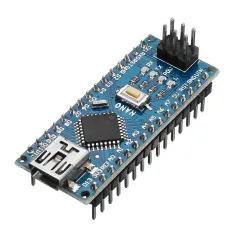
Microcontroller ATmega328 Operating Voltage (logiclevel): 5V Input Voltage (recommended): 7V ~ 12V Input Voltage (limits): 6V ~ 20 V Digital I/O Pins: 14 (of which 6 provide PWM output) Analog Input Pins: 8 DC Current per I/O Pin: 40mA Flash Memory: 32KB (ATmega328) (of which 2 KB used by bootloader) SRAM: 2KB (ATmega328) EEPROM: 1KB (ATmega328) Clock Speed: 16MHz Chip: CH340C/G Random delivery (CH340B is the update version of CH340G, CH340B comes with crystal, but CH340G doesn"t)
Note:
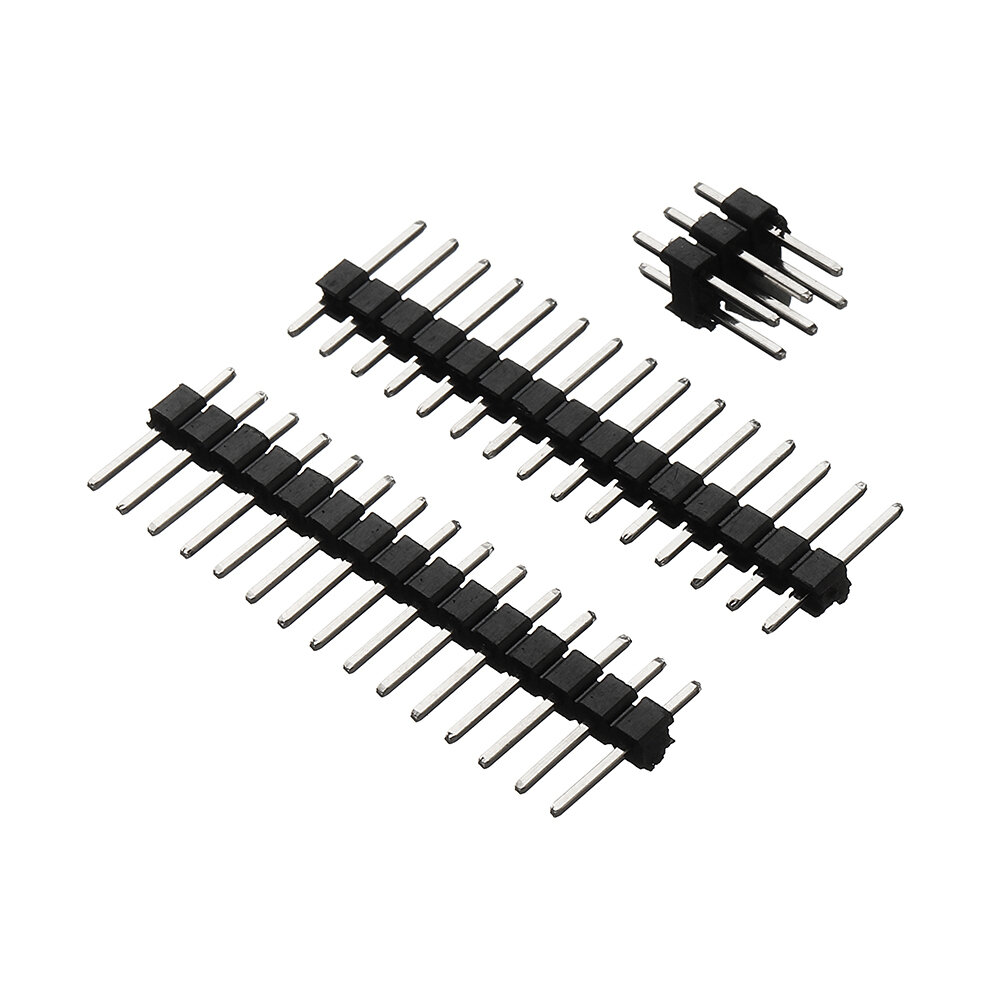
Improved USB chip for speed and stability using WIN7/WIN8. This version comes with the pin headers unsoldered and not included the USB cable.
I received 4 days ago 3 of these products and they work BUT if you are on Mac OS X prepare yourself for some pain if you want to upload your sketches.
The first thing to know is that even on Windows, the USB Serial driver for these arduino (CH340g) isn't integrated by default in the OS (named USB2.0-serial in both System Profiler for OS X and the Device Manager in Windows). You will need to download the driver on the manufacturer website :
http://www.wch.cn/download/CH341SER_ZIP.html
then extract the archive and finally update the driver in the device manager by pointing to the extracted folder. I tried it, after that it works great.
Here comes the difficult part for Mac OS X: you can download the driver (for 10.11 and prior versions of OS X) here:
http://www.wch.cn/download/CH341SER_MAC_ZIP.html
BUT BE ADVISED !! I strongly recommend you to NOT download and install this driver because although it works and allowed me to upload sketches with the Aduino IDE, it randomly throws a Kernel Panic error wich restart your computer when you connect the arduino on the USB port, which is really NOT COOL when you have unsaved work opened and your computer restarts without warning !! I tried it on 2 computers (10.10 and 10.11) with multiples arduino Nano and I encountered the problem on the 2 machines, although it was more frequent on my early 2009 iMac than my 2013 MacBook Air. I searched the Internet and found other persons with the same issue as me, with no solution.
IMHO the best option to upload sketches on this Arduino Nano with a Mac is to install VirtualBox on your Mac and then install Windows in a new Virtual machine. I tested it and I could upload sketches in the arduino Nano (the only problem is a stk500_recv error at the end of the upload but the sketch is really sent, I confirmed it multiple times. Tried the Serial Monitor too and it seems to work OK).
Note that if you installed the driver on Mac OS X and want to uninstall it you will have to remove the file usbserial.kext in the folder /Library/Extensions (library at the root of your system, not the one in your personal folder) then reboot.
I really hope that this message will help others (Windows and Mac OS users alike). In the end, note too that I'm not sure all Arduino Nanos sent by Banggood have the same USB chip as the ones I received (product description speak of a new version without soldering and in my case I needed to solder the pins provided with the product).
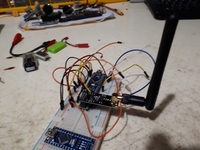
I recently bought a few Arduino modules from Banggood. I am very pleased!! NRF operates more than 1.5 km. in a straight line.
Arduino nano is perfect. I can buy them in my country too, but they will be 3 times more expensive and of the same quality! For my projects
this is the online store. RECOMMENDED!



 Roymall C.o.


 Koha kore utu
 Kaupapa tuku
 Kaupapa hoki







 Coupon Code
 Direct purchase from the factory
 Electronic Components & Supplies
 Motherboard & Development Board