Okutuma kwa bulijjo kwa mulembe ku lugendo olusinga $9.9
Enkola y'okuddamu
Ebintu ebiddayo bijja kukkirizibwa mu nnaku 40 okuva ku lunaku lw'okufuna ebintu. Ebintu ebikozesebwa ku ggwe tebikyalina kuddamu oba okukyusibwa. Ebintu ebiguliddwa ne kaadi y'okubonereza ya e-gift bikyusibwa gye biri; tebikyalina kuddamu ssente.
Eky'okubonereza Ky'omulembe
Tusanyuse okukulaba ku Roymall, wobudde bwo obw'ebintu ebirungi ebikwata ku ggwe. Tukwagala nnyo okukulaba era tukwagala okukwebaza okukola naffe. Tugenda okukwebaza okukola naffe nga tukwongera ku kiseera ky'okwagala mu bigulo byo. Bw'ogula naffe, tojja kufuna ebintu ebirungi ebitonotono ebitambuza obulamu bwo, naye ojja kufuna n'eky'okubonereza ky'omulembe ku buli kugula kwo. Otegefu okunoonya ebintu ebirungi ebitonotono ebigula? Noonya ebintu byaffe ebirungi, gula, era otungule okufuna eky'okubonereza ky'omulembe ne kugula kwo.
Enkola Y'okutuma
Tujja kukola bulungi okutuma ebintu byo oluvannyuma lw'okugula era tujja kukakasa nti bijja kufika bulungi. Ebikwata ku kutuma bijja kufunibwa mu email yo ey'okukakasa.Mu ngeri yonna, ebintu bijja kutandikibwa okutumibwa mu nnaku 2.Mu kiseera ky'obuzibu, bijja kulemererwa nga bino: Bw'ogula ku Lw'okuna, Sabbiiti oba ennaku z'amawanga, bijja kulemererwa ennaku 2..Mu ngeri yonna, bijja kusasulwa mu nnaku 5-7 ez'okukola (Ku Lw'okubiri okutuuka ku Lw'okuna) nga tebirina kulemererwa ku nnyonyi oba ebirala ebitakozesebwa..Olw'okuba enkola yaffe y'okutuma eri mu nsi yonna, ekiseera ky'okutuma kijja kuteekwa okuba ku nsi gy'oli, kale kijja kutwala ekiseera era tusaba okumanya nti ojja kutunga nga oli mu nsi endala oba mu nsi endala.
1. Enkola Y'okuddamu N'okukyusa
Tujja kukkiriza ebintu ebiguliddwa ku roymall.com. Bw'ogula ku badduukizi baffe oba ku badduukizi endala, tojja kusobola kuddamu ebintu ku ffe.Ebintu ebiguliddwa oba eby'okubonereza by'omulembe tebijja kukkirizibwa okuddamu.Okuddamu ekintu, kijja kuba tekikyali kukozesebwa era kijja kuba mu kifo ekimu nga bwekyafunibwa. Kijja kuba mu kifukiriro eky'obulungi.Oluvannyuma lw'okufuna ebyokulabirako okuva ku ffe, tusaba okukifukirira ebintu byo ebiddayo era otume ku posita oba ku mutume endala. Tujja kukola ebintu byo ebiddayo oba eby'okukyusibwa mu nnaku 3-5 ez'okukola, oluvannyuma lw'okubifuna. Ssente zijja kuddamu mu ngeri ey'obulungi ku ngeri yo ey'okusasula.Tebijja kukkirizibwa okuddamu oba okukyusibwa ebintu ebikozesebwa ku ggwe, okuli obunene obukwata ku ggwe, langi ekwata ku ggwe, oba ebifaananyi ebikwata ku ggwe.Oli mukozi, tusaba okutukwatako. service@roymall.com oba Whatsapp: +447549870296
2.Enkola Y'okuddamu Ssente
Ojja kufuna ssente zo zonna oba 100% ku ssente zo mu dduuka oluvannyuma lw'okufuna eky'okuddamu era okukikakasa. Ssente zijja kuddamu mu ngeri ey'obulungi ku ngeri yo ey'okusasula.Tusaba okumanya nti ssente z'okutuma n'ebirala tebijja kuddamu. Ssente z'okutuma ez'enjawulo tezijja kuddamu, oluvannyuma lw'okutuma. Ojja kuba osobola okuzisasula era tetujja kusobola kuzikyusa oba kuziddayo, wadde nga ebintu byo bijja kuddayo ku ffe.Oluvannyuma lw'okufuna era okukakasa eky'okuddamu, tujja kukutumira email okukulaga nti twafuna eky'okuddamu. Tujja kukulaga nti eky'okuddamu kyakirizibwa oba ky'okuddamu kyakakanirwa.Bw'olina ebizibu ku ngeri y'okuddamu ssente, tusaba okutukwatako. service@roymall.com oba Whatsapp: +447549870296
Videos for similar product
Loading product videos...
❮
❯
Products related to this item
Loading related products...
❮
❯
Specification:
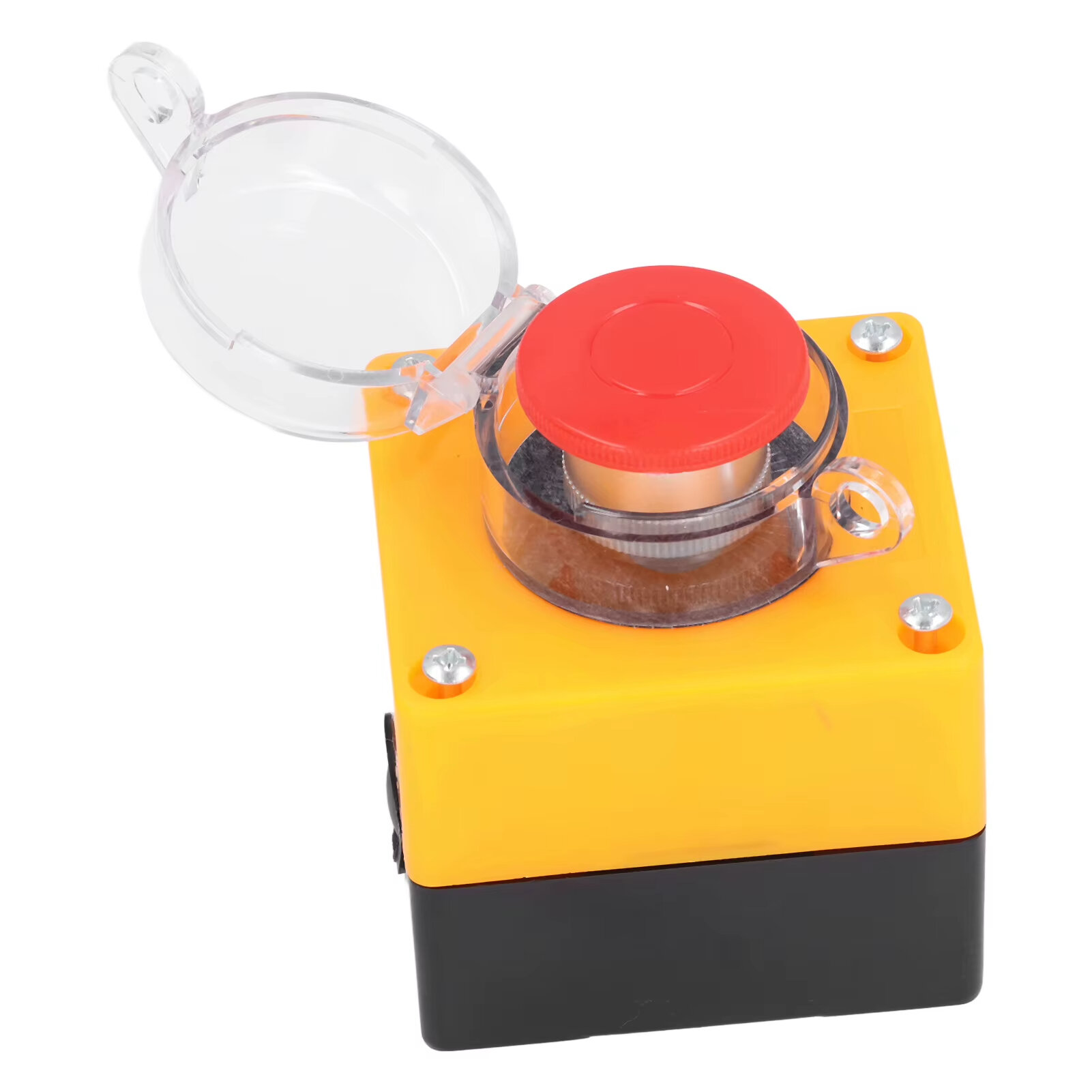
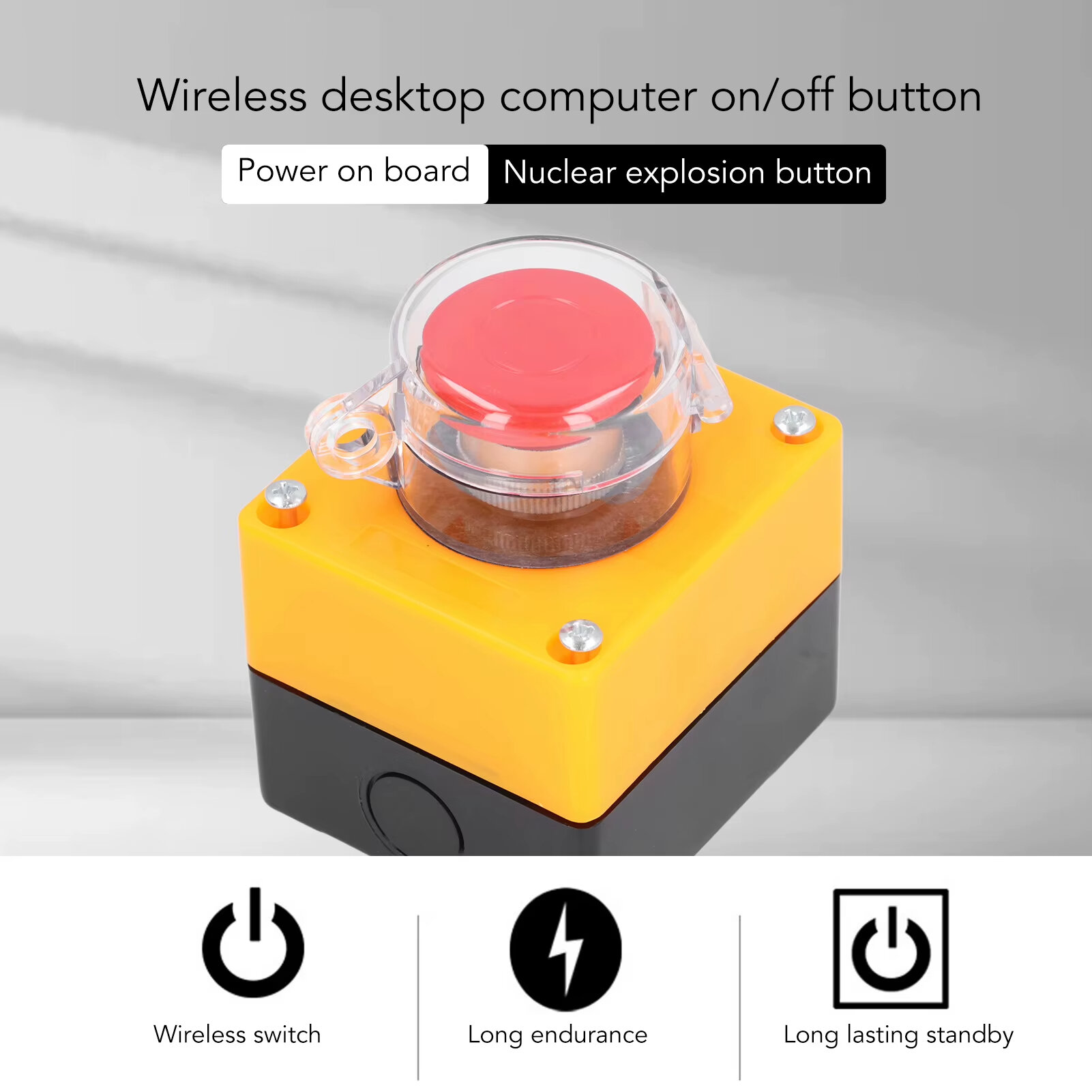
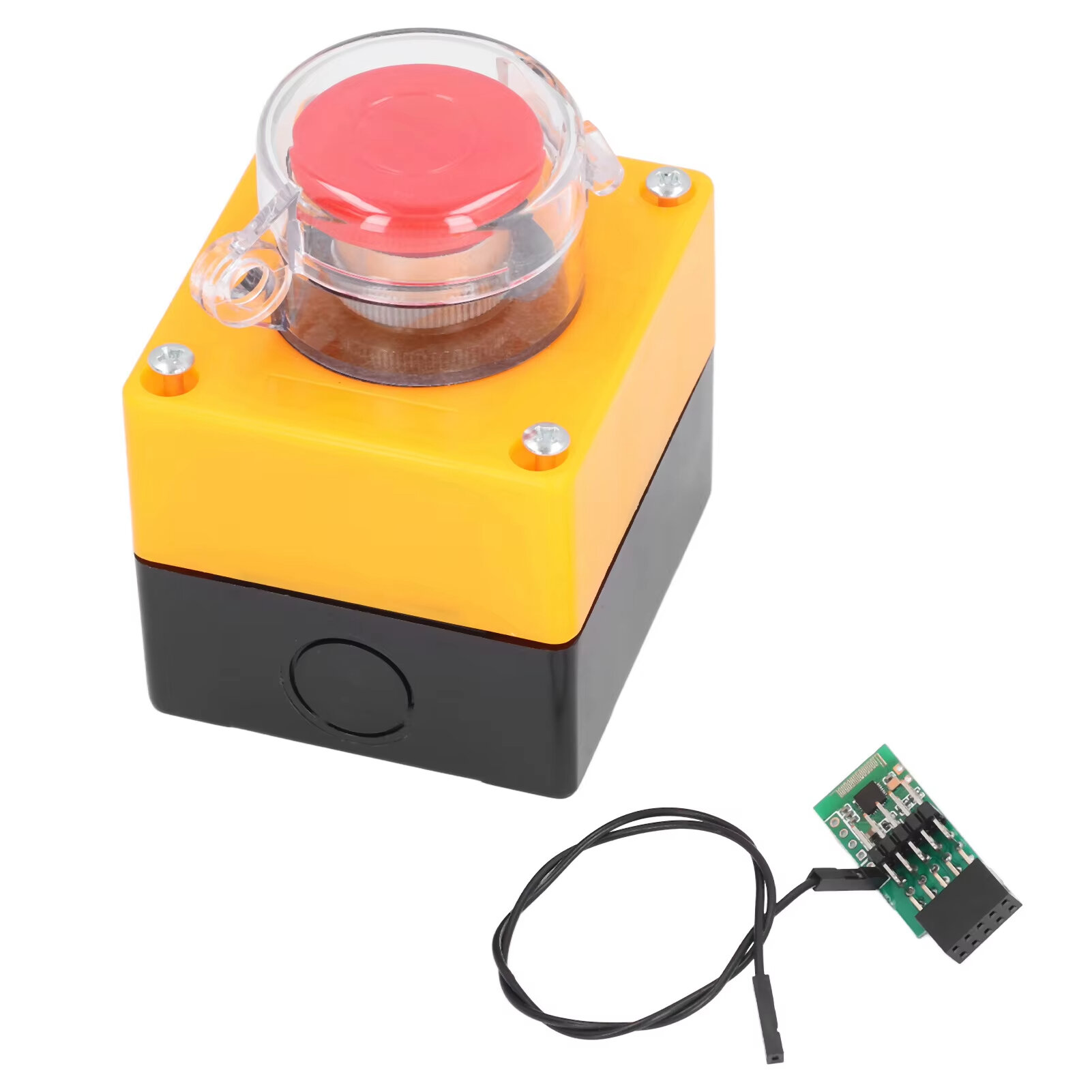
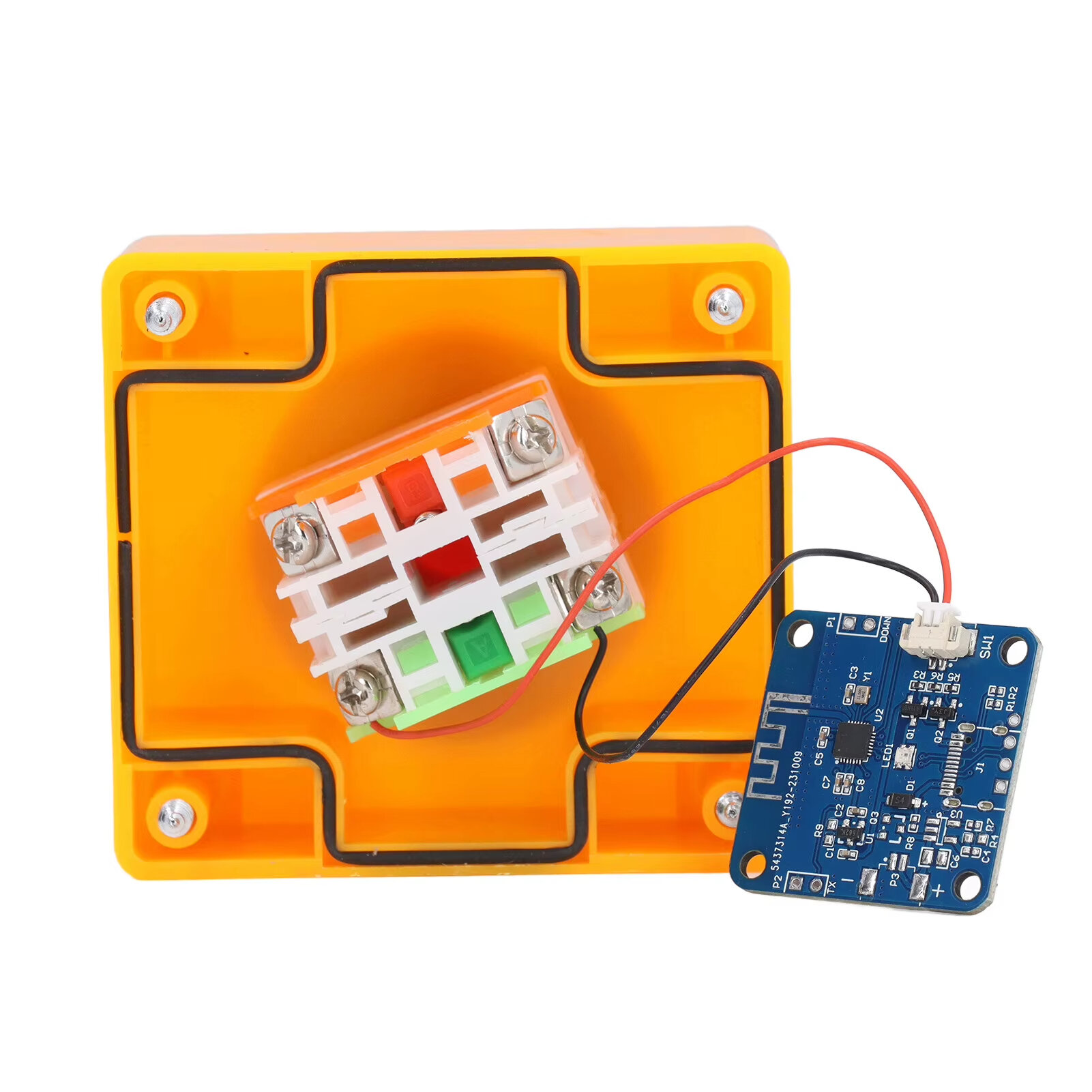
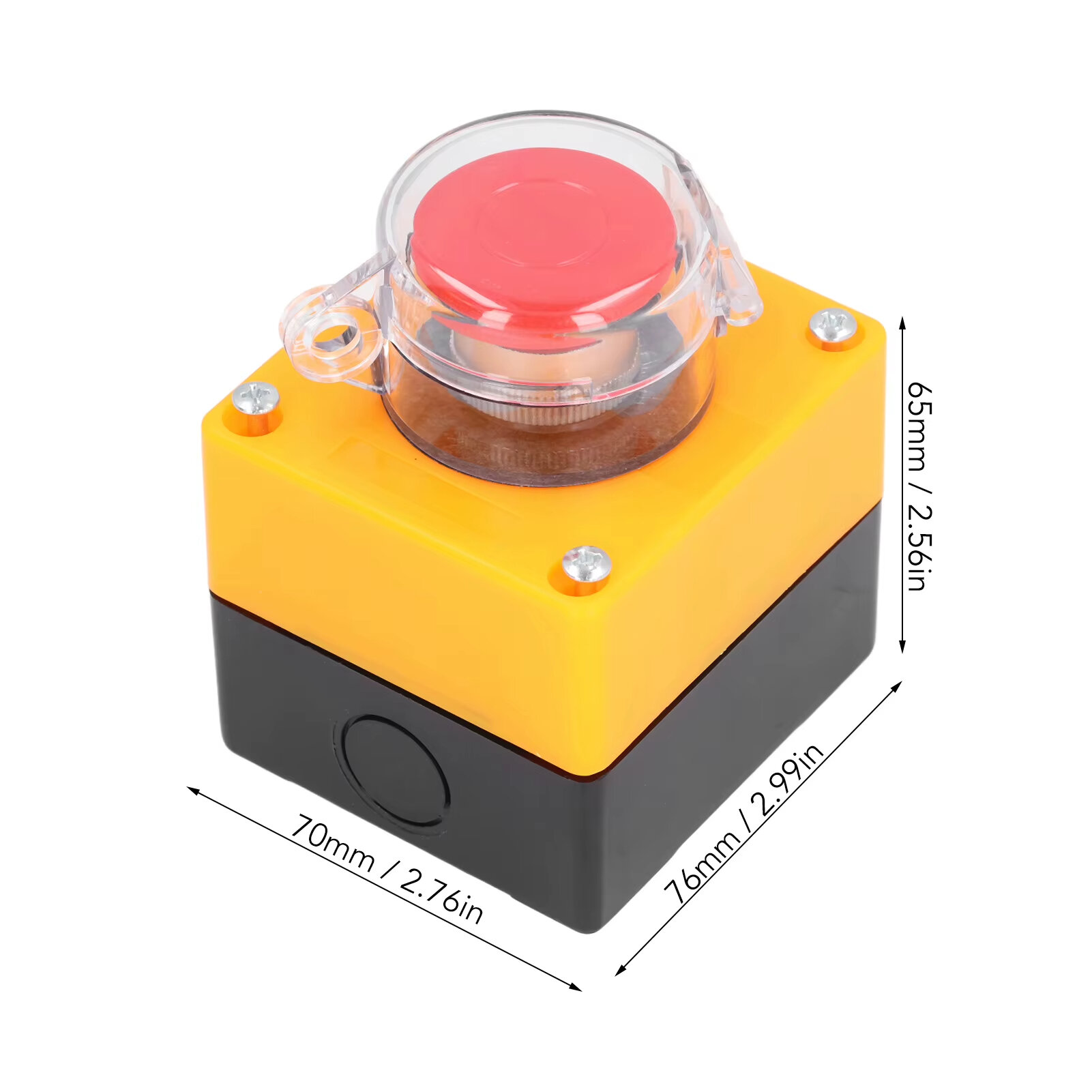
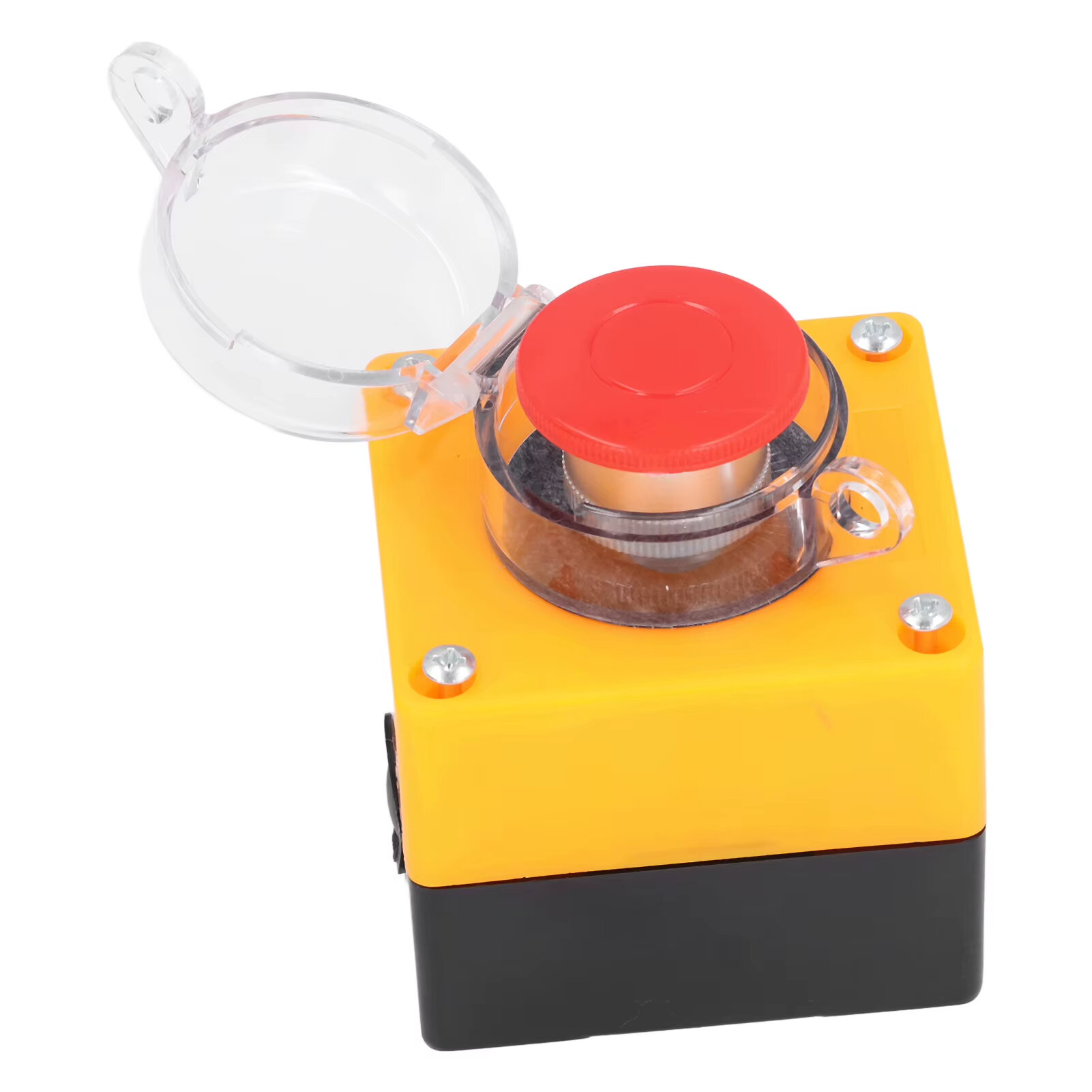
Item Type: Wireless External Computer Power Button Switch Material: ABS, PCB Battery: CR2032 button battery x 1 Battery Capacity: 150mah (shipped with built in battery) Size: 76*70*65mm Weight: 164g
Features:
1. WIRELESS POWER BUTTON: This wireless desktop power switch allows you to conveniently turn on your computer within a range of 5 meters. Say goodbye to bending over or reaching for the power button on your computer case. With the option to enable the for BIOS USB power feature, it offers easy and wireless access without the need for charging and ensures long lasting standby functionality. 2. TIDY WORK SPACE: With this wireless external desktop power button, you can control your computer without long cables, keeping your work space neat and tidy. It helps maintain a clean and cool working environment, eliminating the clutter caused by traditional power buttons and cables. 3. REMOTE FUNCTIONALITY: This power switch enables remote operation, allowing you to effortlessly turn on or off the power of your PC tower from a distance. Say goodbye to the hassle of reaching behind your computer or crawling under your desk to access the power button. 4. EASY INSTALLATION: Installing this PC power switch is a breezes. Simply insert the control chip into the PCIE interface on your motherboard, and you"re able to take control of your computer"s power. Ensure that your motherboard has a PCIE interface before installation. 5. IMPROVED CONVENIENCE: With this wireless desktop power switch, you can enhance the convenience of controlling your computer. It provides a simple and efficient solution for powering on your PC, allowing you to focus on your work without any interruptions or cumbersome setups.
How to Use:
The motherboard boot 9 pin position is defined, and the side of the boot small board with a chip faces the side of the board edge. Mainboard USB2.0 9 Pin definition. The single power bar cable on the startup board needs to be plugged into the USB and 5V. 1. Locate the 9 pin startup bar on the mainboard, remove the original bar, and insert the startup board. 2. Insert the eight cables on the mainboard into the startup board in the original sequences. 3. Connect the power bar on the startup pad to the USB 5V power supply pin on the mainboard. 4. At this point, the installation of the startup board is complete, and the power supply option of USB shutdown is enabled in the computer BIOS. Because there are many types of motherboards, please find out how to enable this option. 5. Press the nuclear explosion button to turn it on.
Package Include:
1 x Desktop Power Button Switch 1 x Mainboard Boot Board



 Roymall C.o.


 Eky'okubonereza ky'omulembe
 Enkola y'okutuma
 Enkola y'okuddamu







 Coupon Code
 Direct purchase from the factory
 Electronic Components & Supplies
 Module Board
 Other Module Board