Kostenlos Standardversand fir Bestellungen iwwer $9.9
Retour Politik
Retour Artikelen ginn innerhalb vun 40 Deeg ugeholl wann et de Datum vum Empfang vun der Ware ass. Personnaliséiert Artikele kënnen net retounéiert oder ëmtuusch ginn. Artikele déi mat engem E-Giftkaart kaaft goufen, kënnen nëmmen ëmgetoscht ginn; Remboursementer sinn net méiglech.
Gratis Cadeau
Wëllkomm op Roymall, Är professionell Websäit fir Premium Department Store Cadeauen ze kafen. Mir schätzen Är Ënnerstëtzung an wëlle eis Dankbarkeet andeems mir Är Kafen méi spannend maachen. Wann Dir bei eis kaaft, kritt Dir net nëmmen héichwäerteg Produkter, déi Äert Liewen verbesseren, mä och exklusiv gratis Cadeaue mat all Bestellung. prett fir eis Kollektioun ze entdecken an Är perfekt Cadeauen ze fannen? Bléckt duerch eis Auswiel vu Premium Department Store Artikelen, bestellt an da freet Iech op d'Spannung vun Ärem gratis Cadeau zesumme mat Ärem Kaf.
Liwwerpolitik
Mir schaffen haart fir Artikelen no Ärer Bestellung un Iech ze liwweren a suergen dofir, datt se sécher ukommen. Liwwerdetailer ginn an Ärer Confirmatiouns E-Mail geliwwert.A meeschte Fäll ginn Bestellungen an 2 Deeg veraarbecht.Ënner spezielle Konditioune gëtt et Verzéierunge wéi follegt: Wann Dir eng Bestellung um Samschdeg, Sonndeg oder Feierdeeg maacht, gëtt et eng Verzögerung vun 2 Deeg.Normalerweis brauch et 5-7 Aarbechtsdeeg (Méindeg bis Freideg) ouni datt et duerch Fluchverzögerungen oder aner Ëmweltfaktore beaflosst gëtt.Well eis Liwwerservice weltwäit ass, hänkt d'Liwwerzäit vun Ärer Plaz of, sou datt et e puer Deeg dauere kann a gedëllegt waart wann Dir an enger entleeëner Géigend oder Land wunnt.
1. Retour & Ëmtausch Politik
Mir akzeptéieren nëmmen Artikele déi op roymall.com kaaft goufen. Wann Dir bei eise lokale Distribiteuren oder anere Händler kaaft, kënnt Dir se bei eis net retounéieren.Final Verkafsartikel oder gratis Cadeaue kënnen net retounéiert ginn.Fir fir eng Retour qualifizéiert ze sinn, muss Äre Artikel onbenotzt sinn an am selwechte Zustand wéi Dir en kritt hutt. Et muss och an der original Verpackung sinn.Nodeems Dir Retourinstruktioune vun eis kritt hutt, packt w.e.g. Är retounéiert Artikelen an an Ärem Paket beim lokale Postbüro oder aneren Courier of.Mir veraarbechten Är Retour oder Ëmtausch Artikel an 3-5 Aarbechtsdeeg nodeems mir en kréien. D'Remboursement gëtt automatesch op Är original Bezuelmethod creditéiert.Keng Retouren oder Ëmtauscher kënnen ugeholl ginn wann de Produit personnaliséiert gouf, inklusiv personnaliséierter Gréisst, Faarf oder Dréck.Braucht Dir méi Hëllef, kontaktéiert eis. service@roymall.com oder Whatsapp: +447549870296
2.Remboursement Politik
Dir kritt eng vollstänneg Remboursement oder 100% Buttekscreditéit nodeems mir de retounéierte Paket kréien an et kontrolléieren. D'Remboursement gëtt automatesch op Är original Bezuelmethod creditéiert.Notéiert w.e.g. datt Versandkäschten an all Zillen oder Gebieren net refundéierbar sinn. Déi zousätzlech Versandkäschte sinn net refundéierbar nodeems de Paket versandt gouf. Dir sidd verantwortlech fir dës Käschten ze bezuelen a mir kënnen se net erliichten oder refundéieren, och wann d'Bestellung un eis retounéiert gëtt.Wann Dir Problemer mam Remboursement Prozess hutt, kontaktéiert eis. service@roymall.com oder Whatsapp: +447549870296
Videos for similar product
Loading product videos...
❮
❯
Products related to this item
Loading related products...
❮
❯
Specification:
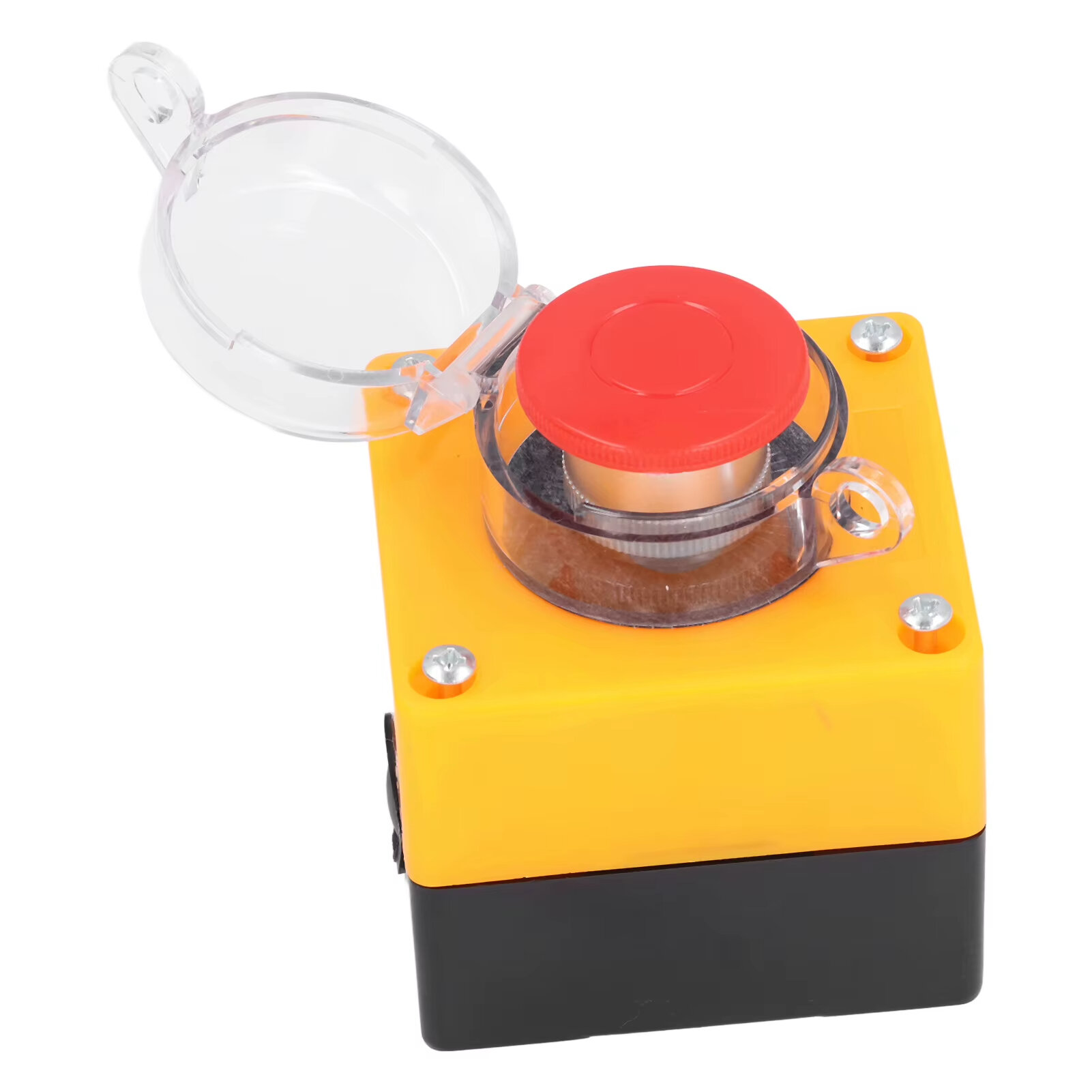
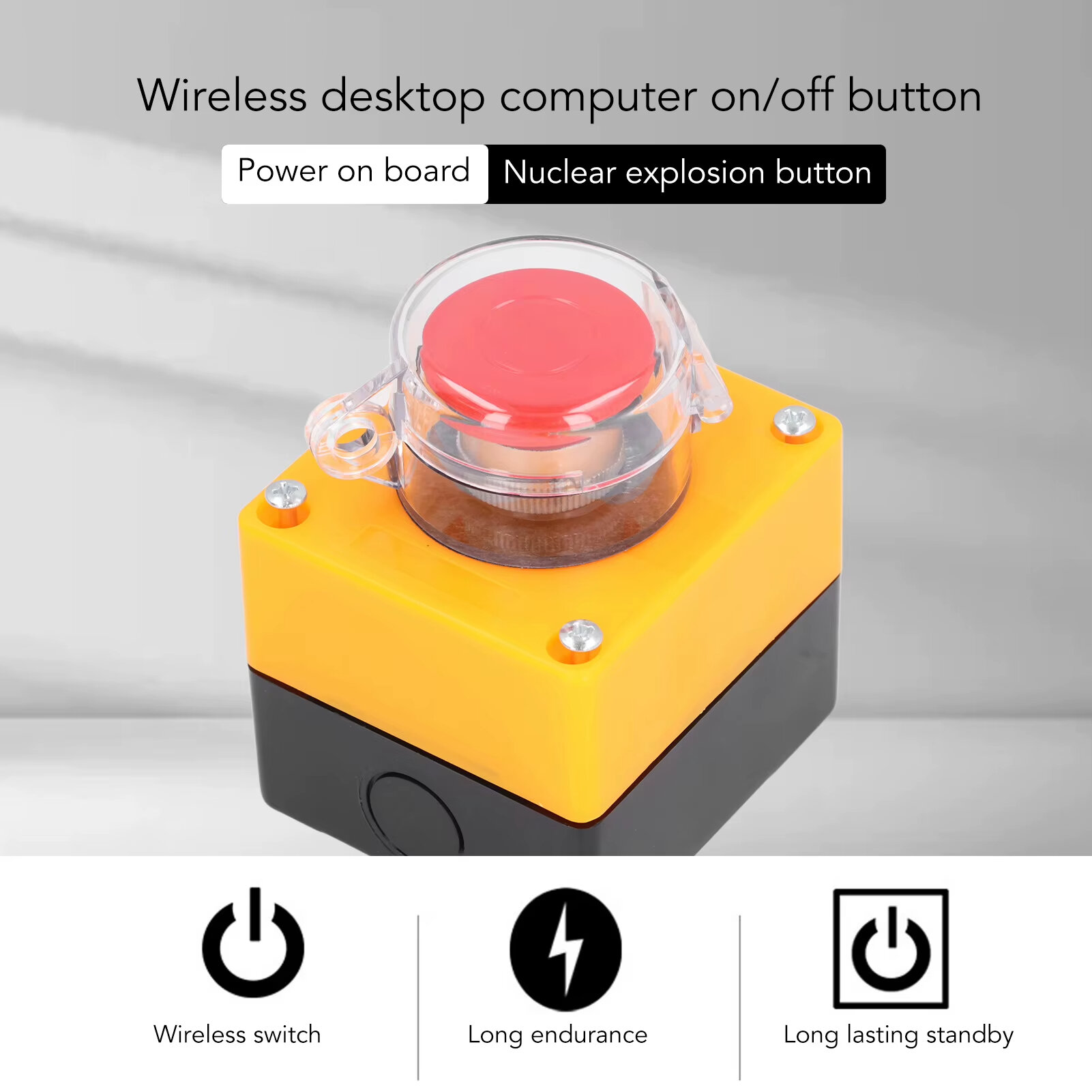
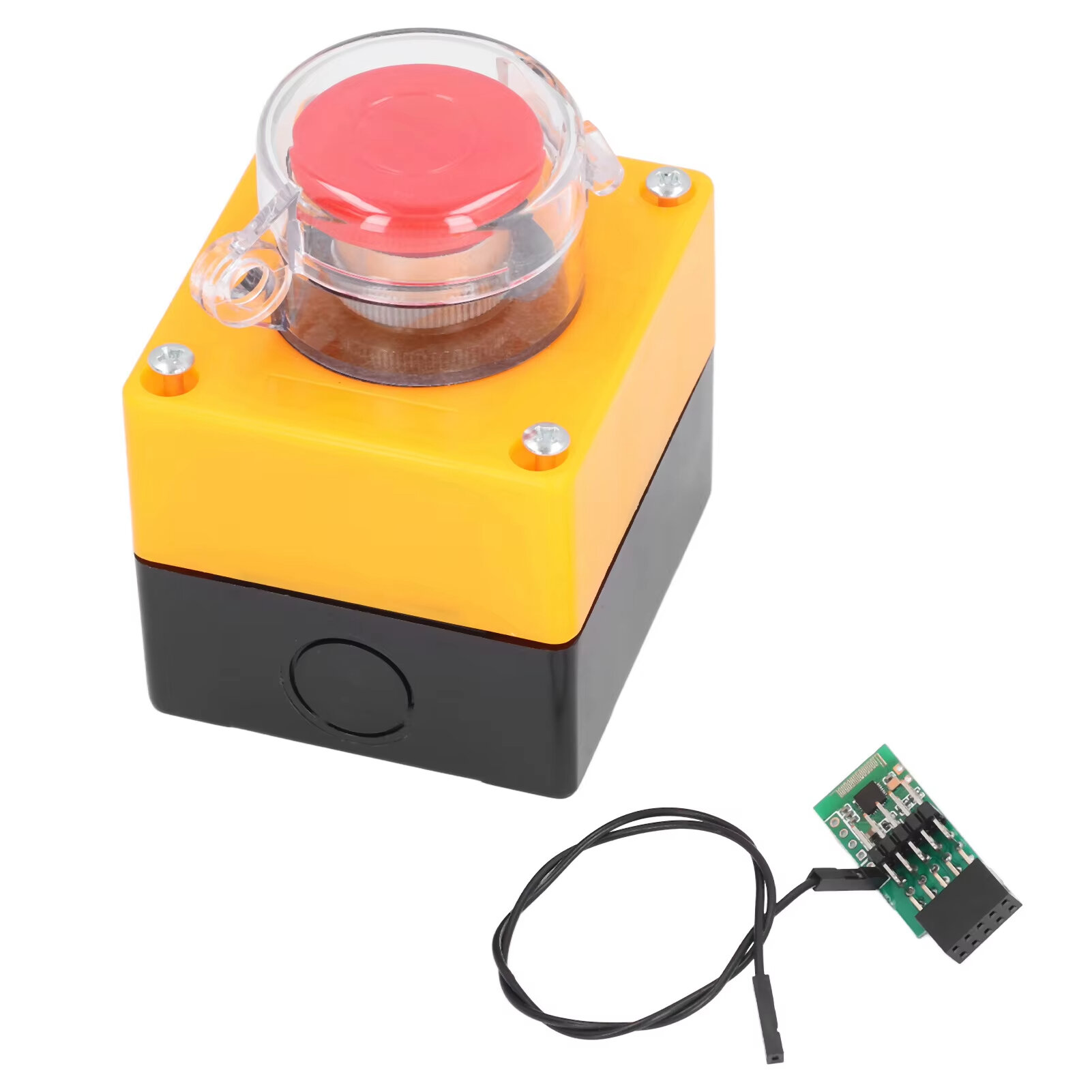
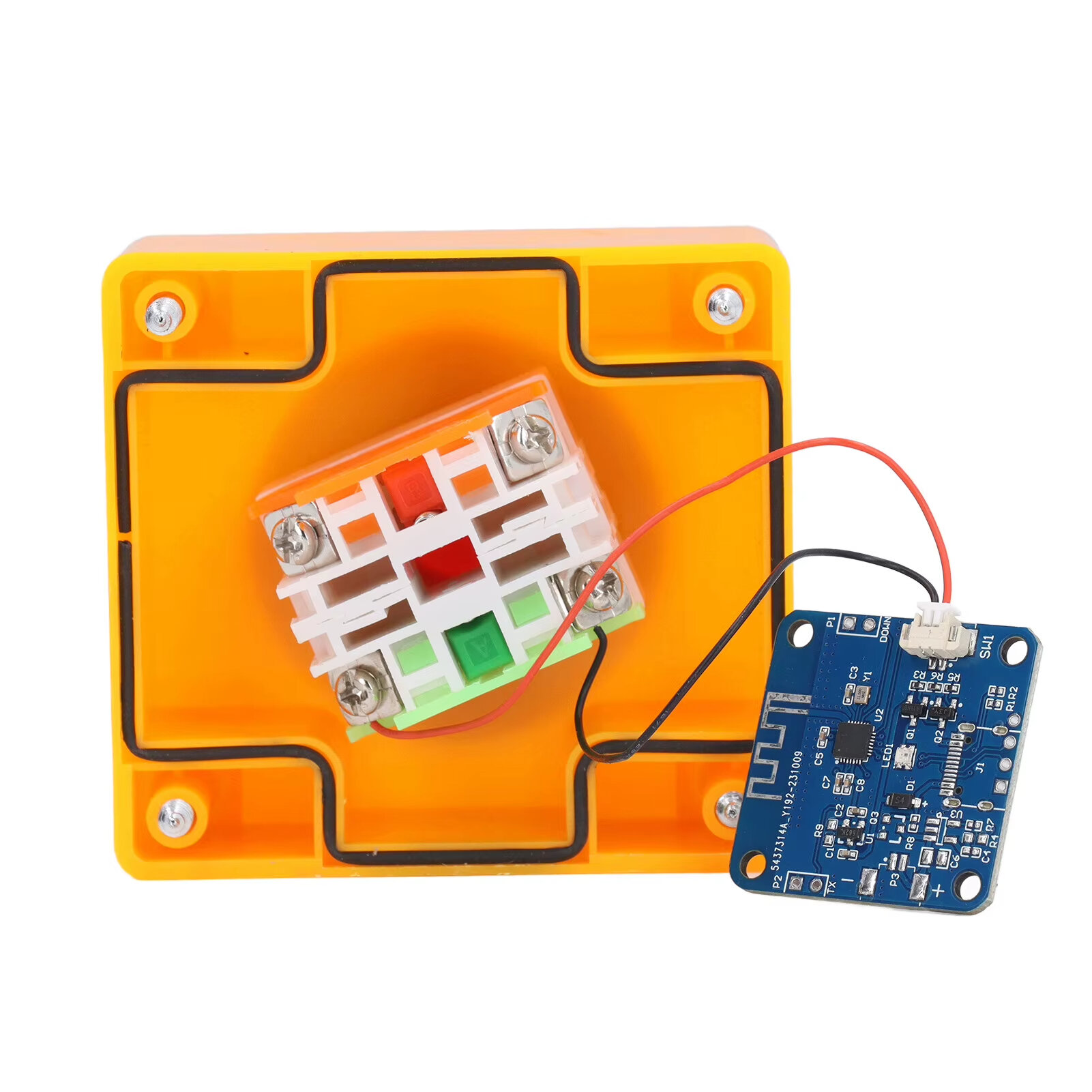
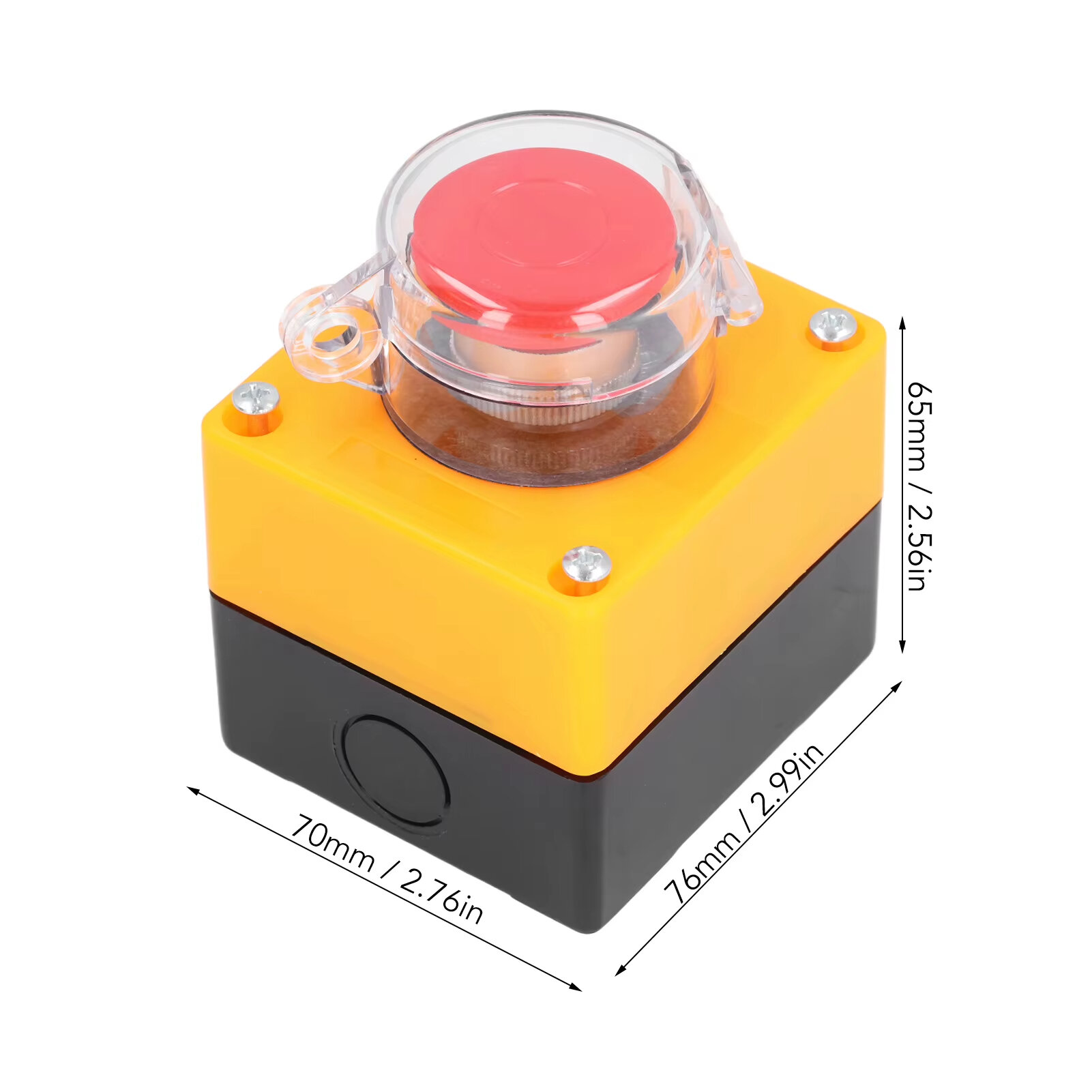
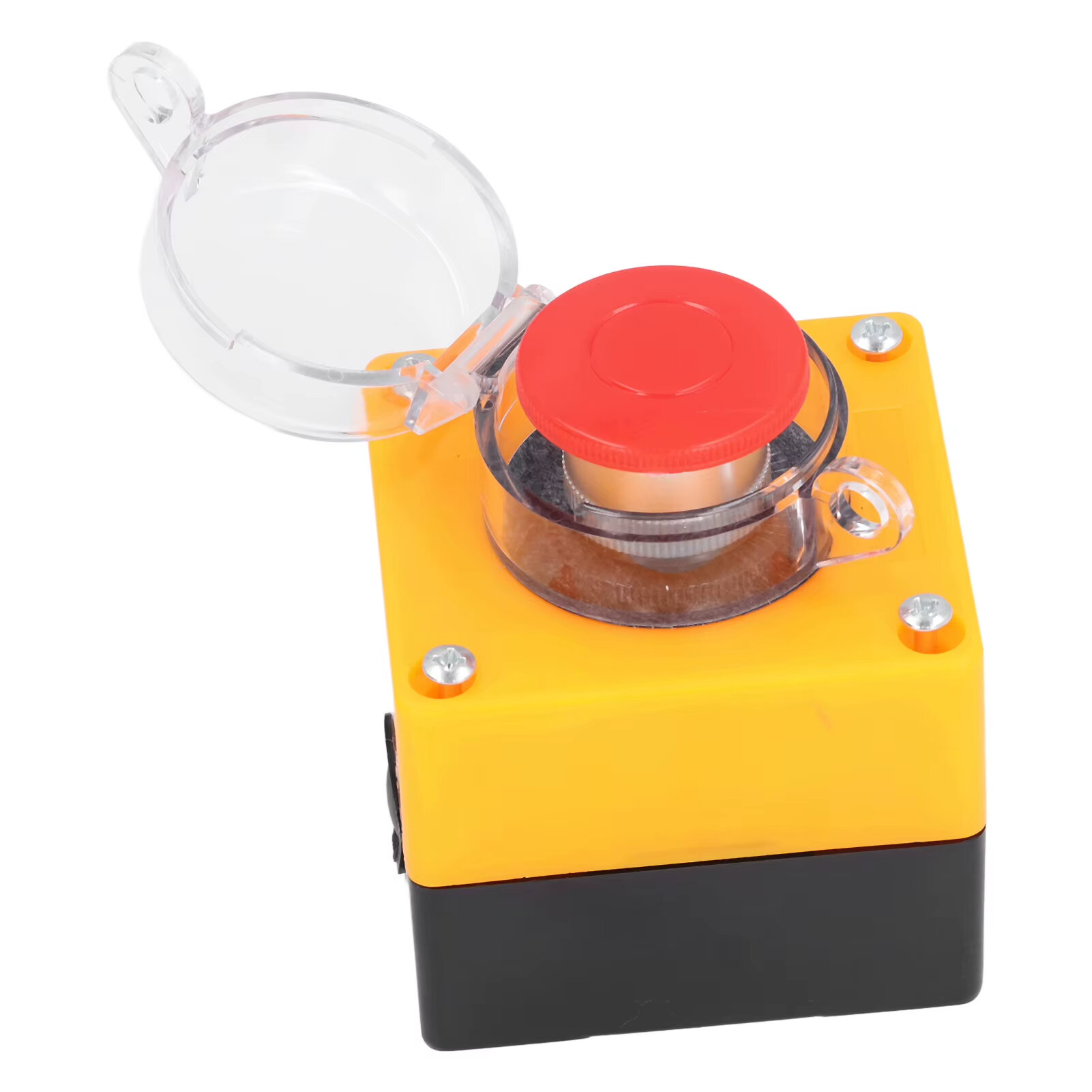
Item Type: Wireless External Computer Power Button Switch Material: ABS, PCB Battery: CR2032 button battery x 1 Battery Capacity: 150mah (shipped with built in battery) Size: 76*70*65mm Weight: 164g
Features:
1. WIRELESS POWER BUTTON: This wireless desktop power switch allows you to conveniently turn on your computer within a range of 5 meters. Say goodbye to bending over or reaching for the power button on your computer case. With the option to enable the for BIOS USB power feature, it offers easy and wireless access without the need for charging and ensures long lasting standby functionality. 2. TIDY WORK SPACE: With this wireless external desktop power button, you can control your computer without long cables, keeping your work space neat and tidy. It helps maintain a clean and cool working environment, eliminating the clutter caused by traditional power buttons and cables. 3. REMOTE FUNCTIONALITY: This power switch enables remote operation, allowing you to effortlessly turn on or off the power of your PC tower from a distance. Say goodbye to the hassle of reaching behind your computer or crawling under your desk to access the power button. 4. EASY INSTALLATION: Installing this PC power switch is a breezes. Simply insert the control chip into the PCIE interface on your motherboard, and you"re able to take control of your computer"s power. Ensure that your motherboard has a PCIE interface before installation. 5. IMPROVED CONVENIENCE: With this wireless desktop power switch, you can enhance the convenience of controlling your computer. It provides a simple and efficient solution for powering on your PC, allowing you to focus on your work without any interruptions or cumbersome setups.
How to Use:
The motherboard boot 9 pin position is defined, and the side of the boot small board with a chip faces the side of the board edge. Mainboard USB2.0 9 Pin definition. The single power bar cable on the startup board needs to be plugged into the USB and 5V. 1. Locate the 9 pin startup bar on the mainboard, remove the original bar, and insert the startup board. 2. Insert the eight cables on the mainboard into the startup board in the original sequences. 3. Connect the power bar on the startup pad to the USB 5V power supply pin on the mainboard. 4. At this point, the installation of the startup board is complete, and the power supply option of USB shutdown is enabled in the computer BIOS. Because there are many types of motherboards, please find out how to enable this option. 5. Press the nuclear explosion button to turn it on.
Package Include:
1 x Desktop Power Button Switch 1 x Mainboard Boot Board



 Roymall C.o.


 Gratis Cadeau
 Liwwerpolitik
 Retour Politik







 Coupon Code
 Direct purchase from the factory
 Electronic Components & Supplies
 Module Board
 Other Module Board