Back Share

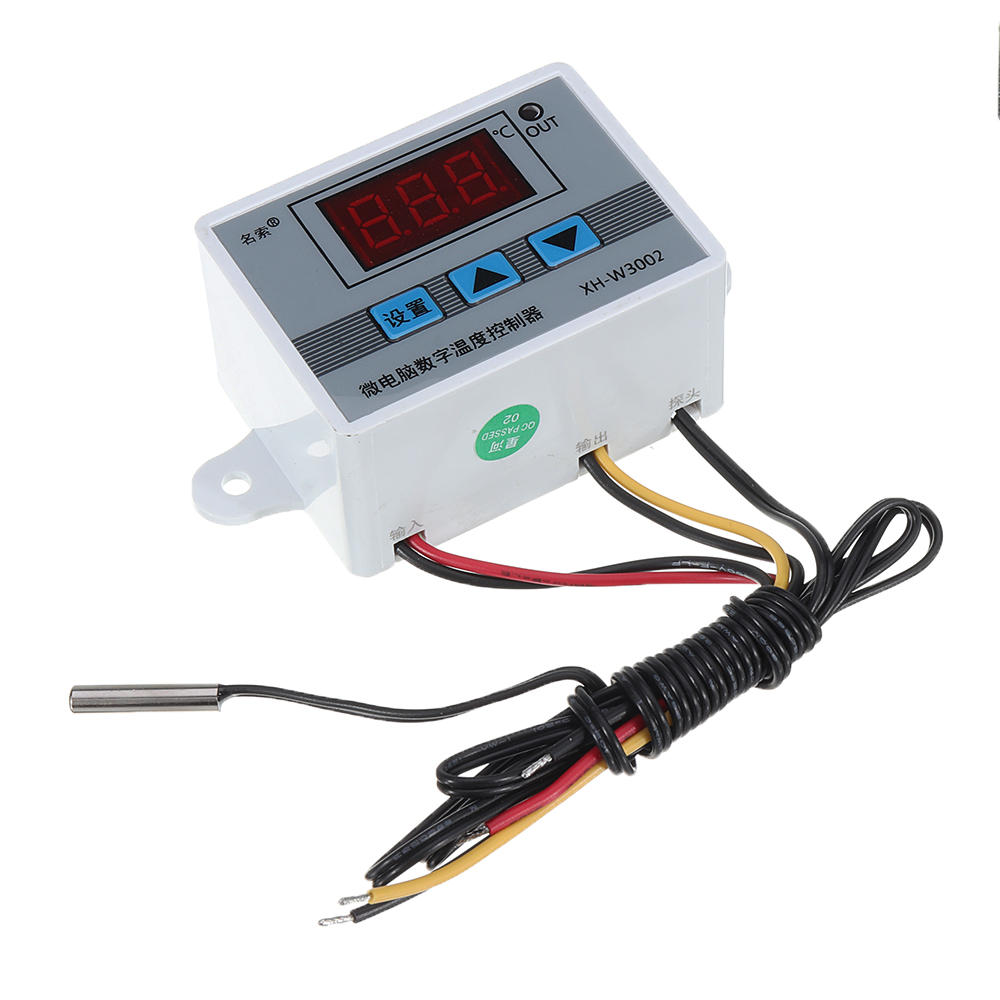
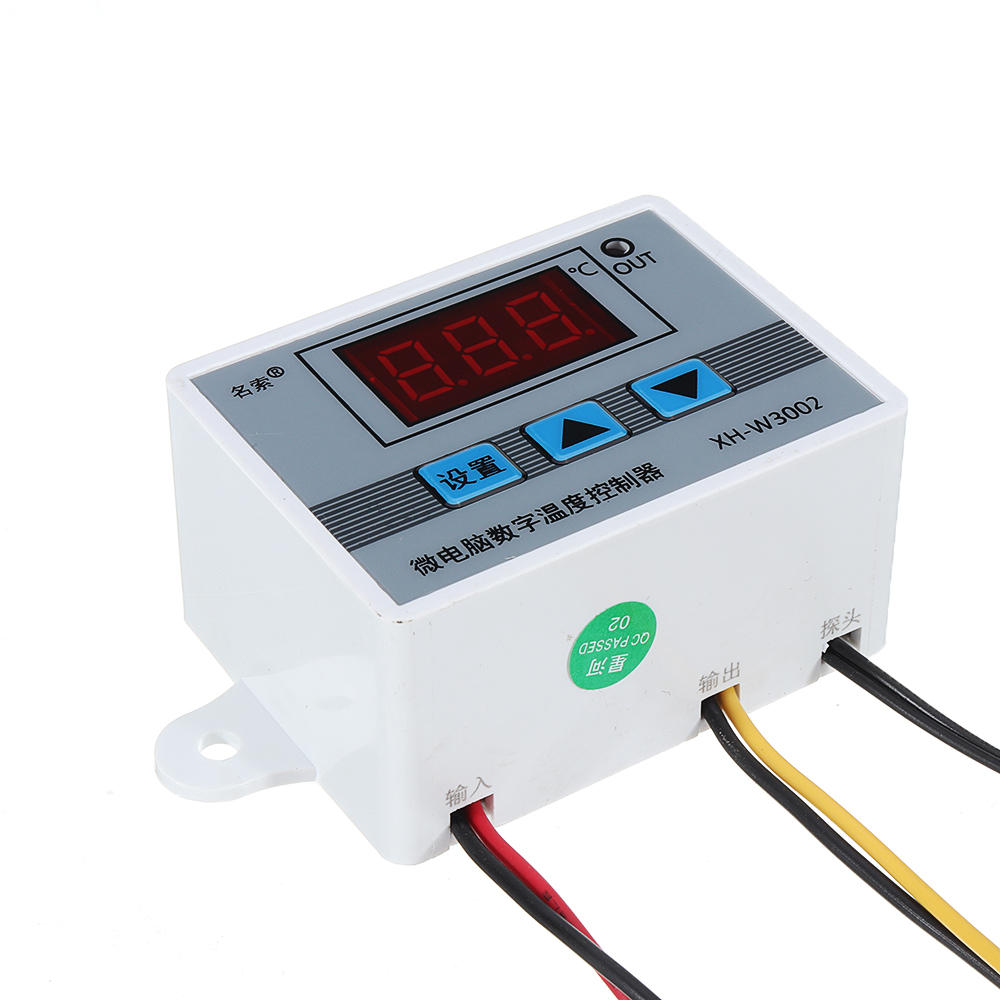
3개 220V XH-W3002 마이크로 디지털 온도 조절기 고정밀 온도 제어 스위치 가열 및 냉각 정확도 0.1

  • gift Roymall C.o.
  • amazon
  • $4.99 /$10.97
    4.52065
    Shipping to: United States
    Express: 7-12 business days
    Standard: 15-25 business days
    $8.99 /$10.97
    • *Name:

    • *Email:

    • *Phone:

    • *Quantity:

    • *Content:

    • Attachment:

      Supports JPG, JPEG, PNG, PDF, EXCEL, WORD, RAR, ZIP, 7z formats

    안전한 결제 보장

    무료 선물
    구매 시 무료 선물
    배송 정책
    $9.9 이상 주문 시 무료 표준 배송
    반품 정책
    상품 수령일로부터 40일 이내 반품 가능 맞춤 제작된 상품은 반품 또는 교환 불가 이-기프트 카드로 구매한 상품은 교환만 가능, 환불 불가

    무료 선물

    Roymall에 오신 것을 환영합니다. 고급 백화점 선물을 구매하기 위한 전문 웹사이트입니다. 우리는 귀하의 지원을 높이 평가하며, 모든 주문에 독점적인 무료 선물을 추가하여 감사의 마음을 전합니다. 우리와 함께 쇼핑하면 고품질 제품을 즐기며 삶의 질을 높일 수 있을 뿐만 아니라, 모든 주문에 무료 선물도 받을 수 있습니다. 우리의 컬렉션을 탐색하고 완벽한 선물을 찾을 준비가 되셨나요? 고급 백화점 아이템을 탐색하고 주문을 하여 무료 선물이 함께 도착하는 기쁨을 누리세요.

    배송 정책

    우리는 귀하의 주문을 받은 후 상품을 안전하게 배송하기 위해 최선을 다할 것입니다. 배송 세부 사항은 확인 이메일에 제공됩니다.대부분의 경우, 주문은 2일 이내에 처리됩니다. 특별한 상황에서는 다음과 같이 지연될 수 있습니다: 토요일, 일요일 또는 공휴일에 주문할 경우 2일 지연됩니다.일반적으로 비행 지연이나 기타 환경적 요인에 영향을 받지 않으면 5-7 영업일(월요일부터 금요일)이 소요됩니다.우리의 배송 서비스는 전 세계적이므로 배송 시간은 귀하의 위치에 따라 다를 수 있습니다. 원격 지역이나 국가에 계시다면 몇 번의 시간이 필요할 수 있으므로 기다려 주십시오.

    1. 반품 및 교환 정책

    우리는 roymall.com에서 구매한 상품만 반품을 받습니다. 우리의 지역 유통업체나 다른 소매업체에서 구매한 경우 반품이 불가능합니다. 최종 판매 상품 또는 무료 선물은 반품이 불가능합니다.반품을 위해서는 상품이 미사용 상태이며 받았을 때와 동일한 상태여야 합니다. 또한 원래 포장 상태여야 합니다.우리로부터 반품 지침을 받은 후, 반품 상품을 포장하고 지역 우체국이나 다른 택배사에 패키지를 보내십시오.
    우리는 반품 또는 교환 상품을 받은 후 3-5 영업일 이내에 처리할 것입니다. 환불은 원래 결제 수단으로 자동 처리 및 적립됩니다.맞춤 제작된 상품(맞춤 크기, 맞춤 색상 또는 맞춤 인쇄 포함)은 반품 또는 교환이 불가능합니다.추가 도움이 필요하시면 연락주세요. service@roymall.com 또는 Whatsapp: +447549870296

    2. 환불 정책

    반품 패키지를 받고 확인한 후 전액 환불 또는 100% 스토어 크레딧을 받으실 수 있습니다. 환불은 원래 결제 수단으로 자동 처리 및 적립됩니다.배송 비용 및 관세 또는 수수료는 환불되지 않습니다. 패키지가 발송된 후 추가 배송 비용은 환불되지 않습니다. 귀하는 이러한 비용을 지불할 책임이 있으며, 우리는 이를 면제하거나 환불할 수 없습니다.반품 상품을 받고 확인한 후, 귀하에게 이메일을 보내 반품 상품을 받았음을 알려드릴 것입니다. 또한 환불 승인 또는 거부에 대해 알려드릴 것입니다.환불 과정에 문제가 있으시면 연락주세요. service@roymall.com 또는 Whatsapp: +447549870296
    Feature:

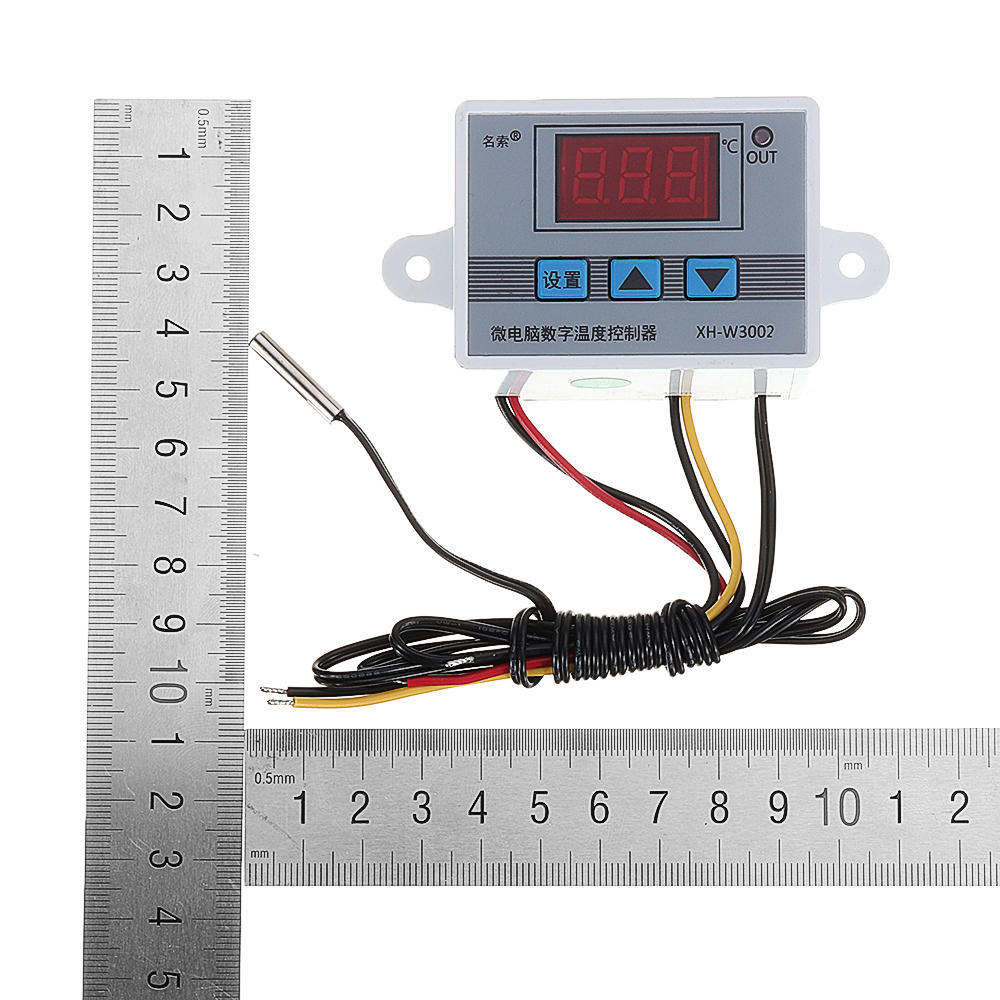
    Product Name: Microcomputer Temperature Controller
    Product model: XH-W3002
    Temperature range: -50~110°C
    Temperature control range: -50~110°C
    Temperature measurement accuracy: +-0.2 °C
    Temperature control accuracy: +-0.1 °C
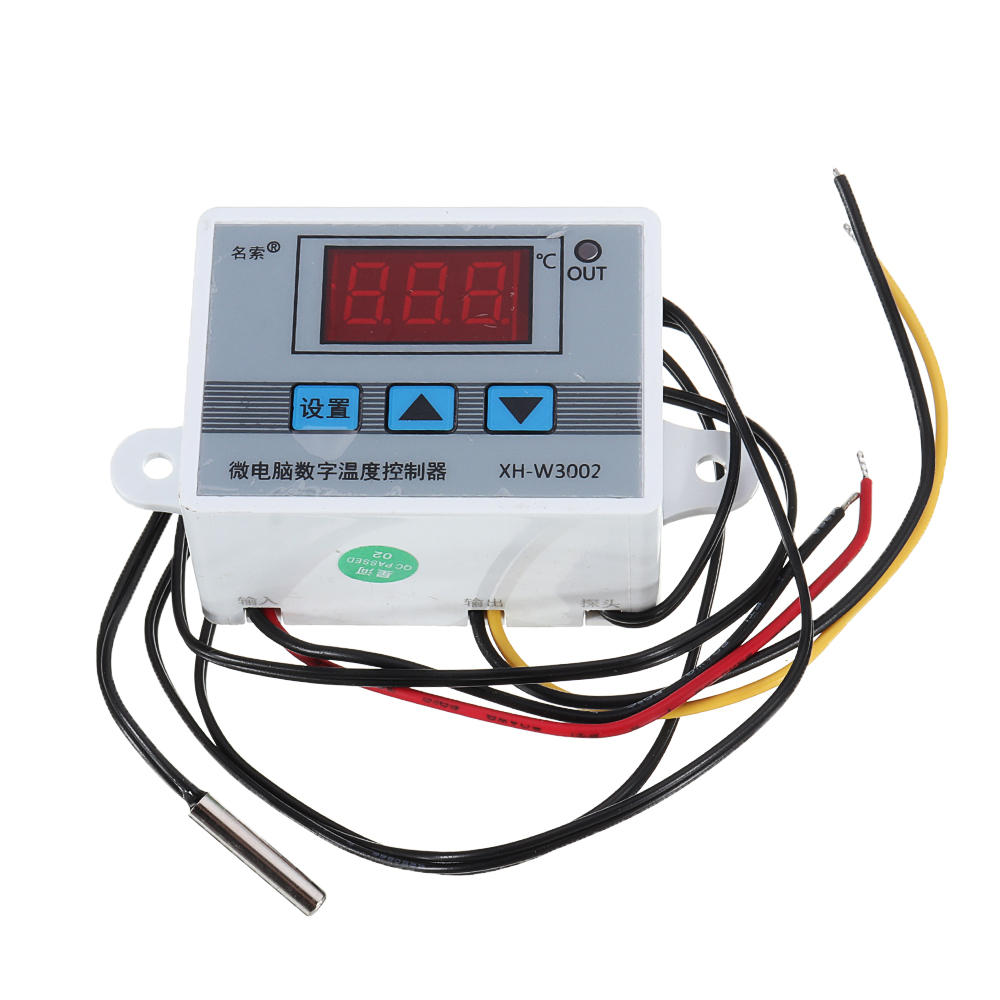
    Temperature probe: NTC10K (B3950) 1 meter waterproof probe
    Supply voltage: DC12V/DC24V/AC220V
    Output power: AC220V: 1500W
    Output type: direct output
    Appearance size: 60 x 45 x 31mm
    Opening size: 73mm (aperture 4mm)

    Package includes:

    3 x Microcomputer Temperature Controller

    Wiring:

    Description
    3개 220V XH-W3002 마이크로 디지털 온도 조절기 고정밀 온도 제어 스위치 가열 및 냉각 정확도 0.1
    nt
    nt3개 220V XH-W3002 마이크로 디지털 온도 조절기 고정밀 온도 제어 스위치 가열 및 냉각 정확도 0.1
    nt
    nt3개 220V XH-W3002 마이크로 디지털 온도 조절기 고정밀 온도 제어 스위치 가열 및 냉각 정확도 0.1
    nt
    nt
    nttKey Description:
    nt
    ntt
    nt
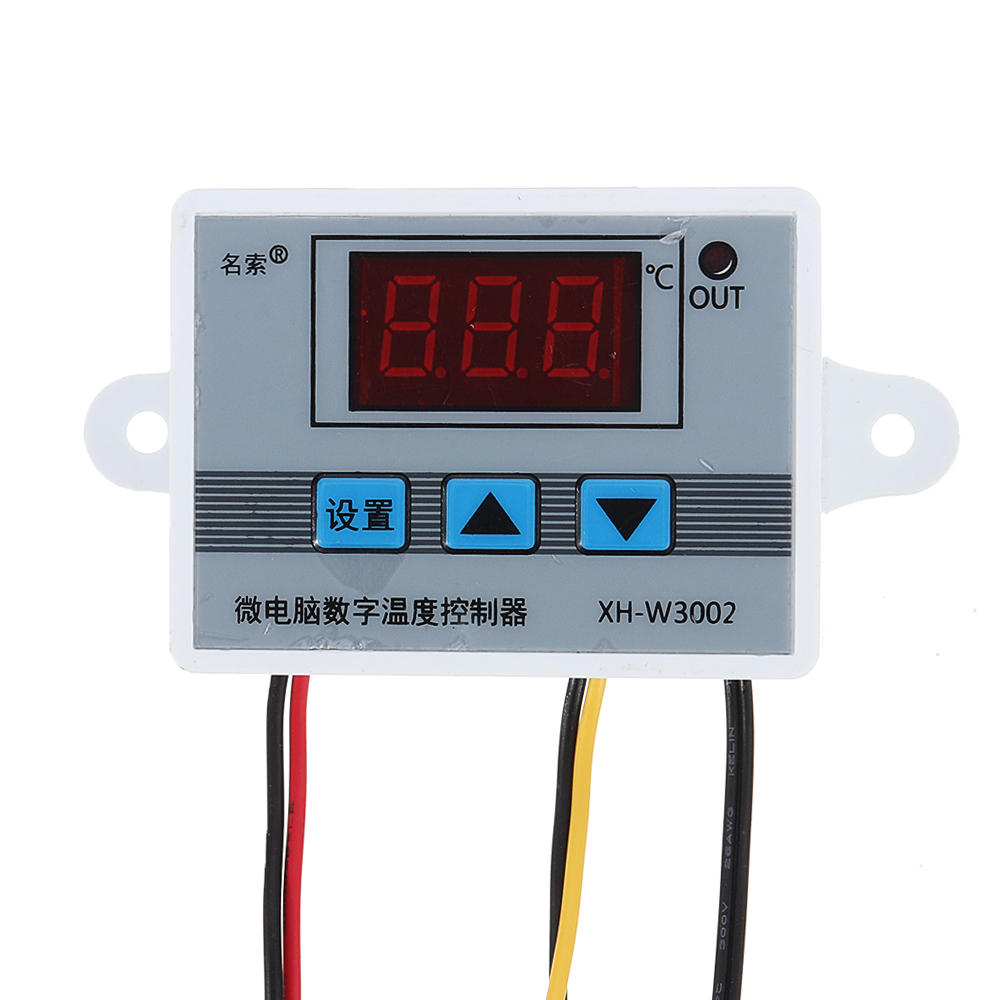
    nttUp key: Short press to display the starting temperature, long press to set the starting temperature.
    nt
    nttDown button: short press to display the stop temperature, long press to set the stop temperature.
    nt
    nttShutdown button: Press to turn off the thermostat, and then press to turn on the thermostat.
    ntt
    nttntttnttttnttttnttttnttttntttntttnttttntttttntttttntttttntttttnttttnttttntttttntttttntttttntttttnttttnttttntttttntttttntttttntttttnttttnttttntttttntttttntttttntttttnttttnttttntttttntttttntttttntttttnttttntttntt
    nttttttCodenttttttCode descriptionnttttttSetting rangenttttttFactory setting
    nttttttP0nttttttStarting temperaturentttttt -50~110°Cntttttt25
    nttttttP1nttttttStop temperaturentttttt -50~110°Cntttttt40
    nttttttP2nttttttTemperature correctionntttttt -10~10°Cntttttt0°C
    nttttttP3nttttttDelayed startntttttt0-10 minutesntttttt0
    ntt
    ntt
    ntttP0. Set the startup temperature:
    ntt
    nttt
    ntt
    ntttPress the Setup button to enter the internal menu. The default display is P0. Press the Setup button again and set the desired startup temperature by pressing the up and down buttons.
    ntt
    nttt
    ntt
    ntttP1. Set the stop temperature:
    ntt
    nttt
    ntt
    ntttPress the setup button to enter the internal menu, the display is P0, switch to P1 by the up and down keys, press the setup button again, and set the required stop temperature by the up and down buttons.
    ntt
    nttt
    ntt
    ntttP2. Set the temperature correction:
    ntt
    nttt
    ntt
    ntttIn the same way, enter the internal menu, switch to P2 by pressing the up and down buttons, press the setting button again, and set the required calibration temperature by pressing the up and down buttons. (Note: In the setting, if the detected temperature value is 0.5 °C larger than the actual temperature value, then the calibration temperature to be set is -0.5 ° C. If the detected value is 1 ° C smaller than the actual temperature value, the set calibration temperature is required. It is 1 ° C. Detection temperature + correction temperature = actual temperature.)
    ntt
    nttt
    ntt
    ntttP3. Set the delay start:
    ntt
    nttt
    ntt
    ntttIn the same way, enter the internal menu, switch to P3 by pressing the up and down buttons, press the setting button again, and set the required delay time by the up and down buttons, the unit is minute. (Note: Delay start is generally used for compressor refrigeration. If it is used in refrigerator freezer, this value needs to be set. According to compressor back pressure, the general setting is 3-6 minutes, if you are not using it for control or doesn't need delay function, skip directly.
    ntt
    ntt
    ntttInstructions:
    ntt
    nttt
    ntt
    ntttStart temperature
    ntt
    ntttStart temperature > stop temperature = cooling mode (output is connected to the cooling unit)
    ntt
    nttt
    ntt
    nttt1. Connect the power supply and heating or cooling equipment according to the wiring diagram above (note the positive and negative poles)
    ntt
    nttt2. Press and hold the up key to set the starting temperature. When the screen number flashes, press the up and down keys to set the starting temperature you want. After setting, wait for 5 seconds to brake the system.
    ntt
    nttt3. Press and hold the key to set the stop temperature. When the screen number flashes, press the up and down keys to set the desired stop temperature. After setting, wait for 5 seconds to automatically save the data.
    ntt
    nttt4. Restore the factory: Colleagues press and hold the up and down keys for 5 seconds, when the screen displays 888, the factory is restored.
    ntt
    nttt5. Press the power off button to turn off the thermostat and press to turn on the thermostat.
    nt
    n
    n
    nTips:
    n
    n
    nt888: In the case of power-on, press and hold the up and down keys for about 3 seconds, the digital tube displays 888, and automatically jumps to the detection temperature, that is, the factory settings are restored successfully.
    n
    ntLLL: Describe the sensor is open circuit, repair the sensor, or replace the sensor
    n
    ntHHH: The sensor is short circuit.
    nt
    nt3개 220V XH-W3002 마이크로 디지털 온도 조절기 고정밀 온도 제어 스위치 가열 및 냉각 정확도 0.1
    n
    n
    n3개 220V XH-W3002 마이크로 디지털 온도 조절기 고정밀 온도 제어 스위치 가열 및 냉각 정확도 0.1
    n
    n3개 220V XH-W3002 마이크로 디지털 온도 조절기 고정밀 온도 제어 스위치 가열 및 냉각 정확도 0.1
    n
    n3개 220V XH-W3002 마이크로 디지털 온도 조절기 고정밀 온도 제어 스위치 가열 및 냉각 정확도 0.1
    n
    n3개 220V XH-W3002 마이크로 디지털 온도 조절기 고정밀 온도 제어 스위치 가열 및 냉각 정확도 0.1
    n
    n3개 220V XH-W3002 마이크로 디지털 온도 조절기 고정밀 온도 제어 스위치 가열 및 냉각 정확도 0.1

    You also Interesting

    최신 브랜드 소식과 첫 주문 시 15% 할인을 받으세요.

    QQ好友QQ空间新浪微博微信朋友圈百度贴吧复制链接
    取消