დაბრუნება მიიღება 40 დღის განმავლობაში მიღების დღიდან. ინდივიდუალური ნივთები არ შეიძლება დაბრუნდეს. საჩუქრის ბარათით შეძენილი ნივთები მხოლოდ გაცვლა შეიძლება.
უფასო საჩუქარი
მოგესალმებით Roymall-ში, თქვენს პრემიუმ საჩუქრების მაღაზიაში. ჩვენ ძალიან ვაფასებთ თქვენს მხარდაჭერას და მადლობის ნიშნად გთავაზობთ უფასო საჩუქარს ყოველ შეძენაზე.მზად ხართ გაეცნოთ ჩვენს კოლექციას? დაათვალიერეთ ჩვენი არჩევანი, განათავსეთ თქვენი შეკვეთა და დაელოდეთ თქვენს უფასო საჩუქარს თქვენი შეძენისთანავე.
მიტანის პოლიტიკა
ჩვენ ვამუშავებთ შეკვეთებს 2 დღის განმავლობაში.სტანდარტული მიტანის დროა 5-7 სამუშაო დღე.მიტანის დრო შეიძლება განსხვავდებოდეს დანიშნულების მიხედვით.
1. დაბრუნების პოლიტიკა
ჩვენ ვიღებთ მხოლოდ იმ ნივთების დაბრუნებას, რომლებიც შეძენილია roymall.com-დან.უფასო საჩუქრები არ შეიძლება დაბრუნდეს.ნივთი უნდა იყოს გამოუყენებელი და ორიგინალურ შეფუთვაში.ჩვენ ვამუშავებთ დაბრუნებას 3-5 სამუშაო დღეში მიღების შემდეგ.ინდივიდუალური ნივთები არ შეიძლება დაბრუნდეს.დაგვიკავშირდით: service@roymall.com ან Whatsapp: +447549870296
2.ანაზღაურების პოლიტიკა
თქვენ მიიღებთ სრულ ანაზღაურებას ნივთის მიღებისა და შემოწმების შემდეგ.მიტანის ხარჯები არ არის დაბრუნებადი.დაგვიკავშირდით: service@roymall.com ან Whatsapp: +447549870296
Videos for similar product
Loading product videos...
❮
❯
Products related to this item
Loading related products...
❮
❯
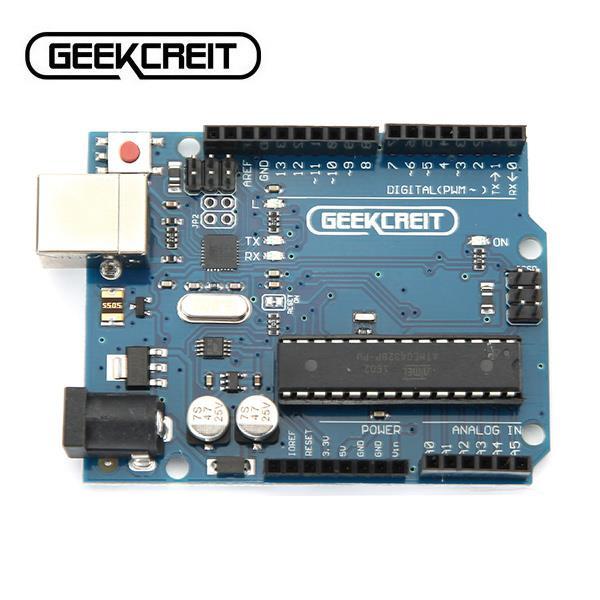
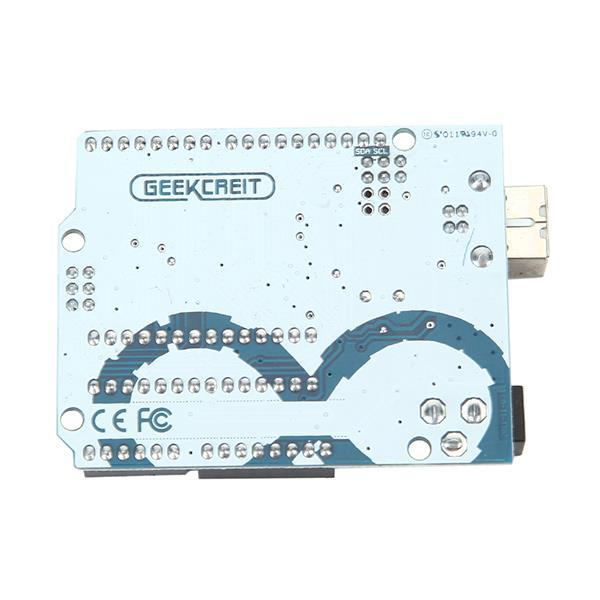
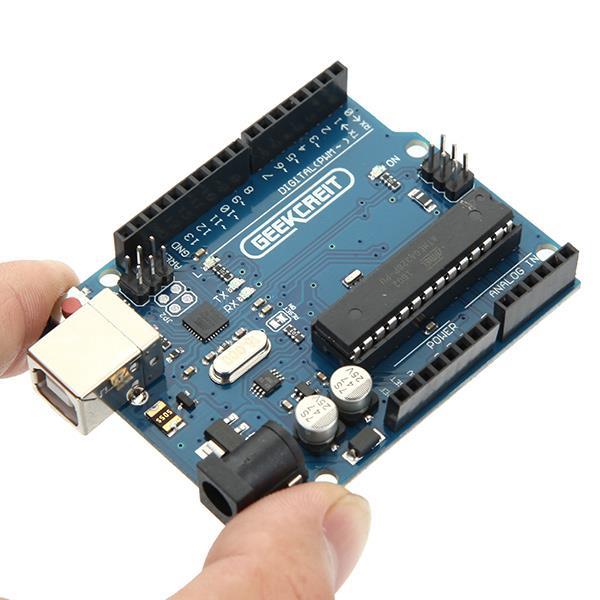
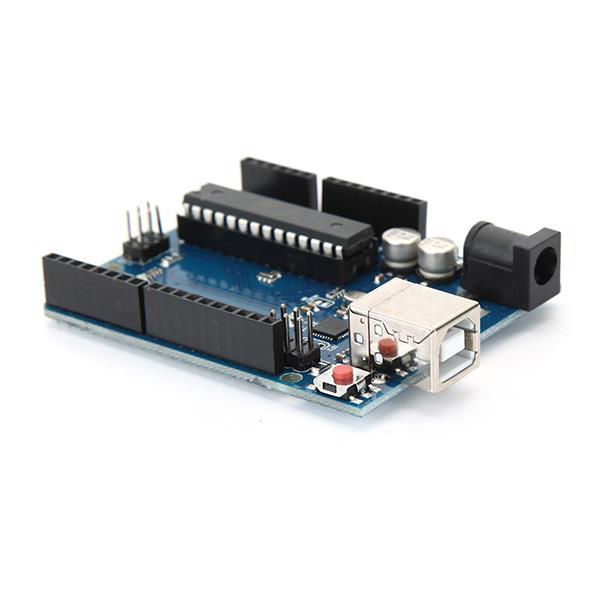
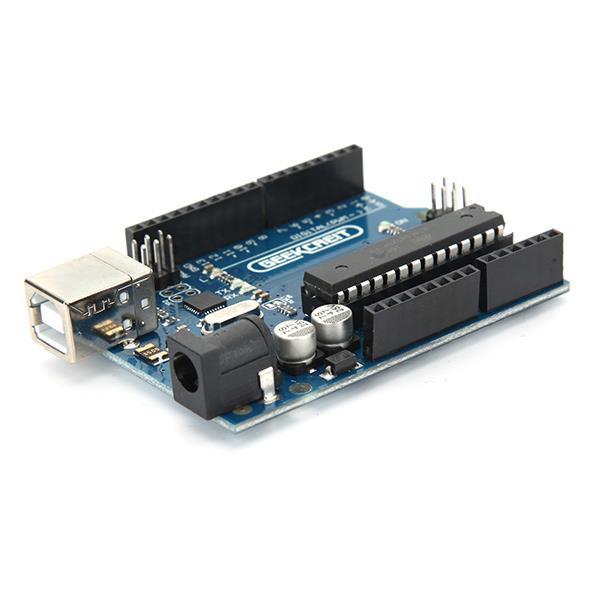
UNO R3 ATmega328P Board: Description:
UNO R3 board is 100% compatible with original , now it has perfect quality and performance . is an open-source physical computing platform based on a simple i/o board and a development environment that implements theProcessing/Wiring language. can be used to develop stand-alone interactive objects or can be connected to software on your computer (e.g. Flash, Processing, MaxMSP). The open-source IDE can be downloaded for free (currently for Mac OS X, Windows, and Linux). This is the new Tosduino Uno R3. In addition to all the features of the previous board, the Uno R3 now uses an ATmega16U2 instead of the ATmega8U2 chip. This allows for faster transfer rates, no drivers needed for Linux or Mac (inf file for Windows is needed), and the ability to have the Uno show up as a keyboard, mouse, joystick, etc.
Note:
The TOSduino Uno R3 requires the 1.0 drivers folder in order to install properly on some computers. We have tested and confirmed that the R3 can be programmed in older versions of the IDE. However, the first time using the R3 on a new computer, you will need to have 1.0 installed on that machine. The small chip is ATmega16U2, the 28 pin DIP socket chip is ATmega328-pu.
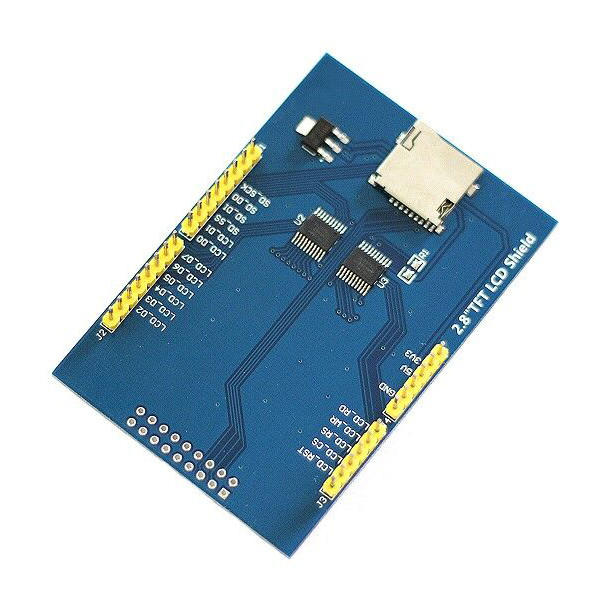
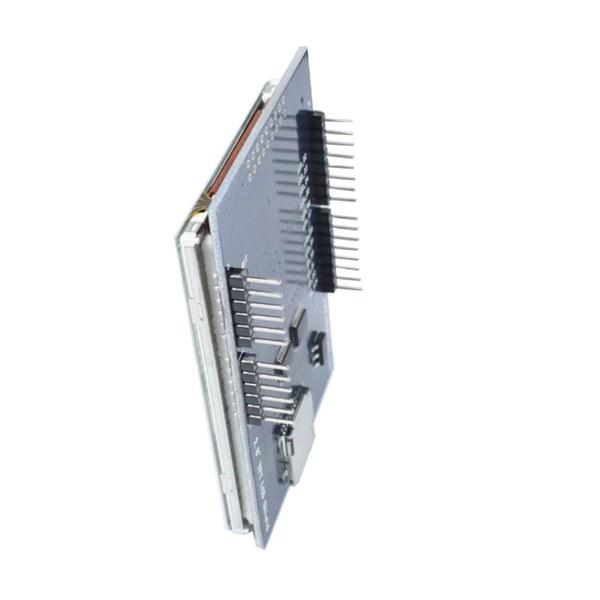
2.8 Inch LCD Display Feature: Description:
2.8 inch LCD TFT display Bright, 4 white-LED backlight Colorful, 18-bit 262,000 different shades 4-wire resistive touchscreen 240 x 320 pixels with individual pixel control No wiring, no soldering. Simply plug it in and load library On-board 3.3V 300mA LDO regulator 5V compatible, use with 3.3V or 5V logic Support 2GB micro SD TF card Size: 7.8 x 5.3cm
Package included:
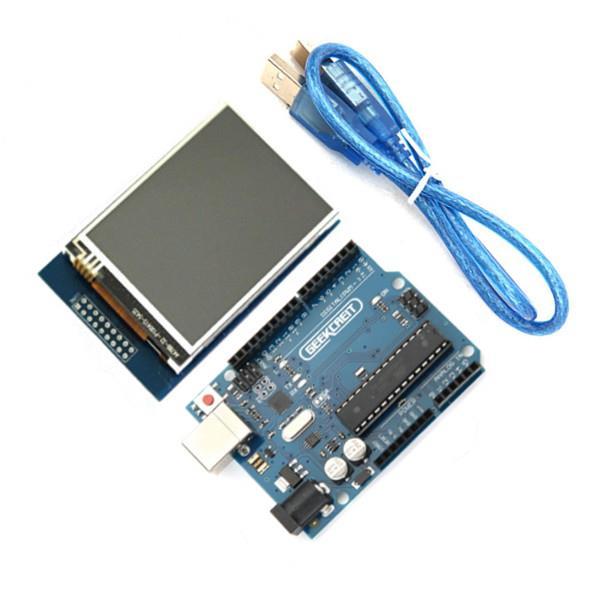
1 x 2.8 Inch TFT LCD Shield Touch Display Module 1 x UNO R3 ATmega328P Board with USB cable
Both board and display are quite nice. What I really like is that this board have replaceable chip, so you can use ti to program ATmega 328 chips: https://goo.gl/n3VbEX
After 4 weeks i finally had my hands on this product. But it was not easy to let it work.
So found the good driver!!
When you know the driver you can easily let it work. For me i found it after 2 days. So this have i done. At the back on my module stand with black marker 68090 it seem to stand for the diver RM68090 but under that name you can not found it. So after hard google. i found on another site that the RM68090 is similar on the ILI9325 so when you get the unkown driver error try this one. And change the code to:
if(identifier == 0x9325) {
Serial.println(F("Found ILI9325 LCD driver"));
} else if(identifier == 0x9328) {
Serial.println(F("Found ILI9328 LCD driver"));
} else if(identifier == 0x7575) {
Serial.println(F("Found HX8347G LCD driver"));
} else if(identifier == 0x9341) {
Serial.println(F("Found ILI9341 LCD driver"));
} else if(identifier == 0x8357) {
Serial.println(F("Found HX8357D LCD driver"));
} else {
Serial.print(F("Unknown LCD driver chip: "));
Serial.println(identifier, HEX);
identifier = 0x9325;
}
And download the normal library from adafruit
link:
https://github.com/adafruit/TFTLCD-Library
And maybe you must rotate the lcd for the correct touch. And mirror it.
Rotate can be with comment:
tft.setRotation(1)
And mirror i had do with the follow:
p.x = map(p.x, TS_MINX, TS_MAXX, 240, 0);//default is (240, 0) [default puts touch cord. 0=x/y upper right.
p.y = map(p.y, TS_MINY, TS_MAXY, 0, 320);//default is (320, 0) [I change these cause i like 0=xy bottom left.