
Back Share

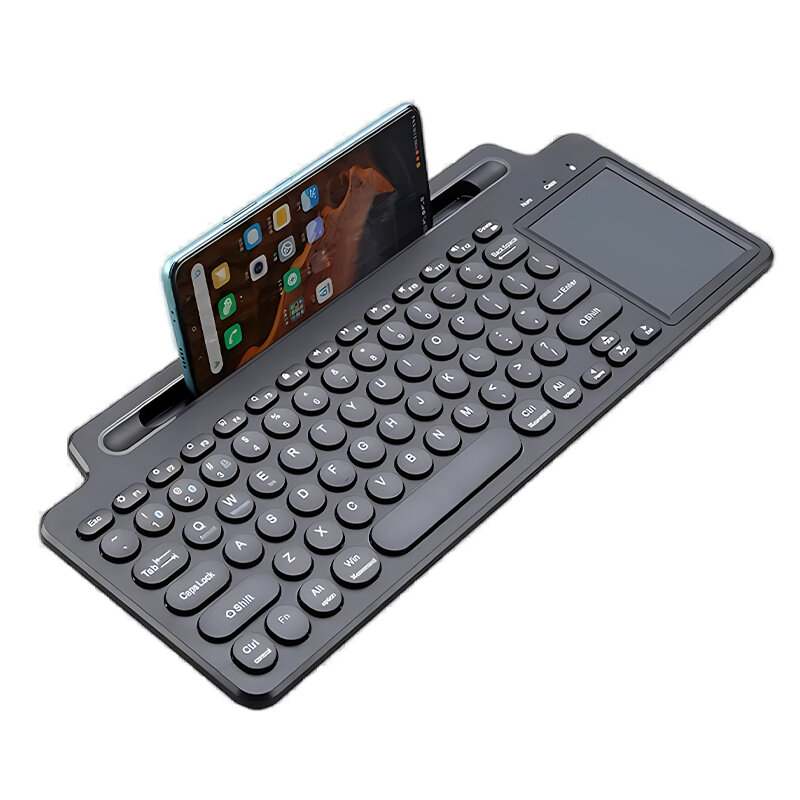
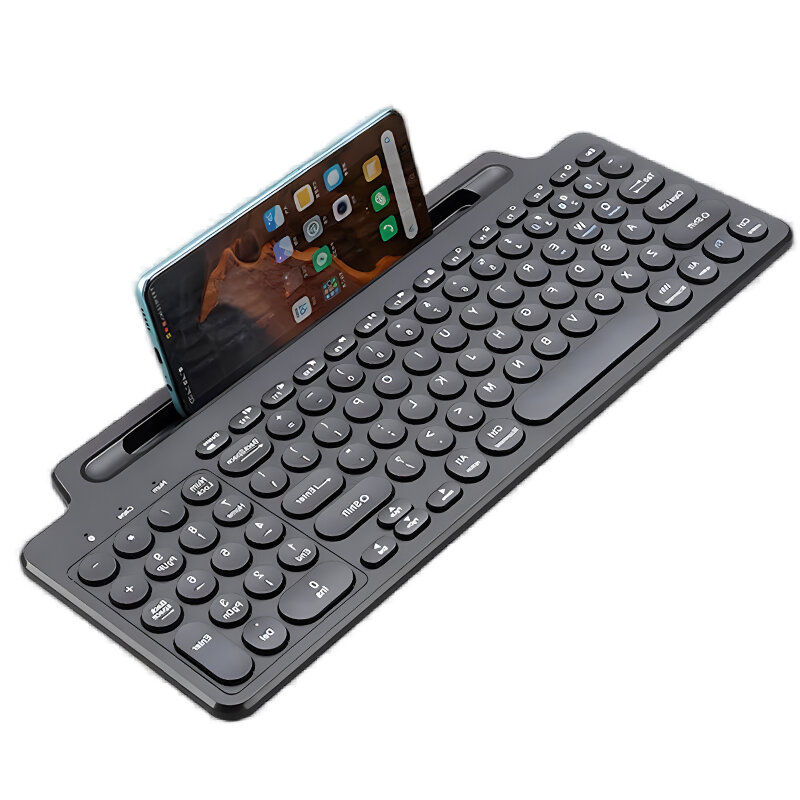
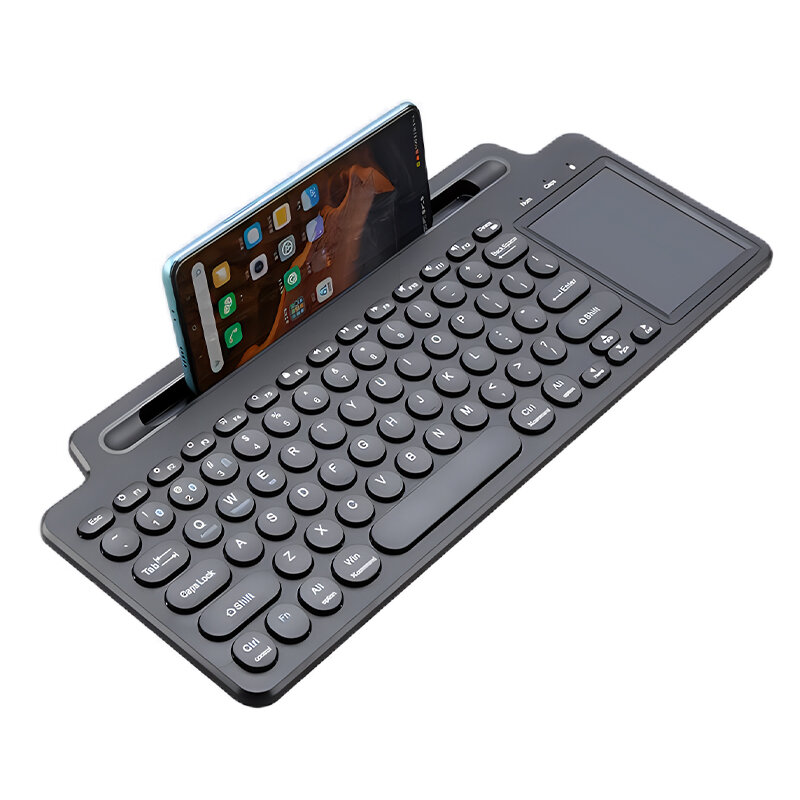
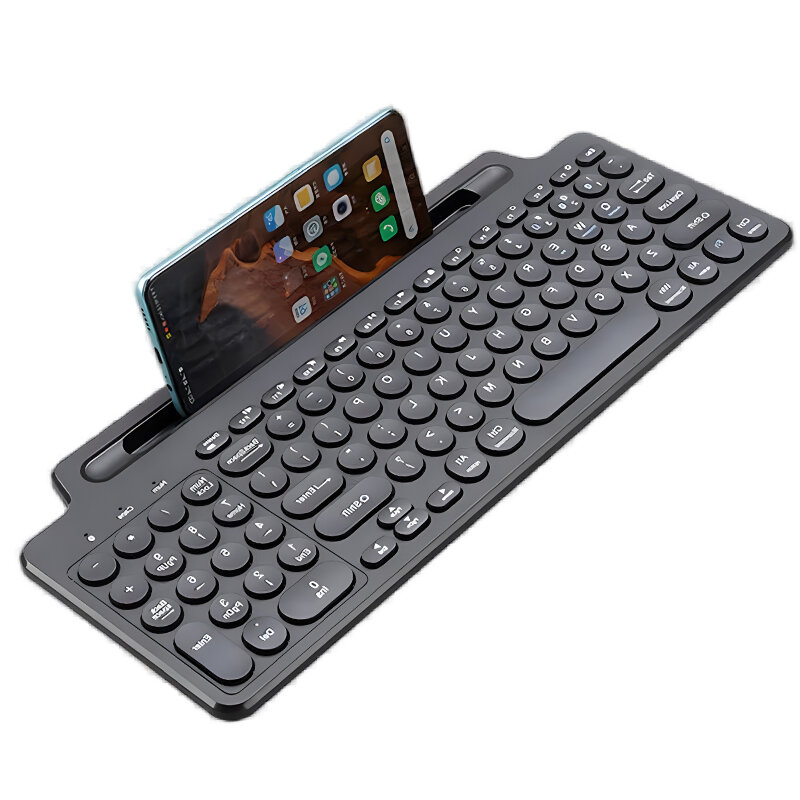
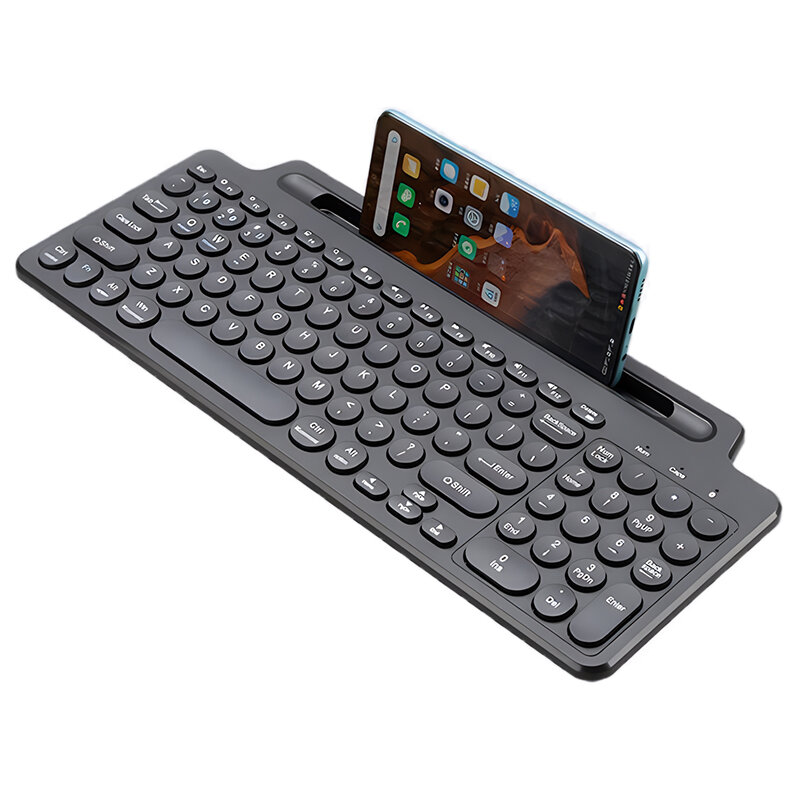
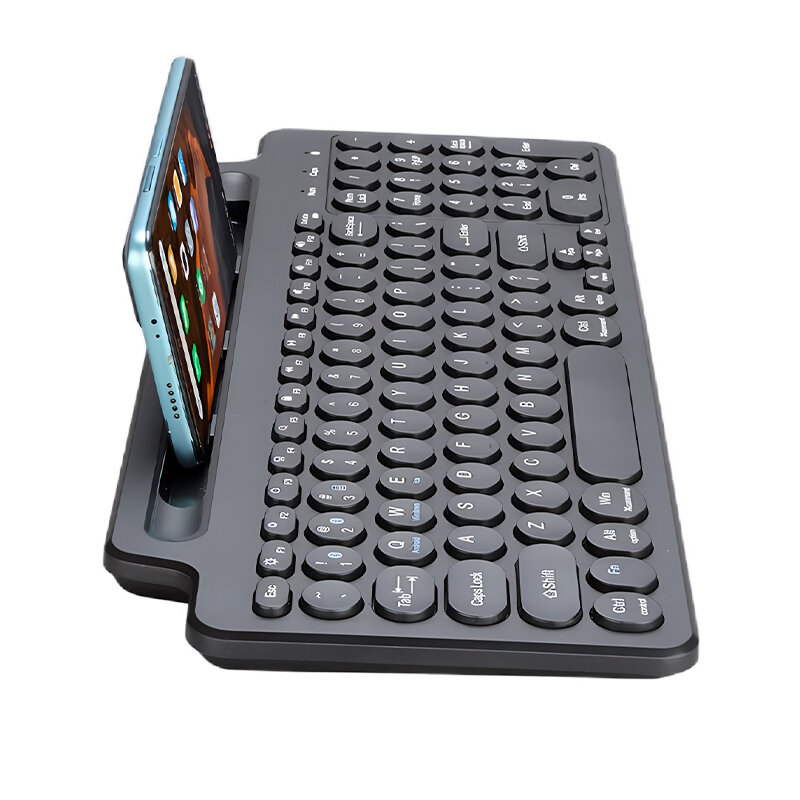
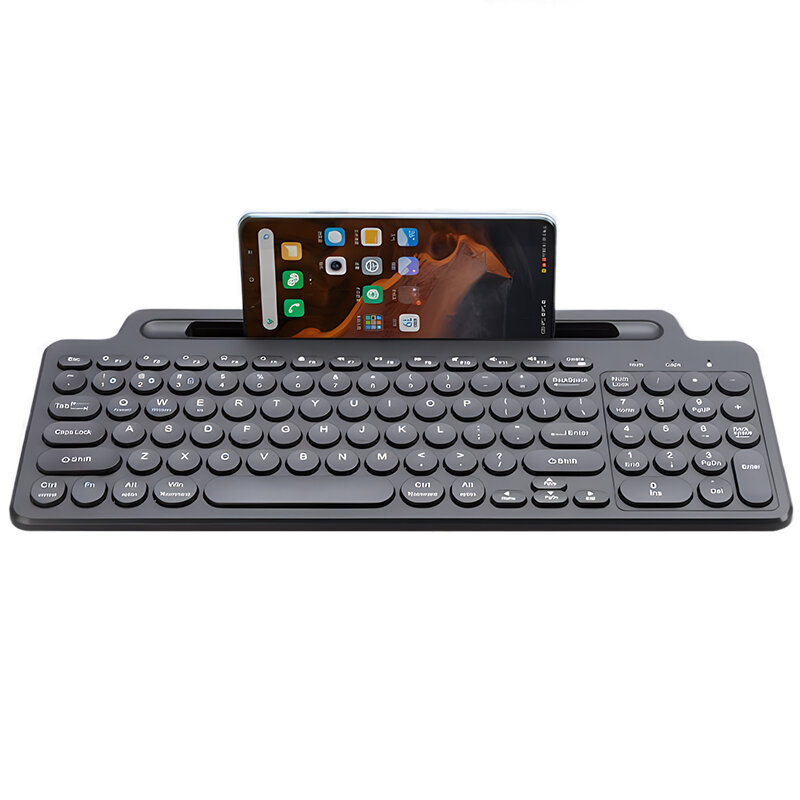
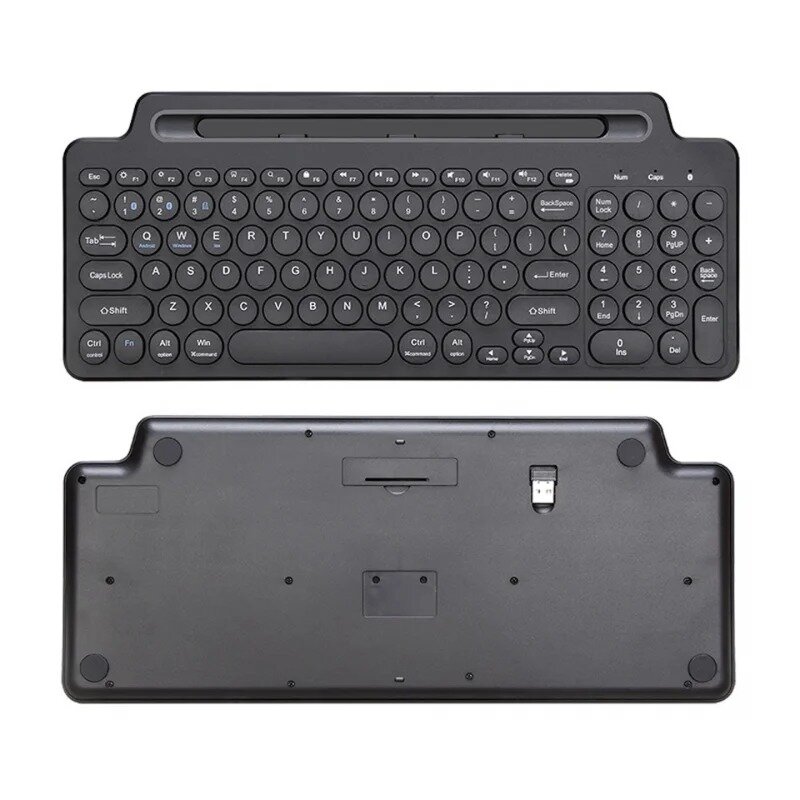
ミニタッチパッドキーボード ワイヤレス Bluetooth キーボード カードスロット付き ユニバーサル 2.4G ゲーマーキーパッド Windows Android IOS タブレット PC アクセサリー

  • gift Roymall C.o.
  • amazon
  • $10.99 /$20.73
    4.11745
    Shipping to: United States
    Express: 7-12 business days
    Standard: 15-25 business days
    $16.99 /$20.73
    • *Name:

    • *Email:

    • *Phone:

    • *Quantity:

    • *Content:

    • Attachment:

      Supports JPG, JPEG, PNG, PDF, EXCEL, WORD, RAR, ZIP, 7z formats

    安全なチェックアウト

    無料ギフト
    購入ごとに無料ギフト
    配送ポリシー
    9.9ドル以上の注文で標準配送無料
    返品ポリシー
    返品は商品受領日から40日以内に受け付けます。カスタマイズ商品は返品または交換できません。Eギフトカードで購入した商品は交換のみ可能で、返金は適用されません。

    無料ギフト

    Roymallへようこそ、プレミアムデパートメントストアギフトを購入するための専門ウェブサイトです。私たちはあなたのサポートを高く評価し、感謝の気持ちを込めて、購入ごとに特別な無料ギフトをお届けします。私たちと一緒にショッピングを楽しむことで、ライフスタイルを向上させる高品質な製品を楽しむだけでなく、注文ごとに特別な無料ギフトも受け取ることができます。 私たちのコレクションを探索して、完璧なギフトを見つける準備はできましたか?プレミアムデパートメントストアアイテムのセレクションを閲覧し、注文をして、購入品と一緒に無料ギフトが届くのを楽しみにしてください。

    配送ポリシー

    注文を受領後、商品を安全にお届けするために努めます。配送詳細は確認メールに記載されます。ほとんどの場合、注文は2日以内に処理されます。特別な状況下では、以下のように遅れることがあります:土曜日、日曜日、または祝日に注文をした場合、2日遅れます。通常、飛行機の遅延やその他の環境要因の影響を受けない場合、5〜7営業日(月曜日から金曜日)かかります。私たちの配送サービスは世界中に及ぶため、配送時間はあなたの場所によって異なります。遠隔地や国の場合は数日かかる場合がありますので、お待ちください。

    1. 返品・交換ポリシー

    私たちはroymall.comで購入した商品のみ受け付けます。地元のディストリビューターや他の小売店で購入した商品は返品できません。 最終販売商品や無料ギフトは返品できません。返品の対象となるためには、商品は未使用で受け取ったときと同じ状態でなければなりません。また、元のパッケージに入っている必要があります。返品手順を受け取った後、返品商品をパッケージに詰めて地元の郵便局または別の宅配業者に渡してください。
    返品または交換商品を受け取った後、3〜5営業日以内に処理します。返金は自動的に元の支払い方法に反映されます。カスタムサイズ、カスタムカラー、カスタムプリントなどのカスタム製品は返品または交換できません。さらにヘルプが必要な場合は、お問い合わせください。 service@roymall.com またはWhatsapp: +447549870296

    2.返金ポリシー

    返品パッケージを受け取り、確認した後、全額返金または100%ストアクレジットを受け取ります。返金は自動的に元の支払い方法に反映されます。 配送料や関税、手数料は返金対象外です。パッケージが発送された後、追加の配送料は返金できません。これらの費用を支払う責任があり、私たちはそれらを免除または返金することはできません。返品商品を受け取り、確認した後、返品商品を受け取ったことを通知するメールを送信します。また、返金の承認または拒否についても通知します。返金プロセスに関する問題がある場合は、お問い合わせください。 service@roymall.com またはWhatsapp: +447549870296
    Specifications:
    Connection Methods: bluetooth + 2.4G Wireless
    Keyboard Type: Membrane Keyboard
    Built-in Stand: Integrated GrooveStand
    Multimedia Function Keys: Yes
    Compatibility: Windows, Android, iOS, Tablet, for iPad, PC
    Key Features: Silent Keys, Intelligent Sleep Mode
    Battery Life: Ultra-long Endurance

    Features:
    1. Dual Connectivity: Seamlessly switch between bluetooth and 2.4G wireless connections for versatile and efficient use.
    2. Integrated GrooveStand: The built-in stand holds your device securely in place, providing an optimal viewing experience.
    3. Multimedia Control: Equipped with multimedia function keys for easy access to volume, playback controls, and more.
    4. Universal Compatibility: Designed to work smoothly with multiple systems including Windows, Android, and iOS, providing great flexibility.
    5. Whisper-Quiet Typing: Silent keys for a peaceful and focused typing experience, perfect for quiet environments.

    Package Includes:
    1 x Mini Touchpad Keyboard

    Reviews(5)
    4.60
    • BG360222162
      5.0
      Mini Touchpad Keyboard Wireless bluetooth Keyboard with Card Slot Universal 2.4G Gamer Keypad for Windows Android IOS Tablet PC Accessories - with Touchpad - ID: 2017210 (MLD-569)


      First impressions:

      There is a switch on the back, to select BT or Wirelessu[ j []](ID 3151:3020 YICHIP Wireless Device) connection. Both work fine, For BT mode, switch the switch (poor english lang) to BT first, than long press (5 seconds) Fn + 1 (or 2) for discovery mode.

      I have succesfuly connected it to my Linux laptop (BT1) and (BT2) my android 9.0 cellphone. I was able to unlock the screen of the cellphone using the touchpad, which works fine and type the pin code.
      Ah, for my Kubuntu (KDE ubuntu), I activted "Adaptive accelleration profile" and "Press left and right buttons for middle-click", so, now, tapping with two fingers works.

      There also are, three buttons of choice: Android, Windows, Ios. I didn't actually understand them. No documentation on this. Maybe they change the shortcuts, on demand? Anyway...

      Maybe the position of the WIN button should be on the left of the left Alt key, correct me if I'm wrong.

      Typing is bit hard on the beginning, but one can get used to it after a while. From SHIFT to SHIFT the distance is 27 cm. On a "classic" keyboard it is 28. This makes the use of it a bit "tight".

      The arrow keys second function (PgUp, PgDn, Home, End) is activated via the Fn button, not Shift.

      Alright, the analysis of the touchpad is not the best of the kind, but it is acceptable.
    • mineshvarma
      5.0
      good quality products 👍😀
    See All Reviews
    Description

    ミニタッチパッドキーボード ワイヤレス Bluetooth キーボード カードスロット付き ユニバーサル 2.4G ゲーマーキーパッド Windows Android IOS タブレット PC アクセサリー

    ミニタッチパッドキーボード ワイヤレス Bluetooth キーボード カードスロット付き ユニバーサル 2.4G ゲーマーキーパッド Windows Android IOS タブレット PC アクセサリー

    ミニタッチパッドキーボード ワイヤレス Bluetooth キーボード カードスロット付き ユニバーサル 2.4G ゲーマーキーパッド Windows Android IOS タブレット PC アクセサリー

    ミニタッチパッドキーボード ワイヤレス Bluetooth キーボード カードスロット付き ユニバーサル 2.4G ゲーマーキーパッド Windows Android IOS タブレット PC アクセサリー

    ミニタッチパッドキーボード ワイヤレス Bluetooth キーボード カードスロット付き ユニバーサル 2.4G ゲーマーキーパッド Windows Android IOS タブレット PC アクセサリー

    ミニタッチパッドキーボード ワイヤレス Bluetooth キーボード カードスロット付き ユニバーサル 2.4G ゲーマーキーパッド Windows Android IOS タブレット PC アクセサリー

    ミニタッチパッドキーボード ワイヤレス Bluetooth キーボード カードスロット付き ユニバーサル 2.4G ゲーマーキーパッド Windows Android IOS タブレット PC アクセサリー

    You also Interesting

    最新のブランドニュースと初回注文15%オフを入手する。

    QQ好友QQ空间新浪微博微信朋友圈百度贴吧复制链接
    取消