A ga-anabata ihe nlọghachi n'ime ụbọchị 40 mgbe ọ bụ ụbọchị nnata ngwaahịa. Enweghị ike ịlaghachi ma ọ bụ gbanwee ihe ndị ahaziri iche. A na-agbanwe naanị ihe ndị ejiri kaadị e-onyinye zụta; anaghị etinye ego.
Onyinye efu
Nabata na Roymall, websaịtị ọkachamara gị maka ịzụrụ onyinye ụlọ ahịa dị elu. Anyị ji nkwado gị kpọrọ ihe ma na-eji obi ekele gị maka ime ka ihe ịzụrụ gị nwee obi ụtọ. Mgbe ị na-azụ ihe anyị, ọ bụghị naanị na ị ga-enweta ngwaahịa dị elu nke na-eme ka ndụ gị dị mma, kamakwa ị ga-enweta onyinye efu pụrụ iche na iwu ọ bụla ị nyere. Ị dị njikere inyocha nchịkọta anyị wee chọta onyinye gị kacha mma? Nyochaa nhọrọ anyị nke ihe ụlọ ahịa dị elu, tinye iwu gị, ma na-atụ anya obi ụtọ nke onyinye efu gị na-abịa n'akụkụ ihe ịzụrụ gị.
Amụma mbupu
Anyị ga-agba mbụ bufee ihe gị mgbe anyị nwetasịrị iwu gị ma hụ na ha ruru n'udo. A ga-enye nkọwa nnyefe na email nkwenye gị.N'ọtụtụ oge, a na-edozi iwu n'ime ụbọchị 2.N'ọnọdụ pụrụ iche, ọ ga-egbu oge dị ka ndị a: Mgbe ị tinyere iwu na Satọde, Sọnde ma ọ bụ ezumike ọha, ọ ga-egbu oge maka ụbọchị 2..Ọ na-adịkarị mkpa ụbọchị ọrụ 5-7 (Mọnde ruo Fraịde) na-enweghị mmetụta site na igbu oge ụgbọ elu ma ọ bụ ihe gburugburu ebe obibi ndị ọzọ..Ebe ọ bụ na ọrụ mbupu anyị bụ n'ụwa niile, oge nnyefe ga-adabere na ọnọdụ gị, yabụ ọ nwere ike ịchọ oge ụfọdụ ma bụrụ na ị nọ na mpaghara ma ọ bụ mba ndị dịpụrụ adịpụ, jiri nwayọọ chere.
1. Amụma nlọghachi & mgbanwe
Anyị na-anabata naanị ihe ndị a zụrụ na roymall.com. Ọ bụrụ na ị zụrụ n'aka ndị nkesa anyị ma ọ bụ ndị na-ere ahịa ndị ọzọ, ị gaghị enwe ike ịlaghachi ha n'akụkụ anyị.A naghị anabata ihe ire ere ikpeazụ ma ọ bụ onyinye efu maka nlọghachi.Iji ruo eru maka nlọghachi, ihe gị ga-abụrịrị na ejibeghị ya ma nọrọ n'otu ọnọdụ ahụ ị nwetara ya. Ọ ga-abụkwa na nkwakọ ngwaahịa mbụ.Mgbe anyị nwetasịrị ntuziaka nlọghachi, biko chịkọta ihe gị laghachiri ma dobe ngwugwu gị n'ụlọ ọrụ nzipu ozi mpaghara ma ọ bụ onye ozi ọzọ. Anyị ga-edozi ihe gị laghachiri ma ọ bụ gbanwee n'ime ụbọchị ọrụ 3-5 mgbe anyị nwetasịrị ya. A ga-edozi nkwụghachi ego ma kwụọ ya na ụzọ ịkwụ ụgwọ mbụ gị na-akpaghị aka.Enweghị ike ịnabata nlọghachi ma ọ bụ mgbanwe ma ọ bụrụ na emepụtara ngwaahịa ahụ, gụnyere nha omenala, agba omenala, ma ọ bụ mbipụta omenala.Chọrọ enyemaka ọzọ, biko kpọtụrụ anyị. service@roymall.com ma ọ bụ Whatsapp: +447549870296
2.Amụma nkwụghachi ego
Ị ga-enweta nkwụghachi ego zuru ezu ma ọ bụ kredit ụlọ ahịa 100% mgbe anyị nwetasịrị ngwugwu a laghachiri ma lelee ya. A ga-edozi nkwụghachi ego ma kwụọ ya na ụzọ ịkwụ ụgwọ mbụ gị na-akpaghị aka.Biko rịba ama na ụgwọ mbupu na ụgwọ ọ bụla ma ọ bụ ụgwọ anaghị akwụghachi. A naghị akwụghachi ụgwọ mbupu ndị ọzọ ozugbo ebugara ngwugwu ahụ. Ị na-ahụ maka ịkwụ ụgwọ ndị a na anyị enweghị ike ịhapụ ma ọ bụ kwụghachi ha, ọbụlagodi ma ọ bụrụ na eweghachiri iwu ahụ anyị.Ọ bụrụ na ị nwere nsogbu ọ bụla gbasara usoro nkwụghachi ego, biko kpọtụrụ anyị. service@roymall.com ma ọ bụ Whatsapp: +447549870296
Videos for similar product
Loading product videos...
❮
❯
Products related to this item
Loading related products...
❮
❯
Description:
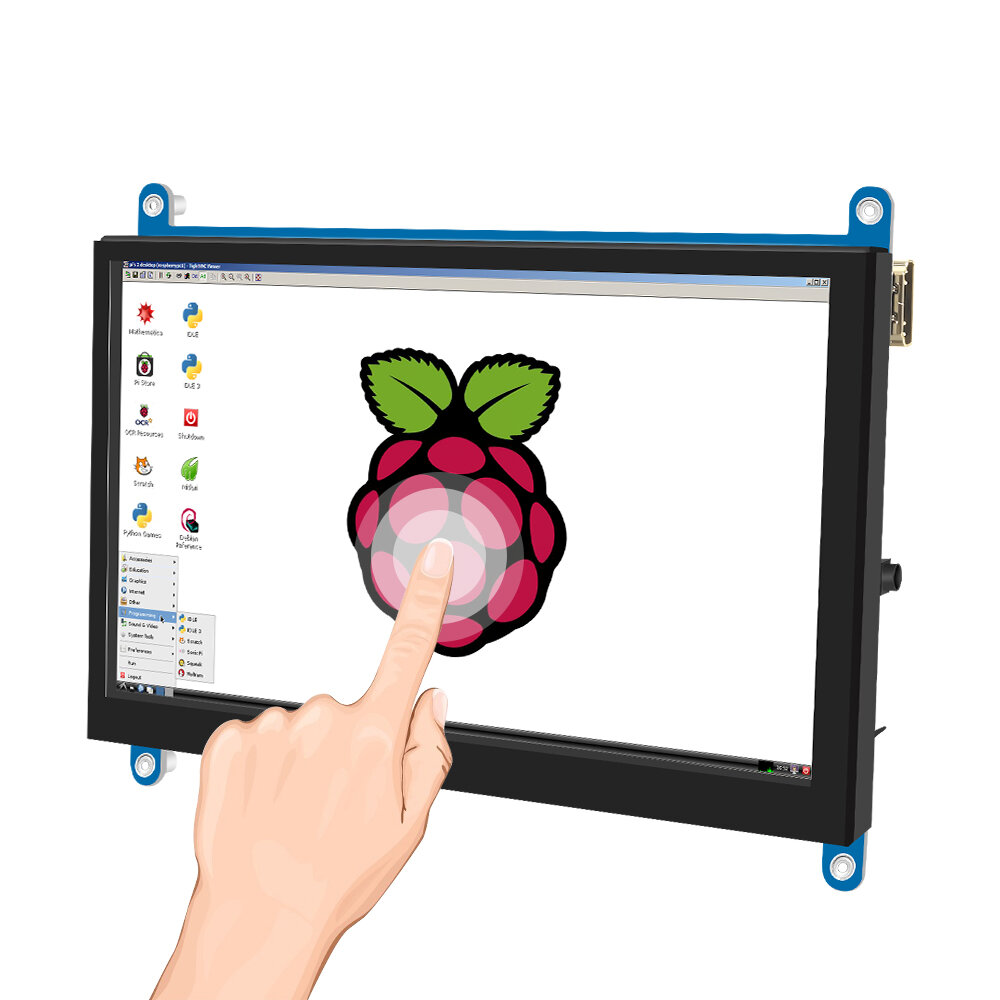
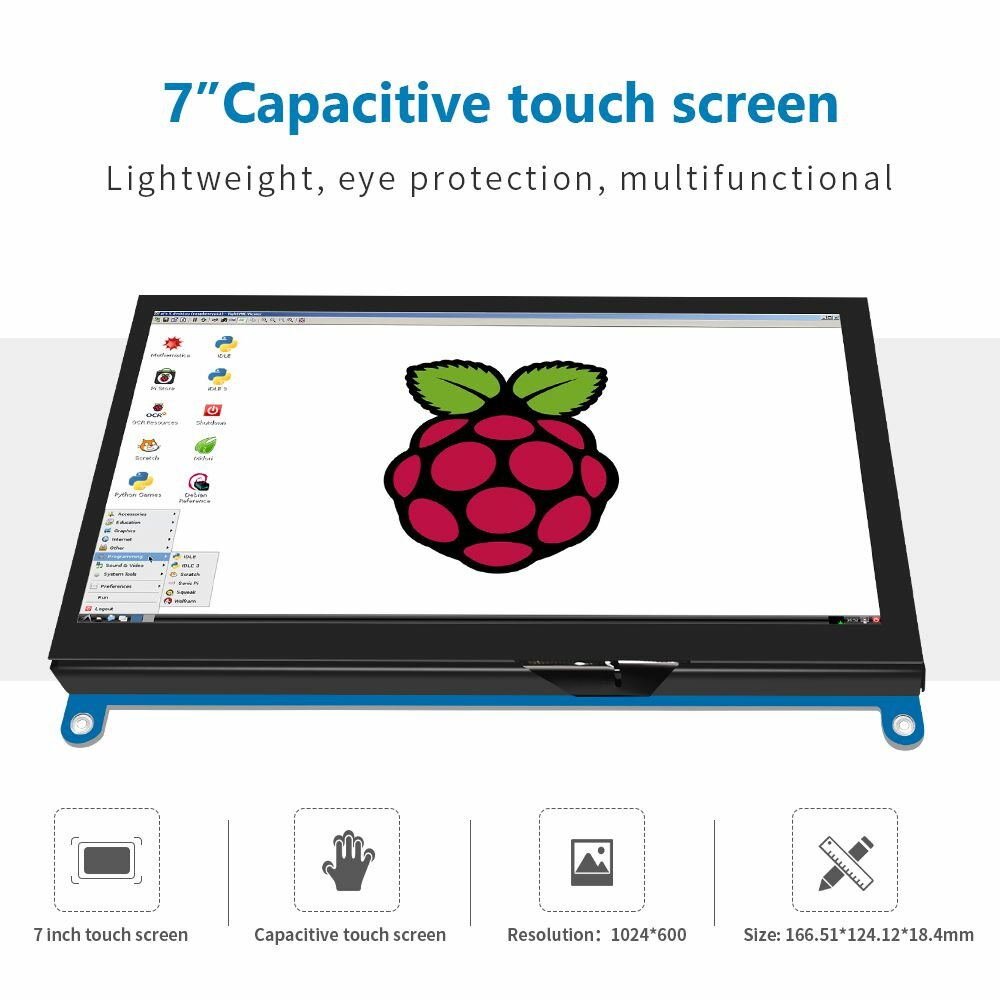
- 7inch standard display, 1024 x 600 Hardware resolution, Up to 1920x1080 Software configuration resolution.
- Capacitive touch screen, maximum support 5 point touch.
- Support backlight control alone, the backlight can be turned off to save power.
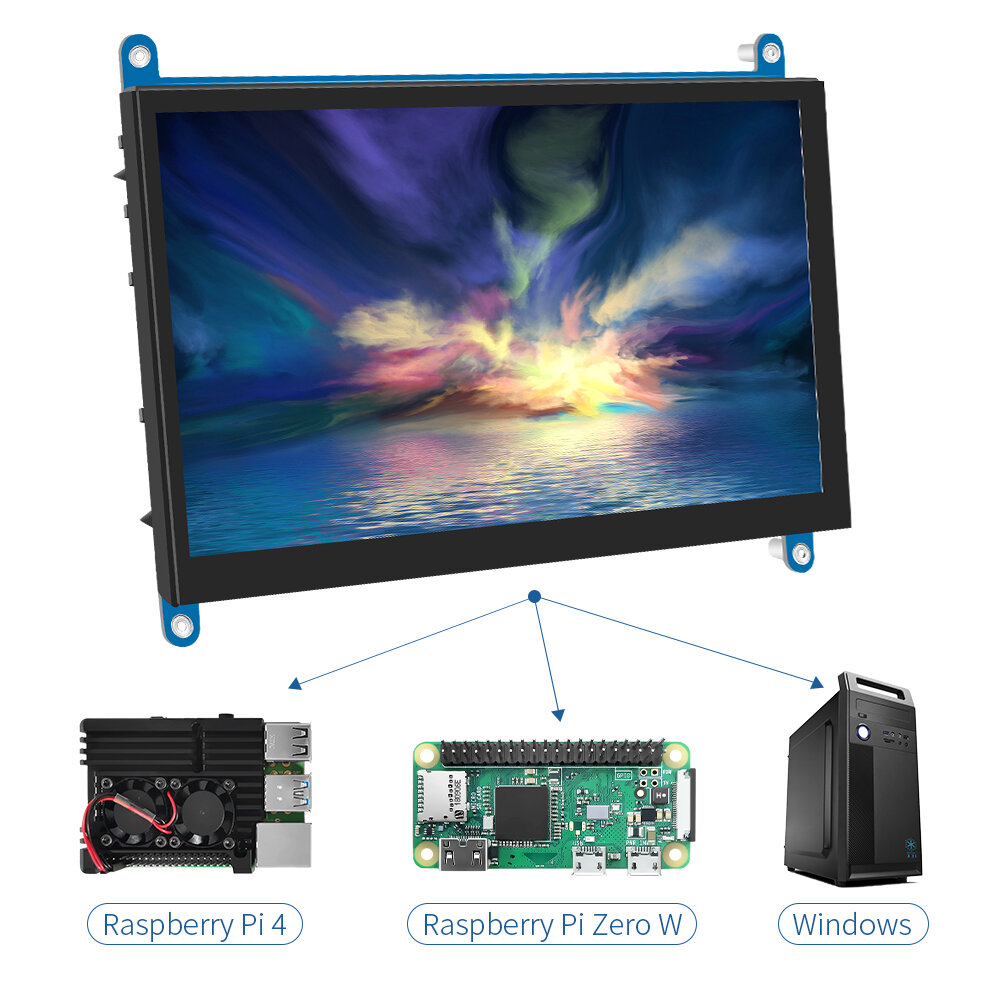
- Support Raspberry Pi, BB Black, Banana Pi and other mainstream mini PC.
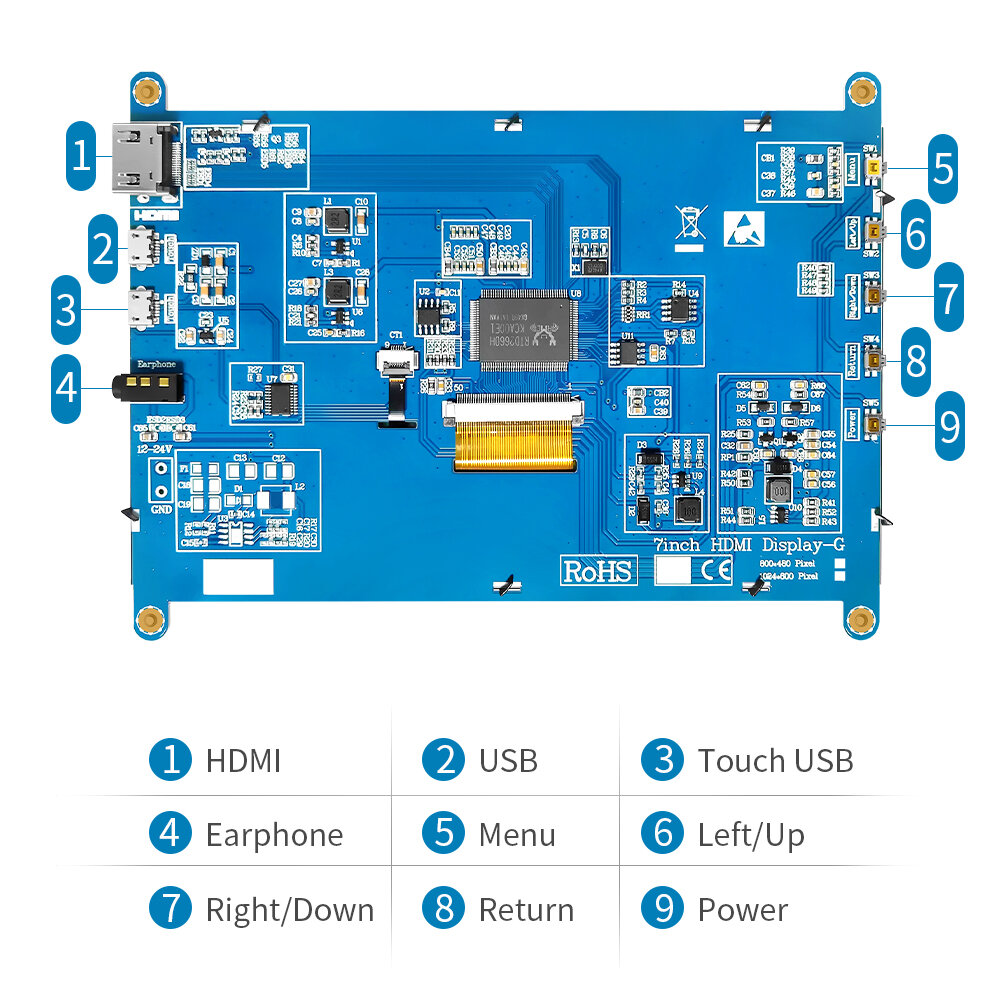
- Can be used as general-purpose-use HDMI monitor, for example: connect with a computer HDMI as the sub-display .
- Used as a raspberry pi display that supports Raspbian, Ubuntu, Kali-Linux, K0di, win10 IOT, single-touch, free drive.
- Work as a PC monitor, support win7, win8, win10 system 5 point touch (xP an1d older version system: single-point touch),
- Free drive.
Specification:
Size: 7.0 (inch)
Resolution: 1024 x 600 (dots)
Touch: five-point capacitive touch
Dimensions: 166.5*124.12 (mm)
Weight: 380 (g)
How to use with Raspbian/Ubuntu Mate/Win10 IoT Core System
Step 1, Install Raspbian official image
Download the latest image from the official download.
Install the system according to the official tutorial steps.
Step 2, modify the u201cconfig.txtinchs
After the programming of Step1 is completed, open the config.txt file of TF card root directory and
add the following code at the end of the file, save and eject Micro SD Card safely:max_usb_current=1
hdmi_force_hotplug=1
config_hdmi_boost=7
hdmi_group=2
hdmi_mode=87
hdmi_drive=1
display_rotate=0
hdmi_cvt 1024 600 60 6 0 0 0
Step 3, Drive the 7inch HDMI JRP7007 with the Raspberry Pi
Insert the TF Card to Raspberry Pi, connect the Raspberry Pi and LCD by HDMI cable;
connect USB cable to one of the four USB ports of Raspberry Pi,and connect the other end of the USB cable to the USB port of the LCD;
then supply power to Raspberry Pi; after that if the display and touch both are OK,it means drive successfully (please use the full 2A for power supply).
How to use as PC monitor:
Connect the computer HDMI output signal to the LCD HDMI interface by using the HDMI cable
Connect the LCD"s USB Touch interface (Either of the two MicroUSB) to the USB port of the device
If there are several monitors, please unplug other monitor connectors first, and use LCD as the only monitor for testing.
About TN and IPS:
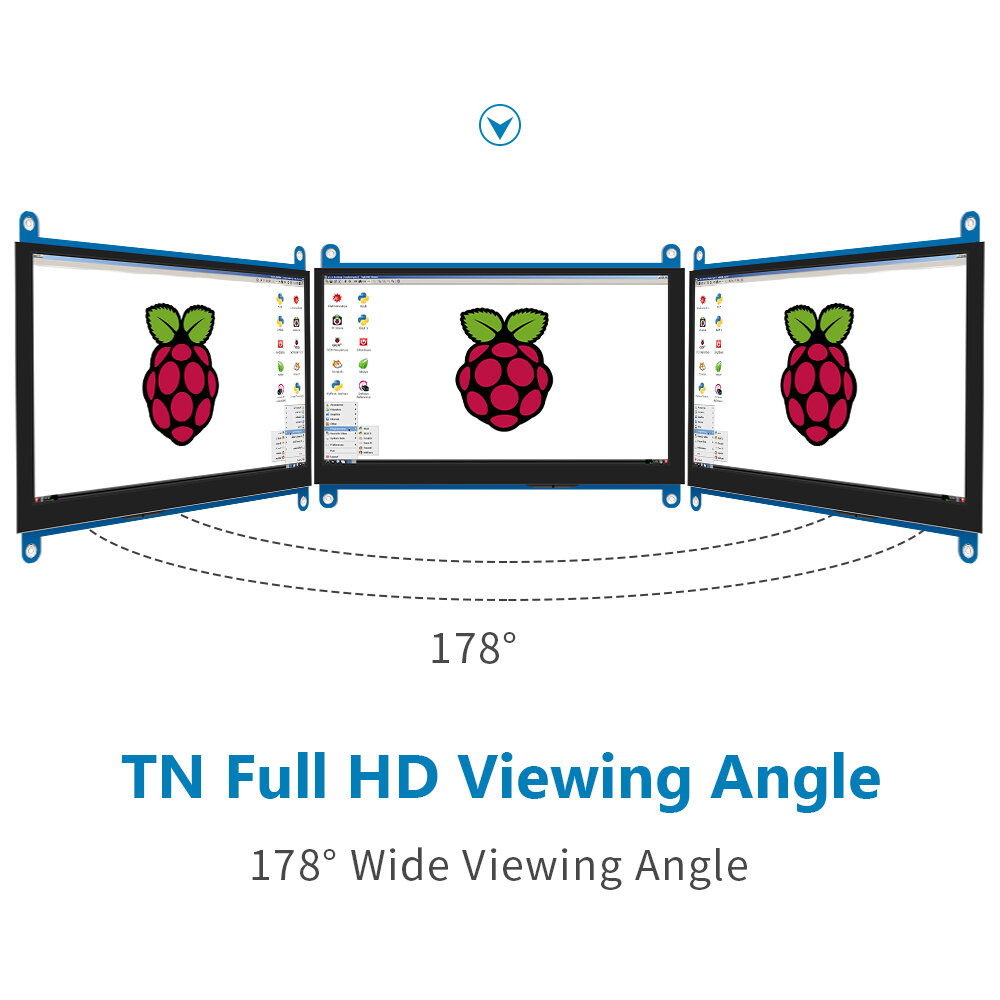
TN, or twisted nematic, was the first LCD technology on the market. TN panels consist of liquid crystals sandwiched between two polarizing filters. When an electric current is applied, the crystals twist and allow light to pass through. TN panels are by fa1r the cheapest, but they"re also a bit out of date and not as common.
IPS, which stands for in-plane-switching, uses a different crystal orientation compared to VA and TN. While TN and VA twist the crystals, IPS crystals are parallel with the glass substrate, and they rotate within the plane of the substrate to let light through, similar to the shutter on a camera. IPS panels are by fa1r the most common on today"s monitors.
Excellent display to use as a second monitor or to connect to your Raspberry. I have made a review video if you like to watch it here: https://youtu.be/2hNNHYYObvc




 Roymall C.o.


 Onyinye efu
 Amụma mbupu
 Amụma nlọghachi





 Coupon Code
 Direct purchase from the factory
 Electronic Components & Supplies
 Module Board
 Display Screen