A ga-anabata ihe nlọghachi n'ime ụbọchị 40 mgbe ọ bụ ụbọchị nnata ngwaahịa. Enweghị ike ịlaghachi ma ọ bụ gbanwee ihe ndị ahaziri iche. A na-agbanwe naanị ihe ndị ejiri kaadị e-onyinye zụta; anaghị etinye ego.
Onyinye efu
Nabata na Roymall, websaịtị ọkachamara gị maka ịzụrụ onyinye ụlọ ahịa dị elu. Anyị ji nkwado gị kpọrọ ihe ma na-eji obi ekele gị maka ime ka ihe ịzụrụ gị nwee obi ụtọ. Mgbe ị na-azụ ihe anyị, ọ bụghị naanị na ị ga-enweta ngwaahịa dị elu nke na-eme ka ndụ gị dị mma, kamakwa ị ga-enweta onyinye efu pụrụ iche na iwu ọ bụla ị nyere. Ị dị njikere inyocha nchịkọta anyị wee chọta onyinye gị kacha mma? Nyochaa nhọrọ anyị nke ihe ụlọ ahịa dị elu, tinye iwu gị, ma na-atụ anya obi ụtọ nke onyinye efu gị na-abịa n'akụkụ ihe ịzụrụ gị.
Amụma mbupu
Anyị ga-agba mbụ bufee ihe gị mgbe anyị nwetasịrị iwu gị ma hụ na ha ruru n'udo. A ga-enye nkọwa nnyefe na email nkwenye gị.N'ọtụtụ oge, a na-edozi iwu n'ime ụbọchị 2.N'ọnọdụ pụrụ iche, ọ ga-egbu oge dị ka ndị a: Mgbe ị tinyere iwu na Satọde, Sọnde ma ọ bụ ezumike ọha, ọ ga-egbu oge maka ụbọchị 2..Ọ na-adịkarị mkpa ụbọchị ọrụ 5-7 (Mọnde ruo Fraịde) na-enweghị mmetụta site na igbu oge ụgbọ elu ma ọ bụ ihe gburugburu ebe obibi ndị ọzọ..Ebe ọ bụ na ọrụ mbupu anyị bụ n'ụwa niile, oge nnyefe ga-adabere na ọnọdụ gị, yabụ ọ nwere ike ịchọ oge ụfọdụ ma bụrụ na ị nọ na mpaghara ma ọ bụ mba ndị dịpụrụ adịpụ, jiri nwayọọ chere.
1. Amụma nlọghachi & mgbanwe
Anyị na-anabata naanị ihe ndị a zụrụ na roymall.com. Ọ bụrụ na ị zụrụ n'aka ndị nkesa anyị ma ọ bụ ndị na-ere ahịa ndị ọzọ, ị gaghị enwe ike ịlaghachi ha n'akụkụ anyị.A naghị anabata ihe ire ere ikpeazụ ma ọ bụ onyinye efu maka nlọghachi.Iji ruo eru maka nlọghachi, ihe gị ga-abụrịrị na ejibeghị ya ma nọrọ n'otu ọnọdụ ahụ ị nwetara ya. Ọ ga-abụkwa na nkwakọ ngwaahịa mbụ.Mgbe anyị nwetasịrị ntuziaka nlọghachi, biko chịkọta ihe gị laghachiri ma dobe ngwugwu gị n'ụlọ ọrụ nzipu ozi mpaghara ma ọ bụ onye ozi ọzọ. Anyị ga-edozi ihe gị laghachiri ma ọ bụ gbanwee n'ime ụbọchị ọrụ 3-5 mgbe anyị nwetasịrị ya. A ga-edozi nkwụghachi ego ma kwụọ ya na ụzọ ịkwụ ụgwọ mbụ gị na-akpaghị aka.Enweghị ike ịnabata nlọghachi ma ọ bụ mgbanwe ma ọ bụrụ na emepụtara ngwaahịa ahụ, gụnyere nha omenala, agba omenala, ma ọ bụ mbipụta omenala.Chọrọ enyemaka ọzọ, biko kpọtụrụ anyị. service@roymall.com ma ọ bụ Whatsapp: +447549870296
2.Amụma nkwụghachi ego
Ị ga-enweta nkwụghachi ego zuru ezu ma ọ bụ kredit ụlọ ahịa 100% mgbe anyị nwetasịrị ngwugwu a laghachiri ma lelee ya. A ga-edozi nkwụghachi ego ma kwụọ ya na ụzọ ịkwụ ụgwọ mbụ gị na-akpaghị aka.Biko rịba ama na ụgwọ mbupu na ụgwọ ọ bụla ma ọ bụ ụgwọ anaghị akwụghachi. A naghị akwụghachi ụgwọ mbupu ndị ọzọ ozugbo ebugara ngwugwu ahụ. Ị na-ahụ maka ịkwụ ụgwọ ndị a na anyị enweghị ike ịhapụ ma ọ bụ kwụghachi ha, ọbụlagodi ma ọ bụrụ na eweghachiri iwu ahụ anyị.Ọ bụrụ na ị nwere nsogbu ọ bụla gbasara usoro nkwụghachi ego, biko kpọtụrụ anyị. service@roymall.com ma ọ bụ Whatsapp: +447549870296
Videos for similar product
Loading product videos...
❮
❯
Products related to this item
Loading related products...
❮
❯
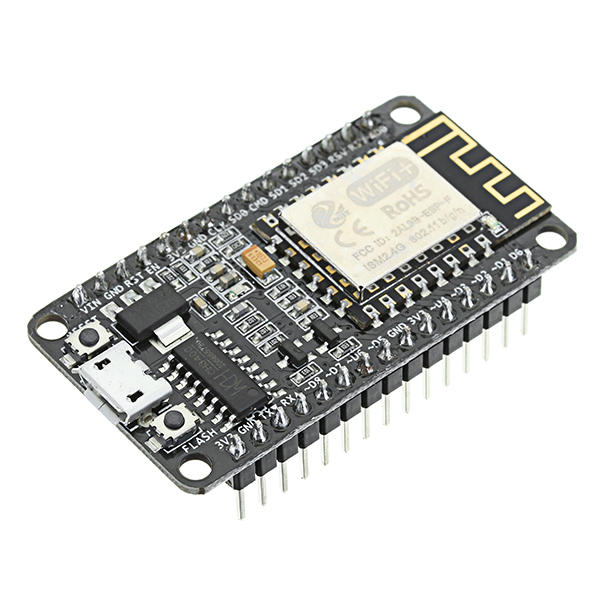
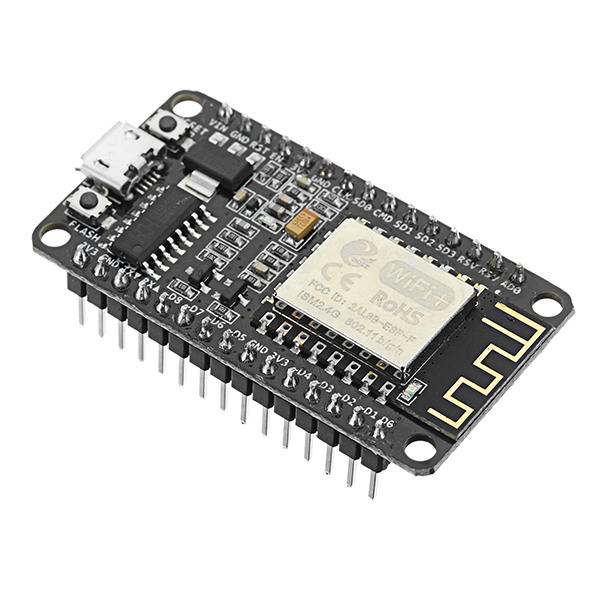
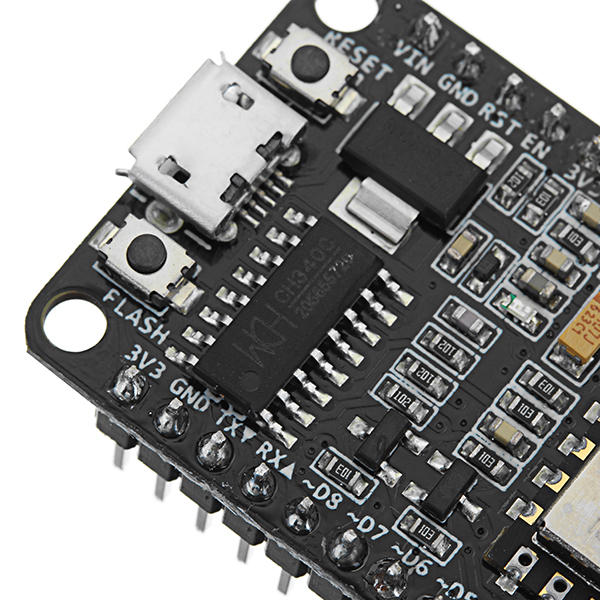
CH340 chip-driven official description:
WINDOWS driver USB to serial CH341 / CH340 installation package Support For WINDOWS 98 / ME / 2000 / XP / Server 2003 / VISTA / Server 2008 / Win7 / Win8 / Win8.1 32 Bit / 64 and for MAC Through Micro0soft"s digital signature authentication In the computer end of the USB device emulation as a standard serial devices Serial COM It contains the serial number and identification CH34X monitoring CH34X equipment swap library. Driver: http://en.doit.am/CH341SER.zip
Feature:
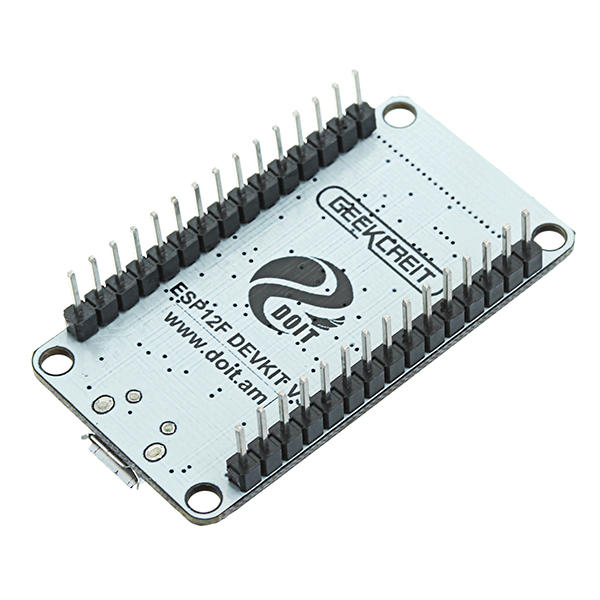
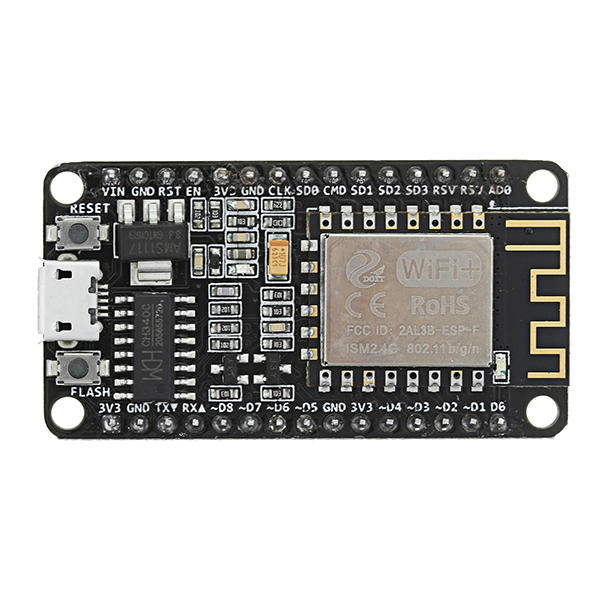
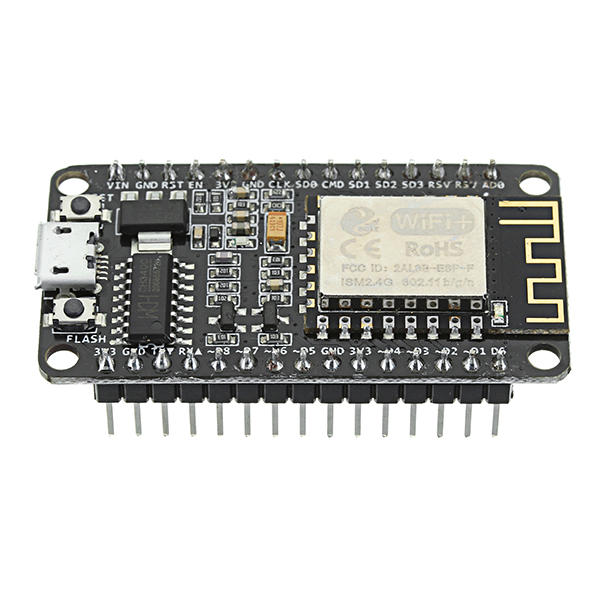
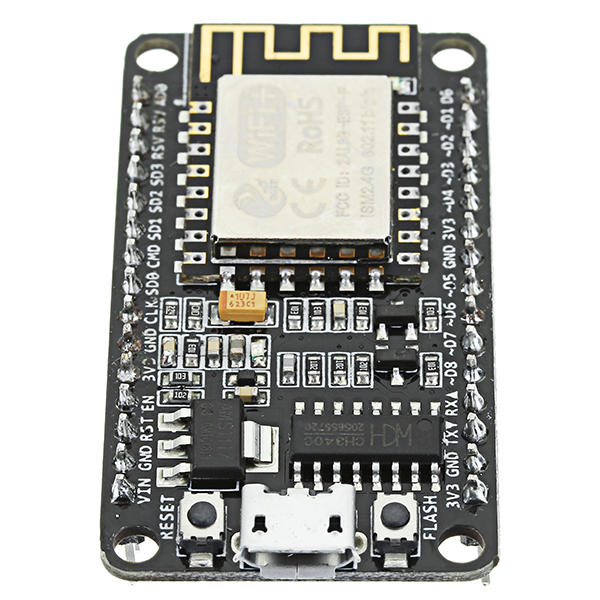
Wireless 802.11 b / g / n standard Support STA / AP / STA + AP three operating modes Built-in TCP / IP protocol stack to support multiple TCP Client connections (5 MAX) D0 ~ D8, SD1 ~ SD3: used as GPIO, PWM, IIC, etc., port driver capability 15mA AD0: 1 channel ADC Power input: 4.5V ~ 9V (10VMAX), USB-powered Current: continuous transmission: u224870mA (200mA MAX), Standby: <200uA Transfer rate: 110-460800bps Support UART / GPIO data communication interface Remote firmware upgrade (OTA) Support Smart Link Smart Networking Working temperature: -40 ℃ ~ + 125 ℃ Drive Type: Dual high-power H-bridge driver
Note:
We don"t offer any supports ,sorry for the inconvenience.
Although these modules are shipped with the NodeMcu firmware installed, it's very easy to load your own firmware using the Arduino IDE. There are loads of websites detailing installing the ESP8266 Boards Manager (Google) and, once installed, you write code in the normal Arduino IDE and upload it directly into the ESP8266 module without using the Arduino (Uno, mega, whatever) at all. The ESP8266 *replaces* the Arduino hardware.
Sketches are written exactly as for the Arduino, the only point to note is that, in common with most ESP8266 development boards, the pin numbers written on the silk screen are NOT the numbers to use in your sketches. You need to use the actual "GPIO" pin numbers of the ESP8266 chip itself - Google ESP82266-12E pinout.
The attached photo shows the ESP8266 module being put through its paces. Measuring temperature with a DS18b20, measuring pressure and temperature with a BMP180 module and lighting two LEDS.
At the same time, the ESP8266 module is connected by WiFi to my router and I'm able to display the sensor measurements and control the two LEDS via a simple webpage created by the onboard Arduino-style sketch.
In meiner kleinen Wetterstation habe ich einen ESP8266 verbaut. Das Arduino-kompatible Modul führt die Verbindung zu meinem WLAN durch. Bisher funktioniert das ausgezeichnet. Ich werde einie weiter Experiment mit diesem preiswerten Modul machen. Mein Video mit der Arbeitsweise der Wetterstation habe ich hier: https://youtu.be/DSEfxub_-f4
--------------------------------------------------------
In my small weather station I have an ESP8266 installed. The Arduino-compatible module connects to my WLAN. So far, this works very well. I'm going to make a next experiment with this cheap module. My video with the operation of the weather station I have here: https://youtu.be/DSEfxub_-f4