Besplatna standardna dostava za narudžbe iznad $9.9
Pravila povrata
Povrat robe bit će prihvaćen u roku od 40 dana od datuma primitka robe. Prilagođeni artikli ne mogu se vratiti ili zamijeniti. Artikli kupljeni s e-poklon karticom mogu se samo zamijeniti; povrat novca nije primjenjiv.
Besplatan dar
Dobrodošli u Roymall, vašu profesionalnu web stranicu za kupnju vrhunskih darova iz robnih kuća. Visoko cijenimo i cijenimo vašu podršku i želimo vam zahvaliti dodajući dodatnu dozu uzbuđenja vašim kupnjama. Kada kupujete kod nas, ne samo da ćete uživati u visokokvalitetnim proizvodima koji poboljšavaju vaš životni stil, već ćete također dobiti ekskluzivni besplatni dar uz svaku narudžbu koju izvršite. Spremni istražiti našu kolekciju i pronaći savršene darove? Pregledajte naš izbor vrhunskih artikala iz robnih kuća, izvršite narudžbu i radujte se uzbuđenju kada vaš besplatni dar stigne zajedno s vašom kupnjom.
Pravila dostave
Trudit ćemo se dostaviti artikle nakon što primimo vaše narudžbe i osigurati da stignu sigurno. Detalji o dostavi bit će navedeni u vašoj potvrdnoj e-pošti.U većini slučajeva narudžbe se obrađuju u roku od 2 dana.U posebnim okolnostima, bit će odgođeno kako slijedi: Kada naručite subotom, nedjeljom ili praznicima, bit će odgođeno za 2 dana..Obično je potrebno 5-7 radnih dana (od ponedjeljka do petka) bez utjecaja kašnjenja leta ili drugih okolišnih čimbenika..Budući da je naša usluga dostave širom svijeta, vrijeme dostave ovisit će o vašoj lokaciji, pa možda trebate malo pričekati ako se nalazite u udaljenim područjima ili zemljama.
1. Pravila povrata i zamjene
Prihvaćamo samo artikle kupljene s roymall.com. Ako kupujete od naših lokalnih distributera ili drugih trgovaca, ne možete ih vratiti na našoj strani.Artikli na kraju prodaje ili besplatni darovi nisu prihvatljivi za povrat.Da biste ispunili uvjete za povrat, vaš artikl mora biti neiskorišten i u istom stanju u kojem ste ga primili. Također mora biti u originalnom pakiranju.Nakon što od nas primite upute za povrat, pakirajte svoje vraćene artikle i ostavite paket u lokalnoj pošti ili drugom kuriru. Obradit ćemo vaš povrat ili zamjenu artikla unutar 3-5 radnih dana nakon što ga primimo. Povrat novca bit će obrađen i automatski vraćen na vaš izvorni način plaćanja.Ne mogu se prihvatiti povrati ili zamjene ako je proizvod prilagođen, uključujući prilagođenu veličinu, boju ili ispis.Treba li vam dodatna pomoć, kontaktirajte nas. service@roymall.com ili Whatsapp: +447549870296
2.Pravila povrata novca
Dobit ćete potpuni povrat novca ili 100% kredita u trgovini nakon što primimo vraćeni paket i provjerimo ga. Povrat novca bit će obrađen i automatski vraćen na vaš izvorni način plaćanja.Imajte na umu da troškovi dostave i bilo kakve carine ili naknade nisu povratni. Dodatni troškovi dostave ne podliježu povratu nakon što je paket poslan. Odgovorni ste za plaćanje tih naknada i ne možemo ih odbiti ili vratiti, čak i ako se narudžba vrati nama. Nakon što primimo i potvrdimo vaš vraćeni artikl, poslat ćemo vam e-poštu kako bismo vas obavijestili da smo primili vaš vraćeni artikl. Također ćemo vas obavijestiti o odobrenju ili odbijanju vašeg povrata novca.Ako imate bilo kakvih problema u vezi s procesom povrata novca, kontaktirajte nas. service@roymall.com ili Whatsapp: +447549870296
Videos for similar product
Loading product videos...
❮
❯
Products related to this item
Loading related products...
❮
❯
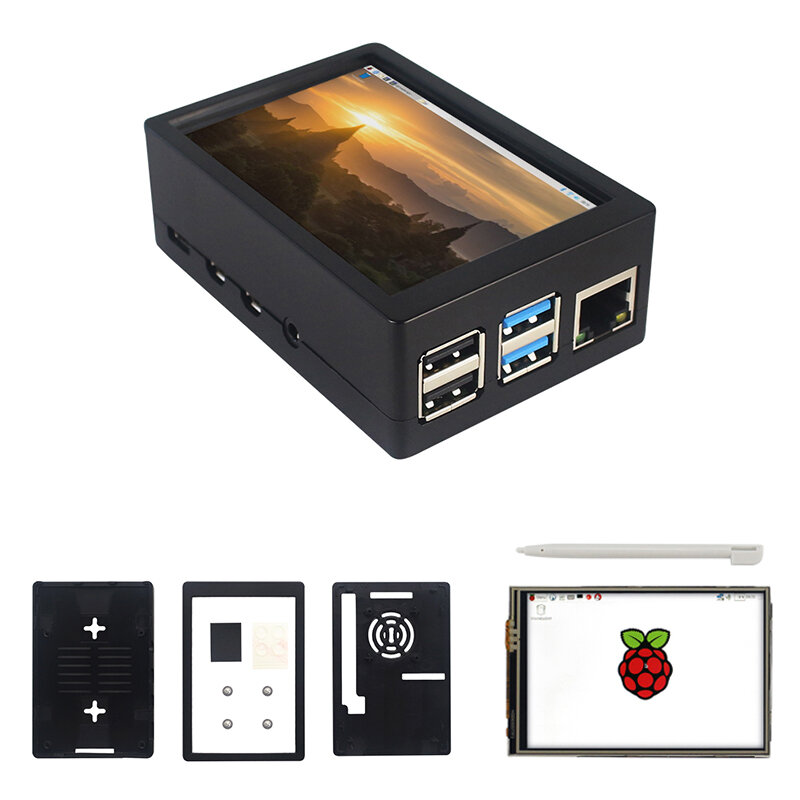
Note: Raspberrry Pi is not included. Introduction:
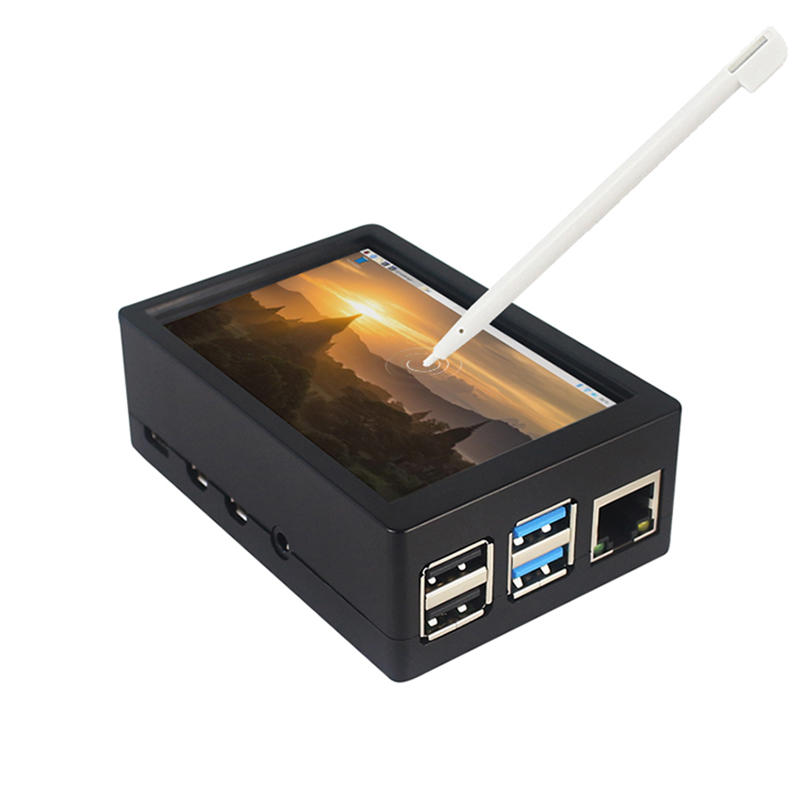
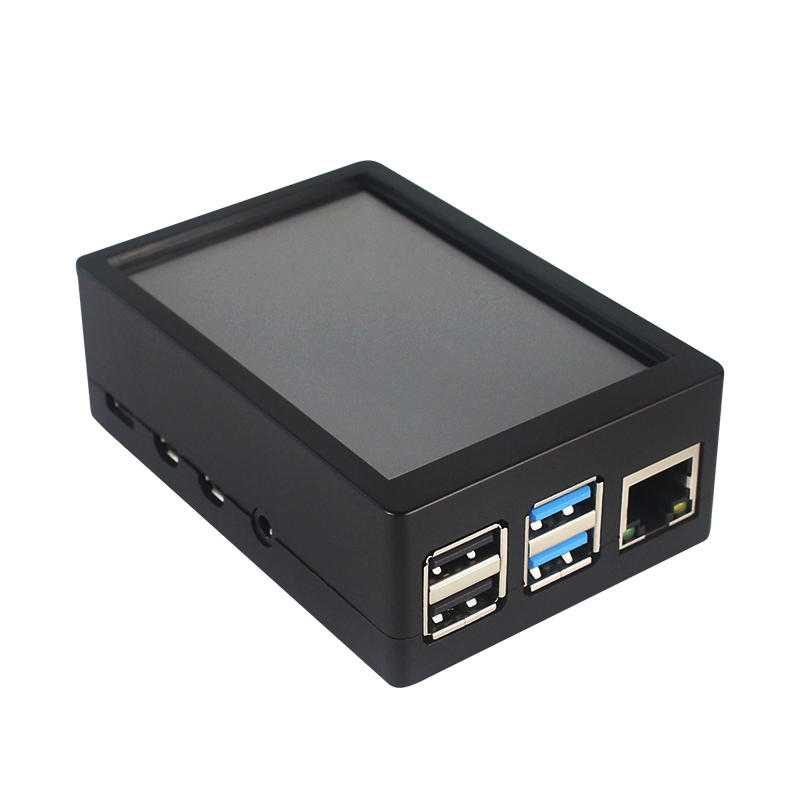
This is the dual use ABS case for 3.5 inch screen kit, suitable for Raspberry Pi 4 Model B.It is esay to install the case with screen and Raspberry Pi.When you use the Raspberry Pi with 3.5inch screen,please remove the cover of case;When you use Raspberry Pi with cooling fan,you needn"t remover the cover of case.
Note:The 3.5inch screen and cooling fan can"t be used at the same time. If Raspberry Pi is equipped with GPIO display drivers,the HDMI port will have no signal output
Specifications:
Colour: Black
Material: ABS plastic
Size: 90*61*35
Applicable to: Raspberry Pi 4B
3.5-inch touch screen or fan that can install Raspberry Pi
Knowing that: 3.5-inch display and fan cannot be installed at the same time due to the PIN pin
3.5inch Touch Screen Features:
1. Physical resolution 320 x 480, with resistive touch control
2. With the refresh rate of raspberry pi around 50Hz, play video to play the game without pressure.
3. With the refresh rate of raspberry pie around 50Hz, play video to play the game without pressure
4. Support FBCP software drive, support double screen display, can adjust the resolution of the software to zoom
5. Raspberry Pi ZeroW, A, A+, B, B+, 2B, 3B, 3B+ , 4B)
6. Support Raspbian/Ubuntu/Kali system, provide driver and image
7. WIKI for reference: raspberrypiwiki.com/index.php/3.5_inch_LCD_B
Note:
Please plug the screen on Raspberry Pi"s GPIO pins correctly( as the picture) , otherwise the touch function will be damaged.
If Raspberry Pi is equipped with GPIO display drivers such as MPI2411, MPI2418, MPI2801, MPI3201, MPI3501, etc., the HDMI port will have no signal output
If you need to switch back to the HDMI display mode, execute:
This LCD can be calibrated using a program called xinput_calibrator
Install it with the commands:
cd LCD-show/sudo dpkg -i -B xinput-calibrator_0.7.5-1_armhf.deb
Click the Men button on the task bar, choose Preference -> Calibrate Touchscreen.
Finish the touch calibration following the prompts. Maybe rebooting is required to make calibration active.
You can create a 99-calibration.conf file to save the touch parameters (not necessary if file exists).
/ect/X11/xorg.conf.d/99-calibration.conf
Save the touch parameters
About Dual Use ABS Case:
1. The Case made of ABS material,support to install 3.5 inch touch screen,and need to remove the cover of case. When you don"t use the 3.5 inch touchscreen , it is a general case with cooling fan.The 3.5inch screen and cooling fan can"t be used at the same time.
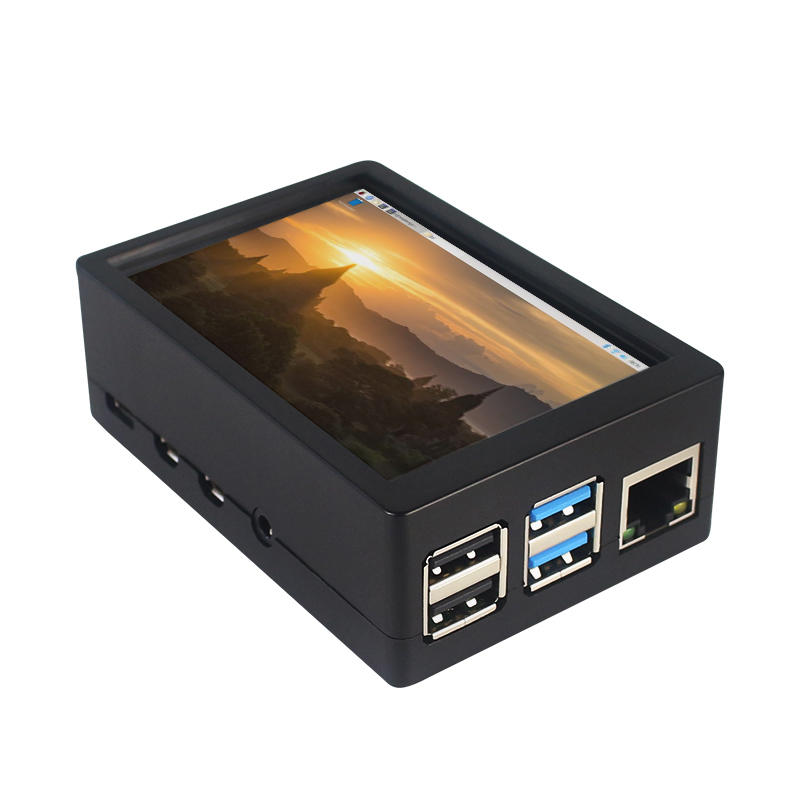
2. The case is design for Raspberry Pi 4 Model B , remain almost all interface such as USB , Ethernet , A/V , micro HDMI , SD card slot , display , camera( CSI). (Note: A1 case remain GPIO and POE hole , but A2 case does not remian)
3. Make 2 hole on the bottom so that you can hange the case on the wall or something else . This design is very convenient when using the 3.5 inch touchscreen.
Package Included: 1 x ABS box case 1 x touch screen 1 x touch screen pen



 Roymall C.o.


 Besplatan dar
 Pravila dostave
 Pravila povrata





 Coupon Code
 Direct purchase from the factory
 Electronic Components & Supplies
 Module Board
 Raspberry Pi & Orange Pi