החזרת פריטים תתקבל תוך 40 יום מיום קבלת המוצר. לא ניתן להחזיר או להחליף פריטים מותאמים אישית. פריטים שנרכשו עם כרטיס מתנה אלקטרוני ניתנים להחלפה בלבד; החזרים אינם ישימים.
מתנה חינם
ברוכים הבאים ל-Roymall, האתר המקצועי שלך לרכישת מתנות חנות כלבו פרמיה. אנו מעריכים מאוד את התמיכה שלך ורוצים להביע את תודתנו על ידי הוספת נגעת התרגשות נוספת לרכישות שלך. כאשר אתה קונה אצלנו, אתה לא רק נהנה ממוצרים באיכות גבוהה שמשפרים את אורח החיים שלך, אלא גם תקבל מתנה חינם בלעדית עם כל הזמנה. מוכן לחקור את האוסף שלנו ולמצוא את המתנות המושלמות עבורך? עיין במבחר הפריטים שלנו, שלח את ההזמנה שלך וצפה להתרגשות מהמתנה החינם שלך שמגיעה יחד עם הרכישה שלך.
מדיניות משלוחים
נעבוד קשה כדי לספק לך את הפריטים לאחר קבלת ההזמנה שלך ולוודא שהם מגיעים בבטחה. פרטי המשלוח יסופקו בדוא"ל האישור שלך.ברוב המקרים, ההזמנות מעובדות תוך יומיים. בנסיבות מיוחדות, יהיה עיכוב כדלקמן: כאשר אתה מזמין בשבת, ראשון או בחגים, ההזמנה תתעכב ביומיים.בדרך כלל, לוקח 5-7 ימי עבודה (יום שני עד שישי) ללא השפעה של עיכוב טיסה או גורמים סביבתיים אחרים.מכיוון ששירות המשלוחים שלנו הוא בינלאומי, זמני המשלוח תלויים במיקום שלך ולכן עשויים להימשך מספר ימים, ואם אתה נמצא באזורים מרוחקים או מדינות, אנא המתן בסבלנות.
1. מדיניות החזרה והחלפה
אנו מקבלים רק פריטים שנרכשו מ-roymall.com. אם רכשת מהסוחרים המקומיים שלנו או מקמעונאים אחרים, אינך יכול להחזיר אותם בצד שלנו.לא ניתן להחזיר פריטים במכירה סופית או מתנות חינם.כדי להיות זכאי להחזרה, הפריט שלך חייב להיות לא בשימוש ובאותו מצב שבו קיבלת אותו. הוא חייב להיות גם באריזה המקורית.לאחר קבלת הוראות החזרה מאיתנו, אנא ארוז את הפריטים המוחזרים והשאר את החבילה בדואר המקומי או אצל שליח אחר.נעבד את הפריט המוחזר או המוחלף שלך תוך 3-5 ימי עבודה לאחר שנקבל אותו. ההחזר יעובד ויועבר אוטומטית לשיטת התשלום המקורית שלך.לא ניתן לקבל החזרות או החלפות אם המוצר יוצר בהתאמה אישית, כולל גודל מותאם, צבע מותאם או הדפסה מותאמת.צריך עזרה נוספת? צור קשר. service@roymall.com או Whatsapp: +447549870296
2. מדיניות החזר כספים
תקבל החזר כספי מלא או 100% אשראי בחנות לאחר שנקבל את החבילה המוחזרת ונבדוק אותה. ההחזר יעובד ויועבר אוטומטית לשיטת התשלום המקורית שלך.שימו לב שעלויות המשלוח וכל מכס או אגרות אינם ניתנים להחזרה. עלויות המשלוח הנוספות אינן ניתנות להחזרה לאחר משלוח החבילה. אתה אחראי לתשלום אגרות אלה ואנחנו לא יכולים לוותר עליהן או להחזירן, גם אם ההזמנה מוחזרת אלינו.אם יש לך בעיות כלשהן עם תהליך ההחזר, צור קשר. service@roymall.com או Whatsapp: +447549870296
Videos for similar product
Loading product videos...
❮
❯
Products related to this item
Loading related products...
❮
❯
Note: Raspberrry Pi is not included. Introduction:
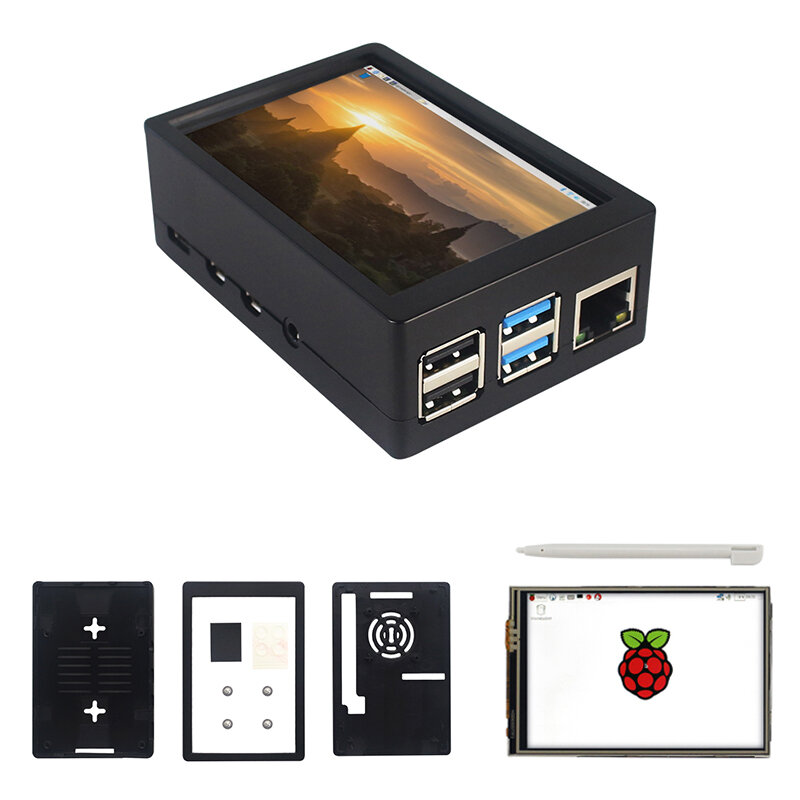
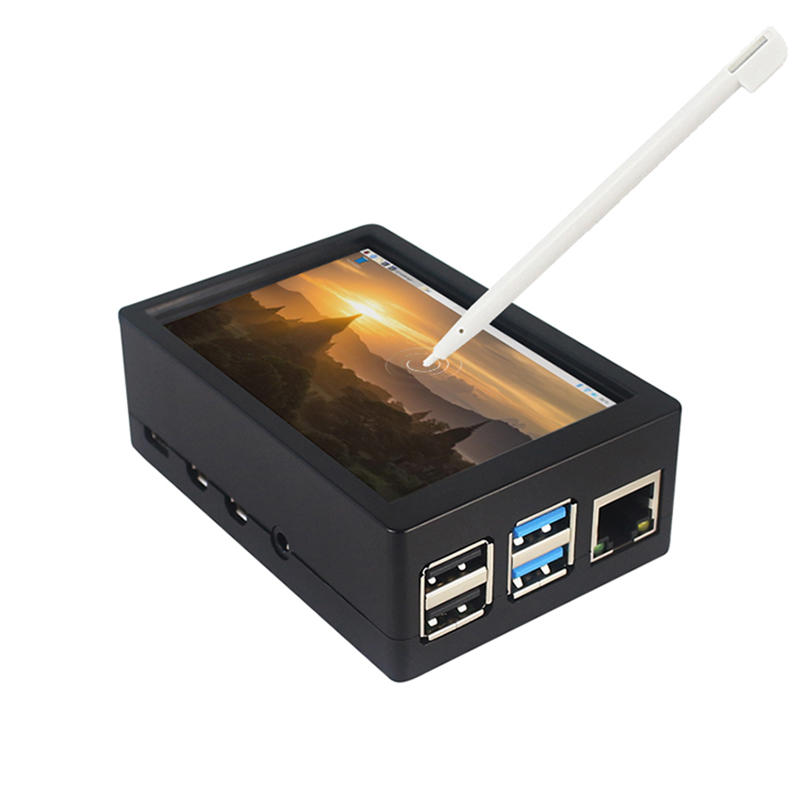
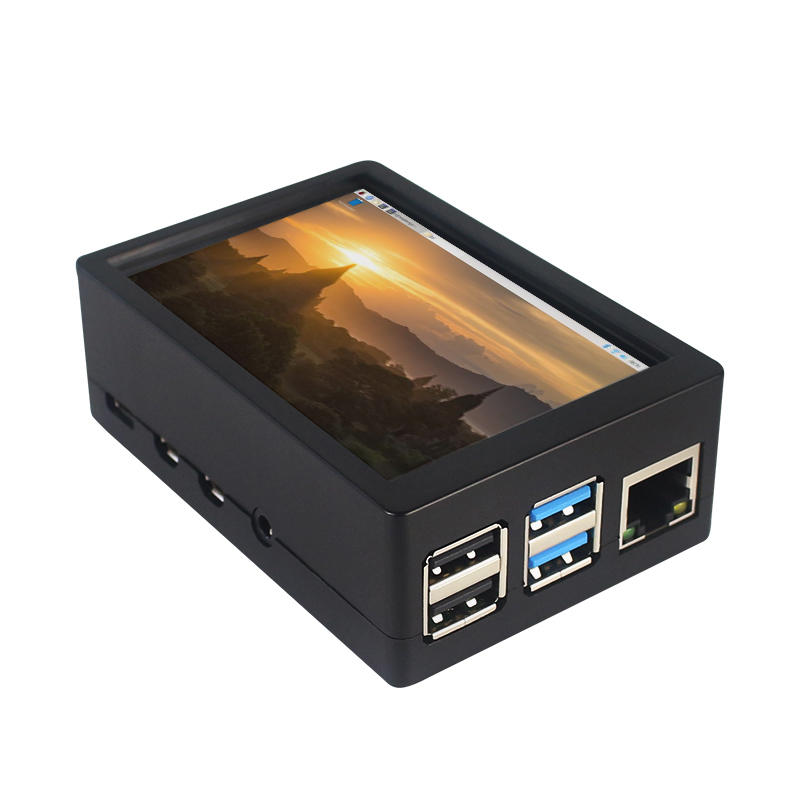
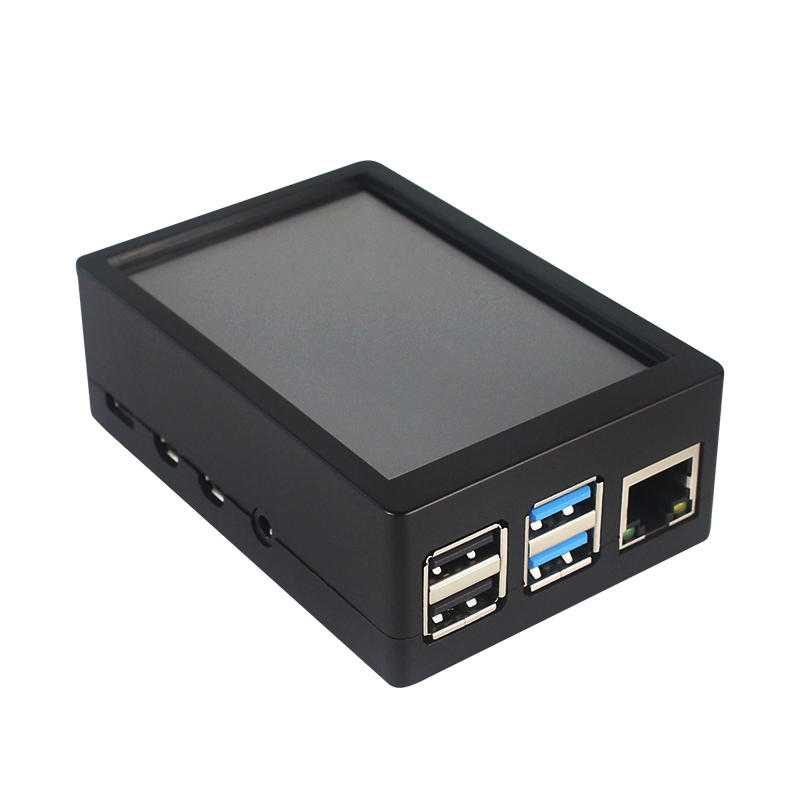
This is the dual use ABS case for 3.5 inch screen kit, suitable for Raspberry Pi 4 Model B.It is esay to install the case with screen and Raspberry Pi.When you use the Raspberry Pi with 3.5inch screen,please remove the cover of case;When you use Raspberry Pi with cooling fan,you needn"t remover the cover of case.
Note:The 3.5inch screen and cooling fan can"t be used at the same time. If Raspberry Pi is equipped with GPIO display drivers,the HDMI port will have no signal output
Specifications:
Colour: Black
Material: ABS plastic
Size: 90*61*35
Applicable to: Raspberry Pi 4B
3.5-inch touch screen or fan that can install Raspberry Pi
Knowing that: 3.5-inch display and fan cannot be installed at the same time due to the PIN pin
3.5inch Touch Screen Features:
1. Physical resolution 320 x 480, with resistive touch control
2. With the refresh rate of raspberry pi around 50Hz, play video to play the game without pressure.
3. With the refresh rate of raspberry pie around 50Hz, play video to play the game without pressure
4. Support FBCP software drive, support double screen display, can adjust the resolution of the software to zoom
5. Raspberry Pi ZeroW, A, A+, B, B+, 2B, 3B, 3B+ , 4B)
6. Support Raspbian/Ubuntu/Kali system, provide driver and image
7. WIKI for reference: raspberrypiwiki.com/index.php/3.5_inch_LCD_B
Note:
Please plug the screen on Raspberry Pi"s GPIO pins correctly( as the picture) , otherwise the touch function will be damaged.
If Raspberry Pi is equipped with GPIO display drivers such as MPI2411, MPI2418, MPI2801, MPI3201, MPI3501, etc., the HDMI port will have no signal output
If you need to switch back to the HDMI display mode, execute:
This LCD can be calibrated using a program called xinput_calibrator
Install it with the commands:
cd LCD-show/sudo dpkg -i -B xinput-calibrator_0.7.5-1_armhf.deb
Click the Men button on the task bar, choose Preference -> Calibrate Touchscreen.
Finish the touch calibration following the prompts. Maybe rebooting is required to make calibration active.
You can create a 99-calibration.conf file to save the touch parameters (not necessary if file exists).
/ect/X11/xorg.conf.d/99-calibration.conf
Save the touch parameters
About Dual Use ABS Case:
1. The Case made of ABS material,support to install 3.5 inch touch screen,and need to remove the cover of case. When you don"t use the 3.5 inch touchscreen , it is a general case with cooling fan.The 3.5inch screen and cooling fan can"t be used at the same time.
2. The case is design for Raspberry Pi 4 Model B , remain almost all interface such as USB , Ethernet , A/V , micro HDMI , SD card slot , display , camera( CSI). (Note: A1 case remain GPIO and POE hole , but A2 case does not remian)
3. Make 2 hole on the bottom so that you can hange the case on the wall or something else . This design is very convenient when using the 3.5 inch touchscreen.
Package Included: 1 x ABS box case 1 x touch screen 1 x touch screen pen



 Roymall C.o.


 מתנה חינם
 מדיניות משלוחים
 מדיניות החזרה





 Coupon Code
 Direct purchase from the factory
 Electronic Components & Supplies
 Module Board
 Raspberry Pi & Orange Pi