Livraison standard gratuite pour les commandes de plus de 9,9 $
Politique de retour
Les articles retournés seront acceptés dans les 40 jours suivant la réception des marchandises. Les articles personnalisés ne peuvent pas être retournés ou échangés. Les articles achetés avec une carte-cadeau électronique ne peuvent être échangés que; les remboursements ne sont pas applicables.
Cadeau gratuit
Bienvenue sur Roymall, votre site Web professionnel pour l'achat de cadeaux de grand magasin premium. Nous apprécions et valorisons grandement votre soutien, et nous voulons exprimer notre gratitude en ajoutant une touche supplémentaire d'excitation à vos achats. Lorsque vous magasinez avec nous, vous profitez non seulement de produits de haute qualité qui améliorent votre style de vie, mais vous recevrez également un cadeau gratuit exclusif avec chaque commande que vous passez. Prêt à explorer notre collection et à trouver vos cadeaux parfaits ? Parcourez notre sélection d'articles de grand magasin premium, passez votre commande et attendez avec impatience l'excitation de recevoir votre cadeau gratuit avec votre achat.
Politique d'expédition
Nous nous efforcerons de vous livrer les articles après réception de vos commandes et de nous assurer qu'ils arrivent en toute sécurité. Les détails de livraison seront fournis dans votre email de confirmation.Dans la plupart des cas, les commandes sont traitées dans les 2 jours. Dans des circonstances spéciales, cela peut être retardé comme suit : Lorsque vous passez une commande le samedi, le dimanche ou un jour férié, cela sera retardé de 2 jours.Normalement, il faut 5 à 7 jours ouvrables (du lundi au vendredi) sans être affecté par un retard de vol ou d'autres facteurs environnementaux.Parce que notre service d'expédition est mondial, les délais de livraison dépendront de votre emplacement, donc cela peut prendre quelques jours et veuillez patienter si vous êtes dans des districts ou des pays éloignés.
1. Politique de retour et d'échange
Nous n'acceptons que les articles achetés sur roymall.com. Si vous achetez auprès de nos distributeurs locaux ou d'autres détaillants, vous ne pouvez pas les retourner chez nous.Les articles en vente finale ou les cadeaux gratuits ne sont pas acceptés pour un retour.Pour être éligible à un retour, votre article doit être inutilisé et dans le même état que celui dans lequel vous l'avez reçu. Il doit également être dans son emballage d'origine.Après avoir reçu les instructions de retour de notre part, veuillez emballer vos articles retournés et déposer votre colis à la poste locale ou à un autre transporteur. Nous traiterons votre retour ou échange d'article dans les 3 à 5 jours ouvrables après réception. Le remboursement sera traité et crédité automatiquement sur votre méthode de paiement d'origine.Aucun retour ou échange ne peut être accepté si le produit a été produit sur mesure, y compris la taille personnalisée, la couleur personnalisée ou l'impression personnalisée.Besoin de plus d'aide, veuillez nous contacter. service@roymall.com ou Whatsapp: +447549870296
2.Politique de remboursement
Vous recevrez un remboursement intégral ou un crédit magasin de 100% après réception et vérification du colis retourné. Le remboursement sera traité et crédité automatiquement sur votre méthode de paiement d'origine.Veuillez noter que les frais d'expédition et tous les droits ou frais ne sont pas remboursables. Les frais d'expédition supplémentaires ne sont pas remboursables une fois le colis expédié. Vous êtes responsable du paiement de ces frais et nous ne pouvons pas les annuler ou les rembourser, même si la commande nous est retournée.Une fois que nous avons reçu et confirmé votre article retourné, nous vous enverrons un email pour vous informer que nous avons reçu votre article retourné. Nous vous informerons également de l'approbation ou du rejet de votre remboursement.Si vous avez des problèmes concernant le processus de remboursement, veuillez nous contacter. service@roymall.com ou Whatsapp: +447549870296
Videos for similar product
Loading product videos...
❮
❯
Products related to this item
Loading related products...
❮
❯
Features:
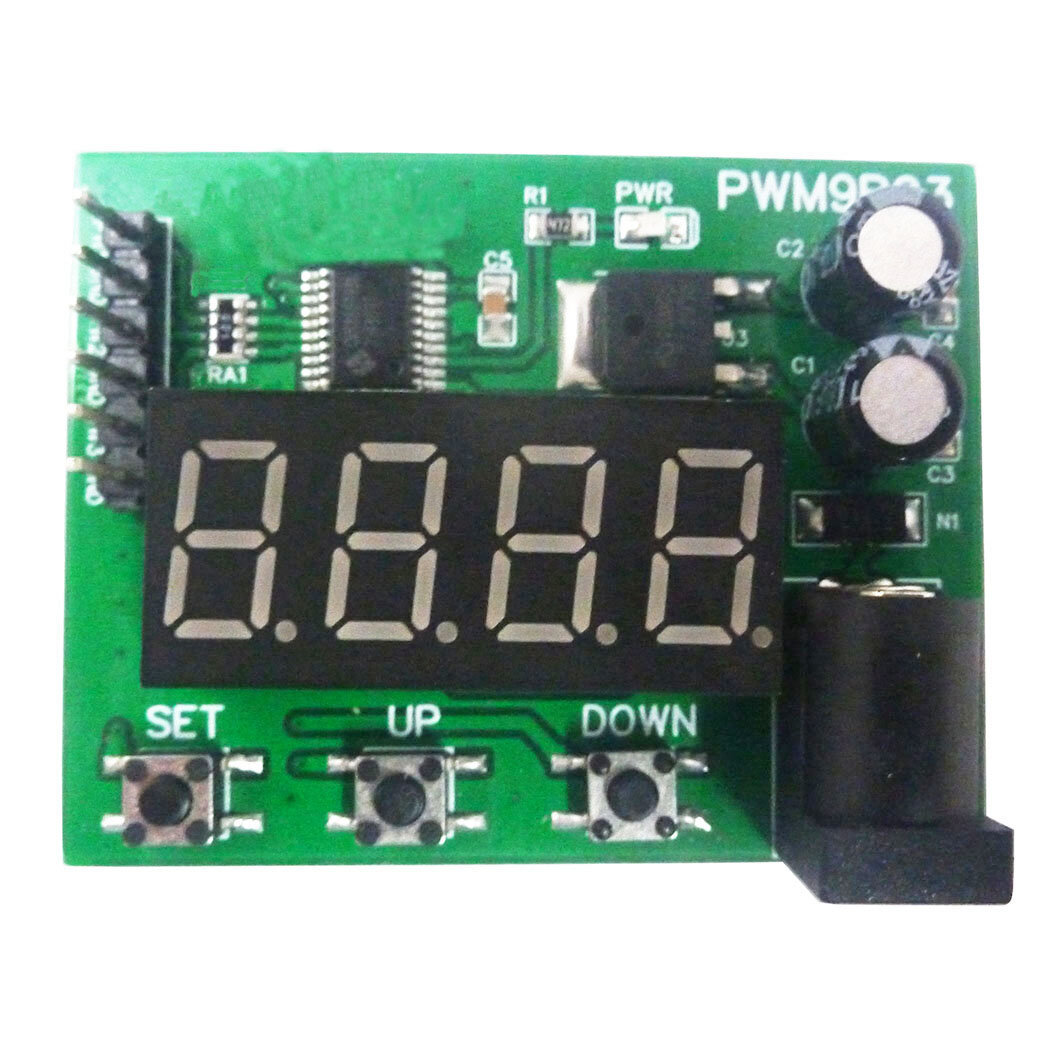
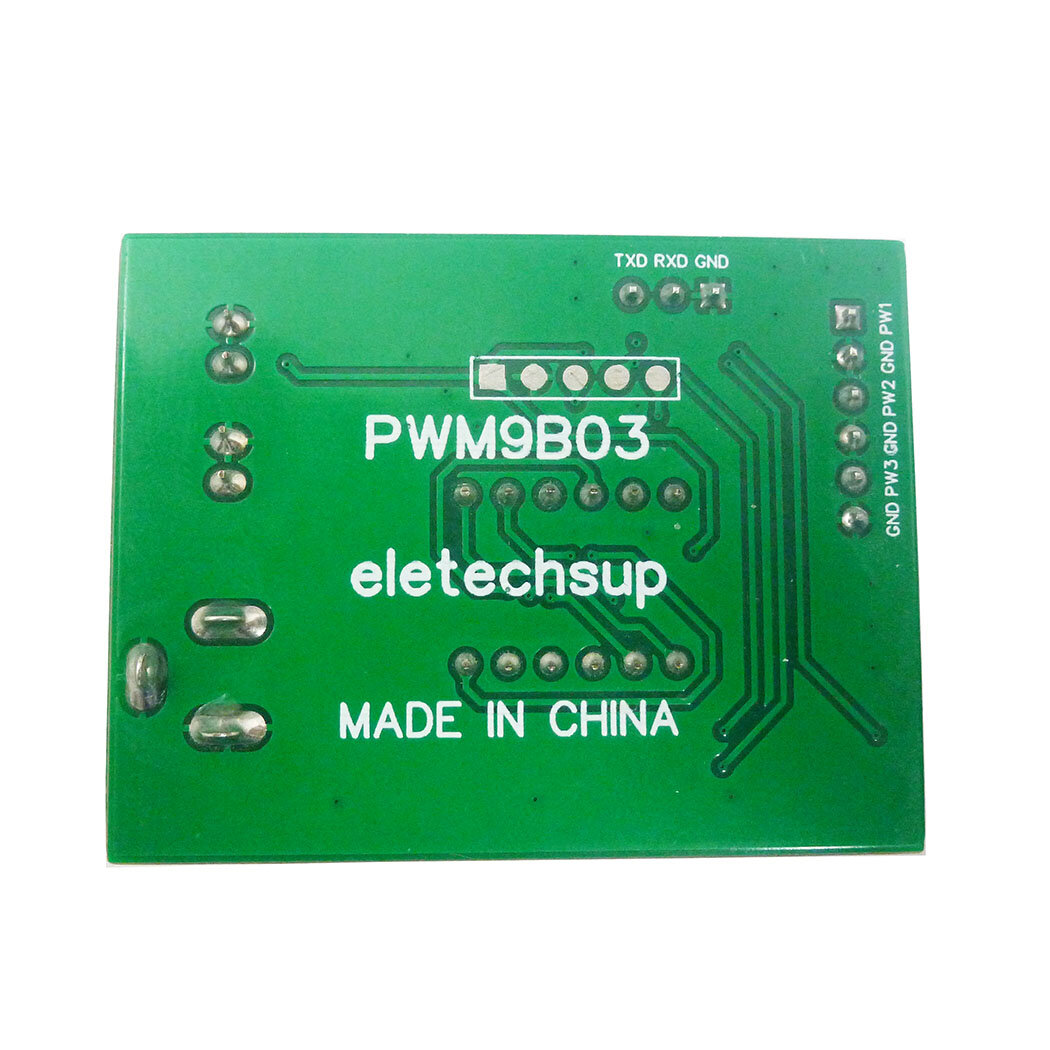
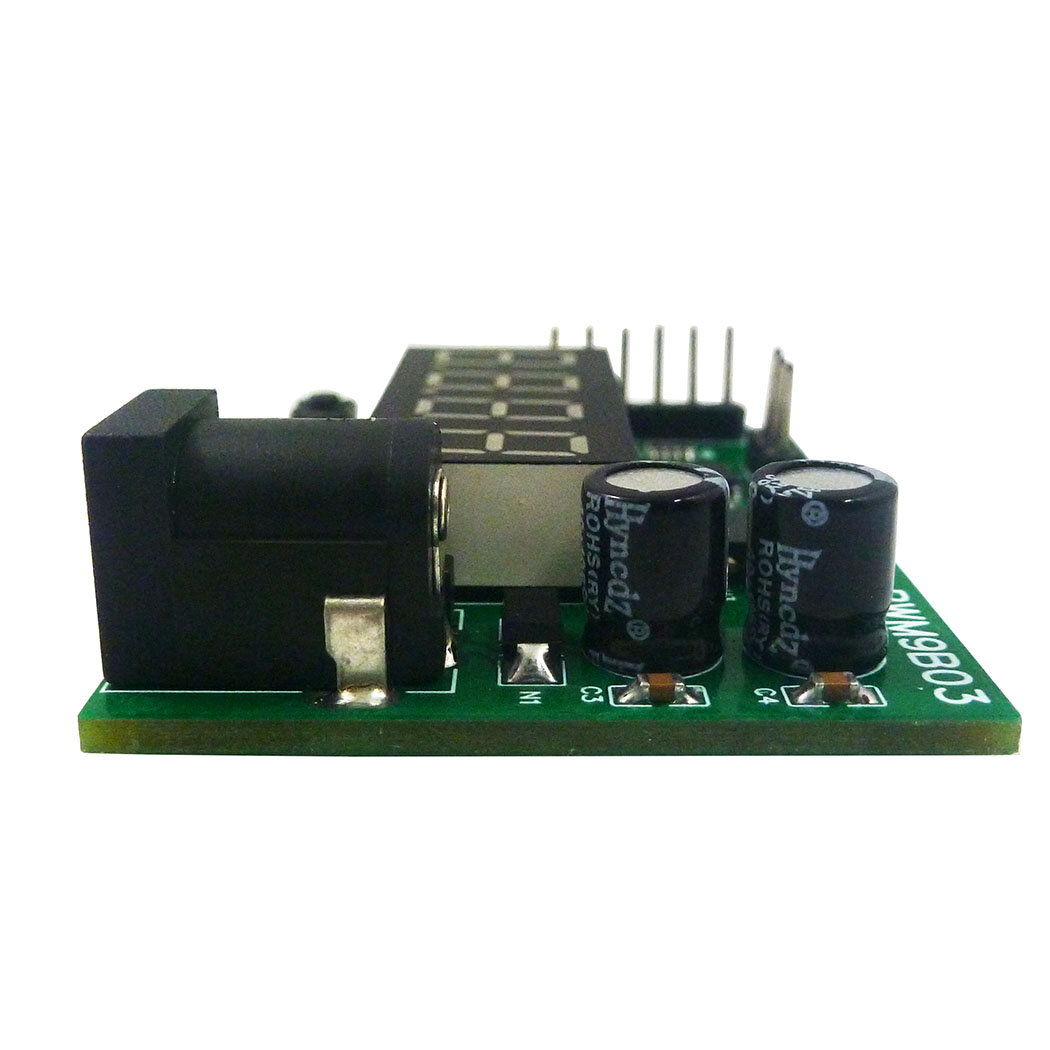
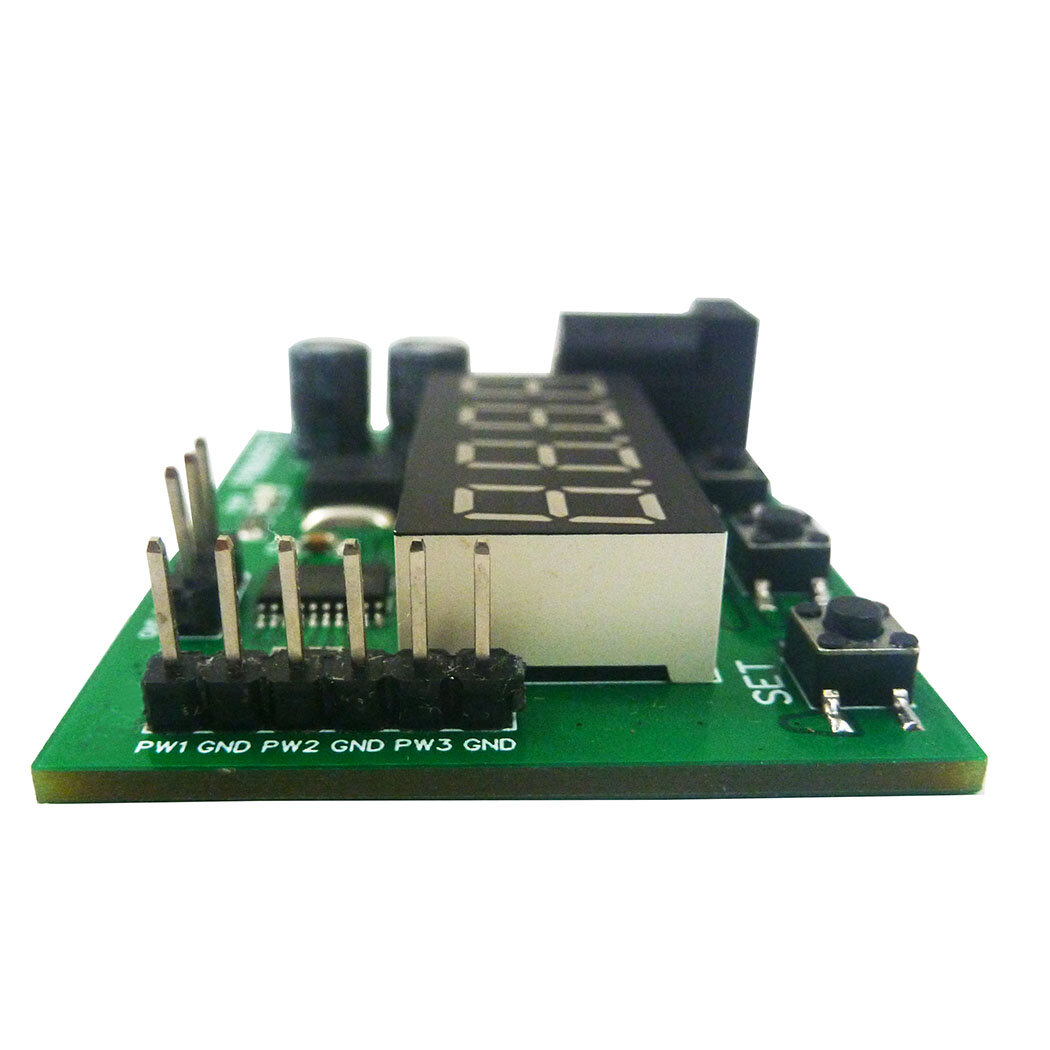
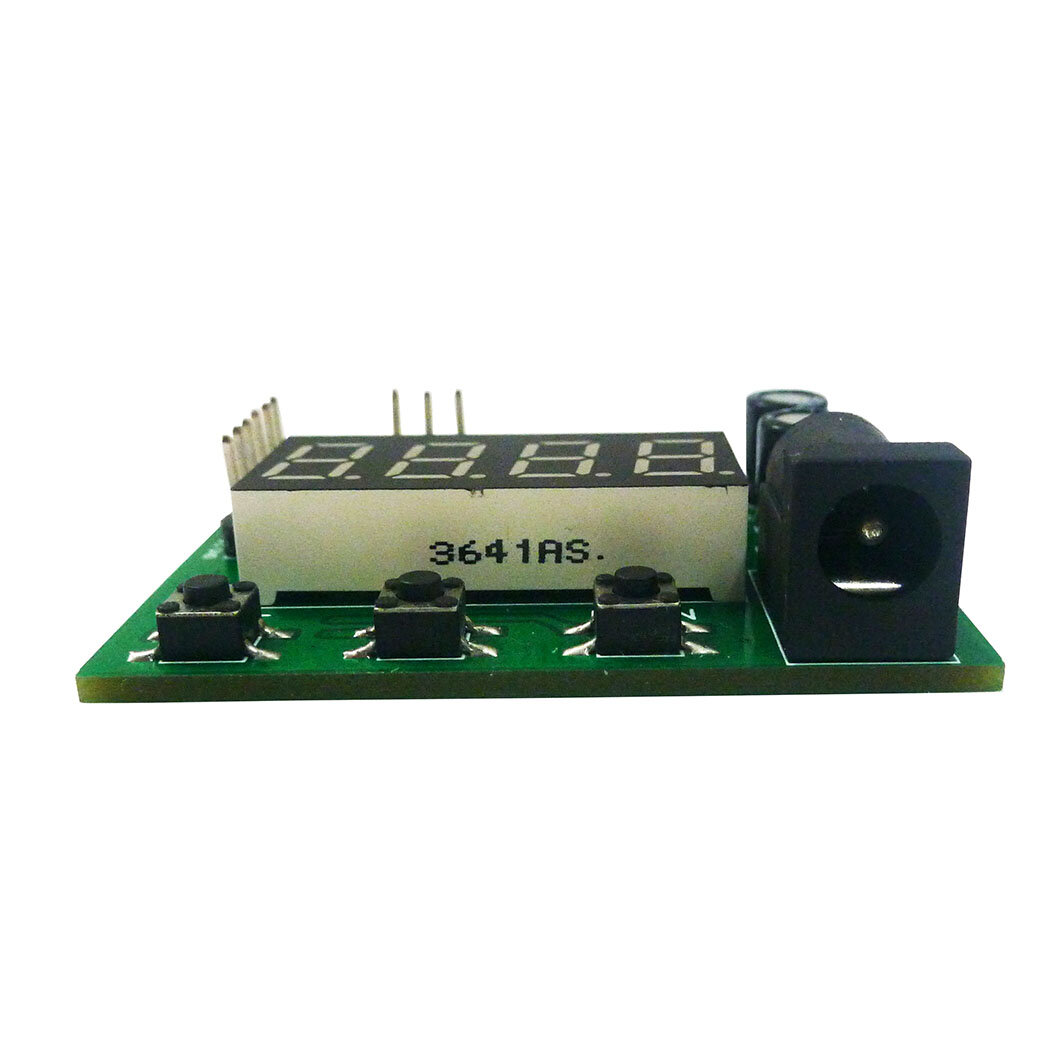
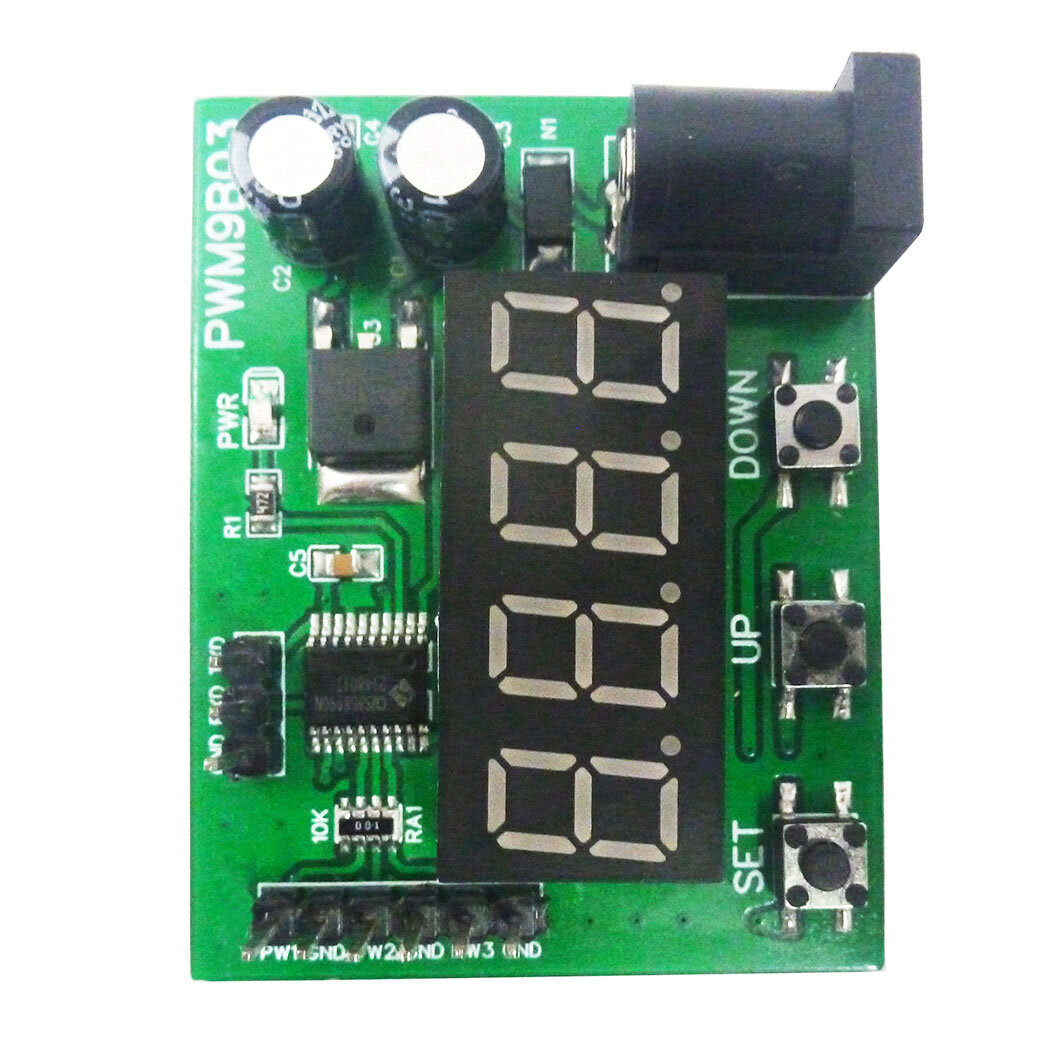
1 Working voltage: DC 6-24V 2 Working current: DC 12-30MA 3 3 independent buttons: used to set frequency, duty cycle, working status, etc.;Support long press, short press, simple operation and diverse functions. 4 3 Channels PWM output: PWM Signal can set frequency and duty cycle respectively. 5 PWM signal level: 5V TTL level 6 PWM signal load capacity: <20mA 7 Output frequency accuracy: 0.6% (10-30 Degrees Celsius) 8 Ultra-high frequency range: 20HZ ~ 1MHZ, duty cycle 0-100%. 9. Power-off memory function: power off at any time, the last set data will be recorded and saved when power off, and the data will be displayed when power is turned on again. 10 Automatic exit function: If there is no operation for 36 seconds, the last set data will be automatically recorded, and the dynamic setting state will be exited. 11. Real-time update function: Under the dynamic setting function, you can connect an oscilloscope to grasp the set frequency and duty cycle at any time, and output the precise frequency or duty cycle. 12. Restore production setting function: in dynamic setting mode, press and hold the UP and DOWN buttons at the same time to restore the production setting (after pressing, you need to power off and power on again, the data will be updated to the default data) 13 kinds of application scenarios: The module has a variety of control methods and working modes, and three output channels, which can meet the requirements of different environments. 14 Dimensions: 49 x 38 x 13mm 15 Weight: 14.5g
PWM signal parameter description:
1 PWM frequency: the setting range is 20HZ ~ 1MHZ. The default value is 100HZ. Four-digit digital tube, the decimal determines the unit of frequency. When there is a decimal point, the unit is KHZ, and when there is no decimal point, the unit is HZ. The relationship between the digital tube display number and the output frequency: 0034: Indicates that the frequency is 34HZ 0234: Indicates the frequency is 234HZ 1234: Indicates the frequency is 1234HZ 1.234 : indicates that the frequency is 1.234KHZ 12.34 : indicates that the frequency is 12.34KHZ 123.4: Indicates the frequency is 123.4KHZ 0.123: Indicates that the frequency is 0.123KHZ (that is, 123HZ)
2 PWM duty cycle: setting range 0 ~ 100 0: The corresponding PWM remains low 100: The corresponding PWM remains high 1 ~ 99: corresponding duty cycle 0.01 ~ 0.99 The relationship between the digital tube display number and the output duty cycle 0005: Indicates that the output duty cycle is 0.05/5% 0050: Indicates that the output duty cycle is 0.50/50% Note: 1. Other combinations are also possible, but whether the data can be more accurate is related to your test tool
Package include:
1 x Module Board
How to set PWM output parameters:
Example 1: For example, the parameters of the three channels are 100HZ/50%, 200HZ/60%, 300HZ/70% View the parameters of the three channels:
1 Powered on PWM9B03 module, the PWR indicator is on, and the digital tube is off 2 Click the SET button to display PF1 (for 1 second), and then normally display 0100 (channel 1 frequency 100HZ) 3 Click the SET button twice to display dU1 (for 1 second), and then normally display 0050 (channel 1 duty cycle 50%) 4 Click the SET button three times to display PF2 (for 1 second), and then normally display 0200 (channel 2 frequency 200HZ) 5 Click the SET button four times, display dU2 (for 1 second), and then normally display 0060 (channel 2 duty cycle 60%) 6 Click the SET button five times to display PF3 (for 1 second), and then normally display 0300 (channel 3 frequency 300HZ) 7 Click the SET button six times, display dU3 (for 1 second), and then normally display 0070 (channel 3 duty cycle 70%)
Example 2: Set channel 1 to: frequency 1000HZ, duty cycle 40% 1 Powered on PWM9B03 module , the PWR indicator is on, and the digital tube is off 2 Press and hold the SET button for 3-5 seconds, first display PF1 (for 1 second), and then flash the number 3 Click the UP/DOWN button to adjust the number to 1000 (frequency 1000HZ) 4 Press and hold the SET button for 3-5 seconds for the second time, first display dU1 (for 1 second), and then flash the number 5 Click the UP/DOWN button to adjust the number to 0040 (40% duty cycle) 6 Re-power
Example 3: Set channel 3 to: frequency 10.12KHZ, duty cycle 60% 1 Powered on PWM9B03 module, the PWR indicator is on, and the digital tube is off 2 Press and hold the SET button for 3-5 seconds, first display PF1 (for 1 second), and then flash the number 3 Press and hold the SET button twice for 3-5 seconds, first display dU1 (for 1 second), and then flash the number 4 Press and hold the SET button three times for 3-5 seconds, PF2 will be displayed first (for 1 second), and then the number will flash. 5 Press and hold the SET button four times for 3-5 seconds, first display dU2 (for 1 second), and then flash the number 6 Press and hold the SET button five times for 3-5 seconds, first display PF3 (for 1 second), and then flash the number 7 Click the UP/DOWN button to adjust the number to 1012, and then click the SET button to adjust the number to 10.12 (frequency 10.12KHZ) 8 Press and hold the SET button for 3-5 seconds for six times, first display dU3 (for 1 second), and then flash the number 9 Click the UP/DOWN button to adjust the number to 0060 (60% duty cycle) 10 Re-power
Example 4: Factory Reset 1 Powered on PWM9B03 module, the PWR indicator is on, and the digital tube is off 2 Press and hold the SET button for 3-5 seconds, first display PF1 (for 1 second), and then flash the number 3 Press the UP and DOWN buttons at the same time to restore the factory settings 4 Re-power




 Roymall C.o.


 Cadeau gratuit
 Politique d'expédition
 Politique de retour








 Coupon Code
 Direct purchase from the factory

 Electronic Components & Supplies
 Module Board
 Other Module Board