Aukeratu Moneta


Aukeratu Hizkuntza



 Roymall C.o.

Ordainketa Segurua Bermaturik

 Opari Doan
 Bidalketa Politika
 Itzulketa Politika
Specifications:
Brand: HXSJ
Model: T10
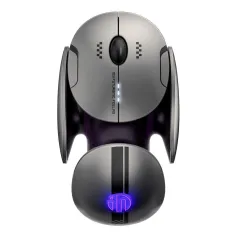
Product Name: Triple-Mode Gaming Mouse with Charging Dock
Chipset: FR2012+S205
Connection Mode: Wired+2.4G+BT5.3
Operating Mode: Optoelectronics
DPI: 12000(1200-1600-2400-3200-6400-12000)
Switch lifespan: 50 million clicks
Polling Rate:
Wired mode: 1000Hz
2.4G mode:250Hz(125Hz/250Hz (default)/500Hz/1000Hz (long press and right-click for 3 seconds to switch))
BT5.3 mode: 125Hz
Acceleration: 10/25G
Frames Per Second: 2000/7200FPS
Inches Per Second: 30/120IPS
Number of Buttons: 6Keys
Battery Capacity: 500mAh
Voltage/Current: 3.7V/12mA
System Compatibility:
Windows, for macOS, iOS, Android, Linux (and newer OS versions).
Charging prompt:
When charging: red light
After being fully charged, the indicator light turns green.
Operating Time: 70h
Macro Programmable: Yes(6 programmable buttons)
Cable Length: 150cm
Product Size: 12x5.9x3.9cm
Product Weight: 58.2g
Package Size: 18.3x10.2x4.7cm
Package Weight: 200g
Features:
1.Triple-Mode Gaming Mouse with Charging Dock
Switch between wired,2.4GHz, and BT 5.3 for universal compatibility with all your devices.
2.50-Million-Click Durability
Engineered with premium HuYu micro switches rigorously tested for 50 million clicks, guaranteeing unwavering performance and a dramatically extended lifespan.
3.High-Precision
Gaming SensorFeatures a 12,000 DPI,1,000Hz polling rate for pixel-perfect accuracy and ultra-responsive tracking.
4.Programmable Macros
Assign complex commands to a single button to streamline your work or dominate in games.
5.Fast USB-C Charging
The 500mAh battery supports quick charging via USB-C for long hours of uninterrupted use.
Package Includes:
1x T10 Three mode game mouse
1x Charging Dock
1x USB Receiver
1x Data Cable (150cm)
1x Instruction Manual
How to connect three modes:
Wired Connection:
1. Insert the USB data cable Type-C end that comes with the mouse into the mouse.
2. Insert the USB end of the data cable into the USB port of the computer, and the mouse can work normally in wired mode.
2.4G Wireless Connection:
1. Turn on the mouse power switch (the red light at the scroll wheel flashes by default when turned on).
2. Insert the attached 2.4G USB receiver into the USB port of the computer.
3. After successful connection, the red light at the scroll wheel goes out, and the mouse can work normally in 2.4G mode.
T10 BT1 Connection:
1. Press the mode button at the bottom of the mouse once lightly, and the green light at the scroll wheel will flash slowly.
2. Press and hold the mode button again for about 3 seconds until the green light flashes quickly (at this time, a bluetooth device named "T10 BT1" will be displayed on the computer screen).
3. Click on this bluetooth name to connect. After successful connection, the green light at the scroll wheel goes out, and the mouse can work normally.
T10 BT2 Connection:
1. Press the mode button at the bottom of the mouse once again lightly, and the blue light at the scroll wheel will flash slowly.
2. Press and hold the mode button again for about 3 seconds until the blue light flashes quickly (at this time, a bluetooth device named "T10 BT2" will be displayed on the computer screen).
3. Click on this bluetooth name to connect. After successful connection, the blue light at the scroll wheel goes out, and the mouse can work normally.


Jaso markaren berri eta %15 deskontua zure lehenengo eskaeran.

Hi ?
How can we help?


 Coupon Code
 Direct purchase from the factory
 Computers & Office
 Keyboards & Mouse
 Mouse
Mouse Computer Peripherals