Back Share

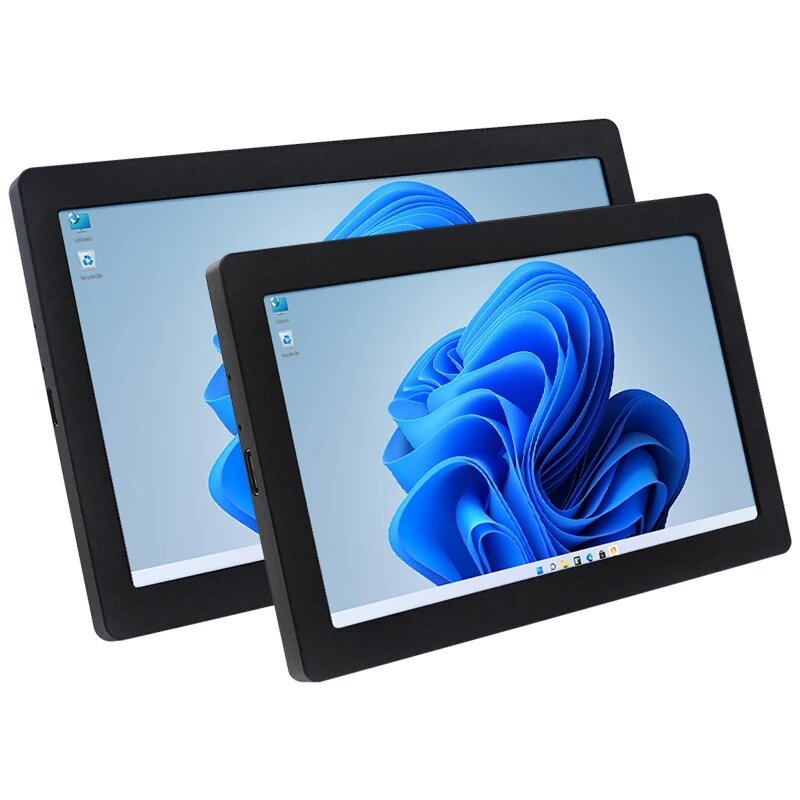
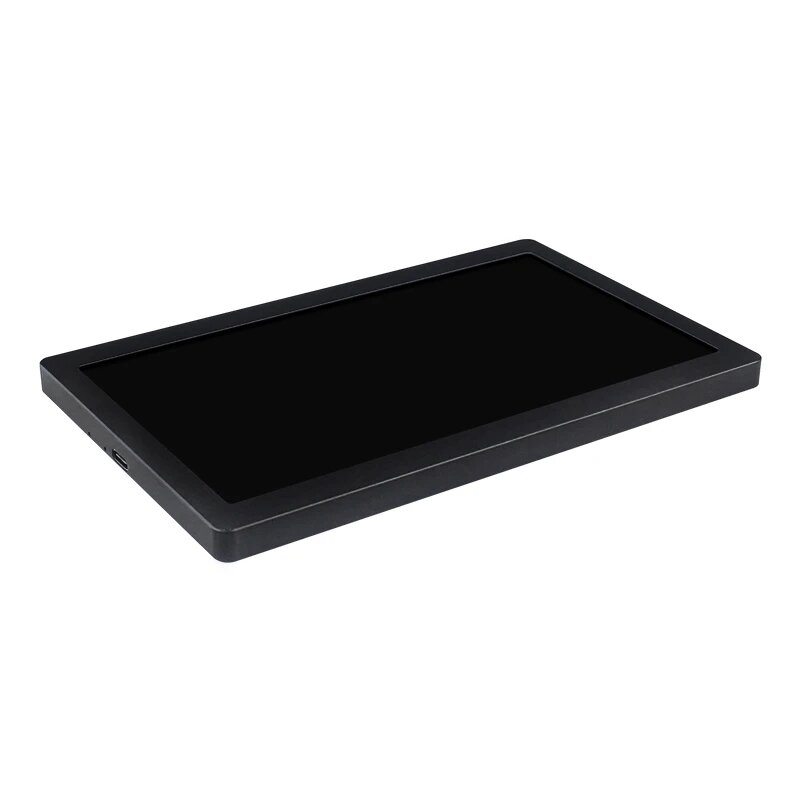
5-inch 7-inch IPS USB Secondary Screen 1024x600 AIDA64 Monitoring Computer Data Desktop Sub-screen Support Desktop Extended LCD for Win10/11

  • gift Roymall C.o.
  • amazon
  • $31.99 /$43.91
    4.81368
    Shipping to: United States
    Express: 7-12 business days
    Standard: 15-25 business days
    $35.99 /$43.91
    • *Name:

    • *Email:

    • *Phone:

    • *Quantity:

    • *Content:

    • Attachment:

      Supports JPG, JPEG, PNG, PDF, EXCEL, WORD, RAR, ZIP, 7z formats

    Ordainketa Segurua Bermaturik

    Opari Doan
    Erosi eta opari doan lortu
    Bidalketa Politika
    Bidalketa estandarra doan $9.9tik gorako eskaeretan
    Itzulketa Politika
    Erositako elementuak itzuli daitezke 40 egunetan jasotako datatik aurrera. Pertsonalizatutako elementuak ezin dira itzuli edo aldatu. E-opari txartelarekin erositako elementuak trukatzeko soilik dira; itzulketak ez dira aplikagarri.

    Opari Doan

    Ongi etorri Roymallera, departamentu-dendako opari premiumak erosteko zure webgune profesionalera. Zure babesa oso estimatzen dugu eta eskerrak emateko, zure erosketetan zirrara gehigarria gehitu nahi dugu. Gurekin erosiz gero, zure bizimodua hobetzen duten kalitate handiko produktuak ez ezik, zure eskaera bakoitzarekin opari doan esklusiboa ere jasoko duzu. Prest gure bilduma arakatzeko eta zure opari perfektua aurkitzen? Arakatu gure departamentu-dendako elementuen hautapena, egin zure eskaera eta itxaron zure opari doana zure erosketarekin batera iristeko zirrara.

    Bidalketa Politika

    Zure eskaerak jaso ondoren, elementuak zuregana eramateko lan egingo dugu eta seguru iristen direla ziurtatuko dugu. Bidalketaren xehetasunak zure baieztapen mezu elektronikoan emango dira.Kasu gehienetan, eskaerak 2 egunetan prozesatzen dira.Baldintza berezietan, honela atzeratuko da: Larunbatean, igandean edo jaiegunetan eskaera egiten baduzu, 2 egun atzeratuko da..Normalean, 5-7 lan egun behar dira (astelehenetik ostiralera) hegaldiaren atzerapena edo beste ingurumen faktore batzuk eragin gabe..Gure bidalketa zerbitzua mundu osoan zehar delako, bidalketa denborak zure kokalekuaren araberakoak izango dira, beraz, zenbait aldiz beharko dituzu eta itxaron pazientziaz urrutiko barrutietan edo herrialdeetan bazaude.

    1. Itzulketa eta Truke Politika

    roymall.comtik erositako elementuak bakarrik onartzen ditugu. Gure tokiko banatzaileetatik edo beste saltzaile batzuetatik erosten baduzu, ezin dituzu gure aldetik itzuli. Azken salmentako elementuak edo opari doanak ez dira onargarriak itzulketarako. Itzulketarako hautagaia izan dadin, zure elementua erabili gabe eta jaso zeneko egoera berean egon behar du. Gainera, jatorrizko paketean egon behar du.Gurengandik itzulketa argibideak jaso ondoren, mesedez, bildu zure itzulitako elementuak eta utzi zure paketea posta bulego lokalean edo beste bidalketa batzuetan.
    Zure itzulketako edo trukaketa elementua prozesatuko dugu 3-5 lan egunetan jasotakoan. Itzulketa prozesatu eta zure ordainketa metodo originalean kreditua automatikoki emango da.Ezin dira itzulketak edo trukeak onartu produktua pertsonalizatuta sortu bada, neurri pertsonalizatuak, kolore pertsonalizatuak edo inprimatze pertsonalizatuak barne.Laguntza gehiago behar duzu, jarri gurekin harremanetan. service@roymall.com edo Whatsapp: +447549870296

    2.Itzulketa Politika

    Itzulitako paketea jasota eta egiaztatuta, itzulpen osoa edo dendako kredituaren %100 jasoko duzu. Itzulketa prozesatu eta zure ordainketa metodo originalean kreditua automatikoki emango da. Kontuan izan bidalketa kostuak eta edozein zerga edo kuota ez direla itzulgarriak. Bidalketa kostu gehigarriak ez dira itzulgarriak paketea bidali ondoren. Zuk ordaindu behar dituzu kuota hauek eta ezin ditugu bertan behera utzi edo itzuli, eskaera guregana itzuli arren.Behin itzulitako elementua jaso eta berretsi ondoren, mezu elektroniko bat bidaliko dizugu zure itzulitako elementua jaso dugula jakinarazteko. Zure itzulketaren onarpena edo ukapena ere jakinaraziko dizugu.Itzulketa prozesuari buruzko arazoren bat baduzu, jarri gurekin harremanetan. service@roymall.com edo Whatsapp: +447549870296

    Product Introduction:


    >>>Manual:Click here to open<<<

    1. USB One-Line-Through Monitor

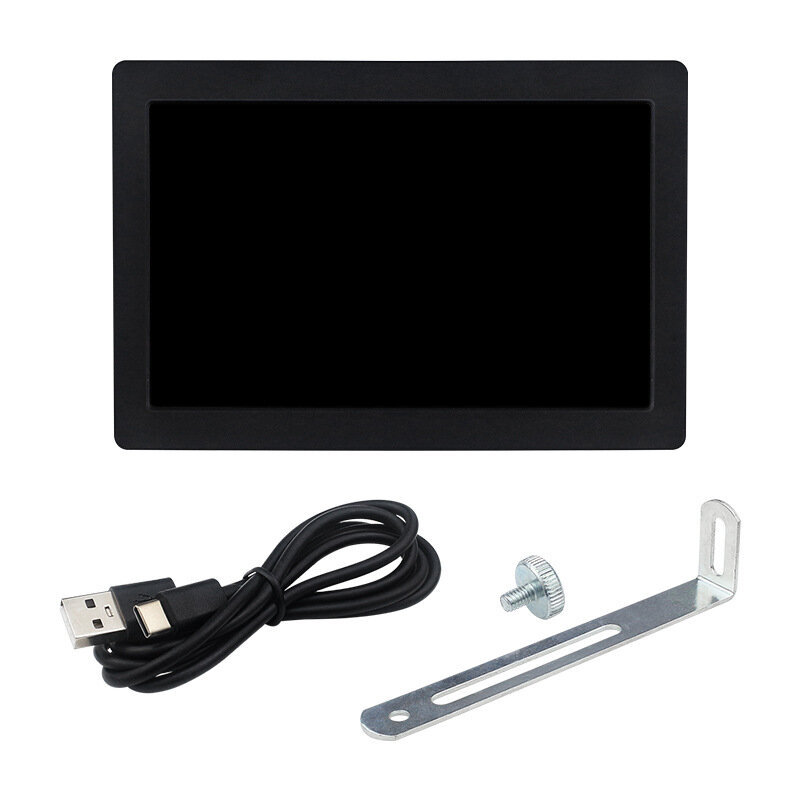
    Only one USB cable is needed to connect to the USB port of the computer to communicate and transmit the computer screen data. There is no need for HDMl or other connection cables.
    Note: The USB one-line-through function only supports Windows10/Windows11 systems and requires the installation of drivers.

    2. CNC Fine-Carved Integrated Shell
    The shell is made of integrated aluminum material and is integrally formed by CNC carving. The shell is round and has a texture, with meticulous carving.

    3. Supports Brightness Adjustment
    The brightness is adjustable, and the last brightness setting is automatically maintained when the power is off, which is convenient for DIY.

    4. Application Scenario u2460 - DIY of Chassis Secondary Screen
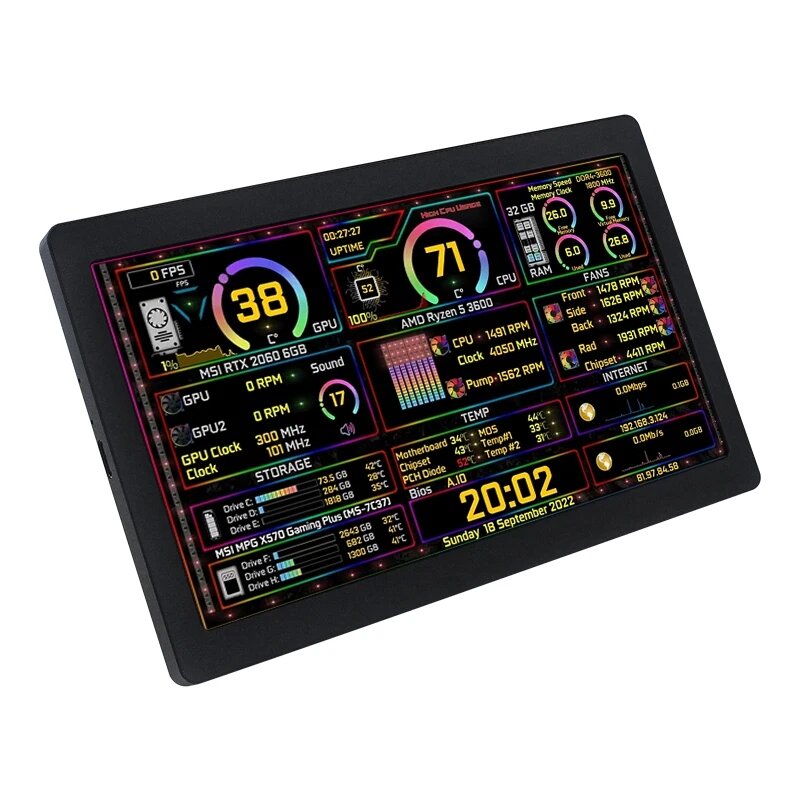
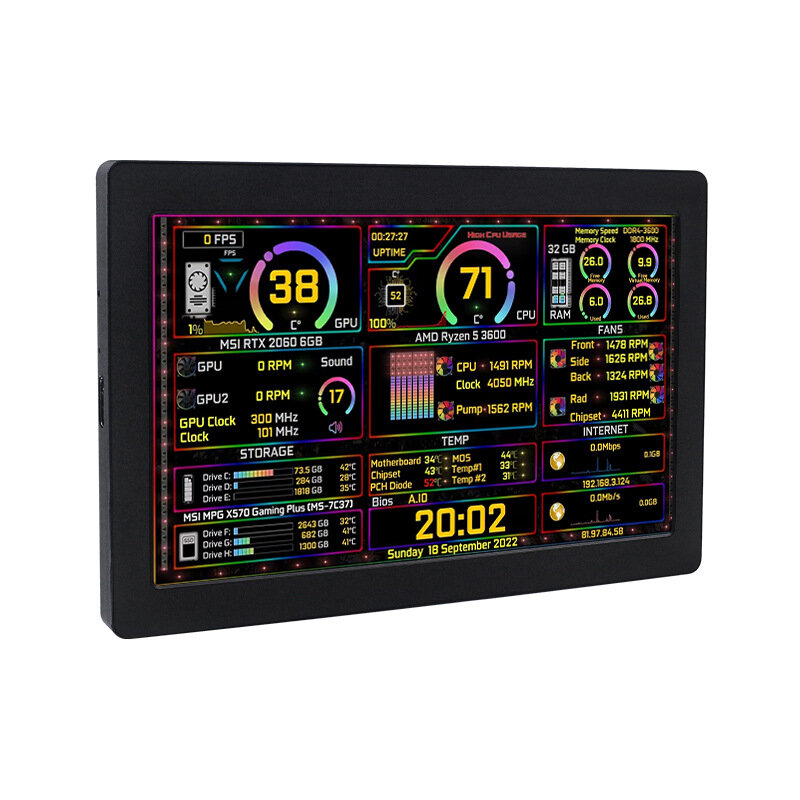
    With the AIDA64 software, it can be used as a USB secondary screen to display the running information of the CPU, memory, hard disk, etc. in real time.

    5. Application Scenario u2461 - USB Computer Desktop Secondary Screen
    Just connect one USB cable to any USB port of a Windows10/11 computer. After installing the driver, it can be used as a computer secondary screen, without occupying other HDMl/DVI/DP/VGA ports of the host.

    6. Application Scenario u2462 - Industrial Control Host Monitoring Screen
    Connect to the USB port of an industrial control host with Windows10/11 system, it can be used as an industrial control host monitoring screen and for debugging parameters when going out. The connection is convenient, portable, simple, and cost-effective.


    Specification:


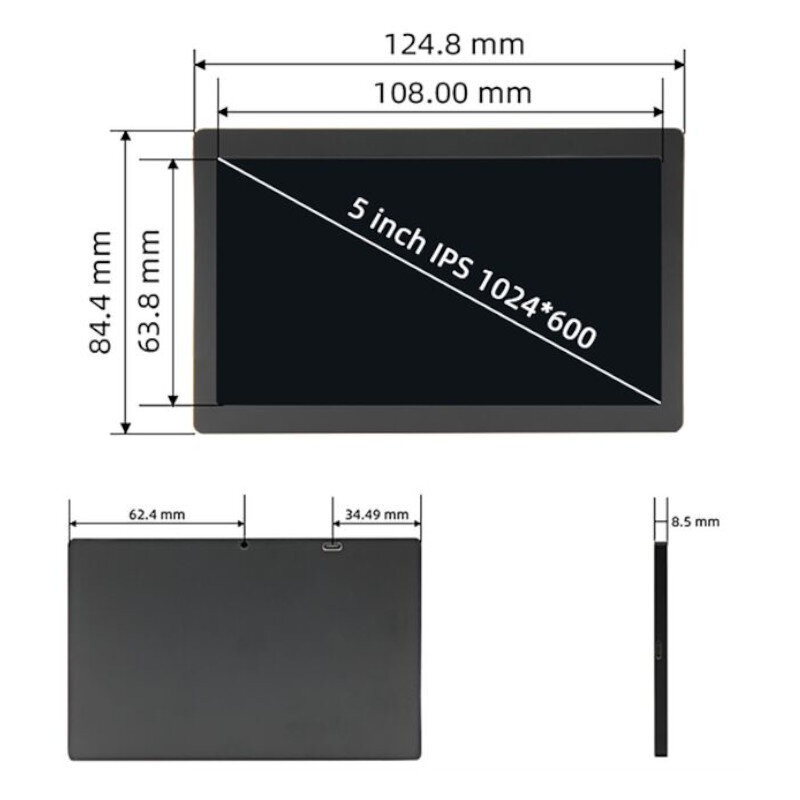
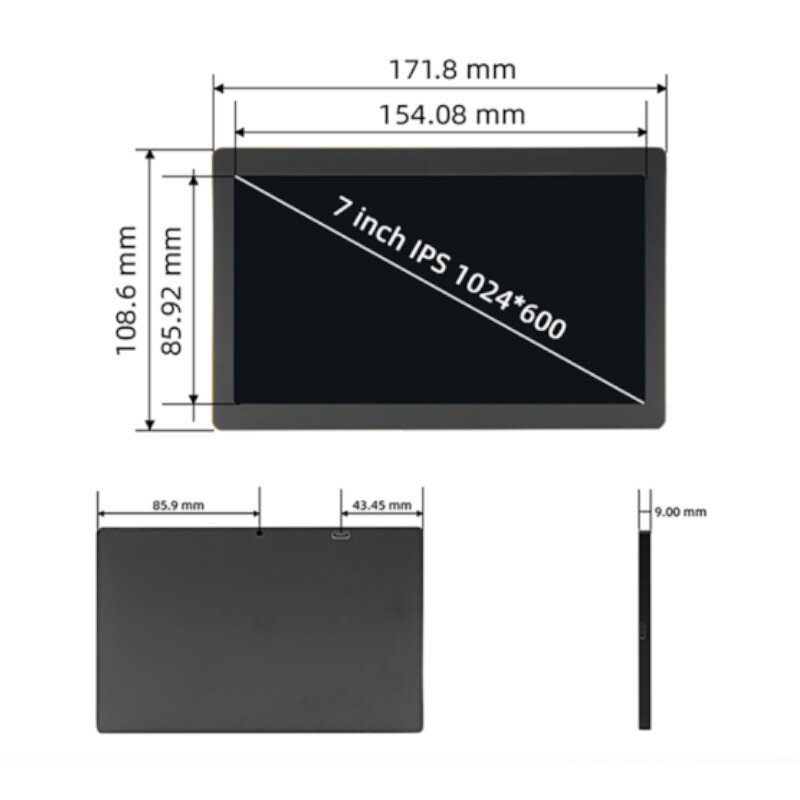
    Name 5-inch display screen parameters 7-inch display screen parameters
    Chip MPC5088 MPC7088
    Display type IPS screen IPS screen
    Display size 5-inch 7-inch
    Resolution 1024x600 1024x600
    Brightness 500
    Touch type No touch No touch
    Backlight adjustment Button adjustable (can use mobile phone card pin) Button adjustable
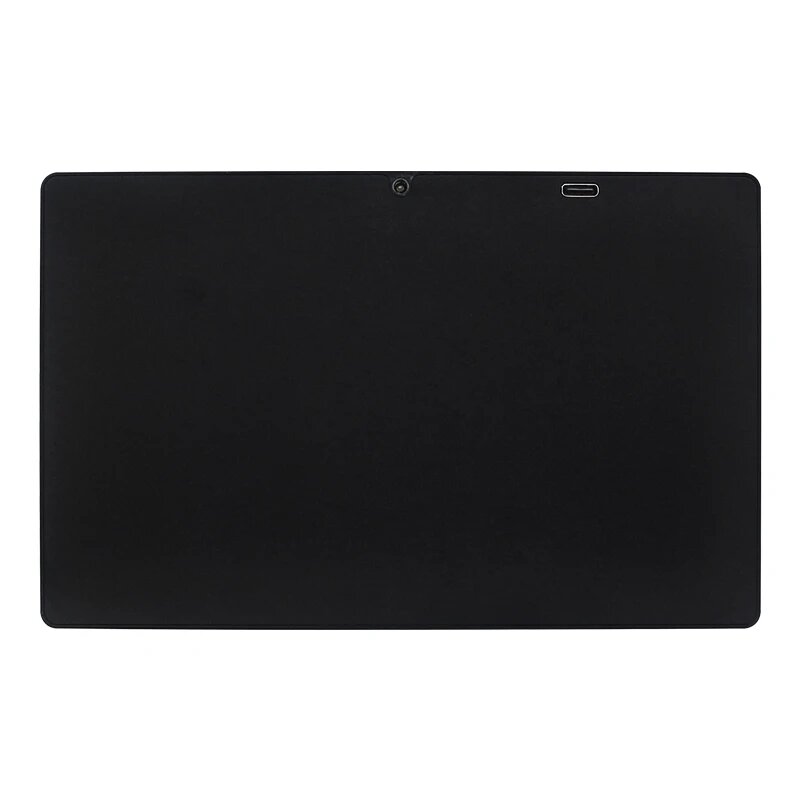
    Power supply Type-C (5V) Type-C (5V)
    Overall power 2.1W
    Effective display area (AA area) 108.0*63.8 (mm)
    154.08*85.92 (mm)
    Module size (L x W x H) 124.8*84.4*8.5 (mm)
    171.8*108.6*9.0 (mm)
    Packaging size (L x W x H) 150*140*37(mm)
    210*150*40 (mm)
    Product weight (including packaging) 208(g)
    366(g)
    Working temperature
    -20~60 ℃

    -20~60 ℃
    Storage temperature
    -30~70 ℃

    -30~70 ℃


    Package includes:


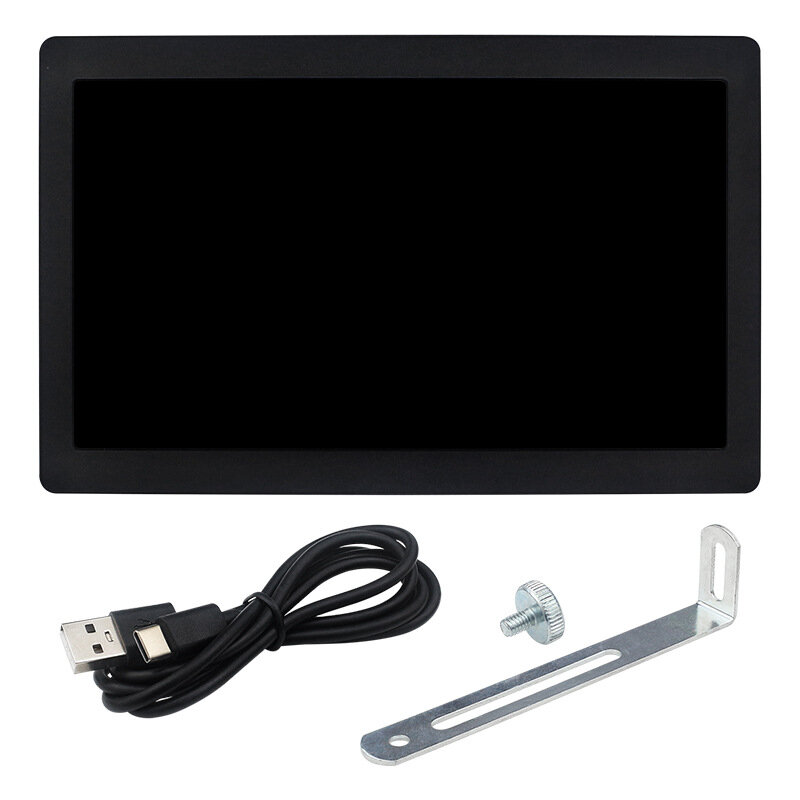
    1 x 5inch/7inch display screen


    Frequently Asked Questions:
    FAQ1. If there is a problem of a distorted screen or a black screen

    Solution:
    1. When the screen is black, first check if the light is on; if the light is not on, then replace the Type-C data cable/switch the USB port on the computer, and then test again;
    2. Right-click on the desktop to check if the display settings detect the screen; if the screen is not detected, then replace the Type-C data cable/switch the USB port on the computer, and then test again;
    3. Confirm whether it is in the copy mode in the display settings; if it is in the copy mode, please change it to the extended mode;
    4. Open the Task Manager, close the MS USB Display process in the processes, and then restart the program;
    5. Confirm whether the config.int file has been replaced.


    FAQ 2. After reboot, why is the screen resolution 800x600 instead of 1024x600?

    Solution:

    Please check if the "config.ini" file is installed in the "C:Program FilesWin USB Display" directory.
    After installation, restart your system to enable the 1024x600 resolution.

    FAQ 3. Why does the screen remain black after driver installation?

    Solution:

    1. Ensure that the USB2.0 interface has sufficient power supply. It is recommended to connect the side monitor to the USB interface on the PC, or use the USB3.0 interface.
    2. Open "Display" setting, click "Detect". If the secondary screen is recognized, set it to "Extend these displays".
    3. If the secondary screen isn"t recognized, check if the "MS USB Display" driver is loaded correctly in the "Device Manager".

    Description

    5-inch 7-inch IPS USB Secondary Screen 1024x600 AIDA64 Monitoring Computer Data Desktop Sub-screen Support Desktop Extended LCD for Win10/11

    5-inch 7-inch IPS USB Secondary Screen 1024x600 AIDA64 Monitoring Computer Data Desktop Sub-screen Support Desktop Extended LCD for Win10/11

    5-inch 7-inch IPS USB Secondary Screen 1024x600 AIDA64 Monitoring Computer Data Desktop Sub-screen Support Desktop Extended LCD for Win10/11

    5-inch 7-inch IPS USB Secondary Screen 1024x600 AIDA64 Monitoring Computer Data Desktop Sub-screen Support Desktop Extended LCD for Win10/11

    5-inch 7-inch IPS USB Secondary Screen 1024x600 AIDA64 Monitoring Computer Data Desktop Sub-screen Support Desktop Extended LCD for Win10/11

    5-inch 7-inch IPS USB Secondary Screen 1024x600 AIDA64 Monitoring Computer Data Desktop Sub-screen Support Desktop Extended LCD for Win10/11

    5-inch 7-inch IPS USB Secondary Screen 1024x600 AIDA64 Monitoring Computer Data Desktop Sub-screen Support Desktop Extended LCD for Win10/11

    5-inch 7-inch IPS USB Secondary Screen 1024x600 AIDA64 Monitoring Computer Data Desktop Sub-screen Support Desktop Extended LCD for Win10/11

    You also Interesting

    Jaso markaren berri eta %15 deskontua zure lehenengo eskaeran.

    QQ好友QQ空间新浪微博微信朋友圈百度贴吧复制链接
    取消