Libre nga standard shipping sa mga order nga sobra sa $9.9
Polisiya sa Pagbalik
Ang mga item nga ibalik dawaton sulod sa 40 ka adlaw gikan sa petsa sa pagdawat sa mga butang. Ang mga custom nga item dili mabalik o mabalhin. Ang mga item nga gipalit gamit ang e-gift card mabalhin lamang; ang refund dili magamit.
Libre nga Regalo
Welcome to Roymall, your professional website for purchasing premium department store gifts. We highly value and appreciate your support, and we want to express our gratitude by adding an extra touch of excitement to your purchases. When you shop with us, you not only get to enjoy high-quality products that enhance your lifestyle, but you'll also receive an exclusive free gift with every order you place. Ready to explore our collection and find your perfect gifts? Browse our selection of premium department store items, place your order, and look forward to the excitement of your free gift arriving alongside your purchase.
Polisiya sa Pagpadala
Among paningkamutan nga ihatud ang mga item kanimo human makuha ang imong mga order ug siguruon nga sila makaabot nga luwas. Ang mga detalye sa paghatud ipakita sa imong email sa pagkumpirma.Sa kadaghanan nga mga kaso, ang mga order giproseso sulod sa 2 ka adlaw.Sa espesyal nga mga kahimtang, kini madugay sama sa mosunod: Kung mag-order ka sa Sabado, Domingo o publiko nga mga holiday, kini madugay og 2 ka adlaw..Kasagaran, kinahanglan og 5-7 ka adlaw nga trabaho (Lunes hangtod Biyernes) nga wala maapektuhan sa paglangan sa flight o ubang mga hinungdan sa palibot..Tungod kay among serbisyo sa pagpadala kay sa tibuok kalibutan, ang mga oras sa paghatud magdepende sa imong lokasyon busa kini mahimong magkinahanglan og pipila ka panahon ug palihug hulata nga maligdong kung ikaw anaa sa layo nga mga distrito o mga nasud.
1. Polisiya sa Pagbalik & Pagbaylo
Among dawaton lamang ang mga item nga gipalit gikan sa roymall.com. Kung ikaw mopalit gikan sa among lokal nga mga tig-apod-apod o ubang mga tigbaligya, dili nimo kini mabalik sa among bahin.Ang mga item sa katapusang baligya o libre nga mga regalo dili madawat alang sa pagbalik.Aron kwalipikado alang sa pagbalik, ang imong item kinahanglan nga wala magamit ug sa parehas nga kahimtang nga imong nadawat. Kinahanglan usab kini anaa sa orihinal nga packaging.Human makuha ang mga instruksyon sa pagbalik gikan kanamo, palihug ipackage ang imong mga item nga ibalik ug ihulog ang imong package sa lokal nga post office o ubang courier. Among iproseso ang imong pagbalik o pagbaylo sulod sa 3-5 ka adlaw nga trabaho human namo kini madawat. Ang refund iproseso ug kredito awtomatik sa imong orihinal nga pamaagi sa pagbayad.Walay mga pagbalik o pagbaylo ang madawat kung ang produkto gipahiangay, lakip na ang custom size, custom
kolor, o custom printed.Kinahanglan og dugang nga tabang, palihug kontaka kami. service@roymall.com or Whatsapp: +447549870296
2.Polisiya sa Refund
Makuha nimo ang bug-os nga refund o 100% store credit human namo madawat ang gibalik nga package ug susihon kini. Ang refund iproseso ug kredito awtomatik sa imong orihinal nga pamaagi sa pagbayad.Palihug hinumdomi nga ang mga gasto sa pagpadala ug bisan unsang mga buhis o bayad dili mabalik. Ang dugang nga mga gasto sa pagpadala dili mabalik kung ang package naipadala na. Ikaw ang responsable sa pagbayad niini nga mga bayad ug dili namo kini mabalik, bisan kung ang order ibalik kanamo.Human namo madawat ug makumpirma ang imong gibalik nga item, ipadala namo kanimo ang email aron pahibal-on nga among nadawat ang imong gibalik nga item. Pahibal-on usab namo kanimo ang pag-aprobar o pagsalikway sa imong refund.Kung aduna kay mga problema bahin sa proseso sa refund, palihug kontaka kami. service@roymall.com or Whatsapp: +447549870296
Videos for similar product
Loading product videos...
❮
❯
Products related to this item
Loading related products...
❮
❯
Specification:
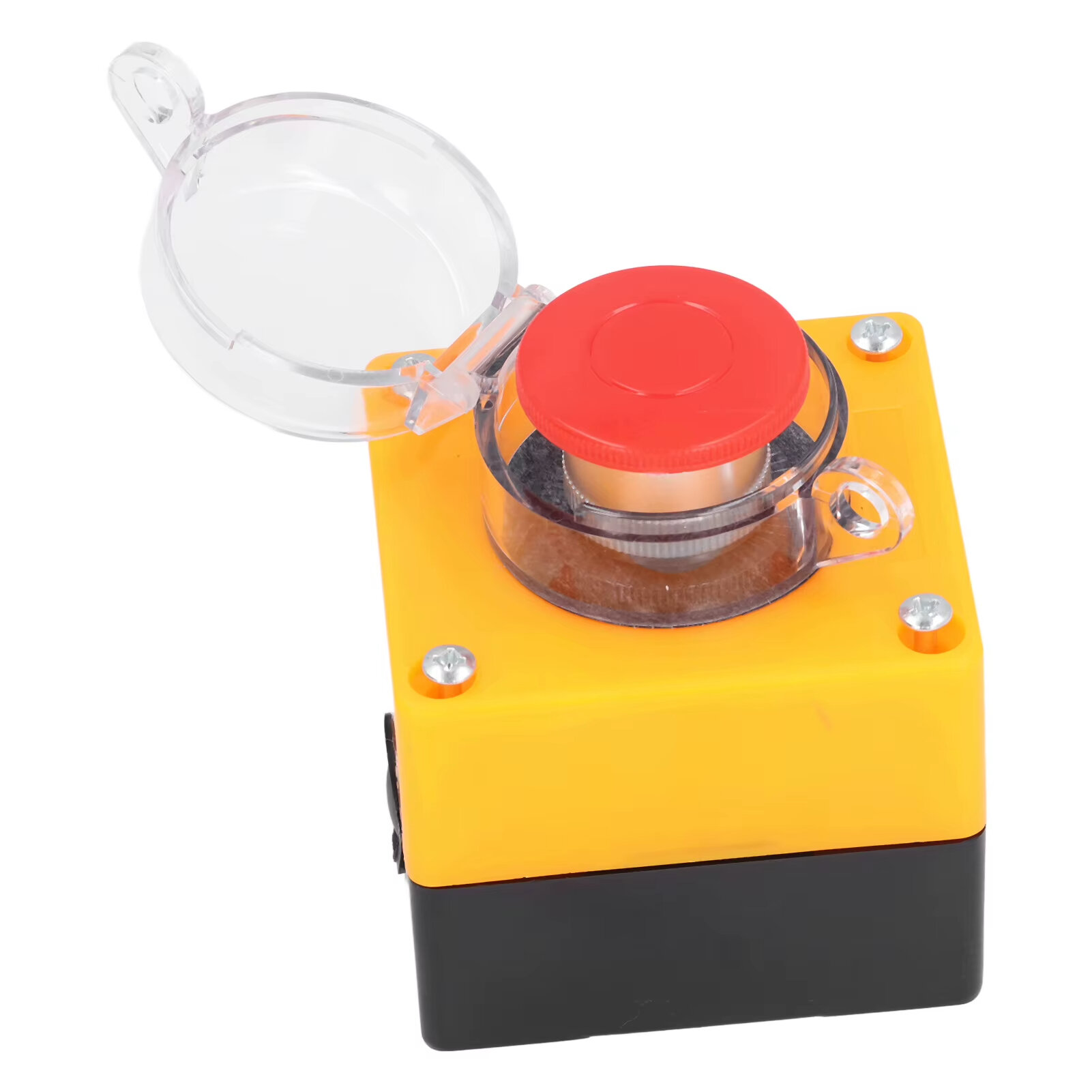
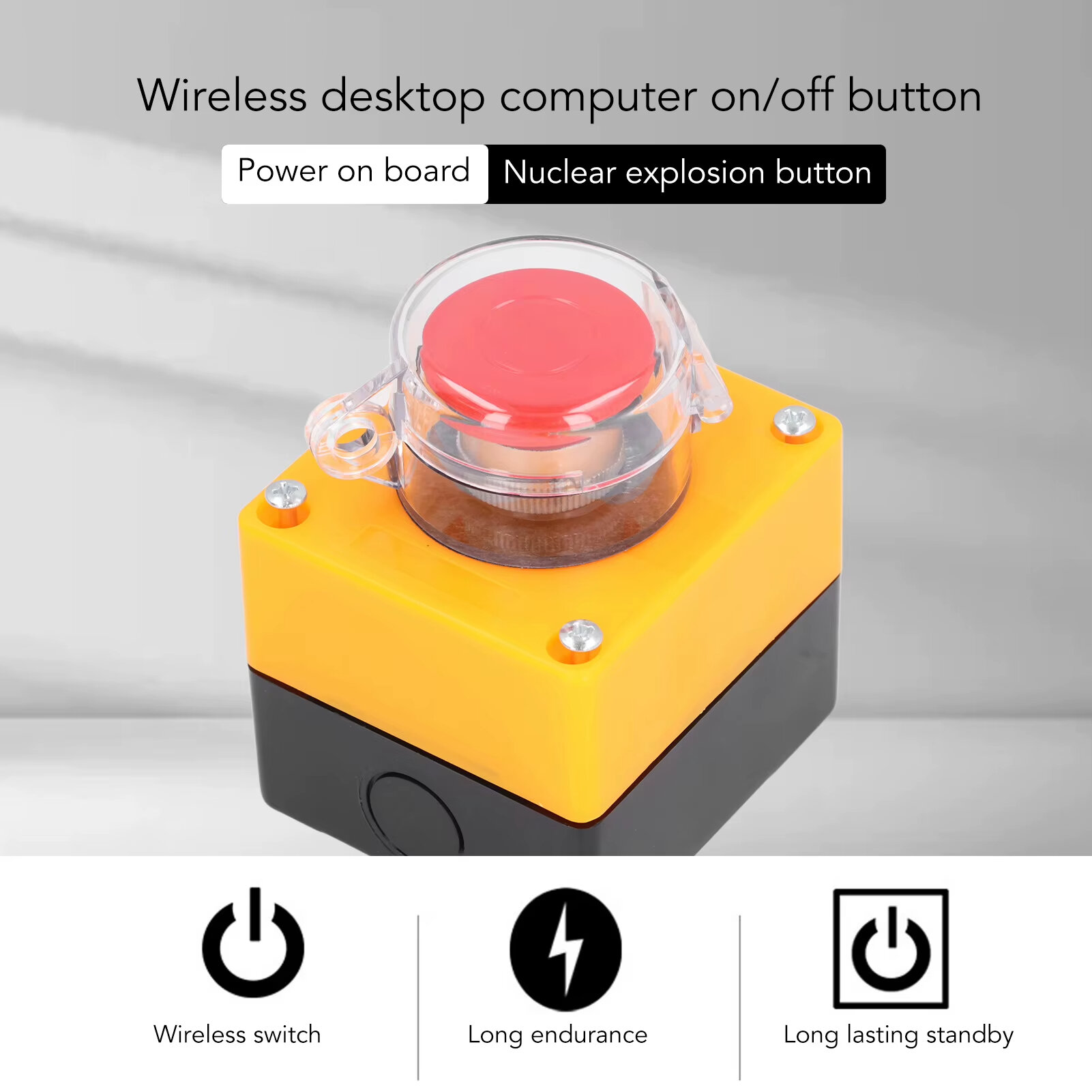
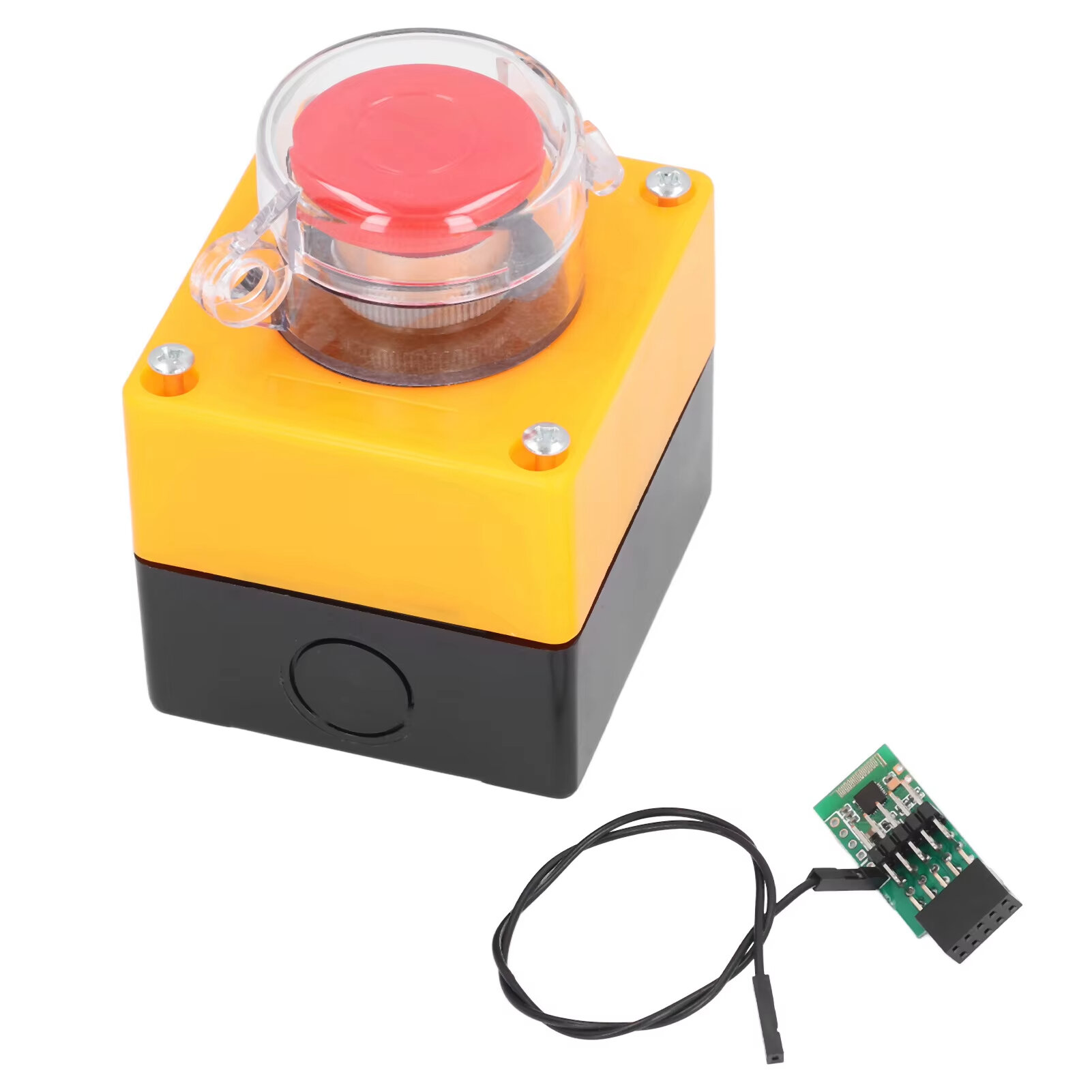
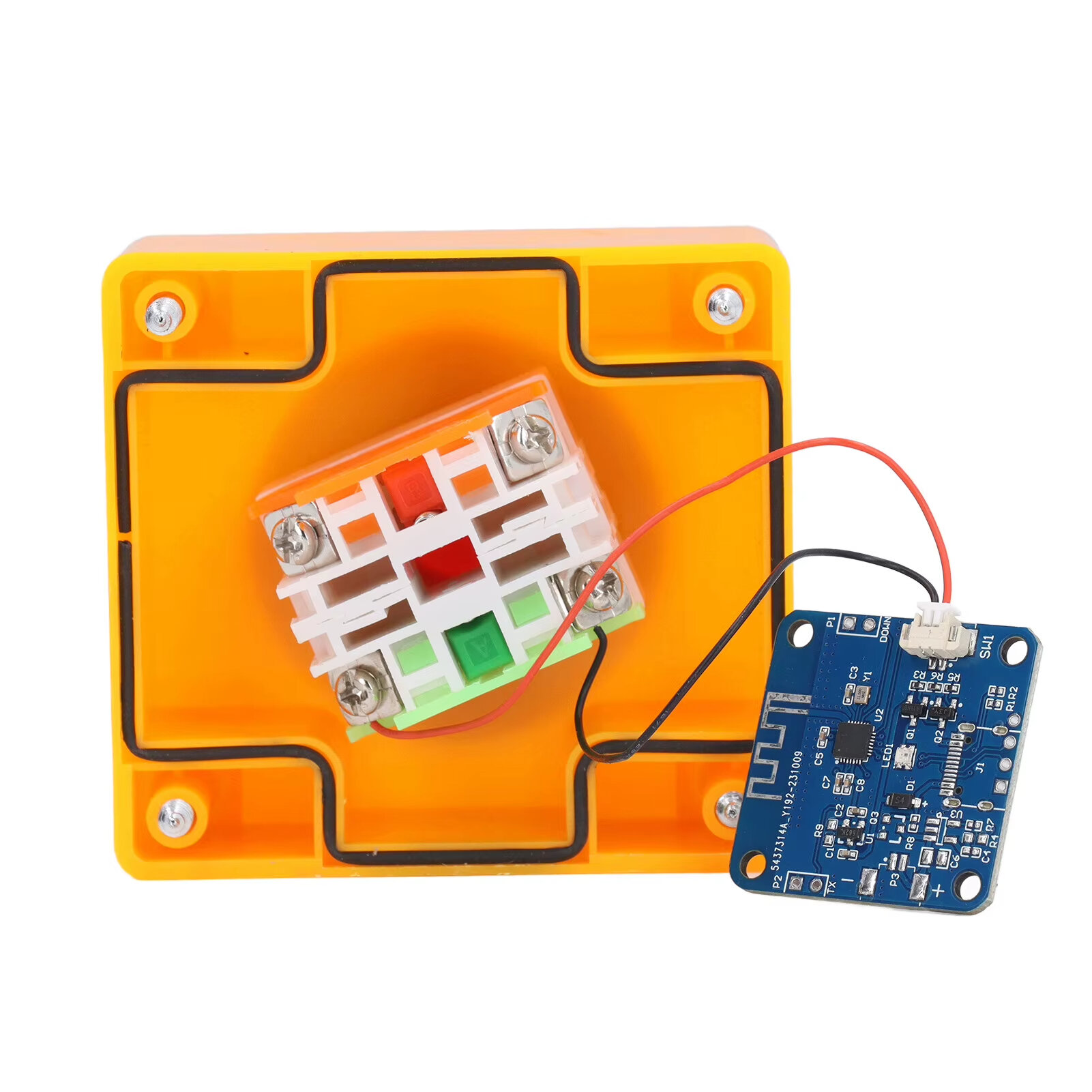
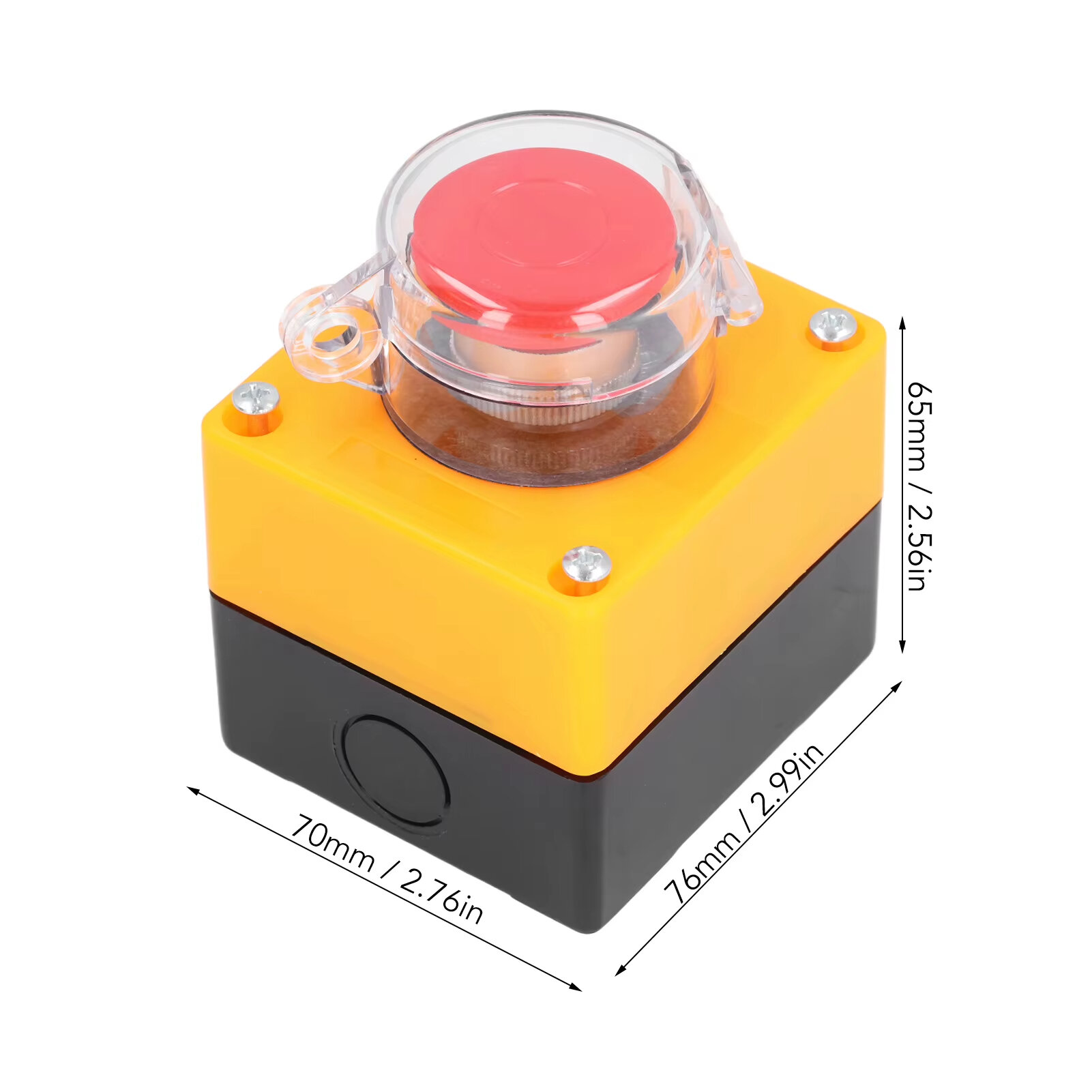
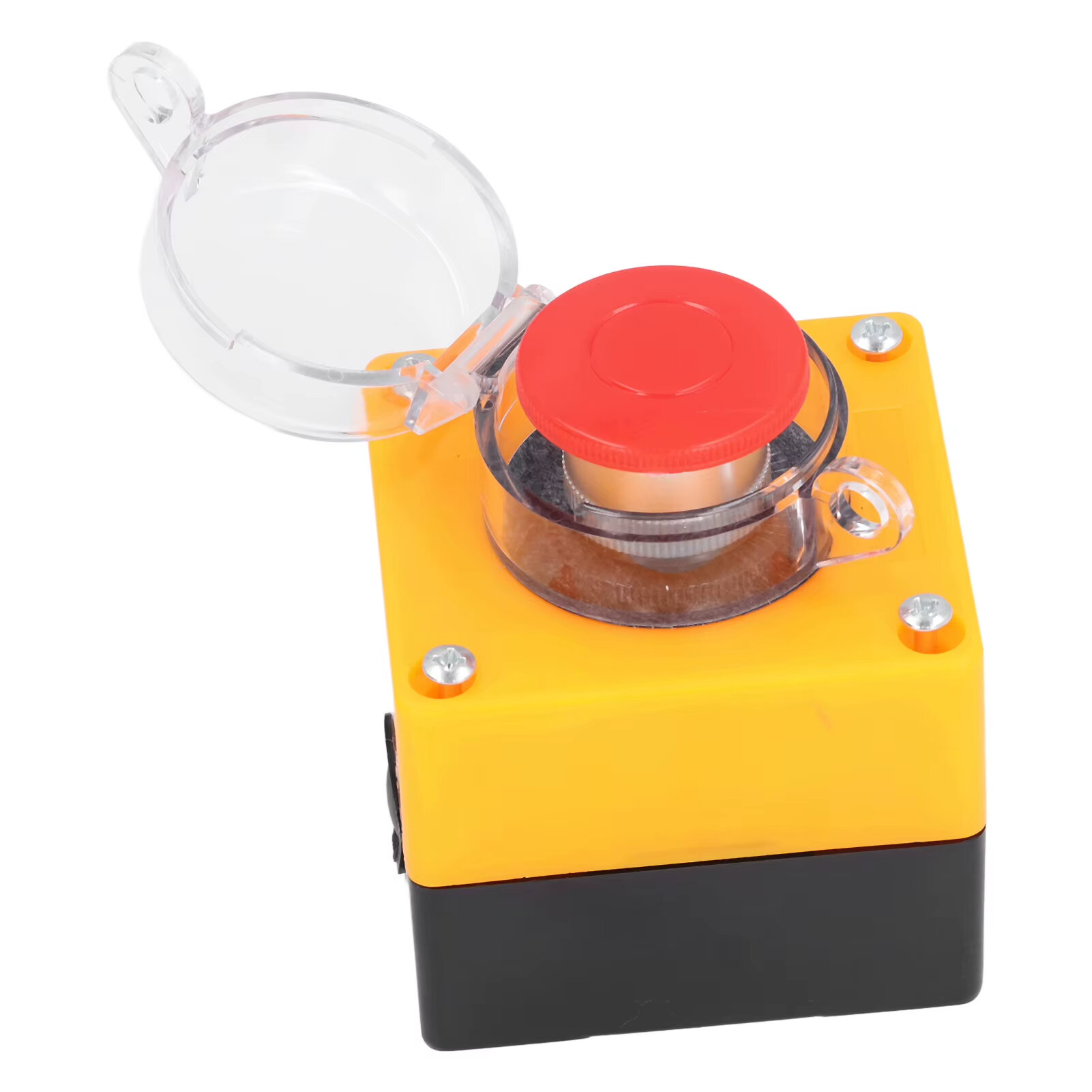
Item Type: Wireless External Computer Power Button Switch Material: ABS, PCB Battery: CR2032 button battery x 1 Battery Capacity: 150mah (shipped with built in battery) Size: 76*70*65mm Weight: 164g
Features:
1. WIRELESS POWER BUTTON: This wireless desktop power switch allows you to conveniently turn on your computer within a range of 5 meters. Say goodbye to bending over or reaching for the power button on your computer case. With the option to enable the for BIOS USB power feature, it offers easy and wireless access without the need for charging and ensures long lasting standby functionality. 2. TIDY WORK SPACE: With this wireless external desktop power button, you can control your computer without long cables, keeping your work space neat and tidy. It helps maintain a clean and cool working environment, eliminating the clutter caused by traditional power buttons and cables. 3. REMOTE FUNCTIONALITY: This power switch enables remote operation, allowing you to effortlessly turn on or off the power of your PC tower from a distance. Say goodbye to the hassle of reaching behind your computer or crawling under your desk to access the power button. 4. EASY INSTALLATION: Installing this PC power switch is a breezes. Simply insert the control chip into the PCIE interface on your motherboard, and you"re able to take control of your computer"s power. Ensure that your motherboard has a PCIE interface before installation. 5. IMPROVED CONVENIENCE: With this wireless desktop power switch, you can enhance the convenience of controlling your computer. It provides a simple and efficient solution for powering on your PC, allowing you to focus on your work without any interruptions or cumbersome setups.
How to Use:
The motherboard boot 9 pin position is defined, and the side of the boot small board with a chip faces the side of the board edge. Mainboard USB2.0 9 Pin definition. The single power bar cable on the startup board needs to be plugged into the USB and 5V. 1. Locate the 9 pin startup bar on the mainboard, remove the original bar, and insert the startup board. 2. Insert the eight cables on the mainboard into the startup board in the original sequences. 3. Connect the power bar on the startup pad to the USB 5V power supply pin on the mainboard. 4. At this point, the installation of the startup board is complete, and the power supply option of USB shutdown is enabled in the computer BIOS. Because there are many types of motherboards, please find out how to enable this option. 5. Press the nuclear explosion button to turn it on.
Package Include:
1 x Desktop Power Button Switch 1 x Mainboard Boot Board



 Roymall C.o.


 Libre nga Regalo
 Polisiya sa Pagpadala
 Polisiya sa Pagbalik







 Coupon Code
 Direct purchase from the factory
 Electronic Components & Supplies
 Module Board
 Other Module Board