Back Share

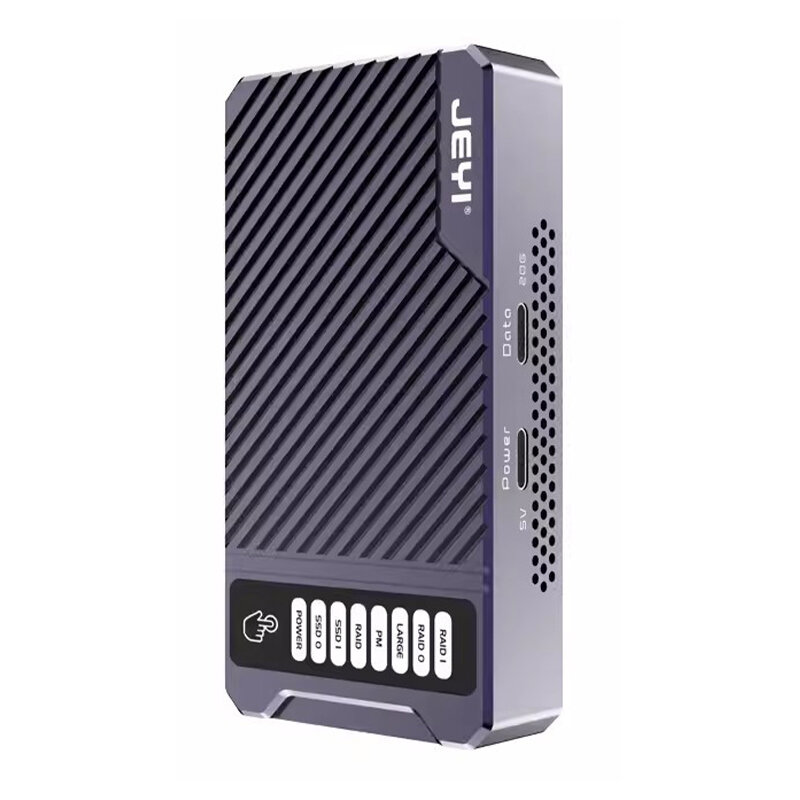
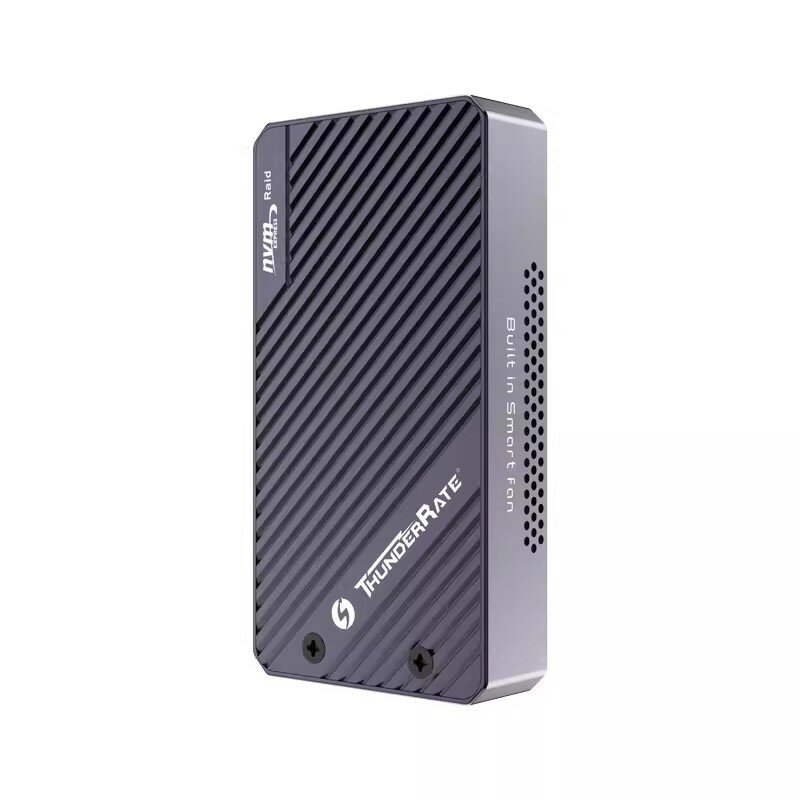
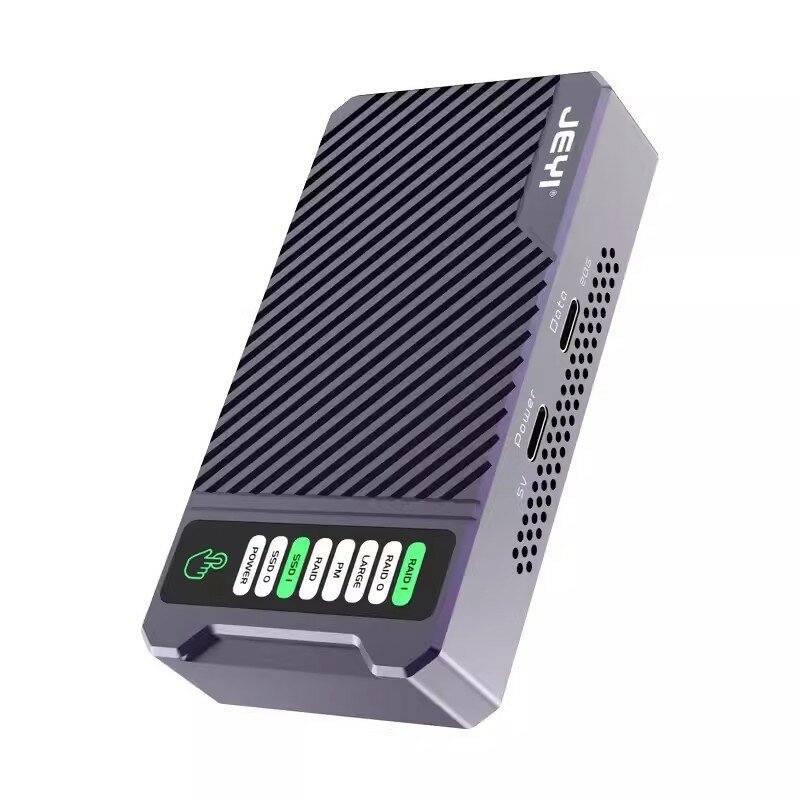
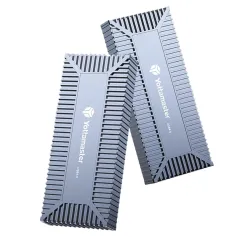
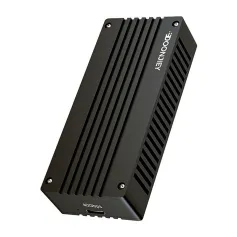
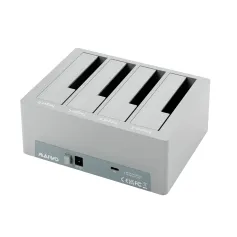
JEYI 586R Dual NVMe SDD Enclosure 2-Bay 2-Bay Hardware RAID Enclosure 20Gbps Transmission Speed SSD Case Support RAID0/ RAID1/ Large/ JBOD

  • gift Roymall C.o.
  • amazon
  • $59.99 /$104.91
    4.82493
    Shipping to: United States
    Express: 7-12 business days
    Standard: 15-25 business days
    $85.99 /$104.91
    • *Name:

    • *Email:

    • *Phone:

    • *Quantity:

    • *Content:

    • Attachment:

      Supports JPG, JPEG, PNG, PDF, EXCEL, WORD, RAR, ZIP, 7z formats

    ደህንነቱ የተጠበቀ ክፍያ

    ነፃ ስጦታ
    ከማንኛውም ግዢ ጋር ነፃ ስጦታ
    የመላኪያ ፖሊሲ
    ከ$9.9 በላይ ትዕዛዞች ላይ ነፃ መደበኛ መላኪያ
    የመመለሻ ፖሊሲ
    የተመለሱ እቃዎች ከሸቀጦቹ የመጡበት ቀን ጀምሮ በ40 ቀናት ውስጥ ይቀበላሉ። ልዩ የተዘጋጁ እቃዎች መመለስ ወይም መለወጥ አይቻልም። በኤሌክትሮኒክ ስጦታ ካርድ የተገዙ እቃዎች መለወጥ ብቻ ይቻላል; መመለስ አይቻልም።

    ነፃ ስጦታ

    እንኳን ወደ Roymall በደህና መጡ፣ ለከፍተኛ ደረጃ የስጦታ መደብር ስጦታዎች የሚገዙበት ሙያዊ ድረ-ገፃችን። ድጋፍዎን ከፍ ብለን እናደርገዋለን እናም በእያንዳንዱ ግዢዎ ላይ ተጨማሪ ደስታ በማክበር አመስጋኝነታችንን ለመግለጽ እንፈልጋለን። ከእኛ ጋር በሚገዙበት ጊዜ፣ የሕይወት ደረጃዎን የሚያሻሽሉ ከፍተኛ ጥራት ያላቸውን ምርቶች ብቻ ሳይሆን እያንዳንዱን ትዕዛዝ የሚያገኙበትን ልዩ ነፃ ስጦታም ያገኛሉ። ስብስባችንን ለመጎብኘት እና ፍጹም ስጦታዎችዎን ለማግኘት ዝግጁ ነዎት? የከፍተኛ ደረጃ የስጦታ መደብር እቃዎችን ይምረጡ፣ ትዕዛዝዎን ያቅርቡ እና ከግዢዎ ጋር የሚመጣውን የነፃ ስጦታዎ ደስታ ይጠብቁ።

    የመላኪያ ፖሊሲ

    ትዕዛዞችዎን ከተቀበልን በኋላ እቃዎችን ወደእርስዎ ለማድረስ እና በሰላም እንዲደርሱ እንሰራለን። የመላኪያ ዝርዝሮች በማረጋገጫ ኢሜልዎ ውስጥ ይሰጣሉ።በአብዛኛዎቹ ሁኔታዎች፣ ትዕዛዞች በ2 ቀናት ውስጥ ይቀርባሉ።በልዩ ሁኔታዎች፣ እንደሚከተለው ይዘገያል፡ ትዕዛዝን ቅዳሜ፣ እሑድ ወይም በዓላት ላይ ሲያቀርቡ፣ ለ2 ቀናት ይዘገያል..በአብዛኛው፣ ያለ የበረራ መዘግየት ወይም ሌሎች የአካባቢ ሁኔታዎች ተጽዕኖ ሳይኖርበት 5-7 የስራ ቀናት (ሰኞ እስከ ዓርብ) ይፈልጋል..የመላኪያ አገልግሎታችን በዓለም ዙሪያ ስለሆነ፣ የመላኪያ ጊዜዎች በአካባቢዎ ላይ የተመሰረቱ ስለሆኑ በርቀት ያሉ አካባቢዎች ወይም ሀገሮች ውስጥ ከሆኑ ጥቂት ጊዜ ይፈልጋል እና በትዕግስት ይጠብቁ።

    1. መመለሻ እና መለዋወጫ ፖሊሲ

    እቃዎችን ከ roymall.com ብቻ እንቀበላለን። ከአካባቢያችን አከፋፋዮች ወይም ሌሎች ነጋዴዎች ከገዙ፣ ከእኛ ጎን መመለስ አይችሉም። የመጨረሻ ሽያጭ ዕቃዎች ወይም ነፃ ስጦታዎች ለመመለስ አይቀበሉም። ለመመለስ ብቁ ለመሆን፣ ዕቃዎ ያልተጠቀሙበት እና እንደተቀበሉት በተመሳሳይ ሁኔታ ውስጥ መሆን አለበት። እንዲሁም በዋናው ማሸጊያ ውስጥ መሆን አለበት።ከእኛ የመመለሻ መመሪያዎችን ከተቀበሉ በኋላ፣ የተመለሱ ዕቃዎችዎን ያሸጉ እና ጥቅልዎን በአካባቢያችሁ ፖስታ ቤት ወይም ሌላ ኩሪየር ላይ ያስቀምጡ።
    የተመለሰውን ወይም የተለወጠውን ዕቃ በ3-5 የስራ ቀናት ውስጥ ከተቀበልን በኋላ እንሰራለን። መመለሻው በራስ-ሰር ወደ ዋናው የክፍያ ዘዴዎ ይመለሳል።ምርቱ ልዩ ከተሰራ፣ ልዩ መጠን፣ ልዩ ቀለም ወይም ልዩ ህትመት ጨምሮ፣ �ንዳንድ መመለስ ወይም መለወጥ አይችልም።ተጨማሪ እርዳታ ከፈለጉ፣ እባክዎን ያግኙን። service@roymall.com ወይም Whatsapp: +447549870296

    2.የመመለሻ ፖሊሲ

    የተመለሰውን ጥቅል ከተቀበልን እና ከተፈተነ በኋላ ሙሉ መመለሻ ወይም 100% የማከማቻ ክሬዲት ያገኛሉ። መመለሻው በራስ-ሰር ወደ ዋናው የክፍያ ዘዴዎ ይመለሳል። እባክዎን ያስታውሱ የመላኪያ ወጪዎች እና ማንኛውም ታክስ ወይም ክፍያዎች መመለስ አይቻልም። ተጨማሪ የመላኪያ ወጪዎች ጥቅሉ ከተላከ በኋላ መመለስ አይቻልም። እነዚህን ክፍያዎች ለመክፈል እርስዎ ተጠያቂ ነዎት እና ትዕዛዙ ወደእኛ ከተመለሰም ሊሰረዙ ወይም መመለስ አይችሉም።ከተመለሰው ዕቃ ከተቀበልን እና ከተረጋገጠ በኋላ፣ የተመለሰውን ዕቃ እንደተቀበልን ለማሳወቅ ኢሜይል እንልካለን። እንዲሁም የመመለሻዎ መፈቀድ ወይም ማያያዣ ስለሆነ እናሳውቅዎታለን።በመመለሻ ሂደቱ ላይ ችግር ካጋጠመዎት፣ እባክዎን ያግኙን። service@roymall.com ወይም Whatsapp: +447549870296
    Description:
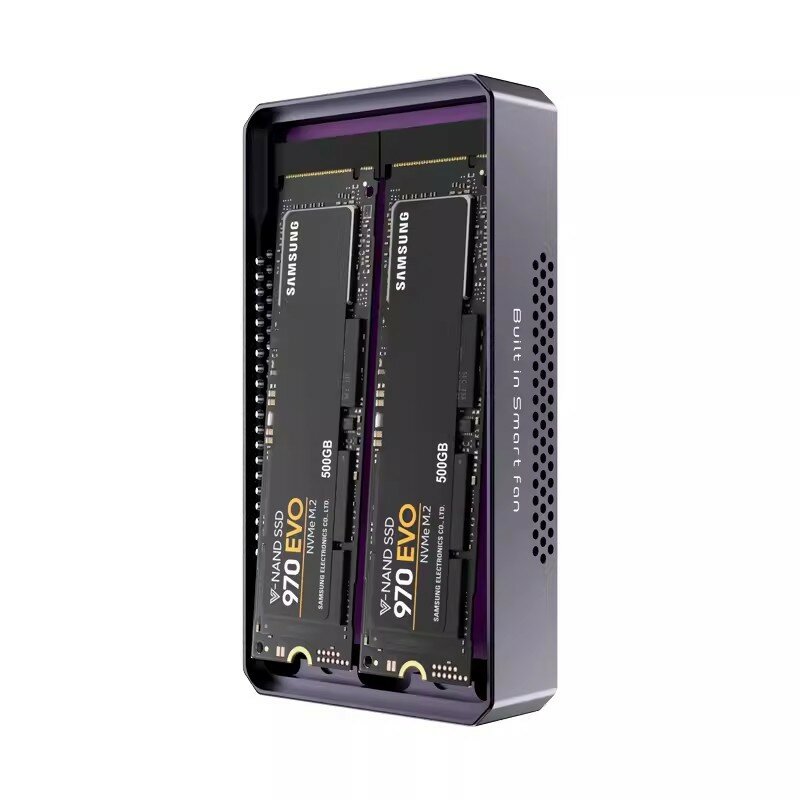
    This RAID hard drive enclosure from JEYI uses the JMS568R main control chip and supports a maximum transfer rate of 20G. It has a maximum single-drive capacity of 4TB and can accommodate two M.2 NVMe hard drives, supporting a maximum disk array capacity of 8TB.

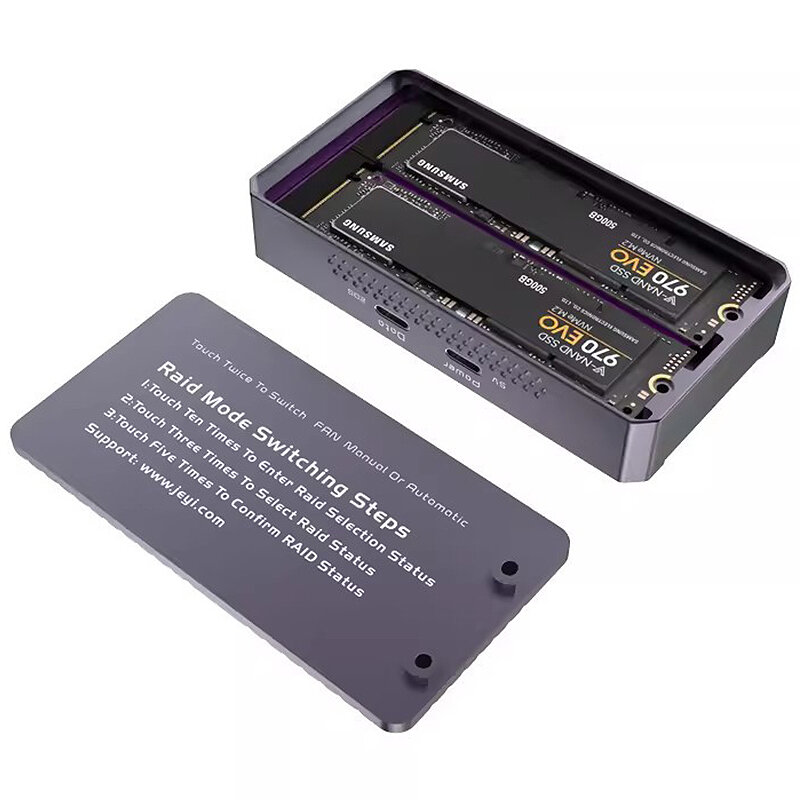
    How to Set Up the JEYI 586R Hardware RAID Enclousre
    *In standby mode, press the touch button 10 times continuously to unlock the hard drive enclosure and enter the operation mode. Please note that this operation is somewhat cumbersome to ensure the data security of the hard drive.

    *After unlocking, press the touch button 3 times in a row to switch modes. A single press will cause the corresponding mode"s green light to flash again.

    *After selecting the desired mode, press the touch button 5 times in a row to confirm. Please note that this operation will delete the hard drive data, so make sure to back up your hard drive data in advance. (NOTE: Please choose MBR if the capacity of your disk is less than 2TB, choose GPT if larger than 2TB.)

    *After switching modes, you need to reformat it in the computer"s disk management page to use it normally.

    *Every time the power is disconnected and the hard drive enclosure is reconnected, the hard drive enclosure defaults to a locked state.

    *If it has been unlocked before, the hard drive enclosure will not return to a locked state until the power is disconnected.

    *The built-in fan has two modes: temperature control and manual (it will start when powered on). Press the touch button twice in a row to switch. Note: Switching the fan mode does not require unlocking. You cannot switch the fan mode when it"s already unlocked.

    Features:
    -Support 2-bay PCle Gen3x2 NVMe with RAID0/1/JBOD/PM
    -Comply with USB 3.2 Gen2x2 Specification
    -Support FS/HS/SS/SS+ USB operation andup to fast Speed USB 20Gbps
    -Integrate with USB Type-C CC-Logicc
    -Support USB Bulk Only Transfer (BOT) andUSB Attached SCSI protocol (UASP)
    -Support SCSI to NVMe command translation
    -Support PCle Gen 3x2, max. bandwidth up to 16Gb/s
    -Support TRIM to the SSD
    -Support PWM internal fan control


    Package Include:
    1x JEYI 586R SSD Enclosure
    1x Manual

    Reviews(4)
    5.00
    See All Reviews
    Description

    JEYI 586R Dual NVMe SDD Enclosure 2-Bay 2-Bay Hardware RAID Enclosure 20Gbps Transmission Speed SSD Case Support RAID0/ RAID1/ Large/ JBOD

    JEYI 586R Dual NVMe SDD Enclosure 2-Bay 2-Bay Hardware RAID Enclosure 20Gbps Transmission Speed SSD Case Support RAID0/ RAID1/ Large/ JBOD

    JEYI 586R Dual NVMe SDD Enclosure 2-Bay 2-Bay Hardware RAID Enclosure 20Gbps Transmission Speed SSD Case Support RAID0/ RAID1/ Large/ JBOD

    JEYI 586R Dual NVMe SDD Enclosure 2-Bay 2-Bay Hardware RAID Enclosure 20Gbps Transmission Speed SSD Case Support RAID0/ RAID1/ Large/ JBOD

    JEYI 586R Dual NVMe SDD Enclosure 2-Bay 2-Bay Hardware RAID Enclosure 20Gbps Transmission Speed SSD Case Support RAID0/ RAID1/ Large/ JBOD

    JEYI 586R Dual NVMe SDD Enclosure 2-Bay 2-Bay Hardware RAID Enclosure 20Gbps Transmission Speed SSD Case Support RAID0/ RAID1/ Large/ JBOD

    JEYI 586R Dual NVMe SDD Enclosure 2-Bay 2-Bay Hardware RAID Enclosure 20Gbps Transmission Speed SSD Case Support RAID0/ RAID1/ Large/ JBOD

    You also Interesting

    የቅርብ ጊዜ የምርት ዜና እና ለመጀመሪያ ትዕዛዝዎ 15% ቅናሽ ለማግኘት።

    QQ好友QQ空间新浪微博微信朋友圈百度贴吧复制链接
    取消